Best Wireless Mice Under $100

Find the best wireless mice under $100 for work, study, or everyday browsing. Ranked by user review ratings, this list makes it easy to explore highly rated options within your budget. Compare comfort, connectivity, and features to find a wireless mouse that suits your setup.

Read More

What to look for in wireless mice under $100

1. Wireless Connectivity

Bluetooth connects directly to compatible devices without taking up a USB port, while a USB receiver requires a compatible port. If you switch between computers or tablets, look for a mouse with multi-device pairing and easy switching.

2. Comfort and Fit

Choose a size and shape that suit your hand, grip style and available desk space. Check whether the design is right-handed, left-handed or ambidextrous, and consider a vertical mouse if you prefer a more upright hand position.

3. Tracking and Controls

Adjustable sensitivity lets you fine-tune cursor speed, while programmable buttons can simplify frequent tasks. For gaming, look for low wireless latency and reliable sensor tracking; for office work, consider quiet clicks and smooth scrolling.

4. Battery Life and Charging

Compare estimated battery life and check whether the mouse uses replaceable batteries or a built-in rechargeable battery. A battery indicator and the ability to use the mouse while charging can help limit interruptions.
Citrus catapult arrow
  1. 1

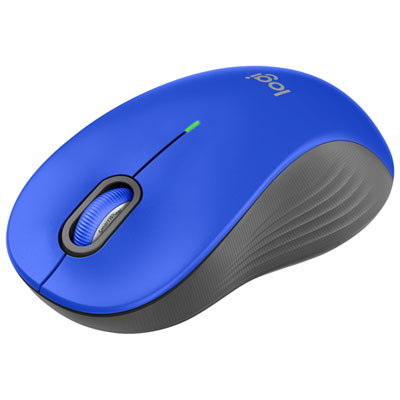
    Logitech Signature M550 L Wireless Optical Mouse - Blue

    About this product

    A blue wireless optical mouse featuring SmartWheel precision scrolling and an ambidextrous design for all users.

    What customers like

    • Reliable wireless performance
    • Smooth and silent operation
    • Comfortable fit and soft grip
    • Easy to use and install
    • Good value and affordable
    (93)
    $35.95 Your price for this item is $35.95
  2. 2

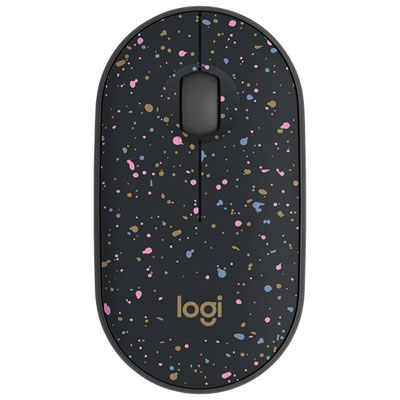
    Logitech M340 1000 DPI Wireless Optical tracking Mouse - Speckles

    About this product

    A lightweight wireless mouse with Silent Touch Technology and a speckled finish for quiet, comfortable use.

    What customers like

    • Comfortable and ergonomic fit
    • Attractive and stylish appearance
    • Compact and lightweight design
    • Quiet and silent operation
    • Good value and affordability
    (102)
    $17.99 Your price for this item is $17.99
  3. 3

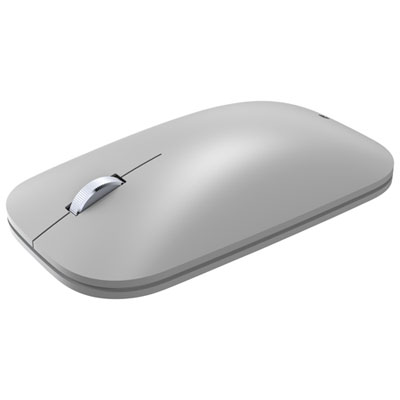
    Incase Designed by Microsoft Modern Mobile Bluetooth BlueTrack Mouse - Platinum - Only at Best Buy

    About this product

    A lightweight platinum mouse with BlueTrack Technology for smooth, precise tracking and easy navigation anywhere.

    (9)
    $49.99
    SAVE $10
    Your price for this item is $49.99
  4. 4

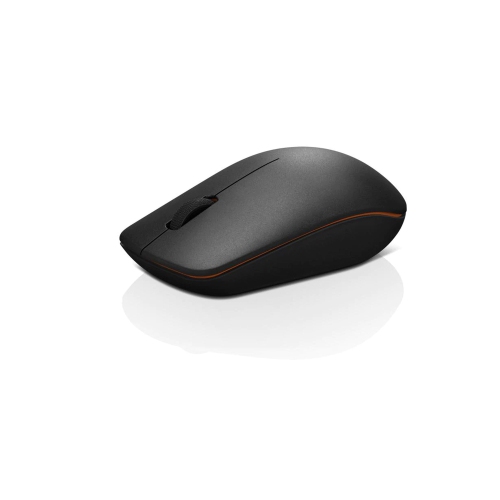
    LENOVO 400 Wireless Mouse

    About this product

    A black wireless mouse offering smooth, precise navigation with convenient USB connectivity for everyday computing.

    What customers like

    • Easy to set up and use
    • Responsive and precise performance
    • Affordable price
    • Comfortable and ergonomic design
    • Reliable wireless connectivity
    (612)
    $32.68 Your price for this item is $32.68
  5. 5

    Logitech G203 LIGHTSYNC 8000 DPI Optical Gaming Mouse - Black

    About this product

    A black optical gaming mouse featuring 8,000 DPI sensitivity, customizable RGB lighting, and six programmable buttons.

    What customers like

    • Comfortable design
    • Programmable buttons and settings
    • Customizable RGB lighting
    • Great value for the price
    • Accurate and responsive performance
    (1,867)
    $39.99 Your price for this item is $39.99
  6. 6

    HyperX Pulsefire Haste 2 Core 12000 DPI Wireless Gaming Mouse - White

    About this product

    A wireless white gaming mouse featuring 12,000 DPI, 1,000Hz polling rate, and durable TTC gold switches.

    What customers like

    • Lightweight and comfortable
    • Affordable price
    • Easy to use software
    • Customizable DPI and RGB
    • Responsive buttons and performance
    (18)
    $59.99 Your price for this item is $59.99
  7. 7

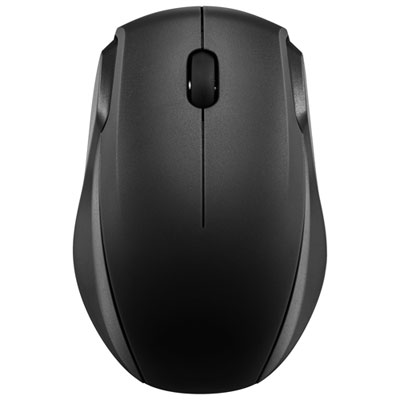
    Insignia Wireless Optical Mouse - Black - Only at Best Buy

    About this product

    A black wireless optical mouse featuring 2.4GHz connectivity and smart sleep mode for extended battery life.

    What customers like

    • Compact and lightweight
    • Long battery life
    • Smooth and reliable functionality
    • Affordable price
    • Easy setup and use
    (370)
    $15.99 Your price for this item is $15.99
  8. 8

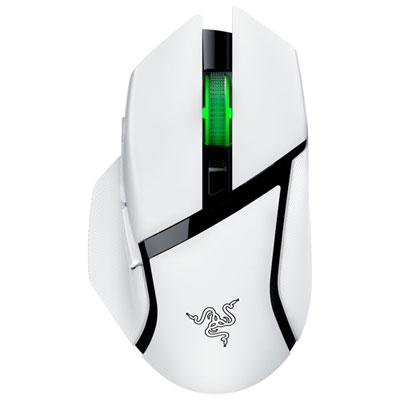
    Razer Basilisk V3 X HyperSpeed Gaming Mouse - White - Only at Best Buy

    About this product

    A white wireless gaming mouse featuring low-latency performance and durable mechanical switches for precise control.

    What customers like

    • Responsive and precise performance
    • Customizable buttons and features
    • Excellent battery life
    • Comfortable ergonomic design
    • Seamless wireless connectivity
    (38)
    $68.99
    SAVE $31
    Your price for this item is $68.99
  9. 9

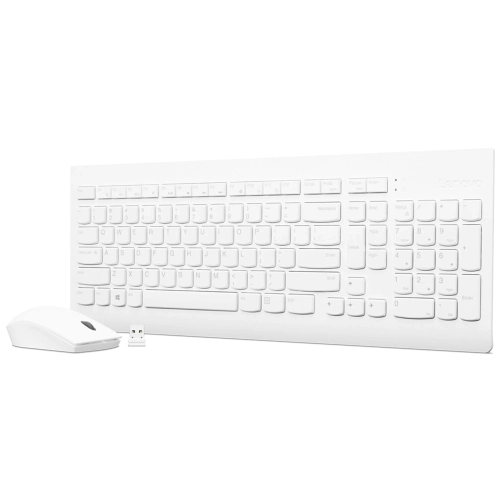
    LENOVO 510 Wireless Combo Keyboard & Mouse (White) - Us English

    About this product

    A wireless white keyboard and mouse combo offering reliable performance and US English layout.

    What customers like

    • Good value for the price
    • Comfortable and quiet typing experience
    • Easy wireless setup and connectivity
    • Reliable performance and battery life
    • Attractive and modern design
    (187)
    $56.99 Your price for this item is $56.99
  10. 10

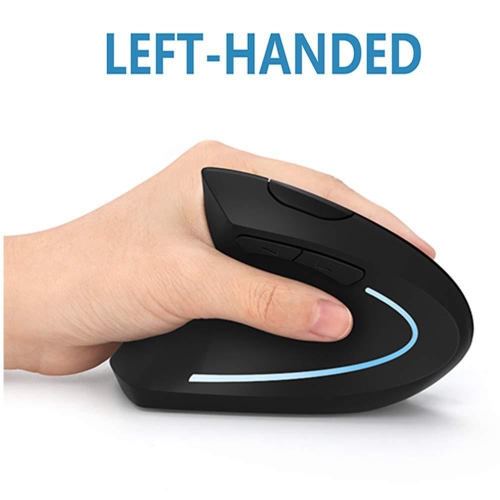
    SAMA Left-Handed Ergonomic Wireless Mouse - 2.4G Vertical Design (Black)

    About this product

    A black wireless mouse featuring a left-handed ergonomic vertical design and 2.4G connectivity.

    (1)
    $39.99 Your price for this item is $39.99

A comfortable mouse goes beyond the right shape

A comfortable mouse can make a long afternoon at your desk feel a little easier, whether you’re moving between spreadsheets, polishing a presentation, or settling in for a game after work. Best Wireless Mice Under $100 brings together options for shoppers who want practical features without stretching their budget. Going wireless frees up space around your keyboard and removes the cable that always seems to catch on the edge of a notebook. For a home office, a shared family computer, or a laptop that travels between classes, the right fit starts with how and where you work. A compact shape slips neatly into a laptop bag, while a fuller contour can give your palm more support during longer sessions. Pay attention to dimensions and weight rather than judging by photos alone: a mouse that feels easy to carry is not necessarily the most comfortable choice for hours of detailed work. Left-handed users should also check the shape and button placement, since a symmetrical design does not always mean every control is equally accessible from either side.

Connection type is worth a closer look, especially if your laptop has only a few ports. Bluetooth connectivity can leave a USB port available for other accessories, provided your computer supports it, while a mouse with a USB receiver offers a straightforward connection through a compatible port. Check whether the receiver uses USB-A or USB-C and whether you’ll need an adapter for your setup. If you regularly move between a work laptop and a personal computer, look for models that support pairing with multiple devices and switching between them. Everyday conveniences matter just as much as the connection itself. Quiet-click designs can be a welcome addition to a shared office or a kitchen-table workspace where someone nearby is studying. Extra buttons may help with browser navigation or frequently used commands, although customisation can depend on software and operating-system support. An adjustable sensitivity setting lets you fine-tune how far the pointer moves with each motion of your hand; the highest number is not automatically the best choice. For gaming, consider tracking consistency, weight, and wireless responsiveness alongside sensitivity, and check the specifications for the kinds of games you play.

Battery choice can shape your routine more than you might expect. A rechargeable mouse may suit someone who prefers plugging in at the end of the day, while a model with replaceable batteries can be convenient when keeping a spare in a desk drawer is easier than remembering another charging cable. Advertised battery life varies with usage and settings, so check the details rather than treating every estimate as a promise. For travel, an on/off switch and built-in receiver storage are small touches that can save frustration when you unpack at a library desk or hotel workspace. A mouse also makes a thoughtful, useful gift for a student setting up their first study space, a family member upgrading an older computer, or someone whose laptop trackpad feels cramped during busy days. If you’re buying for another person, matching their hand preference, computer connections, and daily habits matters more than choosing the longest feature list. Within a budget under $100, focus on the combination they’ll appreciate every day: a comfortable grip, dependable tracking, and controls that make familiar tasks feel more natural.

Read More

FAQ

Some products may be subject to Environmental Handling Fees (EHF) depending on your province. Learn more about EHFs.