Best Gaming Mice Under $100

Upgrade your setup without stretching your budget with the best gaming mice under $100, ranked by user review ratings. Whether you’re lining up precise shots or managing complex commands, explore options to find the right balance of comfort, responsiveness, and customizable controls for your play style.

Read More

What to look for in gaming mice under $100

1. Sensor Performance

Look for a sensor that tracks accurately and offers adjustable DPI so you can tune cursor sensitivity to your play style. A high maximum DPI alone does not guarantee better performance; consistent tracking and a responsive polling rate matter too.

2. Shape and Weight

Choose a mouse that suits your hand size and preferred palm, claw or fingertip grip. Lightweight designs can make quick movements easier, while a contoured shape may feel more comfortable during longer sessions.

3. Wired or Wireless Connectivity

Wired gaming mice provide a steady connection without charging, while wireless models offer more freedom of movement. For wireless play, look for a low-latency USB receiver connection and check battery life, charging options and whether batteries are included.

4. Buttons and Customization

Programmable buttons can put frequent commands within easy reach, whether you need a few shortcuts or multiple in-game actions. Check that the customization software supports your operating system and consider onboard memory if you want to keep settings when switching computers.
Citrus catapult arrow
  1. 1

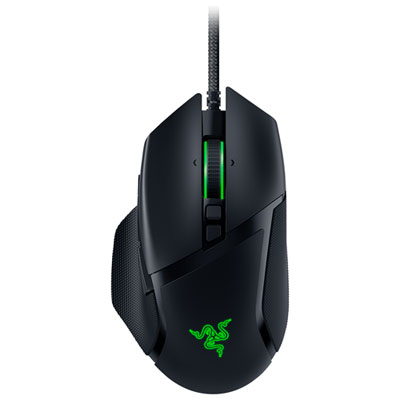
    Razer Basilisk V3 26000 DPI Optical Gaming Mouse - Black

    About this product

    A high-performance gaming mouse with 26000 DPI, programmable buttons, and an ergonomic design for ultimate control.

    What customers like

    • Responsive
    • Lightweight
    • Programmable buttons
    • Features
    • Performance
    (2,190)
    $47.99
    SAVE $1
    Your price for this item is $47.99
  2. 2

    Logitech G203 LIGHTSYNC 8000 DPI Optical Gaming Mouse - Black

    About this product

    A black optical gaming mouse featuring 8,000 DPI sensitivity, customizable RGB lighting, and six programmable buttons.

    What customers like

    • Comfortable design
    • Programmable buttons and settings
    • Customizable RGB lighting
    • Great value for the price
    • Accurate and responsive performance
    (1,867)
    $39.99 Your price for this item is $39.99
  3. 3

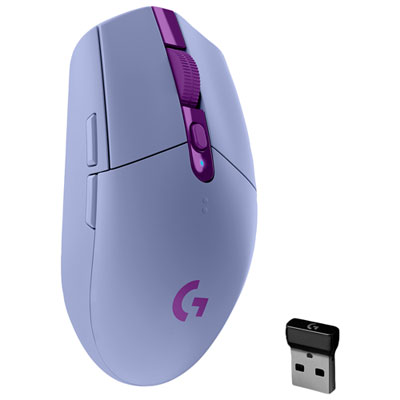
    Logitech G305 LIGHTSPEED 12000 DPI Wireless HERO Optical Gaming Mouse - Lilac

    About this product

    A lilac wireless gaming mouse featuring a 12,000 DPI HERO sensor and ultra-fast 1ms response.

    What customers like

    • Lightweight and comfortable
    • Precise and responsive performance
    • Attractive lilac color and design
    • Excellent battery life
    • Great value for money
    (200)
    $69.99 Your price for this item is $69.99
  4. 4

    Logitech G502 Hero 25600 DPI Optical Gaming Mouse - Black

    About this product

    A high-precision black gaming mouse with 25,600 DPI sensor and 11 programmable buttons for versatility.

    What customers like

    • Versatile RGB lighting and software features
    • Comfortable ergonomic design with good grip
    • Precise and responsive high-DPI sensor
    • Highly customizable buttons and weight options
    • Durable build quality and sturdy scroll wheel
    (6,085)
    $59.99
    SAVE $15
    Your price for this item is $59.99
  5. 5

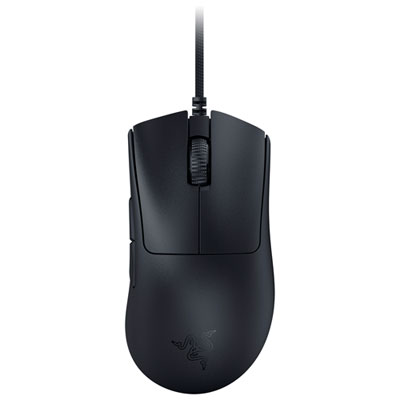
    Razer DeathAdder V3 30000 DPI Optical Gaming Mouse - Black

    About this product

    A lightweight black wired gaming mouse with a 30K optical sensor and ultra-fast 8,000Hz polling rate.

    What customers like

    • Durable build quality and reliable switches
    • High-precision sensor with customizable DPI
    • Lightweight and comfortable ergonomic design
    • Exceptional responsiveness and fast polling rate
    • Smooth gliding and low-friction movement
    (362)
    $59.99
    SAVE $20
    Your price for this item is $59.99
  6. 6

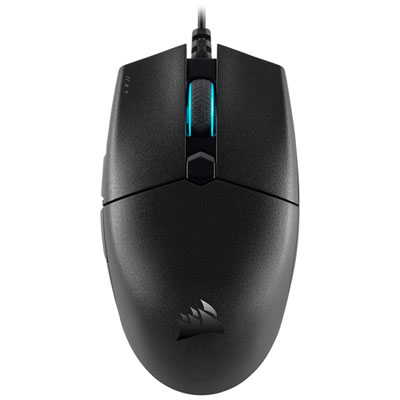
    Corsair Katar Pro Ultra-Light Gaming Mouse 12400 DPI Optical Gaming Mouse - Black

    About this product

    An ultra-light black gaming mouse with 12,400 DPI optical sensor, six programmable buttons, and RGB lighting.

    What customers like

    • Lightweight and comfortable
    • Precise and accurate sensor
    • Customizable RGB lighting
    • Great value for the price
    • Compact and travel-friendly
    (263)
    $39.99
    SAVE $10
    Your price for this item is $39.99
  7. 7

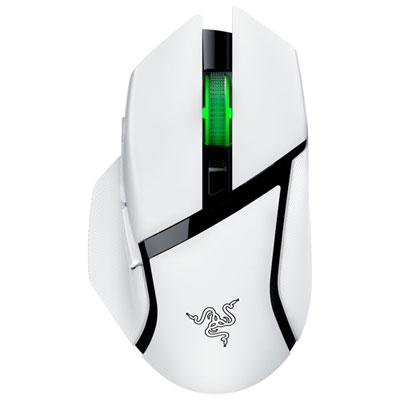
    Razer Basilisk V3 X HyperSpeed Gaming Mouse - White - Only at Best Buy

    About this product

    A white wireless gaming mouse featuring low-latency performance and durable mechanical switches for precise control.

    What customers like

    • Responsive and precise performance
    • Customizable buttons and features
    • Excellent battery life
    • Comfortable ergonomic design
    • Seamless wireless connectivity
    (38)
    $68.99
    SAVE $31
    Your price for this item is $68.99
  8. 8

    GLORIOUS Gaming Mouse Model O Minus - Glossy In Black

    About this product

    A lightweight, ambidextrous gaming mouse in glossy black designed for speed, control, and comfort.

    (1)
    $73.68 Your price for this item is $73.68
  9. 9

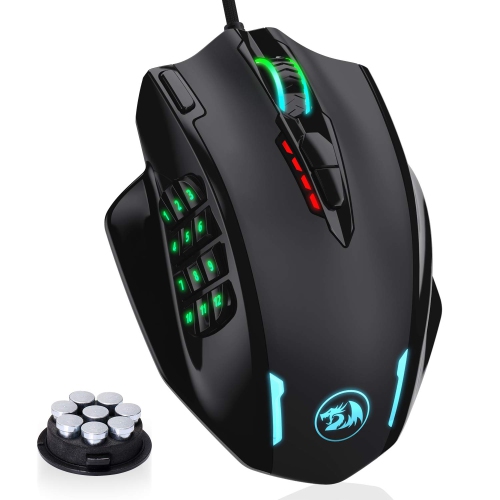
    HLD RGB Gaming Mouse, 12400 Dpi Wired Laser Mmo Mouse With High Precision Actuation, 12 Macro Side Buttons

    About this product

    A high-precision wired laser mouse with 12400 DPI, RGB lighting, and 12 programmable macro side buttons.

    (1)
    $76.96
    SAVE $21
    Your price for this item is $76.96
  10. 10

    GLORIOUS Gaming Mouse Model O - Glossy In Black

    About this product

    A glossy black, ultra-lightweight ambidextrous gaming mouse designed for speed, control, and comfort.

    (1)
    $92.68 Your price for this item is $92.68

Why mouse fit matters more than flashy extras

A comfortable gaming mouse can make a long evening at your desk feel noticeably better, whether you’re lining up a careful shot, managing a crowded strategy map, or moving between matches and homework. The Best Gaming Mice Under $100 bring the focus back to what matters most: a shape that suits your hand, dependable tracking, and controls that feel natural when the pace picks up. Within this budget, it’s worth prioritizing fit over flashy extras. A wider mouse with a supportive back may suit a palm grip, while a shorter, lighter design can feel easier to manoeuvre with a claw or fingertip grip. Hand size matters just as much as grip style; buttons should sit within easy reach without making you stretch or shift your hold. Think about your desk, too. Players who use lower sensitivity settings often make broad movements across a large mouse pad, so weight, cable drag, and smooth-gliding feet can have a real effect on everyday comfort.

For gaming performance, the biggest sensitivity number on the box rarely tells the whole story. DPI describes how far the pointer moves in relation to the mouse’s physical movement, but consistent sensor tracking and useful adjustment settings are more important than an extremely high maximum. A mouse that lets you save a few sensitivity levels can make it easier to switch between precise aiming and quick navigation. Polling rate, which describes how often the mouse reports its position to your computer, is another consideration, although higher settings can draw more power on wireless models and may offer diminishing benefits depending on your setup. Wired mice offer a straightforward connection without battery charging, while wireless designs leave more space clear for sweeping movements. For fast-paced play, look for a dedicated low-latency wireless connection rather than assuming Bluetooth will perform the same way. Check whether a wireless mouse uses replaceable batteries or an internal rechargeable battery, and whether it supports use while charging. Those details matter when a quick after-dinner match turns into a full evening with friends.

The right controls depend on the games you play and the other things you do at your computer. A couple of well-placed side buttons can keep frequently used actions close at hand in shooters, while additional programmable buttons may be useful for ability-heavy role-playing games or repetitive desktop tasks. More buttons aren’t automatically better: distinct shapes, sensible spacing, and a click feel you enjoy are often more useful than a crowded layout. A scroll wheel with clearly defined steps can also help when changing equipment or navigating a long document. For a shared study or bedroom setup, consider how audible the clicks are, whether lighting can be dimmed or switched off, and whether customization software supports your operating system. Onboard profile storage can be handy if you move between compatible computers and want your settings to come with you. Gaming mice under $100 can also make thoughtful gifts for students, casual players, or someone building their first gaming setup. If you’re choosing for another person, take a look at the size and shape of the mouse they already find comfortable, confirm their preferred hand, and check the connections available on their computer. A familiar fit with a few genuinely useful upgrades is often more welcome than a dramatic design that takes weeks to get used to.

Read More

FAQ

Some products may be subject to Environmental Handling Fees (EHF) depending on your province. Learn more about EHFs.