Best 16GB iPads
Find the right fit for everyday browsing, reading, and streaming with our selection of 16GB tablets, ranked by user review ratings. Compare features and feedback from other shoppers, and consider how much storage you’ll need for apps, photos, and downloads before making your choice.
What to look for in 16GB iPads
1. Storage Capacity
2. Performance and App Compatibility
3. Condition and Battery Life
4. Connectivity and Accessories
-
1
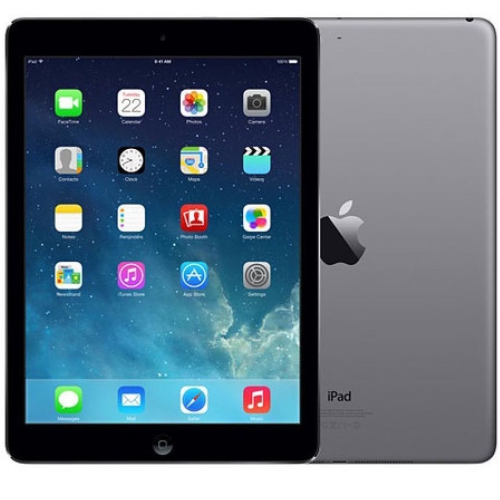
APPLE Refurbished (Good) Ipad 1St Gen. 16GB, Wi-Fi, 7.9In - Grey-Version 9.3.5(13G36) Mini A1432
About this product
A compact grey tablet with 16GB storage, Wi-Fi connectivity, and user-friendly iOS version 9.3.5.
(1)$200.00 Your price for this item is $200 -
2
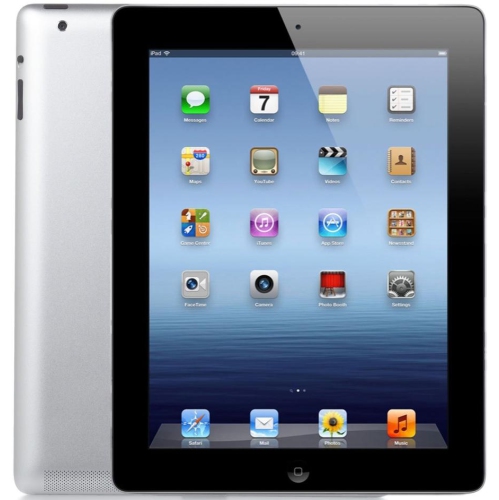
APPLE Refurbished (Excellent) Ipad 2 A1395 (Wifi) 16GB In Black
About this product
A refurbished black iPad 2 with 16GB of storage and WiFi connectivity.
(3)$194.28Your price for this item is $194.28SAVE $41 -
3

APPLE Refurbished (Good) - Ipad Air - 16GB - Wi-Fi - Space In Grey
About this product
A lightweight refurbished tablet in space grey with 16GB storage, Wi-Fi connectivity, and fast performance.
(1)$95.00Your price for this item is $95SAVE $64 -
4

APPLE Refurbished (Good) - Ipad Mini 4 Wifi Only - - 16GB In Silver
About this product
A refurbished silver tablet featuring a 7.9" Retina display, 16GB storage, and Wi-Fi connectivity.
$232.64 Your price for this item is $232.64 -
5

APPLE Refurbished (Good) Ipad Mini2 A1489 (Wifi) 16GB In Silver
About this product
A compact silver tablet with 16GB storage and Wi-Fi connectivity for everyday browsing and entertainment.
$250.00 Your price for this item is $250
FAQ
Check the iPad’s software version under Settings > General > About, then compare it with the requirements on an app’s App Store listing. Older iPads may not support current app releases. A previously downloaded app may offer an older compatible version, but availability varies.
16GB iPads support Wi-Fi and Bluetooth, although connection standards vary by model. You can join a compatible Wi-Fi network or pair supported headphones, speakers and keyboards through Settings. Check the accessory’s compatibility requirements before choosing it.
Depending on the model and software version, you can sync content using iCloud, transfer files through a compatible computer or use a supported cloud service. AirDrop is also available on some models. The transfer options depend on the file type and the apps installed.
Accessory compatibility depends on the exact iPad model, not its storage designation. Check the model number when choosing a case, charging cable or keyboard. Older models may use either a 30-pin or Lightning connector, and Apple Pencil compatibility should not be assumed.
Software update support depends on the iPad’s model and generation. Many 16GB models no longer receive the latest iPadOS releases. Check Settings > General > Software Update for the newest version available for that device, and confirm that it supports the apps you plan to use.
Top selling and popular products
Discover more categories related to Best 16GB iPads


Some products may be subject to Environmental Handling Fees (EHF) depending on your province. Learn more about EHFs.