Best Stylus Pens For Tablets
The best stylus pens for tablets make it easy to take notes, sketch ideas, and navigate your screen with precision. Explore options ranked by user review ratings to find a stylus that suits your tablet and the way you work or create. As you compare, check tablet compatibility and look for features such as pressure sensitivity, palm rejection, and a comfortable grip.
What to look for in stylus pens for tablets
1. Tablet Compatibility
2. Writing and Drawing Features
3. Comfort and Precision
4. Power and Convenience
-
1
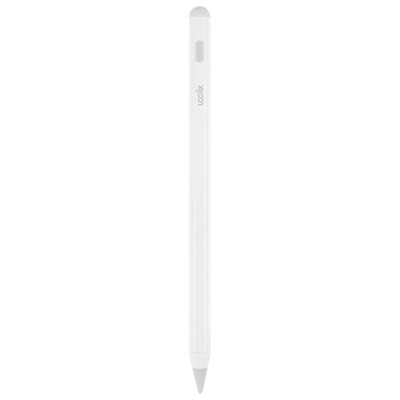
LOGiiX Precision Pencil for iPad - White
About this product
A white smart stylus featuring an ultra-precise, tilt-sensitive tip and up to eight hours of battery life.
(2)$59.99 Your price for this item is $59.99 -
2
![HLD Stylus Pen [20 Pack], Universal Capacitive Touch Screen Stylus Compatible With Iphone, Android & Other Touch Screen Devices](https://multimedia.bbycastatic.ca/multimedia/products/500x500/132/13231/13231264.jpg)
HLD Stylus Pen [20 Pack], Universal Capacitive Touch Screen Stylus Compatible With Iphone, Android & Other Touch Screen Devices
About this product
A 20-pack of universal capacitive touch screen stylus pens compatible with various touch screen devices.
(1)$34.96Your price for this item is $34.96SAVE $5 -
3
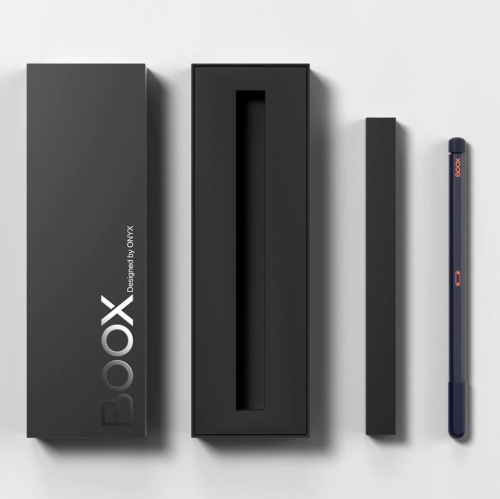
BOOX Pen2 Pro Magnetic Stylus With An Eraser
About this product
A magnetic stylus with 4,096 pressure levels, ergonomic grip, and built-in eraser for natural note-taking.
(1)$111.99 Your price for this item is $111.99 -
4

Samsung Galaxy Tab S10 Lite 10.9" 128GB Android Tablet with Exynos 1380 Processor - Grey
About this product
A slim grey tablet featuring a 10.9" display, Exynos 1380 processor, S Pen, and Galaxy AI.
What customers like
(856)$399.99 Your price for this item is $399.99 -
5
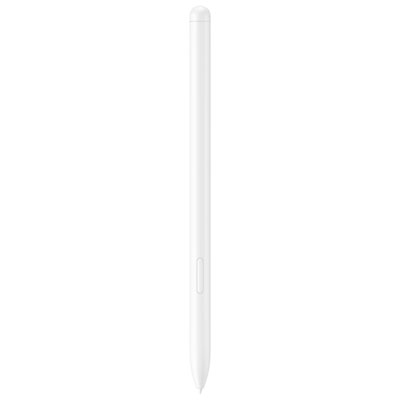
Samsung S Pen for Tab S10/S9 Series - Beige
About this product
A versatile beige stylus designed for seamless creativity and productivity on Galaxy Tab S10/S9 Series tablets.
(6)$84.99 Your price for this item is $84.99 -
6
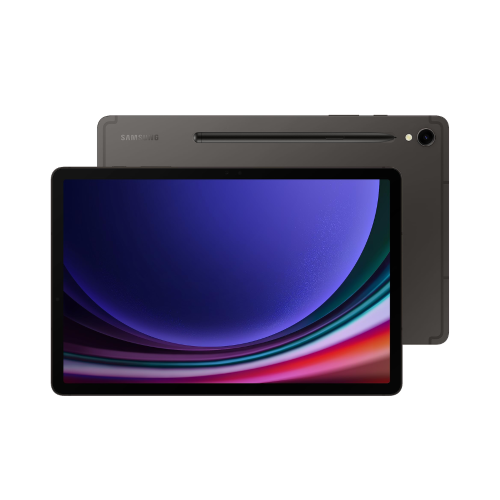
SAMSUNG Galaxy S9 11" 256GB Tablet With S-Pen - Graphite
About this product
A sleek graphite tablet with 256GB storage and S-Pen, ideal for productivity and entertainment.
What customers like
(277)$949.00Your price for this item is $949SAVE $251 -
7

MICROSOFT Surface Pen Black, Model: 1776 (Eyv-00001) In Charcoal
About this product
A charcoal and black stylus offering 4,096 pressure points and low latency for precise digital creation.
What customers like
(7,046)$178.68 Your price for this item is $178.68 -
8

TARGUS Universal Stylus for Tablets - (Amm01Tbca)
About this product
A versatile stylus with a soft, durable rubber tip for accurate typing, note-taking, and drawing on tablets.
What customers like
(49)$21.99 Your price for this item is $21.99 -
9
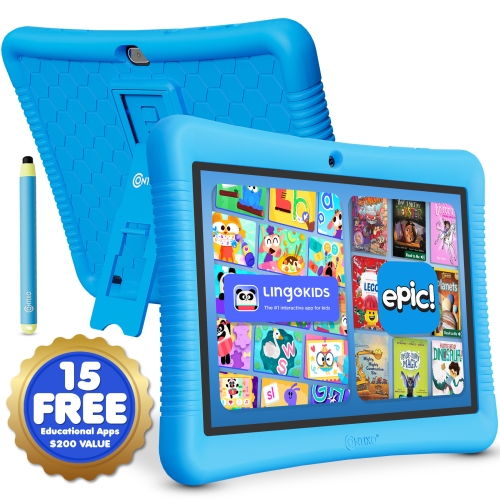
CONTIXO 10" Android Kids Tablet 32GB With Stylus, Parental Controls, Learning Apps & Protective Case
About this product
A kid-friendly Android 13 tablet with 32GB storage, stylus, parental controls, learning apps, and protective case.
(3)$136.99 Your price for this item is $136.99 -
10
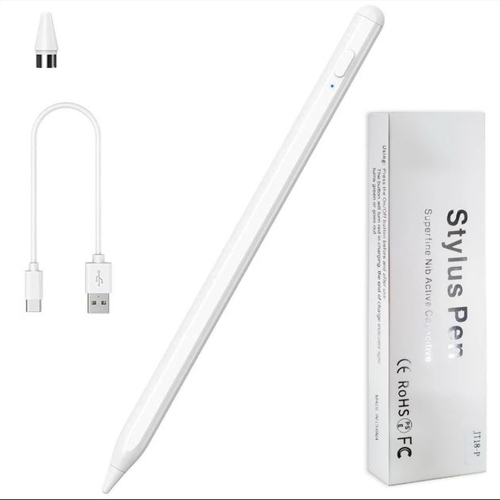
SUPERSHIELD Stylus Pen, Stylist Compatible for Ios/android Touchscreens/phones, Rechargeable Stylus Pen w High Precise Tip, Stylus Pencil For
About this product
A rechargeable stylus pen with a high-precision tip, compatible with iOS and Android touchscreens.
(1)$14.97Your price for this item is $14.97SAVE $15
FAQ
Passive stylus pens interact with a capacitive touchscreen much like a fingertip and do not require power. Active stylus pens use electronic components and a compatible tablet connection. Depending on the pen and tablet, they may support pressure sensitivity, tilt input, palm rejection, and shortcut buttons.
Check that the stylus explicitly supports your tablet’s model and generation. Active stylus pens use specific pen technologies, so compatibility can vary even between tablets from the same brand. Passive capacitive styluses generally work with capacitive touchscreens but do not offer the same features as compatible active pens.
Not all stylus pens require Bluetooth. Passive styluses need no pairing, while some active pens communicate directly with a compatible display for writing and drawing. Certain models use Bluetooth for additional functions, such as button shortcuts. The setup process depends on the stylus and tablet.
Depending on the model, an active stylus may use a replaceable battery, recharge through a cable, or charge wirelessly while attached to a compatible tablet. Some draw power from the tablet’s display technology and do not require charging. Check the pen’s specifications for its power requirements.
Many stylus pens have replaceable tips, also called nibs, while others have fixed tips. Replacement nibs must match the stylus model because their attachment methods and materials vary. Some pens include spare nibs and a removal tool; others require compatible replacements purchased separately.
Top selling and popular products
Discover more categories related to Best Stylus Pens For Tablets
Some products may be subject to Environmental Handling Fees (EHF) depending on your province. Learn more about EHFs.