Budget Samsung Phones
Finding the perfect balance between quality and affordability is easy with budget Samsung phones. Designed to offer reliable performance without stretching your wallet, these smartphones provide essential features for everyday use. Whether you’re upgrading your device or shopping for a dependable phone on a budget, explore a wide selection of options that deliver value and convenience. Discover how budget Samsung phones can keep you connected, entertained, and organized—all at a price that makes sense.
Sort

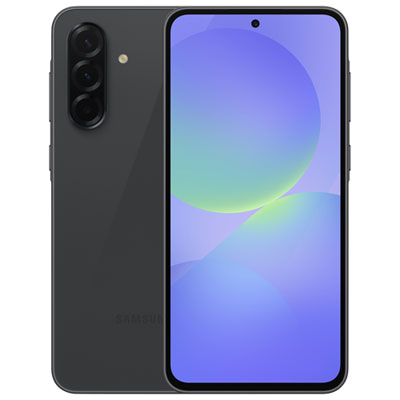


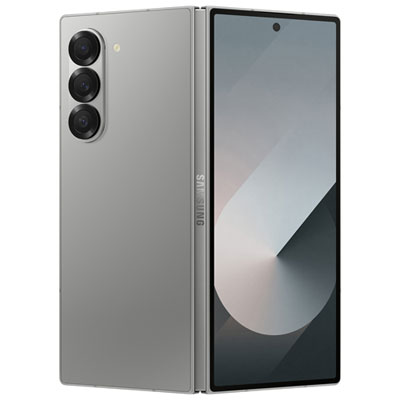

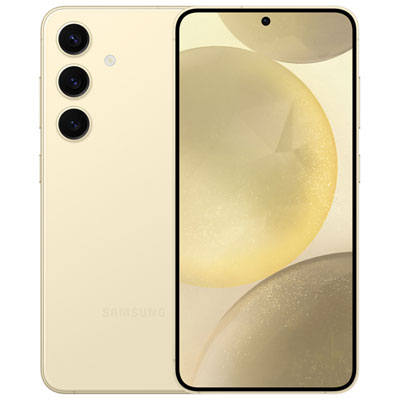
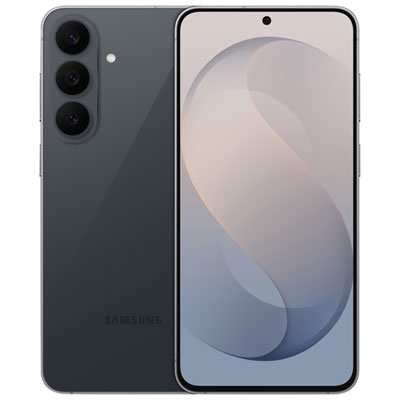


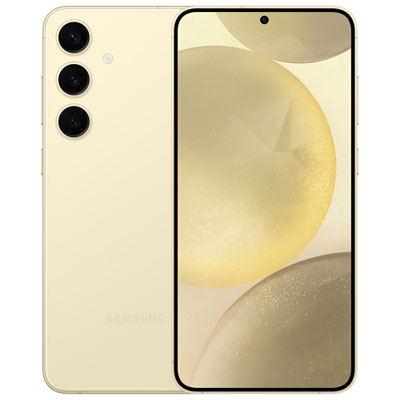
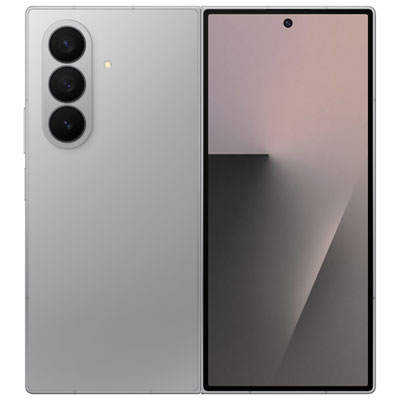

Everyday phone performance goes beyond the spec sheet
Budget smartphones focus on the features that make a phone useful every day: clear calls, dependable messaging, comfortable browsing, practical cameras, and enough battery life to stay connected through a regular routine. They suit people who spend more time checking transit directions, replying to family messages, and listening to podcasts than running demanding games or editing large video files. The appeal of Affordable Samsung Galaxy Phones lies in matching those everyday habits with a comfortable screen, responsive performance, and straightforward controls. A larger display gives text messages, recipes, and video calls more room, while a narrower body can be easier to hold on a crowded bus or slip into a jacket pocket. Screen size alone does not determine readability; resolution, brightness, contrast, and adjustable text settings also affect how comfortably someone can read a message or follow a map. AMOLED displays can deliver deep blacks and vivid colour, while LCD screens can still provide a clear view of everyday content. A higher refresh rate can make scrolling look smoother, although it is only one part of the overall experience. The processor, memory, and software also influence how quickly apps open and how comfortably the phone switches between a browser, a messaging app, and navigation. For someone who regularly moves between several apps, that responsiveness can matter more than an impressive specification in isolation. Connection features deserve the same practical context. Wi-Fi supports browsing and calls through compatible services, while mobile connectivity keeps essential tasks within reach away from a home connection. Support for 5G varies by model, and actual connection speeds depend on network coverage, the service plan, and other conditions. Compatibility with a Canadian carrier is especially important when bringing a phone to an existing plan. These details help define a phone’s everyday usefulness beyond its appearance or screen size.
Battery life, storage, and camera performance shape much of the day-to-day experience after the initial setup. Battery capacity is useful context, but it does not tell the whole story: display brightness, mobile signal strength, navigation, gaming, and video calls all affect how long a charge lasts. A phone used mainly for messages and occasional browsing has a different workload from one streaming video throughout a commute. Charging speed also depends on the phone’s supported charging standard, the cable, and the power adapter; a compatible setup matters more than the connector shape alone. Storage has similarly practical consequences. Photos, downloaded playlists, saved maps, and app updates can gradually fill the phone, and the usable space is smaller than the stated storage capacity because system files occupy part of it. Expandable storage, where supported, can provide room for photos and other compatible files, but it does not necessarily replace internal storage for apps. Camera quality is another area where a single number offers only part of the picture. Megapixel counts describe image resolution, not the full quality of a photograph. Focus accuracy, image processing, lens quality, and lighting all influence whether a picture captures a pet’s expression or keeps small text readable on a photographed receipt. A capable main camera is useful for family snapshots, scanning documents, and sharing quick updates, while front-camera clarity and microphone performance matter during video calls. Additional camera modes and lenses differ between models, so their usefulness depends on how the phone will actually be used. Software support is just as relevant to everyday ownership. Security updates help address vulnerabilities, and operating system updates can bring changes to features and app compatibility. The support period varies by model and release date rather than starting afresh when the phone is purchased. Clear privacy controls, adjustable app permissions, and convenient screen-lock options also contribute to a more manageable experience, particularly for someone using mobile banking, storing personal photographs, or setting up a phone for a family member.
Physical comfort and durability matter because a phone is handled repeatedly, carried alongside keys, and placed on desks, counters, and bedside tables. Common materials include glass fronts with plastic or metal components, each affecting weight, texture, and how the device feels in the hand. A textured back may feel more secure, while a smooth finish can slide into a pocket easily; neither replaces a well-fitting protective case. Case fit depends on the exact model, including its camera arrangement, button positions, and charging port placement. Raised edges around the screen and camera area can help limit contact with flat surfaces, and a screen protector adds a replaceable layer against everyday scratches. Water and dust resistance, where specified, should be understood according to the stated rating rather than treated as permission to submerge or rinse the phone. Resistance can also diminish with wear or damage. Routine care is simple: a soft, lint-free cloth helps remove fingerprints, and manufacturer-approved cleaning methods reduce the chance of damaging coatings or openings. Charging ports are best kept dry and free of debris without inserting sharp objects. Comfort extends beyond the outer shell, too. Adjustable font sizes, screen magnification, voice input, and simplified home-screen layouts can make familiar tasks easier, although the exact accessibility features differ. For a student, useful priorities might include messaging, class schedules, document access, and enough storage for everyday photos. For an older adult, readable text, clear call audio, and a home screen with a few familiar apps may take precedence. A first smartphone can suit a young person learning to manage calls and messages, with account settings and parental controls configured for their age and needs. As a gift, a phone is most practical when its size, carrier compatibility, accessibility features, and setup requirements suit the recipient. Someone who prefers a straightforward device may appreciate dependable essentials more than extra camera modes or gaming features. Across these uses, a comfortable design and a balanced set of everyday functions give a budget phone its lasting role in daily life.
Battery life, storage, and camera performance shape much of the day-to-day experience after the initial setup. Battery capacity is useful context, but it does not tell the whole story: display brightness, mobile signal strength, navigation, gaming, and video calls all affect how long a charge lasts. A phone used mainly for messages and occasional browsing has a different workload from one streaming video throughout a commute. Charging speed also depends on the phone’s supported charging standard, the cable, and the power adapter; a compatible setup matters more than the connector shape alone. Storage has similarly practical consequences. Photos, downloaded playlists, saved maps, and app updates can gradually fill the phone, and the usable space is smaller than the stated storage capacity because system files occupy part of it. Expandable storage, where supported, can provide room for photos and other compatible files, but it does not necessarily replace internal storage for apps. Camera quality is another area where a single number offers only part of the picture. Megapixel counts describe image resolution, not the full quality of a photograph. Focus accuracy, image processing, lens quality, and lighting all influence whether a picture captures a pet’s expression or keeps small text readable on a photographed receipt. A capable main camera is useful for family snapshots, scanning documents, and sharing quick updates, while front-camera clarity and microphone performance matter during video calls. Additional camera modes and lenses differ between models, so their usefulness depends on how the phone will actually be used. Software support is just as relevant to everyday ownership. Security updates help address vulnerabilities, and operating system updates can bring changes to features and app compatibility. The support period varies by model and release date rather than starting afresh when the phone is purchased. Clear privacy controls, adjustable app permissions, and convenient screen-lock options also contribute to a more manageable experience, particularly for someone using mobile banking, storing personal photographs, or setting up a phone for a family member.
Physical comfort and durability matter because a phone is handled repeatedly, carried alongside keys, and placed on desks, counters, and bedside tables. Common materials include glass fronts with plastic or metal components, each affecting weight, texture, and how the device feels in the hand. A textured back may feel more secure, while a smooth finish can slide into a pocket easily; neither replaces a well-fitting protective case. Case fit depends on the exact model, including its camera arrangement, button positions, and charging port placement. Raised edges around the screen and camera area can help limit contact with flat surfaces, and a screen protector adds a replaceable layer against everyday scratches. Water and dust resistance, where specified, should be understood according to the stated rating rather than treated as permission to submerge or rinse the phone. Resistance can also diminish with wear or damage. Routine care is simple: a soft, lint-free cloth helps remove fingerprints, and manufacturer-approved cleaning methods reduce the chance of damaging coatings or openings. Charging ports are best kept dry and free of debris without inserting sharp objects. Comfort extends beyond the outer shell, too. Adjustable font sizes, screen magnification, voice input, and simplified home-screen layouts can make familiar tasks easier, although the exact accessibility features differ. For a student, useful priorities might include messaging, class schedules, document access, and enough storage for everyday photos. For an older adult, readable text, clear call audio, and a home screen with a few familiar apps may take precedence. A first smartphone can suit a young person learning to manage calls and messages, with account settings and parental controls configured for their age and needs. As a gift, a phone is most practical when its size, carrier compatibility, accessibility features, and setup requirements suit the recipient. Someone who prefers a straightforward device may appreciate dependable essentials more than extra camera modes or gaming features. Across these uses, a comfortable design and a balanced set of everyday functions give a budget phone its lasting role in daily life.
Top selling and popular products
-
 Your price for this item is $20
-
 Your price for this item is $20
Discover more categories related to Budget Samsung Phones


Top Collections:
Pokemon Centers, Kindle Devices, Best Cameras for Sports Photography, Pokémon 30th Celebration Cards, Canon G7X Cameras, Samsung Galaxy Phones, iPhone 15 Apple, Best Black Friday Deals On Electronics, Jackery Power Stations, Solar Generators for Home
Some products may be subject to Environmental Handling Fees
(EHF) depending on your province.
Learn more about EHFs.