Low Profile Gaming Keyboards
Elevate your gaming experience with low profile gaming keyboards, the perfect blend of sleek design and responsive performance. Ideal for gamers seeking precision and speed, these keyboards offer a streamlined aesthetic without compromising on functionality. Whether you're diving into intense battles or exploring vast virtual worlds, low profile gaming keyboards provide a comfortable and efficient typing experience, enhancing your gameplay with every keystroke. Discover the ideal balance of form and function to complement your gaming setup today.
Sort
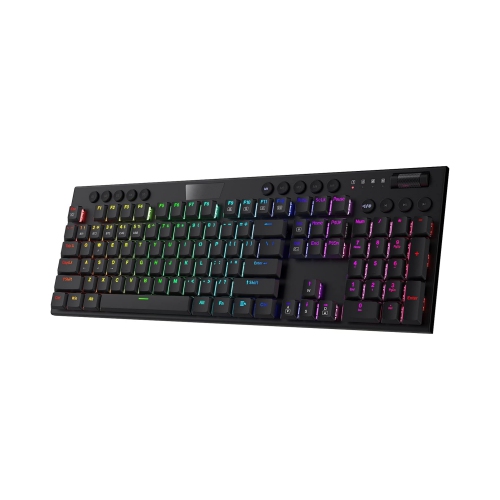
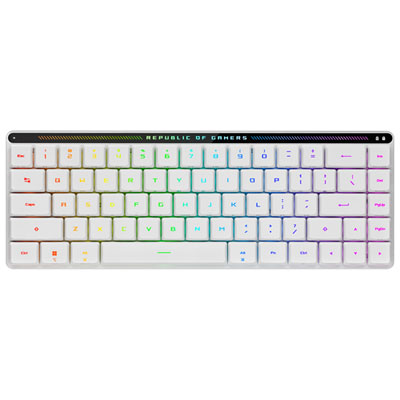
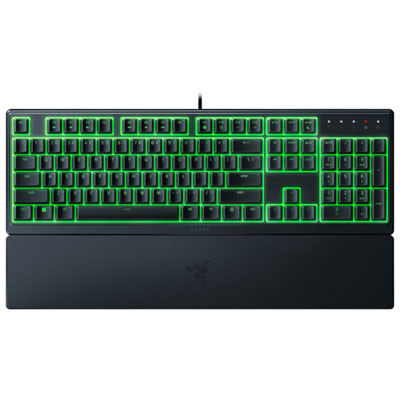
Shorter key travel is only part of the story
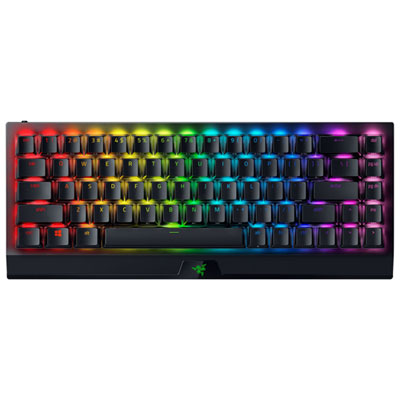
Low-profile gaming keyboards bring a shallower key height and a slimmer overall shape to a gaming setup, offering an alternative to the taller keys found on many traditional gaming keyboards. Their appeal goes beyond appearance: a lower front edge can make the transition from a laptop keyboard feel more familiar, while shorter key travel can suit players who prefer lighter, more contained finger movements. Low-profile mechanical keyboards use individual switches designed for a reduced-height assembly, while membrane designs use a different mechanism that can provide a softer, quieter feel. Neither construction guarantees a particular gaming experience on its own. Switch feel, actuation force, key spacing, and connection performance all contribute to how a keyboard responds during play. Linear switches move through their travel without a pronounced tactile bump, tactile switches provide feedback that can help make each press feel distinct, and clicky switches add an audible cue. Sound also depends on the keycaps, case construction, desk surface, and typing force, so a slim keyboard is not necessarily a quiet one. Shorter travel does not automatically mean lower input latency, either; the time between a keypress and an action appearing on screen depends on the keyboard’s electronics and connection as well as its switches. For someone moving between a fast-paced match, a chat window, and a work document, the most useful balance may be responsive keys that remain comfortable for everyday typing. Keycap shape matters here: flatter surfaces can feel familiar to laptop users, while gently sculpted tops help fingers settle into position. A low front edge may reduce the height difference between the desk and the keys, but comfort still depends on chair height, desk position, and individual preference. Adjustable feet change the typing angle, though a steeper angle is not automatically more comfortable. Enough room to keep forearms relaxed and reach the mouse without stretching can matter as much as the keyboard’s slim dimensions.
Layout and connectivity shape how a low-profile gaming keyboard fits into daily use. A full-size layout retains a number pad for spreadsheets, shortcuts, and games with extensive key assignments, while a tenkeyless layout removes that section to leave more room for mouse movement. Compact layouts reduce the footprint further, sometimes placing function keys, navigation commands, or other controls on a secondary layer. Low profile describes keyboard height rather than width, so a slim keyboard can still occupy a substantial amount of desk space. For setups that also need a narrower footprint, Small Gaming Keyboards offer another way to keep essential controls close without crowding the mouse area. The practical difference becomes clear when a player uses broad mouse sweeps in a competitive game or shares a desk with a drawing tablet and study materials. Dedicated arrow keys can be valuable for editing text between sessions, while separate media controls make volume adjustments easier without leaving a game. Wired connections provide a straightforward setup without battery charging, although cable routing and the location of an accessible USB port still matter. Wireless keyboards may support a dedicated 2.4 GHz receiver, Bluetooth, or both. A well-implemented receiver connection can offer low latency suited to gaming, whereas Bluetooth is often useful for switching between everyday devices; actual performance varies by keyboard and operating mode. Multi-device support can simplify moving between a gaming computer and a laptop, but connection switching, shortcut behaviour, and software features should match the intended devices. Anti-ghosting and key rollover are also relevant when several keys are held together, such as moving diagonally while sprinting and activating another command. Their implementation determines which combinations register reliably. Programmable controls, onboard profiles, and lighting can make frequently used commands easier to identify, but the depth of customization may depend on compatible software. Backlighting can improve key visibility, while bright lighting and wireless operation introduce battery-life considerations. Clearly illuminated legends, accessible charging ports, and readable secondary symbols can be more useful in everyday play than elaborate effects.
Materials and construction influence how a low-profile gaming keyboard feels after repeated use. An aluminium top plate or frame can add rigidity, while a well-built plastic case can keep the keyboard lighter for moving between rooms or carrying alongside a laptop. Overall durability depends on more than the outer material: stable key mounts, secure ports, consistent switches, and firm rubber feet all contribute to a keyboard that stays dependable on a busy desk. Keycaps made from PBT are often chosen for their textured feel and resistance to developing a polished surface, while ABS keycaps can provide a smooth finish and allow a wide range of designs. The material alone does not determine quality. Legend construction matters too; double-shot legends are formed from separate pieces of plastic rather than simply printed on the surface, although lighting clarity and character placement still vary. Larger keys deserve attention because a steady space bar and shift keys can make both gaming and typing feel more consistent. Hot-swappable switches allow compatible switches to be replaced without soldering, but low-profile switch formats are not universally interchangeable, and replacement keycaps must also match the mounting system and layout. Routine care helps maintain the feel of the keys. Disconnecting the keyboard before cleaning, brushing away loose debris, and wiping accessible surfaces with a lightly dampened cloth can prevent dust and crumbs from building up. Liquid should not be sprayed directly onto the keyboard, and keycaps should only be removed when the design and care instructions support it. For shared spaces, a quieter switch feel may suit late gaming sessions or a desk near someone working, though forceful typing can still create noise. As a gift, a low-profile gaming keyboard can suit a laptop gamer building a desktop setup, a student balancing assignments with play, or someone who prefers shallow keys. The recipient’s preferred layout, device compatibility, and tolerance for typing noise are more meaningful than appearance alone. A keyboard that preserves familiar shortcuts and fits comfortably beside the mouse is more likely to become part of both gaming sessions and everyday tasks.
Layout and connectivity shape how a low-profile gaming keyboard fits into daily use. A full-size layout retains a number pad for spreadsheets, shortcuts, and games with extensive key assignments, while a tenkeyless layout removes that section to leave more room for mouse movement. Compact layouts reduce the footprint further, sometimes placing function keys, navigation commands, or other controls on a secondary layer. Low profile describes keyboard height rather than width, so a slim keyboard can still occupy a substantial amount of desk space. For setups that also need a narrower footprint, Small Gaming Keyboards offer another way to keep essential controls close without crowding the mouse area. The practical difference becomes clear when a player uses broad mouse sweeps in a competitive game or shares a desk with a drawing tablet and study materials. Dedicated arrow keys can be valuable for editing text between sessions, while separate media controls make volume adjustments easier without leaving a game. Wired connections provide a straightforward setup without battery charging, although cable routing and the location of an accessible USB port still matter. Wireless keyboards may support a dedicated 2.4 GHz receiver, Bluetooth, or both. A well-implemented receiver connection can offer low latency suited to gaming, whereas Bluetooth is often useful for switching between everyday devices; actual performance varies by keyboard and operating mode. Multi-device support can simplify moving between a gaming computer and a laptop, but connection switching, shortcut behaviour, and software features should match the intended devices. Anti-ghosting and key rollover are also relevant when several keys are held together, such as moving diagonally while sprinting and activating another command. Their implementation determines which combinations register reliably. Programmable controls, onboard profiles, and lighting can make frequently used commands easier to identify, but the depth of customization may depend on compatible software. Backlighting can improve key visibility, while bright lighting and wireless operation introduce battery-life considerations. Clearly illuminated legends, accessible charging ports, and readable secondary symbols can be more useful in everyday play than elaborate effects.
Materials and construction influence how a low-profile gaming keyboard feels after repeated use. An aluminium top plate or frame can add rigidity, while a well-built plastic case can keep the keyboard lighter for moving between rooms or carrying alongside a laptop. Overall durability depends on more than the outer material: stable key mounts, secure ports, consistent switches, and firm rubber feet all contribute to a keyboard that stays dependable on a busy desk. Keycaps made from PBT are often chosen for their textured feel and resistance to developing a polished surface, while ABS keycaps can provide a smooth finish and allow a wide range of designs. The material alone does not determine quality. Legend construction matters too; double-shot legends are formed from separate pieces of plastic rather than simply printed on the surface, although lighting clarity and character placement still vary. Larger keys deserve attention because a steady space bar and shift keys can make both gaming and typing feel more consistent. Hot-swappable switches allow compatible switches to be replaced without soldering, but low-profile switch formats are not universally interchangeable, and replacement keycaps must also match the mounting system and layout. Routine care helps maintain the feel of the keys. Disconnecting the keyboard before cleaning, brushing away loose debris, and wiping accessible surfaces with a lightly dampened cloth can prevent dust and crumbs from building up. Liquid should not be sprayed directly onto the keyboard, and keycaps should only be removed when the design and care instructions support it. For shared spaces, a quieter switch feel may suit late gaming sessions or a desk near someone working, though forceful typing can still create noise. As a gift, a low-profile gaming keyboard can suit a laptop gamer building a desktop setup, a student balancing assignments with play, or someone who prefers shallow keys. The recipient’s preferred layout, device compatibility, and tolerance for typing noise are more meaningful than appearance alone. A keyboard that preserves familiar shortcuts and fits comfortably beside the mouse is more likely to become part of both gaming sessions and everyday tasks.
Top selling and popular products
-
 Your price for this item is $39.99
 -
 Your price for this item is $94.99
 -
 Your price for this item is $319.99
 -
 Your price for this item is $364.99
 -
 Your price for this item is $149.99
 -
 Your price for this item is $124
 -
 Your price for this item is $94.99
 -
 Your price for this item is $139.99
Discover more categories related to Low Profile Gaming Keyboards

Top Collections:
Pokemon Centers, Best Cameras for Sports Photography, Kindle Devices, Samsung Galaxy Phones, Canon G7X Cameras, Pokémon 30th Celebration Cards, Refurbished Apple Laptops, iPhone 15 Apple, Laptops for Students, Budget Smartphones
Some products may be subject to Environmental Handling Fees
(EHF) depending on your province.
Learn more about EHFs.