Asus CM30
Explore the Asus CM30 and discover a new level of performance for your workspace or home office. Designed to support productivity and everyday tasks, the Asus CM30 offers reliable solutions that fit seamlessly into any environment. Whether you're upgrading your setup or searching for a dependable device, the Asus CM30 delivers versatility and convenience. Find the ideal option to suit your needs and enjoy an enhanced computing experience.
Sort


Compact computers that switch between typing and touch
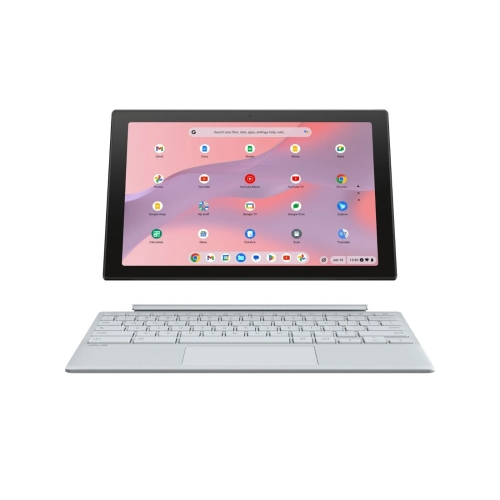
Compact detachable 2-in-1 computers bring together a tablet’s touchscreen convenience and the familiar layout of a laptop keyboard. Their appeal lies in how easily they move between everyday tasks: typing a class assignment at a desk, reading an article with the keyboard removed, or watching a video with the screen propped on its stand. A display around 10.5 inches keeps the device small enough for a backpack or tote while providing more room for documents and webpages than a phone. That compact size also affects the typing experience, since smaller keyboards can place keys closer together and leave less space for a touchpad. For students, commuters, and people who mainly work in a browser, this format can be a practical alternative to carrying a larger laptop. Browser-focused systems are particularly suited to email, online documents, learning platforms, video calls, and streaming, although software compatibility remains an important distinction. A web version of an application may work differently from its desktop counterpart, and specialized programs for design, engineering, or workplace administration may require another operating system. Offline access depends on the application and whether files have been downloaded or prepared for use without an internet connection. Touch input adds flexibility when scrolling through reading material or moving between applications, while a compatible stylus can make handwritten notes, diagrams, and document annotations feel more direct. Pen support, charging methods, and storage arrangements differ between devices, so an included pen and a separately purchased accessory are not necessarily interchangeable. A magnetic keyboard and kickstand cover can make a detachable computer more versatile, but these components are not standard across every configuration. The combination works especially well for someone whose day alternates between short bursts of typing and screen-based activities rather than continuous work in demanding desktop software. During a lecture, for example, the keyboard can handle written notes while touch input makes it easy to enlarge a diagram or turn a digital page.
The physical design matters just as much as the screen size when a computer travels between home, school, and shared workspaces. Detachable devices may use metal, plastic, or a combination of materials, with differences in weight, surface texture, and how rigid the body feels in hand. A protective cover can help limit everyday scuffs, but coverage varies: some designs protect the back and corners, while others also cover the screen when closed. A kickstand needs enough clear space behind the display to hold a comfortable viewing angle. On a narrow desk, an aircraft tray table, or a lap, that footprint can feel different from a conventional laptop with a fixed hinge. A firm, flat surface generally gives a detachable keyboard and rear stand their most stable arrangement. Keyboard attachment strength, key travel, and touchpad size also influence comfort during longer writing sessions. For someone preparing lengthy reports, a compatible external keyboard and mouse may provide a more comfortable setup at a desk. Connections deserve similar attention because a compact body leaves limited room for ports. A USB-C connector does not automatically mean that charging, video output, and every type of data transfer are supported; those functions depend on the device and accessory specifications. Headphones, storage devices, monitors, and hubs need compatible connections to work as intended. Local storage holds downloaded files and applications, while memory affects how comfortably the computer handles several active tasks. Neither should be confused with online storage, which depends on account settings and connectivity. Battery performance also changes with screen brightness, video calls, streaming, and connected accessories, so an advertised maximum is not a promise for every workload. A correctly rated charger and a well-fitting sleeve help make the device easier to carry and maintain. Keeping loose keys, pens, and heavy objects away from the screen reduces the chance of pressure marks or scratches inside a bag, especially when the keyboard cover offers only light protection.
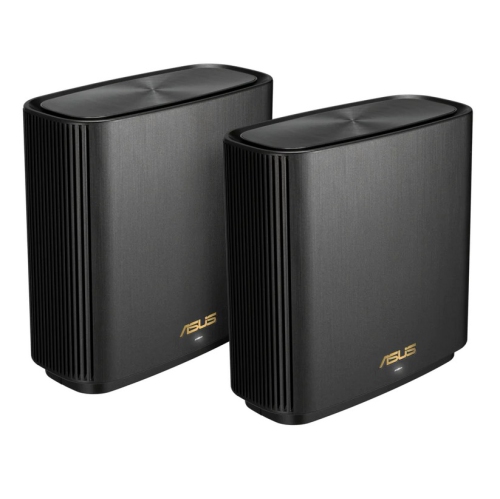
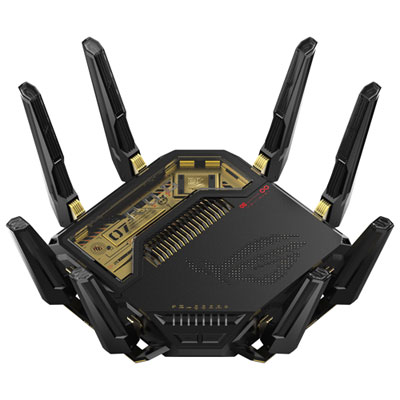
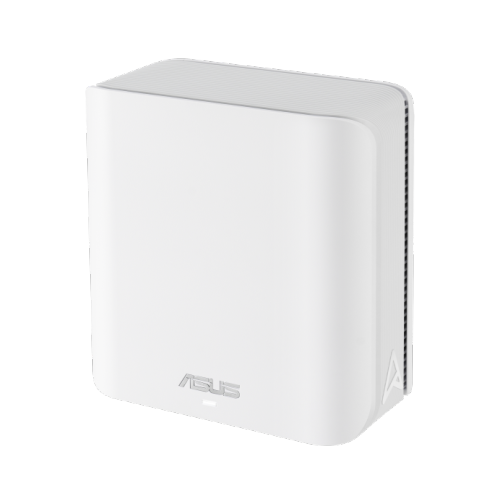
For everyday use, a detachable computer is most useful when its capabilities match the routines of the person carrying it. A student might need reliable access to a school portal, a readable screen for assigned texts, and a microphone that keeps spoken answers clear. Someone using it around the home may care more about comfortable video calls, recipes on a kitchen counter, and easy access to shared documents. Front- and rear-facing cameras serve different purposes, from joining a meeting to capturing a page of handwritten notes, but image quality depends on lighting as well as camera specifications. A compact screen can handle occasional split-screen work, although comparing dense spreadsheets or several documents side by side is more comfortable with a larger display, where supported. Wi-Fi performance matters for cloud-based work, particularly when several people share a connection. At home, networking equipment such as the Asus RT AX3000 connects compatible computers and other devices to the household network; the internet service, router placement, and surrounding walls also influence the experience. Separate user accounts can help keep family members’ files and settings distinct, while supported parental controls may help manage a younger user’s access. For a gift recipient, familiarity with the operating system, required school or workplace applications, and preferred keyboard layout can matter more than appearance alone. English and bilingual keyboard layouts may place certain keys differently, which is worth considering for frequent typing. Long-term usefulness also depends on the software support period and continued compatibility with essential services. Routine care is straightforward: a clean microfibre cloth helps remove fingerprints, liquids should stay away from openings, and cleaning products should follow the manufacturer’s directions rather than being sprayed directly onto the screen. Ventilation areas should remain unobstructed where present, and connectors should be handled without pulling on their cables. With a suitable case, compatible accessories, and realistic expectations about screen size and software, a detachable computer can fit naturally into a day built around reading, writing, communication, and portable entertainment.
Top selling and popular products
-
 Your price for this item is $69.99
-
 Your price for this item is $135.39
-
 Your price for this item is $109.99
-
 Your price for this item is $67
-
 Your price for this item is $71.99
-
 Your price for this item is $71
-
 Your price for this item is $51.99
-
 Your price for this item is $48
Discover more categories related to Asus CM30
Top Collections:
Best Black Friday Deals This Year, Best Black Friday Deals On Electronics, Kindle Devices, Dyson Airwrap, Best Cameras for Sports Photography, Best Budget Office Chairs, Canon G7X Cameras, PS5 Pro Consoles, Best Black Friday Deals On Apple Products, XBOX One S Consoles
Some products may be subject to Environmental Handling Fees
(EHF) depending on your province.
Learn more about EHFs.