Best Laptops for Accounting

Find the best laptops for accounting, ranked by user review ratings to help you compare options with confidence. Whether you’re managing payroll, preparing tax returns, or working through complex spreadsheets, look for reliable performance, a comfortable keyboard, and a clear display to support your daily workflow. Explore the list to find a laptop that fits your accounting software requirements and budget.

Read More

What to look for in laptops for accounting

1. Software Compatibility

Check the operating system requirements for your accounting, tax and payroll software before choosing a laptop. Some desktop applications and Excel add-ins require Windows, while browser-based tools offer more flexibility.

2. Processor and Memory

Choose a recent Intel Core, AMD Ryzen or Apple M-series processor suited to your software requirements. Aim for at least 16 GB of RAM for spreadsheets, accounting applications and browser tabs, or consider 32 GB for large workbooks and heavier multitasking.

3. Display and Keyboard

A sharp display with Full HD resolution or higher can make spreadsheets and financial reports easier to read. A comfortable keyboard with a dedicated numeric keypad can speed up data entry, while support for an external monitor gives you more room to work.

4. Portability and Security

If you work between home, the office and client sites, look for a lightweight laptop with battery life suited to your workday. Fingerprint or facial sign-in and support for device encryption can help protect sensitive financial information.
Citrus catapult arrow
  1. 1

    DELL Inspiron 15.6" Fhd Touchscreen Laptop - Intel Core I5-1334U - 8GB Ddr4 - 512GB SSD - Intel Uhd - Windows 11 Home - In Black

    About this product

    A black touchscreen laptop featuring Intel i5-1334U, 8GB RAM, 672GB storage, and UHD graphics.

    What customers like

    • Ample storage capacity
    • Great value for the price
    • Easy setup and user-friendly
    • Lightweight and sleek design
    • Fast and smooth performance
    (511)
    $949.00
    SAVE $130
    Your price for this item is $949
  2. 2

    Refurbished (Excellent) - HP EliteBook x360 1030 G8 14" Touchscreen 2-in-1 Business Laptop - Intel Core i7-1185G7 - 16GB - 1TB SSD - Windows 11 Pro - Silver - 1 Year Warranty

    About this product

    A versatile 2-in-1 laptop with a 14" touchscreen, Intel Core i7, 16GB RAM, and 1TB storage.

    What customers like

    • Long battery life
    • Versatile 2-in-1 design with touchscreen
    • Fast performance and quick boot-up
    • Excellent multitasking and memory capacity
    • Lightweight and sturdy build
    (1,042)
    $789.00 Your price for this item is $789
  3. 3

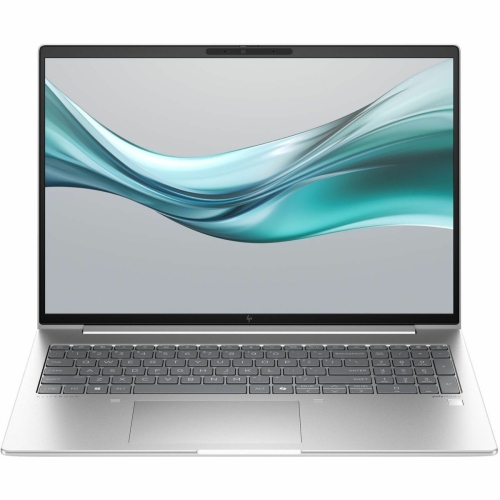
    HP Elitebook 665 G11 16" Business Laptop - Amd Ryzen 7 7735U - 16GB Ram - 512GB SSD - Windows 11 Pro

    About this product

    A powerful business laptop featuring AMD Ryzen 7, 16GB RAM, 512GB SSD, and Windows 11 Professional.

    (0)
    $1,890.00 Your price for this item is $1890
  4. 4

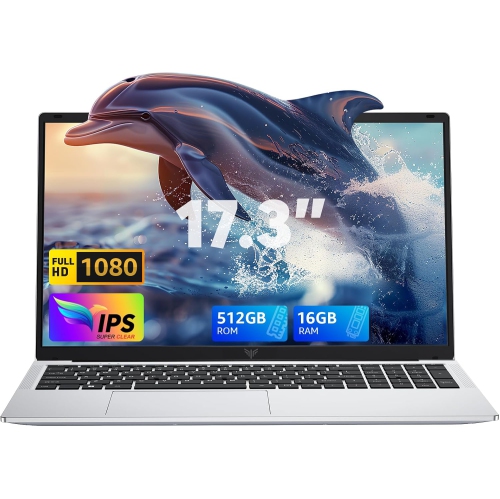
    ACEMAGIC - Ax18 18.5" Laptop - Intel N150 (4C/4T, Up to 3.6Ghz) - 8000Mah Battery - Windows 11 Pro - 16GB Ddr4 - 512GB SSD - Wifi 5 - Type-C USB

    About this product

    A powerful laptop featuring a 17.3-inch FHD bezel-free display, 16GB RAM, and 512GB SSD storage.

    (5)
    $599.00
    SAVE $500
    Your price for this item is $599
  5. 5

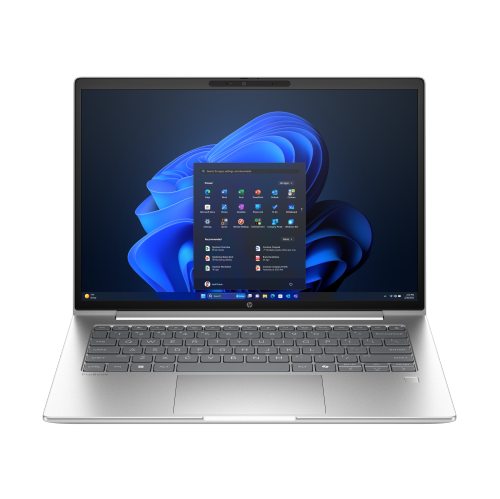
    HP Probook 4 G1I 14" Business Laptop - Intel Core Ultra 7 255U - 32GB Ram - 512GB SSD - Windows 11 Pro - In Silver

    About this product

    A sleek Pike Silver laptop featuring a WUXGA IPS display, Intel Core Ultra 7, and 32GB RAM.

    (7)
    $2,354.99
    SAVE $411
    Your price for this item is $2354.99
  6. 6

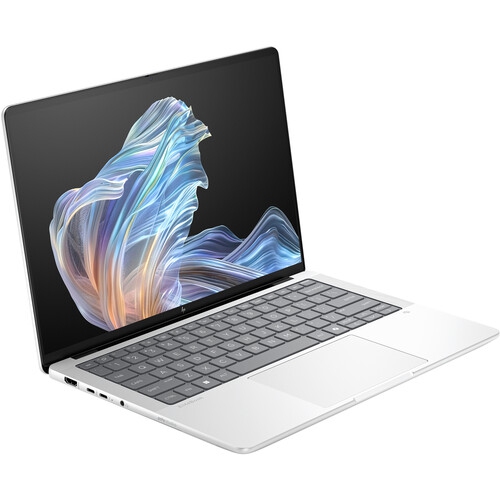
    HP Elitebook X G1A 14" 120Hz Oled Touchscreen Laptop - Amd Ryzen Ai 9 Hx 375 - 32GB Lpddr5X - 1Tb SSD - Windows 11 Pro - Glacier In Silver

    About this product

    A powerful Glacier Silver touchscreen laptop featuring AMD Ryzen AI 9, 32GB RAM, and 1TB SSD.

    (2)
    $2,928.99
    SAVE $517
    Your price for this item is $2928.99
  7. 7

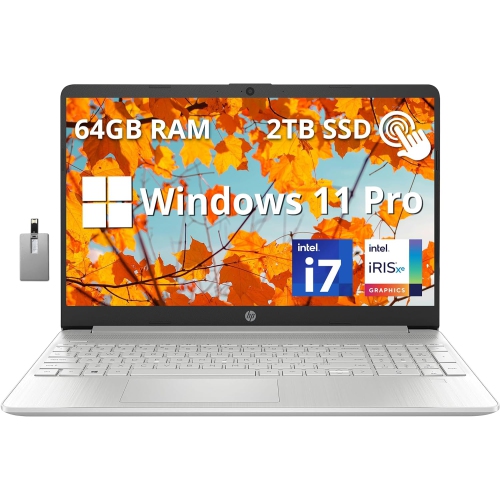
    HP 15 15.6" Fhd Touchscreen Laptop - Intel Core I7-1255U - 64GB Ddr4 - 2Tb PCie SSD - Intel Iris Xe - Windows 11 Pro - - 32GB Hotface USB Card

    About this product

    A sleek silver touchscreen laptop featuring Intel Core i7, 64GB RAM, 2TB SSD, and Windows 11 Pro.

    (1)
    $2,749.00
    SAVE $1180
    Your price for this item is $2749
  8. 8

    HP 17" Envy 17M-Cg0013Dx 17.3" Fhd (1920X1080P) Touchscreen Laptop, Core I7 10Th Gen, 16GB Ram, 512GB SSD, Windows 11 (Refurbished - Good)

    About this product

    A powerful touchscreen laptop featuring a 10th Gen Core i7, 16GB RAM, and 512GB SSD.

    What customers like

    • Comfortable backlit keyboard with numeric pad
    • Easy setup and user-friendly features
    • Strong sound and audio quality
    • Large, vibrant touchscreen display
    • Fast and smooth performance
    (1,289)
    $869.99 Your price for this item is $869.99
  9. 9

    HP Elitebook 840 14" Business Laptop -Pike (Intel Ultra 5-125U/16GB Ram/512GB SSD/win 11 Pro)-(A6Sy7Ut#aba) In Silver

    About this product

    A sleek 14" laptop featuring Intel Core Ultra 5, 16GB RAM, 512GB SSD, and Windows 11 Pro.

    What customers like

    • Fast performance
    • Reliable and solid build quality
    • Compact and portable design
    • Long battery life
    • Upgradeable RAM
    (0)
    $2,846.21 Your price for this item is $2846.21
  10. 10

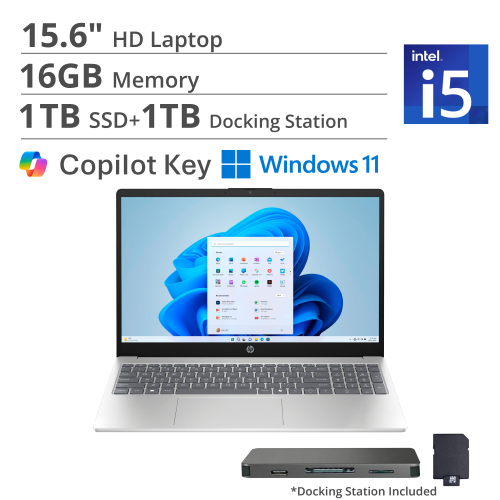
    HP 15.6" HD Business Laptop - Intel Core I5-1334U - 16GB Ddr4 - 1Tb SSD + 1Tb Docking Station - Iris Xe - Windows 11 - In Silver

    About this product

    A silver laptop featuring Intel Core i5, 16GB RAM, 1.16TB storage, and Iris Xe Graphics.

    (1)
    $1,169.00
    SAVE $450
    Your price for this item is $1169

Why your accounting workflow matters more than top specifications

The best laptops for accounting combine dependable everyday performance, a comfortable keyboard, a clear display, and compatibility with the software used for bookkeeping, payroll, reporting, and tax preparation. For many accounting workloads, 16 GB of RAM and a 512 GB solid-state drive provide a practical starting point, with additional memory and storage worth considering for larger datasets or extensive local files. A dedicated numeric keypad can make frequent number entry more comfortable, while a 15-inch or 16-inch display offers useful room for spreadsheets, invoices, and financial dashboards. Those priorities suit a wide range of users, from accounting students completing coursework to bookkeepers managing several clients and small-business owners reviewing expenses after a busy day. The right balance depends on where the work happens and how demanding it becomes. Someone entering receipts and checking browser-based reports may have different needs from an analyst refreshing complex workbooks while running several desktop applications. Software compatibility deserves particular attention: some accounting programs, payroll tools, add-ins, and specialized tax applications require a particular operating system or processor architecture. Browser-based services can offer more flexibility, but their supported browsers, connected devices, and offline capabilities still matter. A laptop that fits the full workflow should accommodate more than the main accounting application. During a typical reporting session, a scanned invoice might sit beside a spreadsheet, with email, a bank portal, and a video meeting open in the background. Sufficient memory helps keep these tasks responsive without constant closing and reopening of windows. An SSD supports quick application launches and file access, although it cannot compensate for insufficient memory or an underpowered processor. For students or someone starting a bookkeeping business, an accounting laptop can also be a thoughtful graduation or career-milestone gift when course requirements, preferred software, and keyboard preferences are known. Practical suitability matters more than choosing the highest specifications on paper.

Processing power becomes more important as financial work grows beyond routine entries. Large spreadsheets with extensive formulas, linked files, pivot tables, or imported transaction records can place greater demands on a laptop than straightforward invoicing. Strong single-core performance benefits many spreadsheet operations, while additional processor cores can help with supported calculations and multitasking. A recent mainstream processor is often suitable for general accounting, but frequent data modelling, large imports, and several demanding applications running together can justify a higher-performance configuration. For heavier workloads, 32 GB of RAM can provide useful headroom, especially when large workbooks share memory with reporting tools and numerous browser tabs. Memory cannot be upgraded in every laptop, so the installed capacity and any expansion options are important details for long-term use. Storage needs also vary. Financial documents alone may take relatively little space, but years of scanned receipts, downloaded statements, training materials, and local backups can accumulate. A 512 GB SSD offers a sensible starting capacity for many users; a larger drive may better suit substantial document archives or multiple local databases. Storage capacity is separate from data protection, and important records still need a secure backup routine. For work centred on complex worksheets, Best Laptops for Excel offers a closely related focus. Display quality is equally relevant when checking figures for hours at a time. Full HD resolution or higher helps keep text clear, while a taller screen shape can reveal more worksheet rows or more of a document without scrolling. An anti-glare finish can reduce distracting reflections beneath office lighting or near a window. Larger screens make side-by-side comparisons easier, but a compact 13-inch or 14-inch laptop paired with an external monitor may be a better fit for someone who commutes regularly. Integrated graphics are generally sufficient for accounting and everyday spreadsheet work; support for the required number and resolution of external displays is usually more relevant than a dedicated graphics processor.

Comfort and construction influence how well an accounting laptop holds up through repeated use. A keyboard with clear lettering, consistent key response, and a layout that leaves adequate room around the arrow keys can make long stretches of data entry less tiring. A built-in numeric keypad is particularly useful for entering invoice amounts or transaction totals, though layouts vary and some compact keypads feel cramped. Users who prefer a smaller laptop can add an external keypad at a desk. Backlit keys help in dimmer rooms, while a precise touchpad supports quick navigation between cells, documents, and browser windows. For a shared office or quiet study space, fan noise and heat during sustained work are worth considering alongside performance. Sturdy hinges, a lid with minimal flex, and a well-supported keyboard deck contribute to a solid feel during daily handling. Aluminium and reinforced plastic casings can both serve office use well; overall construction matters more than the material name alone. A padded sleeve helps protect a laptop between client visits, and carrying weight should account for the charger as well as the computer. Battery life varies with screen brightness, wireless connections, video calls, and workload, so advertised figures may not reflect a full day of active accounting work. Useful connections include ports for a mouse, external drive, monitor, or docking station, with charging and display support checked for each USB-C port rather than assumed. Reliable Wi-Fi helps with online accounting platforms and file transfers, while a clear webcam and microphone support remote consultations. Client and employee records also make security features important: device encryption, secure sign-in, automatic screen locking, and supported software updates all contribute to protecting sensitive information. Routine care is straightforward but worthwhile. Keeping vents unobstructed, wiping the display with an appropriate cloth, and keeping drinks away from the keyboard help maintain everyday usability. Together, these practical details support a laptop that feels comfortable at a kitchen table, in a classroom, or at a dedicated workstation through recurring payroll runs and year-end reporting.
Read More

FAQ

Some products may be subject to Environmental Handling Fees (EHF) depending on your province. Learn more about EHFs.