Best Laptops for DJs

Find your rhythm with the best laptops for DJs, ranked by user review ratings to help you compare customer favourites. Whether you’re mixing tracks at home or performing live, look for responsive performance, ample storage for your music library, and connections that work with your DJ gear. Explore the top-rated options to find a laptop that suits your software, setup, and budget.

Read More

What to look for in laptops for DJs

1. DJ Software Compatibility

Check the operating system and hardware requirements for your preferred DJ software, such as Serato DJ Pro, rekordbox or Traktor Pro. Confirm that your controller, audio interface and any required drivers support the laptop’s operating system.

2. Processor and Memory

Choose a laptop with a capable multi-core processor and at least 16 GB of RAM for multitasking and demanding DJ features. Real-time stem separation and running multiple audio applications may require more processing power, so check your software’s recommended specifications.

3. Ports and Storage

Look for enough compatible USB ports to connect your controller, audio interface and external drives without relying heavily on adapters. A solid-state drive (SSD) provides quick access to tracks, with 512 GB or more offering a useful starting point for software and music storage.

4. Portability and Live-Set Reliability

Balance a lightweight design with a screen large enough to read waveforms and browse tracks comfortably. Effective cooling and sturdy construction matter during long sets, and access to AC power helps keep performance consistent throughout a gig.
  1. 1

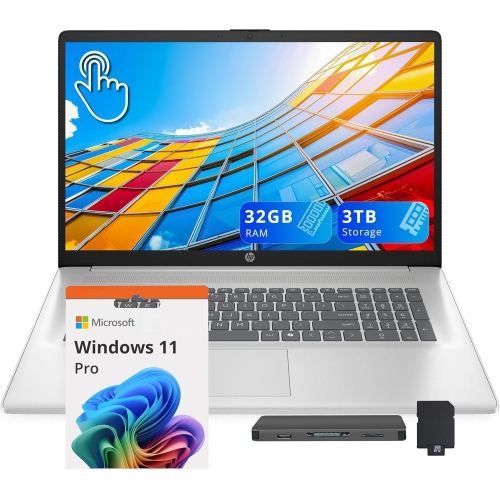
    HP 17.3" HD+ Touchscreen Laptop - Intel Ultra 7 255U - 32GB Ddr5 - 2Tb SSD+1Tb Docking Station - Intel Graphics - Win 11 Pro - Moonlight In Blue

    About this product

    A silver touchscreen laptop featuring Intel Ultra 7, 32GB RAM, 3TB storage, and numeric keypad.

    (2)
    $2,199.00
    SAVE $660
    Your price for this item is $2199
  2. 2

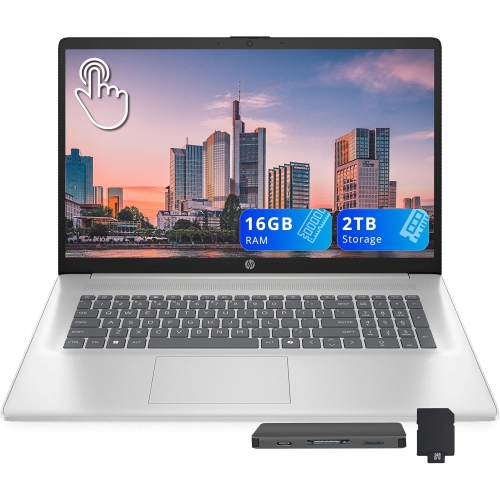
    HP 17.3" HD+ Touchscreen Laptop - Intel Ultra 7 255U - 16GB Ddr5 - 1Tb SSD + 1Tb Docking Station Set - Intel Graphics - Windows 11 - Moonlight

    About this product

    A silver touchscreen laptop with Intel Ultra 7 processor, 16GB RAM, 2TB storage, and numeric keypad.

    (1)
    $1,599.00
    SAVE $460
    Your price for this item is $1599
  3. 3

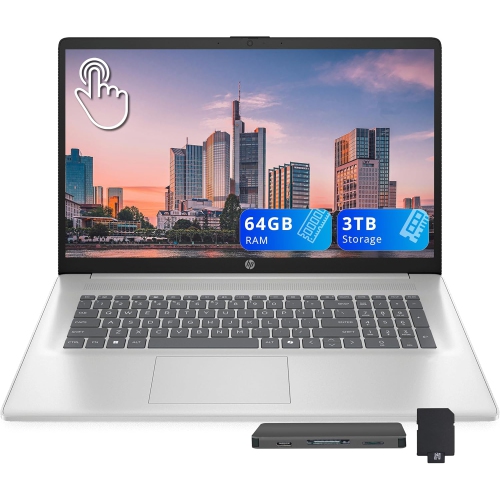
    HP 17.3" HD+ Touchscreen Laptop - Intel Ultra 7 255U - 64GB Ddr5 - 3Tb Storage (2Tb SSD+1Tb Docking Station Set) - Win 11 - Moonlight In Blue

    About this product

    A silver touchscreen laptop featuring Intel Ultra 7, 64GB RAM, 3TB storage, and numeric keypad.

    (1)
    $2,929.00
    SAVE $800
    Your price for this item is $2929
  4. 4

    APPLE Macbook Pro 13.3" W/ Touch Bar (Fall 2020) - Space ( M1 Chip / 256GB SSD / 8GB Ram) - En - In Grey

    About this product

    A powerful grey laptop featuring the M1 chip, 256GB SSD, 8GB RAM, and Touch Bar.

    What customers like

    • Comfortable and responsive keyboard
    • Sleek and durable build quality
    • High-quality vibrant display
    • Powerful and fast M1 chip performance
    • Excellent battery life
    (6,034)
    $1,500.00 Your price for this item is $1500
  5. 5

    APPLE Refurbished (Good) - Macbook Pro With Touch Bar 15.4" - Space (Intel Core I7 2.6Ghz/512GB/16GB Ram) - (2018 Model) English In Grey

    About this product

    A refurbished grey laptop featuring a 6-core i7 processor, 16GB RAM, 512GB storage, and Touch Bar.

    What customers like

    • Seamless integration with Apple ecosystem
    • Long battery life and durability
    • High-quality screen and graphics
    • Lightweight and sleek design
    • Fast performance and processing speeds
    (890)
    $595.77
    SAVE $1003
    Your price for this item is $595.77
  6. 6

    APPLE Refurbished (Good) - Macbook Pro 13.3" Laptop (Intel Core I5 2Ghz/256GB SSD/8GB Ram) - Space - En (2016 Model) In Grey

    About this product

    A refurbished grey laptop featuring an Intel Core i5 processor, 256GB SSD, and 8GB RAM.

    What customers like

    • Comfortable keyboard and responsive trackpad
    • High-quality display and vivid colors
    • Fast performance and SSD speed
    • Excellent battery life
    • Lightweight and portable design
    (2,467)
    $549.77
    SAVE $650
    Your price for this item is $549.77
  7. 7

    DELL Inspiron 15.6″ Touchscreen Laptop – Intel Core I7-1165G7, 256 GB SSD, Intel Iris Xe Graphics, Windows 11, Fhd Display, Wi-Fi & Bluetooth

    About this product

    A versatile touchscreen laptop featuring an Intel Core i7 processor, 256GB SSD, and Intel Iris Xe graphics.

    What customers like

    • Easy and quick setup
    • Compact and sleek design
    • High-quality touchscreen and display
    • Helpful and knowledgeable customer service
    • Fast and reliable performance
    (219)
    $1,614.05
    SAVE $84
    Your price for this item is $1614.05
  8. 8

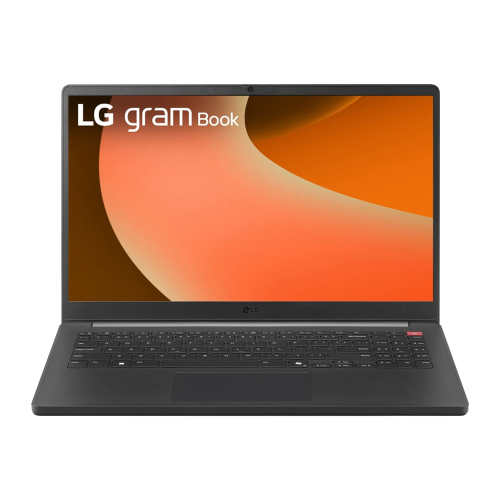
    LG Gram Book 15.6" Fhd Touchscreen Business Laptop - Intel Core Ultra 7 255U - 64GB Ddr5 - 2Tb SSD - Intel Graphics - Windows 11 Pro - In Black

    About this product

    A sleek black laptop featuring a 15.6" FHD touchscreen, Intel Core Ultra 7, and 2TB SSD.

    What customers like

    • Spacious storage and memory
    • Stylish and modern design
    • Excellent picture quality
    • Easy to use and operate
    • Versatile features and connectivity
    (25)
    $2,849.00
    SAVE $710
    Your price for this item is $2849

Smooth DJ sets take more than processing power

The best laptops for DJs combine dependable real-time audio performance, compatible connections, and a design that is easy to carry between practice sessions and paid gigs. A DJ laptop has a different workload from a computer used mainly for browsing: it may need to play several decks, analyse incoming tracks, apply effects, and separate vocals from instrumentals while keeping the music uninterrupted. A modern multi-core processor and 16 GB of RAM provide a practical starting point for many setups, although the requirements of the DJ software and its individual features should take priority. More demanding stem separation, larger sample libraries, and running several audio applications together can benefit from additional processing power and 32 GB of memory. Processor specifications alone do not establish how smoothly a laptop will handle live audio; audio drivers, power settings, software compatibility, and sustained performance all matter. Solid-state storage supports quick application launches, responsive library searches, and fast access to tracks. A 1 TB SSD offers useful room for an expanding music collection, especially when it includes uncompressed audio, but smaller libraries may fit comfortably on less storage. Space for applications, library databases, and working files also belongs in that calculation. For a beginner practising beatmatching at home, straightforward compatibility and responsive controls may matter more than capacity for complex effects. A mobile DJ playing weddings or private events may place greater emphasis on a broad offline music library, sturdy connections, and a setup that can be assembled without fuss. Club performers working with several decks or live stems often need more performance headroom. Across these uses, a suitable laptop keeps browsing, cueing, and mixing responsive without demanding attention that belongs on the next transition. The strongest match is not necessarily the machine with the most impressive specification sheet, but one that comfortably supports the software, library, and connected equipment used throughout a typical set.

Connections are central to how a laptop fits into a DJ setup. A controller, external drive, and separate audio interface can occupy several ports before any other accessories enter the picture. Built-in USB-A and USB-C connections can reduce reliance on adapters, but connector shape does not confirm every supported function. Port specifications, cable requirements, and the equipment manufacturer’s compatibility information help establish whether each connection is suitable. A well-matched hub or dock can add flexibility, though attached devices may share bandwidth and power; a setup tested with the actual controller and drives is more reassuring than an untried arrangement brought to a venue. Many DJ controllers include their own audio interface, making the laptop’s built-in speakers less important than reliable communication with the controller. Low latency describes the short delay between an action and its audible result, such as moving a jog wheel or triggering a cue. Smaller audio buffer settings can improve responsiveness, but they also increase processing demands and may cause clicks or dropouts if the system cannot keep up. Stable operation at a workable buffer setting is more useful than pursuing the lowest setting regardless of results. Software, controller drivers, and the operating system need to work together, particularly when older equipment is part of the setup. Screen size and layout affect the experience just as directly. A 14-inch display can suit a compact booth or a backpack-friendly rig, while a 16-inch display provides more room for waveforms, track details, and several decks. Clear text, manageable reflections, and brightness adjustment help with long library searches and dimly lit booths. A backlit keyboard makes shortcuts easier to find, and a precise trackpad is useful when there is no space for a mouse. Wireless connectivity is convenient for downloads and library management, but locally stored tracks reduce dependence on venue internet access, subject to any application sign-in or licensing requirements.

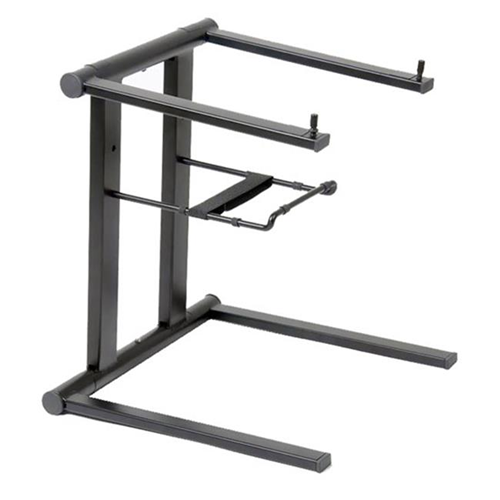
Portability is about more than the laptop’s weight. The charger, protective sleeve, adapters, and external storage all contribute to the load carried alongside headphones and a controller. A slim laptop can make frequent travel easier, while a larger chassis may offer more connections and room for components designed for sustained workloads. Aluminium housings can provide rigidity, and well-built polymer housings can also be practical for regular transport; hinge quality, chassis flex, and protection inside a padded bag are worth considering alongside the material itself. Physical dimensions matter when fitting a laptop onto a stand or beside a mixer, where protruding cables can take up valuable space. A stable stand with an appropriate load rating and unobstructed ventilation helps keep the computer secure and accessible. Battery life is useful for preparing playlists away from an outlet and can provide a buffer if the laptop’s power connection is briefly interrupted. It does not guarantee that a connected controller or other equipment will continue running, and demanding audio tasks can shorten runtime compared with light everyday use. Advertised battery figures therefore need context for DJ workloads. For regular care, a soft cloth and manufacturer-approved cleaning methods help protect the screen and keyboard, while keeping drinks away from the computer reduces the risk of spills during crowded sets. Cables should be disconnected before packing so that plugs do not strain the ports. Backups of music files, playlists, cue points, and software settings protect the preparation behind a performance, not just the tracks themselves. Laptops that handle DJ duties may also support arranging tracks, creating edits, or building original material; Good Laptops for Music Production covers a closely related use where memory, processing capacity, and storage also matter. For a music student, an aspiring performer, or an experienced DJ receiving a laptop as a gift, compatibility with existing software and equipment is especially important. A thoughtful choice supports familiar routines, leaves room for developing skills, and feels manageable both at a desk and behind the decks.
Read More

FAQ

Some products may be subject to Environmental Handling Fees (EHF) depending on your province. Learn more about EHFs.