Best Printers Under $150
Find the best printers under $150 for everyday tasks, from school assignments to home office documents. Ranked by user review ratings, this selection makes it easy to compare budget-friendly options and find a printer that fits your needs.
What to look for in printers under $150
1. Print Quality and Speed
2. Ink Costs and Availability
3. Connectivity and Compatibility
4. Everyday Features
-
1
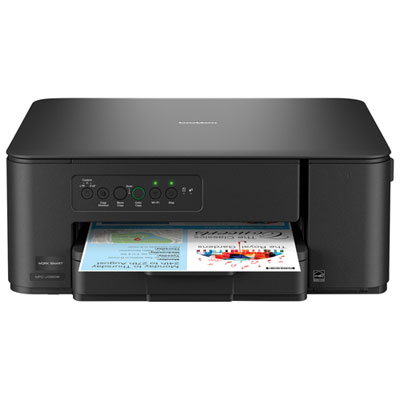
Brother MFC-J1260W Colour Wireless All-In-One Inkjet Printer
About this product
A versatile black wireless inkjet printer offering vibrant colour printing, scanning, and copying with mobile connectivity.
What customers like
(40)$69.99Your price for this item is $69.99SAVE $70 -
2

CANON Pixma Mg3620 0515C023 In White
About this product
A white wireless inkjet printer delivering vivid colour prints, sharp text, and automatic two-sided printing.
What customers like
(4,258)$137.68Your price for this item is $137.68SAVE $15 -
3
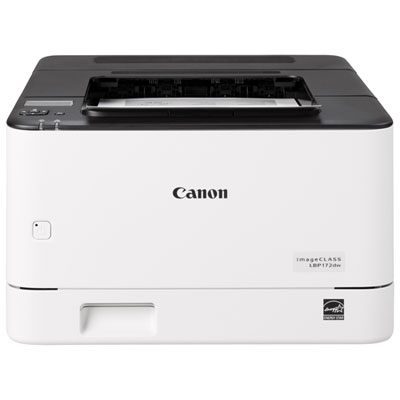
Canon imageCLASS LBP172dw Monochrome Laser Printer - Only at Best Buy
About this product
A fast monochrome laser printer delivering crisp 600dpi prints at 35ppm with generous paper capacity.
What customers like
(22)$149.99 Your price for this item is $149.99 -
4

Canon PIXMA TR4720 Wireless All-In-One Inkjet Printer
About this product
A compact black all-in-one inkjet printer with wireless connectivity and a 2-cartridge hybrid ink system.
What customers like
(3,381)$59.99Your price for this item is $59.99SAVE $20 -
5
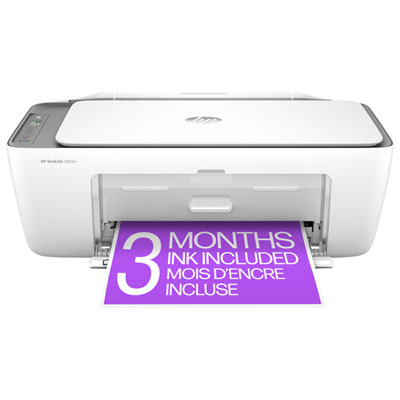
HP DeskJet 2855e Wireless All-In-One Inkjet Printer - HP Instant Ink 3-Month Free Trial Included*
About this product
An all-in-one white wireless printer offering effortless printing, scanning, copying, and an automatic document feeder.
What customers like
(2,396)$59.97 Your price for this item is $59.97 -
6
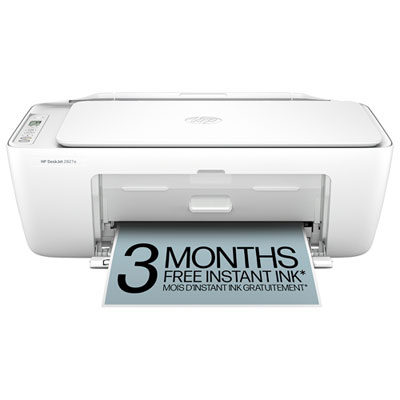
HP DeskJet 2827e Wireless All-In-One Inkjet Printer
About this product
A white wireless all-in-one inkjet printer offering easy print, scan, and copy functions with mobile support.
What customers like
(1,970)$59.97 Your price for this item is $59.97 -
7
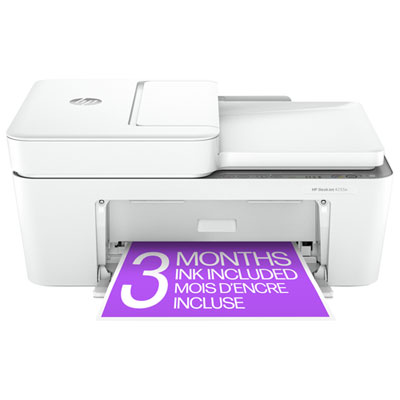
HP DeskJet 4255e Wireless All-In-One Inkjet Printer - HP Instant Ink 3-Month Free Trial Included*
About this product
A versatile white wireless printer offering printing, scanning, copying, and an automatic document feeder for convenience.
What customers like
(1,857)$134.95 Your price for this item is $134.95 -
8

Canon PIXMA TR4720 Wireless All-In-One Inkjet Printer - White
About this product
A versatile white wireless inkjet printer offering fast, high-quality printing and easy operation for any task.
What customers like
(127)$59.99Your price for this item is $59.99SAVE $20 -
9
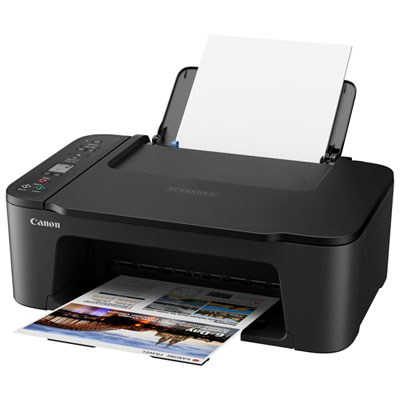
Canon PIXMA TS3729 Wireless All-In-One Inkjet Printer - Only at Best Buy
About this product
An easy-to-use wireless inkjet printer with mobile printing, flatbed scanner, and quick rear paper tray reloading.
What customers like
(106)$49.99Your price for this item is $49.99SAVE $10
FAQ
Inkjet printers use liquid ink sprayed through printhead nozzles, while laser printers use powdered toner bonded to paper with heat. Inkjet models commonly offer colour printing, while entry-level laser models often print in black and white.
An all-in-one printer combines printing, scanning, and copying in one device. Some models also include fax capability or an automatic document feeder for scanning multiple pages. Check the listed features to see which functions are included.
Connection options may include USB, Wi-Fi, and Wi-Fi Direct, depending on the printer. Compatible models may also support Apple AirPrint, Android printing services, or a manufacturer's mobile app. Check compatibility with your device and operating system before choosing.
Each printer requires specific compatible cartridges. Inkjet printers may use separate cartridges for each colour or a combined colour cartridge, while laser printers use toner cartridges. Some laser printers also have a separate drum unit. The printer's specifications identify the supplies it uses.
Automatic two-sided printing, also called duplex printing, prints on both sides of a sheet without requiring you to turn it over. Manual two-sided printing requires you to flip and reload the paper when prompted. Available options depend on the printer and its software.
Top selling and popular products
Discover more categories related to Best Printers Under $150
Some products may be subject to Environmental Handling Fees (EHF) depending on your province. Learn more about EHFs.