Best Rated Laptops for Outdoor Use

Take work and entertainment beyond your desk with the best-rated laptops for outdoor use, ranked by customer review ratings. When comparing options, look for a bright, easy-to-read display, long battery life, and a lightweight design to help you stay productive on the patio or enjoy a change of scenery. Customer feedback can help you narrow down the right fit for your on-the-go routine.

Read More

What to look for in top-rated laptops for outdoor use

1. Screen Brightness and Glare Control

A bright display with an anti-glare finish can make text easier to read outdoors. Look for brightness ratings of at least 400 to 500 nits for shaded settings, keeping in mind that direct sunlight may require a much brighter screen.

2. Durability and Weather Resistance

Check for documented protection against dust, splashes, and drops if you plan to use your laptop beyond a sheltered patio. Rugged styling alone does not indicate weather resistance, so review any IP ratings, testing details, and operating temperature limits.

3. Battery Life and Charging

Choose battery life that comfortably covers your time away from an outlet, since high screen brightness can shorten runtime. USB-C charging can add flexibility, provided your charger or power bank supports the laptop’s required wattage.

4. Portability and Verified Reviews

Balance weight and size with a screen and keyboard that feel comfortable for your tasks. Read verified owner reviews for feedback on outdoor visibility, battery performance, and build quality rather than relying on the overall star rating alone.
  1. 1

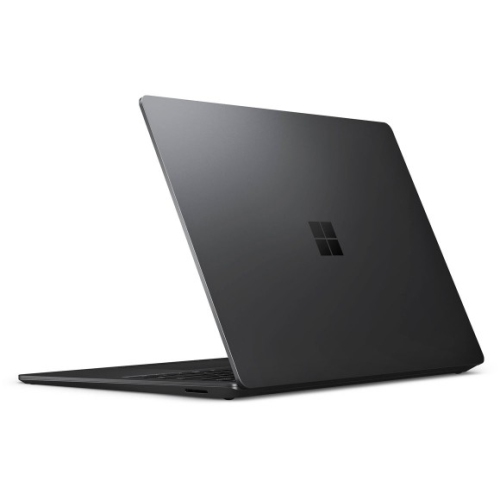
    MICROSOFT Refurbished (Good) - Surface Laptop 3 15" Touchscreen - Amd Ryzen 7 Surface Edition - 32GB - 1Tb SSD - Windows 10 Home

    About this product

    A refurbished laptop featuring a 15" touch screen, 1TB SSD, AMD Ryzen 7, and 32GB memory.

    What customers like

    • Powerful performance with fast processor and ample memory
    • Versatile 2-in-1 functionality and portability
    • Sleek, durable design with comfortable keyboard
    • High-quality, responsive touch screen and display
    • Large 1TB SSD for extensive storage
    (2,498)
    $3,099.00
    SAVE $501
    Your price for this item is $3099
  2. 2

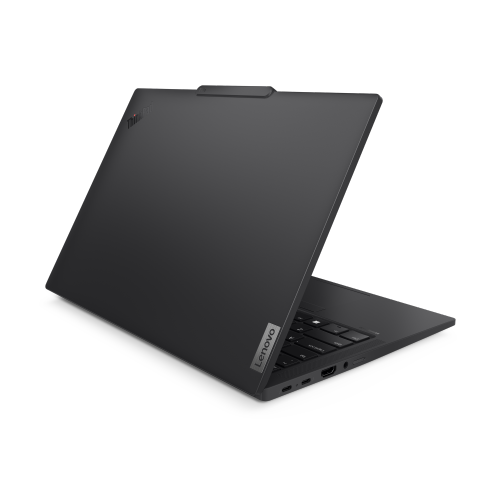
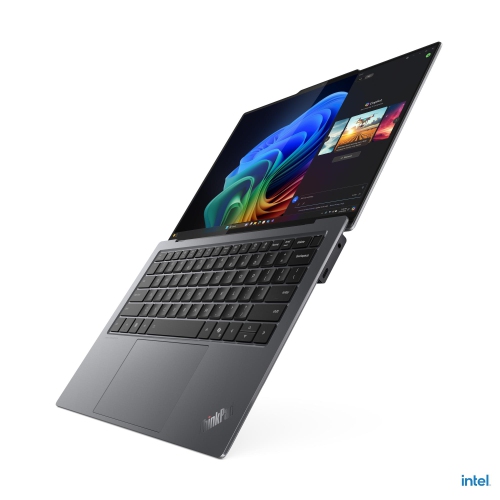
    LENOVO Thinkpad T14S Gen 5 14" Notebook-Black(Intel Core Ultra 7 155U/512GB SSD/16GB Ram/windows 11)-English-(21Ls0058Us)

    About this product

    A sleek black laptop featuring Intel Core Ultra 7, 16GB RAM, 512GB SSD, and Windows 11.

    (9)
    $1,851.49
    SAVE $800
    Your price for this item is $1851.49
  3. 3

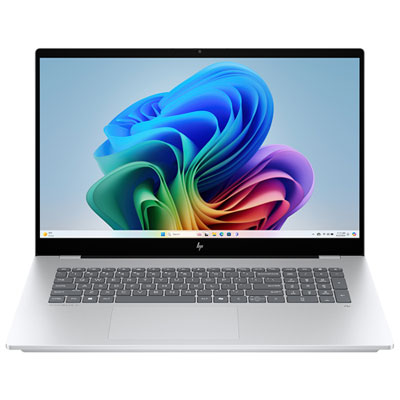
    HP OmniBook X 17.3" FHD Touchscreen Copilot+ PC Laptop - Intel Core Ultra 7 356H - 32GB LPDDR5x - 1TB SSD - GeForce RTX 5050 - Windows 11 Home - Glacier Silver Aluminum

    About this product

    A powerful AI-driven laptop featuring a 17.3" FHD touchscreen, Intel Core Ultra processor, and 32GB RAM.

    What customers like

    • Fast performance
    • Beautiful large touchscreen display
    • Ample 32GB RAM
    • Works great with Windows 11 Pro
    • Solid case build
    (255)
    $2,799.99
    SAVE $200
    Your price for this item is $2799.99
  4. 4

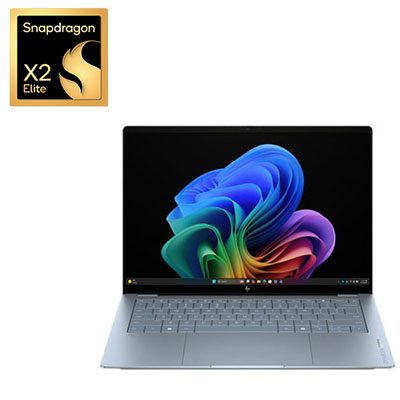
    HP OmniBook Ultra 14" 3K OLED Touchscreen Copilot+ PC Laptop - Snapdragon X2 Elite - Qualcomm Hexagon NPU 85 TOPs - 32GB LPDDR5x - 1TB SSD - Qualcomm Adreno Graphics - Windows 11 Home - Stone Blue

    About this product

    A thin, stone blue laptop featuring a 14" OLED touchscreen, Snapdragon X2 Elite processor, and 32GB RAM.

    What customers like

    • Long battery life and quiet, cool operation
    • Fast, powerful performance with smooth multitasking and AI capabilities
    • Vibrant OLED touchscreen with sharp detail, vivid colours and deep blacks
    • Comfortable keyboard and responsive touchpad with useful controls
    • Thin, lightweight design with a premium, stylish build
    (40)
    $3,299.99 Your price for this item is $3299.99
  5. 5

    LENOVO Thinkpad T14 Gen 7 14" Wuxga Touch | Core Ultra 7 365 | 32GB Ram | 512GB SSD | Windows 11 Pro | 3-Yr Premier Onsite Warranty

    About this product

    A business laptop with Core Ultra 7 365 vPro, 32GB RAM, 512GB SSD and WUXGA touchscreen.

    (2)
    $2,699.00
    SAVE $1600
    Your price for this item is $2699
  6. 6

    PANASONIC Refurbished (Excellent) - Toughbook Cf-54 - Intel Core I5-6300U - 16GB Ddr3 - 256GB SSD - Windows 10 Pro - 4G Lte - 14"

    About this product

    A semi-rugged magnesium alloy laptop with Core i5, 16GB RAM, 256GB SSD, and 4G LTE connectivity.

    (1)
    $787.86
    SAVE $511
    Your price for this item is $787.86
  7. 7

    GETAC Refurbished (Good)) - V110 G6 11.6" Touchscreen 2-In-1 Laptop - Intel Core I5-10210U - 16GB Ddr4 - 256GB SSD - Windows 11 Pro - In Black

    About this product

    A rugged 2-in-1 laptop with an Intel Core i5 processor and sunlight-readable 11.6" touchscreen.

    (1)
    $1,433.00 Your price for this item is $1433
  8. 8

    LENOVO Thinkpad X9 14 Aura Edition 14" Laptop - Intel Core Ultra 7 268V - 32GB Ram - 1Tb SSD - Windows 11 Pro - In Grey

    About this product

    An ultrathin grey laptop featuring an Intel Core Ultra 7, 1TB SSD, and 32GB RAM.

    (1)
    $3,483.96
    SAVE $348
    Your price for this item is $3483.96

Daylight readability takes more than a bright screen

The best-rated laptops for outdoor use combine a bright, readable display with practical battery life, a durable build, and a design that is comfortable to carry. Screen visibility is often the defining feature: a laptop that feels perfectly clear at a desk can become difficult to read on a picnic table or beside a busy worksite. Display brightness is measured in nits, with higher numbers generally helping the image remain visible in strong daylight. Around 400 to 500 nits can be useful in shaded outdoor spaces, while displays rated at 1,000 nits or more are worth considering for frequent work in direct sunlight. Brightness alone does not guarantee readability, however. A matte surface or effective anti-glare treatment helps limit reflections, and good contrast makes text, maps, and spreadsheet cells easier to distinguish. Glossy touchscreens can show sharp detail indoors but may reflect the sky or surrounding buildings outside. For someone writing reports on a covered patio, a bright everyday laptop may be a good fit; for a surveyor checking drawings in an open field, a sunlight-readable display and purpose-built protection can matter much more. Screen size also changes the experience. A 13-inch or 14-inch laptop is easier to pack and balance on a small table, while a 15-inch or 16-inch display gives plans, timelines, and multiple windows more room. Resolution should support clear text without making interface controls uncomfortably small, particularly when working at arm’s length. Wide viewing angles help when two people need to review the same screen without repositioning the laptop repeatedly. A hinge that holds its position securely is another useful detail when the viewing angle needs frequent adjustment. Customer reviews that describe actual daylight use are especially valuable here: comments about glare, text legibility, and battery drain at high brightness say more about outdoor suitability than an overall rating alone.

Durability needs vary considerably between occasional outdoor computing and daily field work. An aluminium or magnesium-alloy chassis can provide a solid feel, but the case material does not, by itself, establish resistance to drops, dust, or water. Reinforced corners, protected ports, secure hinges, and clearly documented testing provide a more useful picture of how a laptop is built to handle travel and handling. Rugged designs may add weight and thickness in exchange for stronger protection, while slimmer laptops are often easier to carry between a classroom, office, and sheltered outdoor workspace. An ingress protection rating, when specified, describes tested protection against solid particles and water under defined conditions; it should not be treated as permission to leave a computer exposed to rain. Likewise, references to military-standard testing need context, since different laptops may have been tested for different conditions. For construction professionals, utility technicians, and others whose computer travels with tools and protective equipment, Durable Laptops for Field Work offers a closely related focus on demanding day-to-day use. Practical handling features deserve attention alongside the chassis. A textured grip, carry handle, or secure strap attachment can help when moving between locations, while a keyboard with well-spaced keys supports accurate notes away from a full desk. Touchscreen operation with gloves or a stylus must be explicitly supported rather than assumed. A fitted sleeve or padded bag should accommodate the laptop’s dimensions without placing pressure on the screen, with separate space for the charger and accessories. Care remains important even with a tough build: keep vents clear, wipe away dirt using manufacturer-approved methods, and close port covers before carrying the computer. A stable, dry surface is preferable to grass, loose soil, or a soft bag that can block airflow. Observe the specified operating temperature range, avoid leaving the laptop in a parked vehicle, and let a cold computer acclimatize before use if condensation could form.

Performance, battery life, and connectivity determine how useful an outdoor laptop feels after the screen and build requirements are met. Writing site notes, handling email, and reviewing documents usually call for a different balance of processing power and memory than editing high-resolution photographs, modelling structures, or working with large mapping files. Enough memory for the intended applications helps keep switching between tasks smooth, and a solid-state drive provides responsive storage without the moving parts of a traditional hard drive. Outdoor photographers may value an SD card reader and dependable colour reproduction, while inspectors may need specific ports for instruments or accessories. Port placement matters when a charging cable and several devices must fit on a narrow bench without getting in the way. Wi-Fi is useful near buildings and managed access points, but it does not ensure a connection at a remote location. Built-in cellular connectivity, where supported, requires compatible service, and a phone hotspot depends on coverage and a suitable mobile plan. Locally stored documents and applications with offline functions can keep work moving when reception drops. Battery claims also need to be read in context: high display brightness, video calls, cellular connections, and demanding software can shorten runtime compared with light-use test results. Reviews that explain the workload and screen settings are more informative than a runtime figure without those details. USB-C charging can simplify packing when the laptop supports it, although a charger or power bank must meet the computer’s power requirements; a basic phone charger may not be sufficient. Some field-focused designs support replaceable batteries, but replacement and hot-swap capabilities are distinct features that need confirmation. For students studying in a courtyard, remote workers taking calls from a sheltered terrace, or professionals recording measurements between site visits, the right laptop balances these practical needs rather than excelling at just one specification. Across best-rated laptops for outdoor use, the most relevant feedback comes from people doing similar work in comparable conditions, with attention to long-term reliability, keyboard comfort, screen visibility, and the weight of the complete kit.
Read More

FAQ

Some products may be subject to Environmental Handling Fees (EHF) depending on your province. Learn more about EHFs.