Canadian Tax Return Programs
Canadian Tax Return Programs make it easy to manage your taxes with confidence and convenience. Designed for individuals, families, and businesses across Canada, these solutions help streamline the tax filing process from start to finish. Find the right Canadian Tax Return Programs to suit your needs and enjoy a smoother experience during tax season. Explore options that can help you stay organized and prepared when it’s time to file.

Why your tax situation matters when comparing software
Canadian tax return programs are tax preparation software designed to help individuals organize income information, calculate applicable taxes, and prepare Canadian personal income tax returns. Depending on the program and the taxpayer’s eligibility, a completed return may be submitted electronically through NETFILE, the Canada Revenue Agency’s filing service for individuals. The CRA maintains a list of certified tax software, making certification for the intended tax year an important distinction when comparing programs. Certification applies to particular software and tax years; it does not mean that every return prepared with a program is complete, accurate, or eligible for electronic submission. Canadian tax software also needs to suit the province or territory associated with the return. Quebec residents have a separate provincial return administered by Revenu Québec, so support for both federal and Quebec filing is especially relevant. Beyond these essentials, the right fit depends on the information a person needs to report. Someone with employment income and a few tax slips may value a straightforward interview format, while a person with contract income, rental property, or investment transactions may need more detailed worksheets and reporting tools. Students may have tuition information to enter, retirees may have pension income from several sources, and parents may need to account for childcare expenses and family-related credits. These differences make supported forms and tax situations more meaningful than a broad description such as “easy tax filing.” Tax software is a tool for preparing a return, rather than a substitute for the documents behind it or professional advice when circumstances are complex. Its practical value comes from bringing those details into an organized process, with calculations and prompts that help users understand what information belongs where. A program that suits the return’s complexity can make the work feel more manageable, whether the paperwork consists of a small folder of slips or a larger collection of statements, receipts, and expense records.
The experience of using Canadian tax return programs often centres on how information is collected, reviewed, and carried through the return. Interview-style software presents questions in everyday language, while forms-based views may appeal to people who are familiar with tax documents and prefer to see entries in their original layout. Some programs combine both approaches, allowing users to move between guided questions and a more detailed view of the calculations. Where supported and authorized, CRA Auto-fill my return can import certain information held by the agency, but imported details still need to be reviewed against personal records. A missing slip, an incorrect amount, or income that has not been reported to the CRA can still require attention. For a household with several returns to prepare, useful distinctions include the number of returns permitted under the licence, whether separate profiles can be maintained, and how easily information can be reviewed without mixing one person’s documents with another’s. Spouses and common-law partners generally file individual returns, even though information about each partner can affect calculations. When comparing CRA Compatible Tax Software, support for the required tax year, relevant forms, and intended filing method provides a clearer picture of suitability than general compatibility language alone. Features such as carrying forward information from a previous return, saving progress, reviewing potential omissions, and producing a readable summary can also shape the experience. For example, a person with employment income and occasional freelance work may appreciate having business income and eligible expenses organized separately from employment slips. An investor may need space for transaction details and adjusted cost base information rather than only a total from an account statement. Software can help organize these entries, but it cannot determine every tax treatment from a brief description. Clear explanations, accessible help, and a review process are particularly valuable when a return includes unfamiliar forms or a change in personal circumstances, such as a move between provinces, a new source of income, or a change in marital status.
The format of the software matters as much as its tax features. Desktop programs need to match the computer’s operating system, supported version, storage requirements, and installation conditions. Browser-based programs have their own device, browser, account, and internet requirements, and a familiar layout on a full-size screen may be easier to work with when comparing several statements. Downloading, activating, updating, importing information, and submitting a return can involve different connection requirements, so the complete workflow matters even when some preparation can be done offline. The tax year shown on the software is another essential detail: a program intended for one year should not be assumed to prepare a return for another. Support for prior-year returns, corrections, and transferring information varies by program. Privacy is also a practical consideration because tax files can contain social insurance numbers, addresses, income details, and banking information. Account security options, the handling of saved files, and the ability to export or print a completed return deserve attention, especially on a shared computer. A clear record of what was filed remains useful after submission, alongside supporting receipts and statements retained in accordance with applicable requirements. An electronic submission confirmation establishes that a return was transmitted successfully; it is not the same as the CRA’s assessment of that return. For someone preparing their own taxes for the first time, readable prompts and explanations may matter most. For an experienced filer, efficient navigation, detailed worksheets, and dependable access to saved information may be more important. People helping a parent or another family member may also value clear profile separation and readable summaries, while remaining mindful of consent and authorization requirements. Across these situations, well-matched tax preparation software supports the task: entering the right information, reviewing the result carefully, and keeping an organized copy of the completed return. The strongest fit is the program whose supported tax situations, filing features, and technical requirements correspond to the person using it.
The experience of using Canadian tax return programs often centres on how information is collected, reviewed, and carried through the return. Interview-style software presents questions in everyday language, while forms-based views may appeal to people who are familiar with tax documents and prefer to see entries in their original layout. Some programs combine both approaches, allowing users to move between guided questions and a more detailed view of the calculations. Where supported and authorized, CRA Auto-fill my return can import certain information held by the agency, but imported details still need to be reviewed against personal records. A missing slip, an incorrect amount, or income that has not been reported to the CRA can still require attention. For a household with several returns to prepare, useful distinctions include the number of returns permitted under the licence, whether separate profiles can be maintained, and how easily information can be reviewed without mixing one person’s documents with another’s. Spouses and common-law partners generally file individual returns, even though information about each partner can affect calculations. When comparing CRA Compatible Tax Software, support for the required tax year, relevant forms, and intended filing method provides a clearer picture of suitability than general compatibility language alone. Features such as carrying forward information from a previous return, saving progress, reviewing potential omissions, and producing a readable summary can also shape the experience. For example, a person with employment income and occasional freelance work may appreciate having business income and eligible expenses organized separately from employment slips. An investor may need space for transaction details and adjusted cost base information rather than only a total from an account statement. Software can help organize these entries, but it cannot determine every tax treatment from a brief description. Clear explanations, accessible help, and a review process are particularly valuable when a return includes unfamiliar forms or a change in personal circumstances, such as a move between provinces, a new source of income, or a change in marital status.
The format of the software matters as much as its tax features. Desktop programs need to match the computer’s operating system, supported version, storage requirements, and installation conditions. Browser-based programs have their own device, browser, account, and internet requirements, and a familiar layout on a full-size screen may be easier to work with when comparing several statements. Downloading, activating, updating, importing information, and submitting a return can involve different connection requirements, so the complete workflow matters even when some preparation can be done offline. The tax year shown on the software is another essential detail: a program intended for one year should not be assumed to prepare a return for another. Support for prior-year returns, corrections, and transferring information varies by program. Privacy is also a practical consideration because tax files can contain social insurance numbers, addresses, income details, and banking information. Account security options, the handling of saved files, and the ability to export or print a completed return deserve attention, especially on a shared computer. A clear record of what was filed remains useful after submission, alongside supporting receipts and statements retained in accordance with applicable requirements. An electronic submission confirmation establishes that a return was transmitted successfully; it is not the same as the CRA’s assessment of that return. For someone preparing their own taxes for the first time, readable prompts and explanations may matter most. For an experienced filer, efficient navigation, detailed worksheets, and dependable access to saved information may be more important. People helping a parent or another family member may also value clear profile separation and readable summaries, while remaining mindful of consent and authorization requirements. Across these situations, well-matched tax preparation software supports the task: entering the right information, reviewing the result carefully, and keeping an organized copy of the completed return. The strongest fit is the program whose supported tax situations, filing features, and technical requirements correspond to the person using it.
Top selling and popular products
-
 Your price for this item is $39.99
 -
 Your price for this item is $45.99
 -
 Your price for this item is $36.99
 -
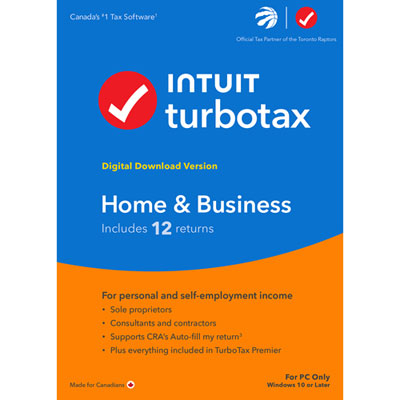 Your price for this item is $134.99
 -
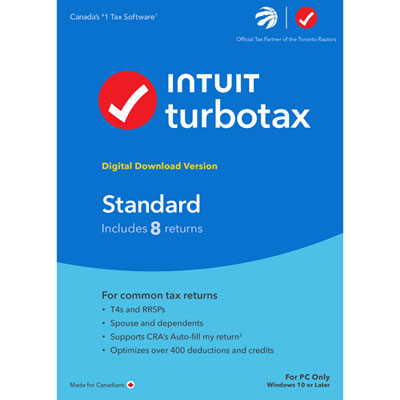 Your price for this item is $37.99
 -
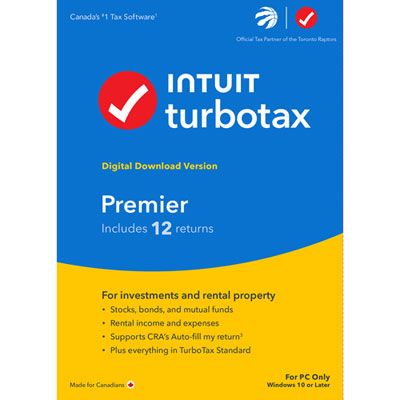 Your price for this item is $82.99
 -
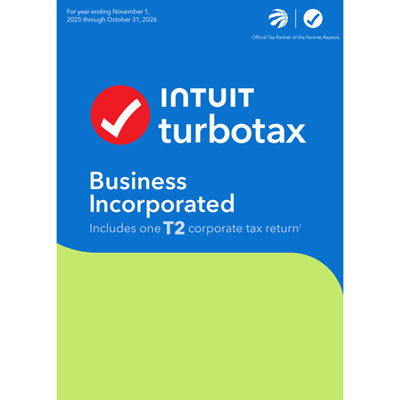 Your price for this item is $374.99
 -
 Your price for this item is $37.99
Discover more categories related to Canadian Tax Return Programs
Top Collections:
Pokemon Centers, Kindle Devices, Best Cameras for Sports Photography, Best Budget Office Chairs, Pokémon 30th Celebration Cards, Apple iPhones 16, Canon G7X Cameras, iPhone 15 Apple, Flip Phones, Samsung Galaxy Phones
Some products may be subject to Environmental Handling Fees
(EHF) depending on your province.
Learn more about EHFs.