Dell Laptops for Work
Dell laptops for work deliver the performance and reliability professionals need to stay productive in any environment. Whether you’re setting up a home office, collaborating with colleagues, or tackling demanding projects, these laptops are designed to keep up with your busy schedule. Explore a wide selection of models tailored for business use and find the ideal solution to support your workflow. With dell laptops for work, achieving your goals has never been more efficient or convenient.
Sort


Your daily applications matter more than your job title
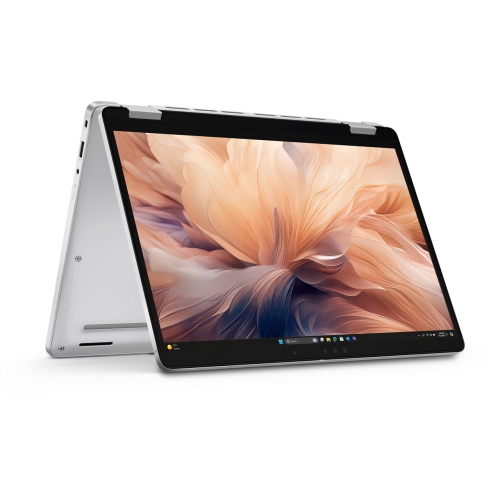
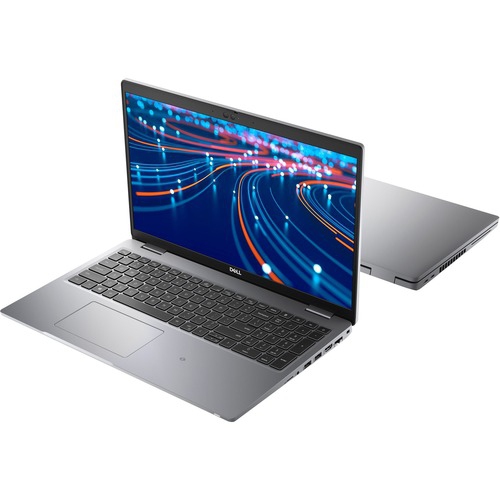
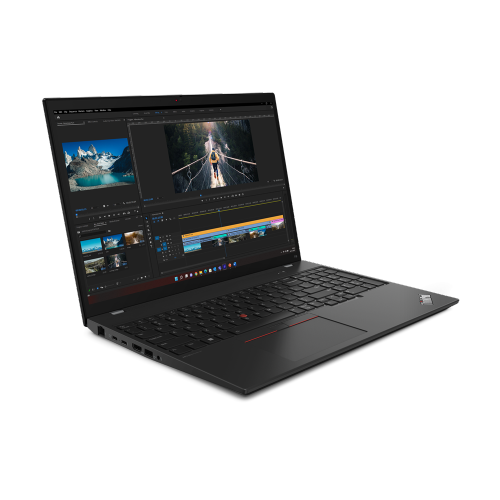
Laptops for work bring everyday office tasks, communication, and more demanding projects into a computer that can move between a desk, a meeting room, and a home office. The right fit depends on the applications that stay open throughout the day, not simply a job title. Someone handling email, documents, scheduling, and browser-based tools has different needs from an analyst working with large spreadsheets or a designer editing high-resolution images. For general business productivity, 16 GB of memory is a practical starting point for keeping several applications and browser tabs open together. Work involving larger datasets, virtual machines, or complex creative files may benefit from 32 GB or more, provided the software can use that capacity. Processor performance also matters, particularly during calculations, file conversions, and multitasking, although the processor generation, cooling system, and software requirements all influence the experience. A solid-state drive helps applications launch promptly and files open quickly; 512 GB offers a useful starting capacity for documents, applications, and a moderate collection of local files. Larger drives can suit people who keep project archives, video footage, or sizeable reference libraries on the laptop rather than in shared storage. Storage capacity alone does not protect business information, so backups and access controls remain important. Integrated graphics can handle typical office work, presentations, and many external-display setups, while dedicated graphics may be appropriate for supported design, rendering, and video applications. For engineers and other specialists, checking the software publisher’s hardware requirements and any required certifications is especially important. A laptop that feels responsive when switching from a video meeting to a spreadsheet can make a busy afternoon less frustrating, but no single specification tells the whole story. Memory capacity, storage, processor performance, and software compatibility work together. For a broader view of work-focused computers, Best Laptops for Work brings the wider category into focus alongside the needs of office staff, independent professionals, and business owners.
Physical design shapes how comfortably a work laptop fits into a daily routine. A 13-inch or 14-inch display can suit frequent travel between offices, while a 15-inch or 16-inch screen gives spreadsheets, presentations, and side-by-side documents more room. Screen size is only part of the portability picture: chassis dimensions, weight, and the size of the power adapter all affect what goes into a work bag. A larger screen can be worthwhile for someone who rarely connects an external monitor, whereas a compact laptop paired with a full-size desk display can serve both commuting and focused office work. Resolution influences text clarity and how much detail appears on screen, while brightness and an anti-glare finish can help under overhead lighting or beside a bright window. Colour accuracy matters more for photography and visual design than for routine document editing, and touchscreen or convertible designs can be useful for marking up documents or sharing a presentation across a table. Keyboard layout deserves equal attention. Comfortable key spacing, clear lettering, and a responsive touchpad support long stretches of writing, while a dedicated number pad may appeal to anyone entering figures regularly. Bilingual users may also have specific keyboard layout preferences, making the actual configuration worth checking. A backlit keyboard can improve visibility in a dim meeting room without changing the screen brightness. Materials vary by model, with metal, composite, and plastic housings offering different combinations of weight, rigidity, and finish. A metal lid does not, by itself, establish how well a laptop will withstand daily handling; hinge construction, chassis reinforcement, and documented testing are more useful details to examine together. Durability claims apply to the stated tests and conditions, rather than guaranteeing protection from every drop or spill. For a laptop carried from appointment to appointment, a well-fitted padded sleeve and a bag that keeps chargers from pressing against the lid help protect the screen and casing. At a permanent desk, a stand, separate keyboard, and mouse can support a more comfortable working position.
Connections, communication features, and security help determine how smoothly a laptop becomes part of a workplace. Port selection matters when the day involves connecting a projector, wired headset, external drive, or desk monitor. USB-C ports can support different combinations of charging, data transfer, and video output, so the connector shape alone does not confirm compatibility. A docking station can simplify a desk setup, but its power delivery, display support, and connections need to match the laptop and attached equipment. Reliable Wi-Fi supports shared documents and video meetings, while a compatible wired network connection may be useful at a fixed workstation. Webcam quality, microphone placement, and speaker clarity also deserve attention when conversations with colleagues or clients fill the calendar. A physical camera shutter offers a straightforward way to cover the camera between calls. Battery runtime varies with screen brightness, applications, wireless use, and power settings; video conferencing or intensive processing can draw more power than light document work. For people moving between meeting rooms, charging flexibility and an appropriately rated adapter can matter as much as a stated runtime. Business security features may include a fingerprint reader, facial sign-in, a smart card reader, or a hardware security module, depending on the configuration. These features serve different purposes and work alongside strong account settings, supported encryption, and regular software updates. Managed workplaces may require a particular operating system edition or device-management capability, so compatibility with the employer’s systems is essential. Long-term ownership also involves practical details such as warranty terms, service options, and whether memory or storage can be upgraded; some slim designs have components that cannot be replaced independently. Routine care is straightforward: keep ventilation openings clear, use the laptop on a firm surface, and follow the manufacturer’s cleaning directions for the display and keyboard. Keeping drinks away from the work area and avoiding pressure on a closed lid can prevent common damage. Together, suitable performance, comfortable inputs, dependable connections, and manageable upkeep make a work laptop useful well beyond the first setup, whether it supports client appointments, shared projects, administrative tasks, or a growing small business.
Physical design shapes how comfortably a work laptop fits into a daily routine. A 13-inch or 14-inch display can suit frequent travel between offices, while a 15-inch or 16-inch screen gives spreadsheets, presentations, and side-by-side documents more room. Screen size is only part of the portability picture: chassis dimensions, weight, and the size of the power adapter all affect what goes into a work bag. A larger screen can be worthwhile for someone who rarely connects an external monitor, whereas a compact laptop paired with a full-size desk display can serve both commuting and focused office work. Resolution influences text clarity and how much detail appears on screen, while brightness and an anti-glare finish can help under overhead lighting or beside a bright window. Colour accuracy matters more for photography and visual design than for routine document editing, and touchscreen or convertible designs can be useful for marking up documents or sharing a presentation across a table. Keyboard layout deserves equal attention. Comfortable key spacing, clear lettering, and a responsive touchpad support long stretches of writing, while a dedicated number pad may appeal to anyone entering figures regularly. Bilingual users may also have specific keyboard layout preferences, making the actual configuration worth checking. A backlit keyboard can improve visibility in a dim meeting room without changing the screen brightness. Materials vary by model, with metal, composite, and plastic housings offering different combinations of weight, rigidity, and finish. A metal lid does not, by itself, establish how well a laptop will withstand daily handling; hinge construction, chassis reinforcement, and documented testing are more useful details to examine together. Durability claims apply to the stated tests and conditions, rather than guaranteeing protection from every drop or spill. For a laptop carried from appointment to appointment, a well-fitted padded sleeve and a bag that keeps chargers from pressing against the lid help protect the screen and casing. At a permanent desk, a stand, separate keyboard, and mouse can support a more comfortable working position.
Connections, communication features, and security help determine how smoothly a laptop becomes part of a workplace. Port selection matters when the day involves connecting a projector, wired headset, external drive, or desk monitor. USB-C ports can support different combinations of charging, data transfer, and video output, so the connector shape alone does not confirm compatibility. A docking station can simplify a desk setup, but its power delivery, display support, and connections need to match the laptop and attached equipment. Reliable Wi-Fi supports shared documents and video meetings, while a compatible wired network connection may be useful at a fixed workstation. Webcam quality, microphone placement, and speaker clarity also deserve attention when conversations with colleagues or clients fill the calendar. A physical camera shutter offers a straightforward way to cover the camera between calls. Battery runtime varies with screen brightness, applications, wireless use, and power settings; video conferencing or intensive processing can draw more power than light document work. For people moving between meeting rooms, charging flexibility and an appropriately rated adapter can matter as much as a stated runtime. Business security features may include a fingerprint reader, facial sign-in, a smart card reader, or a hardware security module, depending on the configuration. These features serve different purposes and work alongside strong account settings, supported encryption, and regular software updates. Managed workplaces may require a particular operating system edition or device-management capability, so compatibility with the employer’s systems is essential. Long-term ownership also involves practical details such as warranty terms, service options, and whether memory or storage can be upgraded; some slim designs have components that cannot be replaced independently. Routine care is straightforward: keep ventilation openings clear, use the laptop on a firm surface, and follow the manufacturer’s cleaning directions for the display and keyboard. Keeping drinks away from the work area and avoiding pressure on a closed lid can prevent common damage. Together, suitable performance, comfortable inputs, dependable connections, and manageable upkeep make a work laptop useful well beyond the first setup, whether it supports client appointments, shared projects, administrative tasks, or a growing small business.
Top selling and popular products
-
 Your price for this item is $449
 -
 Your price for this item is $3099
 -
 Your price for this item is $299.95
 -
 Your price for this item is $664.05
 -
 Your price for this item is $599.68
 -
 Your price for this item is $869.99
 -
 Your price for this item is $259
 -
 Your price for this item is $418.98
Discover more categories related to Dell Laptops for Work
Top Collections:
Pokemon Centers, Kindle Devices, Best Budget Office Chairs, Apple iPhones 16, Best Laptops for Writers, iPhone 15 Apple, Canon G7X Cameras, Refurbished Apple Laptops, Alarm Clock, Motorola Razr Phones
Some products may be subject to Environmental Handling Fees
(EHF) depending on your province.
Learn more about EHFs.