Refurbished Laptops
Refurbished laptops offer a smart way to enjoy quality computing at an exceptional value. Whether you need a device for work, school, or everyday use, choosing refurbished laptops can help you find reliable performance while staying within your budget. Explore a wide selection of models and styles to match your needs and preferences, all backed by thorough inspection and testing to ensure dependable operation. Find the perfect refurbished laptops to fit your lifestyle and make the most of your technology investment.
Sort







Why a laptop’s condition goes beyond its appearance
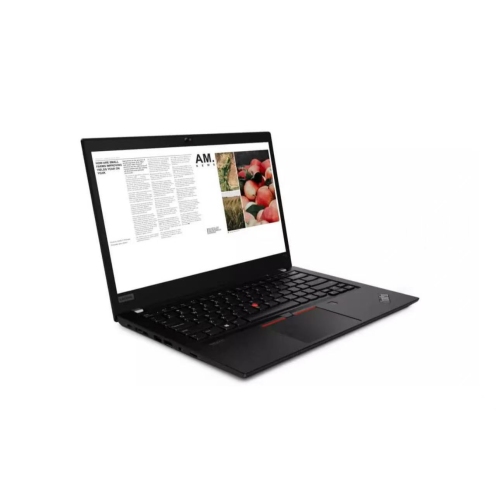
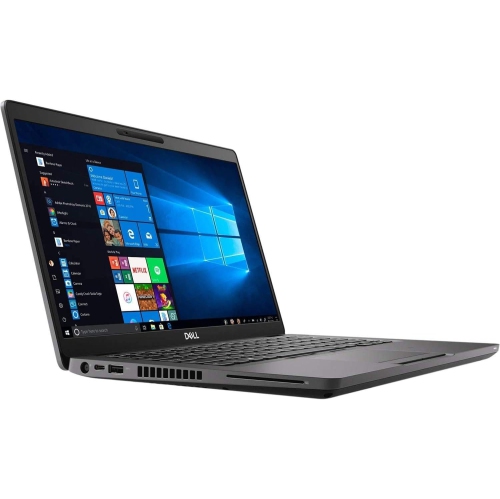
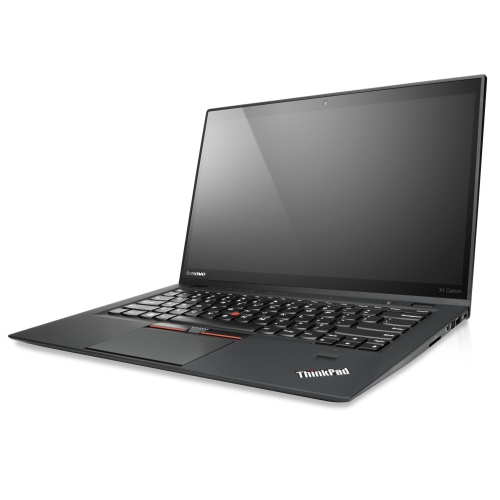
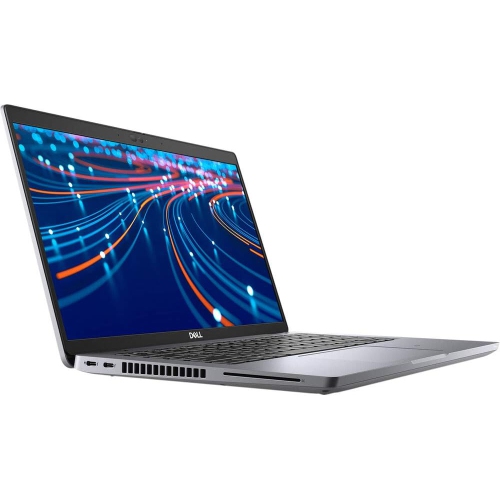
Refurbished laptops are previously owned or returned computers that have undergone a refurbishment process, typically involving inspection, cleaning and functional testing, with repairs or replacement parts added where needed. The exact work varies by seller, so a refurbished designation does not mean every laptop has received the same treatment. These computers can suit a wide range of everyday needs, from writing assignments and managing household documents to joining video calls and working with spreadsheets. Business-grade laptops are especially relevant to this category because they are designed around regular productivity tasks, often with practical keyboards, sturdy housings and connections for office accessories. Refurbished does not necessarily mean an older-looking machine, and cosmetic condition is separate from computing performance. A laptop with light marks on its lid may still handle the required software comfortably, while a cleaner exterior says little about the processor or battery inside. Condition descriptions help clarify whether scratches, worn keys or other visible signs of use should be expected, although grading terms are not universal. Battery condition deserves its own attention: a tested battery is not necessarily a new battery, and its remaining capacity affects how long the laptop can operate away from an outlet. Details about the included power adapter, operating system and any replaced components help establish what the laptop will be like to use from the first day. Warranty length, covered components, exclusions and return terms also vary, with battery coverage sometimes treated differently from the rest of the computer. Those distinctions matter for a student carrying a laptop between classes, a remote worker relying on daily meetings, or a family choosing a shared computer. As a gift, a refurbished laptop is most useful when its screen, keyboard and software compatibility match the recipient’s routine rather than simply meeting a broad description such as “good for school” or “suitable for work.”
The best fit depends on the tasks a laptop needs to handle together, not just its processor name or the number printed beside it. Processor generation, memory, storage and cooling all contribute to how responsive a computer feels. For email, document editing and a modest number of browser tabs, 8GB of memory can be workable, while 16GB generally provides more room for multitasking across a browser, video meeting and several office applications. More demanding work, such as large creative projects, software development or complex data analysis, can require additional memory and stronger processing or graphics capabilities. Software requirements are a useful reference because two programs used for similar purposes may place very different demands on the hardware. A solid-state drive helps with starting the computer, opening applications and accessing files, while its capacity determines how much can be stored locally. Documents take relatively little space; large photo libraries, video files and installed applications can fill a drive much faster. Cloud storage can support a workflow, but it does not remove the need for enough local storage or a dependable internet connection. Integrated graphics are often suitable for office tasks and streaming, whereas graphics-intensive applications may need dedicated hardware. Operating system compatibility matters just as much as these specifications. A computer that supports the required applications and receives security updates is better suited to ongoing connected use than one that merely switches on and runs basic tasks. Wireless connections, camera quality and microphone performance also shape daily usability, particularly when online meetings are part of the routine. Wi-Fi capabilities should suit the network being used, and physical connections should match essential accessories. A USB-C connector, for example, does not automatically support charging, video output and every docking function. For someone connecting an external monitor, wired headset and backup drive, those small compatibility details can make the difference between a straightforward setup and a desktop crowded with adapters. Upgrade options can also matter, although memory and storage are not replaceable in every laptop.
Comfort and construction become more noticeable over a full day than they do during a quick glance at specifications. For a setup centred on spreadsheets, business software and online meetings, Refurbished Work Laptops offer a more focused starting point. A compact laptop is easier to carry between a classroom, library and home, while a larger screen can provide more space for side-by-side documents. Resolution, brightness and surface finish affect readability as well; a matte display can reduce distracting reflections, and a higher-resolution panel can make text look sharper at a comfortable viewing distance. Accurate colour reproduction matters more for photo editing and design than for routine document work. Keyboard layout, key spacing and touchpad responsiveness deserve similar attention, especially for someone typing essays or entering figures for hours. A numeric keypad may be useful for frequent data entry, though it can change the position of the main typing area. Materials alone do not determine durability: hinge condition, chassis rigidity and the fit of ports and connectors are also important. A metal casing may feel solid, but any laptop benefits from careful handling and a padded sleeve that fits without squeezing its corners. On a desk or work surface, keeping vents clear supports airflow, while a stand paired with an external keyboard and mouse can make longer sessions more comfortable. Routine care is straightforward. A soft microfibre cloth helps remove fingerprints, and any cleaning product should be suitable for the screen or casing rather than sprayed directly onto the computer. Carrying the laptop closed, keeping drinks away from the keyboard and avoiding pressure on the lid can help prevent accidental damage. Regular software updates and a separate backup protect the working setup and important files. Together, suitable specifications, clearly described condition and manageable care needs help make a refurbished laptop a practical computer for study, work and everyday tasks.
The best fit depends on the tasks a laptop needs to handle together, not just its processor name or the number printed beside it. Processor generation, memory, storage and cooling all contribute to how responsive a computer feels. For email, document editing and a modest number of browser tabs, 8GB of memory can be workable, while 16GB generally provides more room for multitasking across a browser, video meeting and several office applications. More demanding work, such as large creative projects, software development or complex data analysis, can require additional memory and stronger processing or graphics capabilities. Software requirements are a useful reference because two programs used for similar purposes may place very different demands on the hardware. A solid-state drive helps with starting the computer, opening applications and accessing files, while its capacity determines how much can be stored locally. Documents take relatively little space; large photo libraries, video files and installed applications can fill a drive much faster. Cloud storage can support a workflow, but it does not remove the need for enough local storage or a dependable internet connection. Integrated graphics are often suitable for office tasks and streaming, whereas graphics-intensive applications may need dedicated hardware. Operating system compatibility matters just as much as these specifications. A computer that supports the required applications and receives security updates is better suited to ongoing connected use than one that merely switches on and runs basic tasks. Wireless connections, camera quality and microphone performance also shape daily usability, particularly when online meetings are part of the routine. Wi-Fi capabilities should suit the network being used, and physical connections should match essential accessories. A USB-C connector, for example, does not automatically support charging, video output and every docking function. For someone connecting an external monitor, wired headset and backup drive, those small compatibility details can make the difference between a straightforward setup and a desktop crowded with adapters. Upgrade options can also matter, although memory and storage are not replaceable in every laptop.
Comfort and construction become more noticeable over a full day than they do during a quick glance at specifications. For a setup centred on spreadsheets, business software and online meetings, Refurbished Work Laptops offer a more focused starting point. A compact laptop is easier to carry between a classroom, library and home, while a larger screen can provide more space for side-by-side documents. Resolution, brightness and surface finish affect readability as well; a matte display can reduce distracting reflections, and a higher-resolution panel can make text look sharper at a comfortable viewing distance. Accurate colour reproduction matters more for photo editing and design than for routine document work. Keyboard layout, key spacing and touchpad responsiveness deserve similar attention, especially for someone typing essays or entering figures for hours. A numeric keypad may be useful for frequent data entry, though it can change the position of the main typing area. Materials alone do not determine durability: hinge condition, chassis rigidity and the fit of ports and connectors are also important. A metal casing may feel solid, but any laptop benefits from careful handling and a padded sleeve that fits without squeezing its corners. On a desk or work surface, keeping vents clear supports airflow, while a stand paired with an external keyboard and mouse can make longer sessions more comfortable. Routine care is straightforward. A soft microfibre cloth helps remove fingerprints, and any cleaning product should be suitable for the screen or casing rather than sprayed directly onto the computer. Carrying the laptop closed, keeping drinks away from the keyboard and avoiding pressure on the lid can help prevent accidental damage. Regular software updates and a separate backup protect the working setup and important files. Together, suitable specifications, clearly described condition and manageable care needs help make a refurbished laptop a practical computer for study, work and everyday tasks.
Top selling and popular products
-
 Your price for this item is $449
-
 Your price for this item is $3099
-
 Your price for this item is $449.99
-
 Your price for this item is $664.05
-
 Your price for this item is $869.99
-
 Your price for this item is $2960.48
-
 Your price for this item is $489.7
-
 Your price for this item is $829
Discover more categories related to Refurbished Laptops
Top Collections:
Pokemon Centers, Best Black Friday Deals This Year, Best Black Friday Deals On Electronics, Kindle Devices, Best Budget Office Chairs, Best Black Friday Deals On Apple Products, Best Cameras for Sports Photography, Pokémon 30th Celebration Cards, Dyson Airwrap, Canon G7X Cameras
Some products may be subject to Environmental Handling Fees
(EHF) depending on your province.
Learn more about EHFs.