The Best Laptops for College Students

Find the best laptops for college students, ranked by user review ratings to help you compare options with confidence. Whether you’re taking notes in class, researching assignments or joining online lectures, look for a laptop with the performance, battery life and portability to keep up with your coursework. Explore the list to find a laptop that fits your study habits and budget.

Read More

What to look for in laptops for college students

1. Performance and Software Compatibility

Check your program’s software requirements before choosing a processor, memory capacity and operating system. A laptop with 16 GB of RAM is a practical starting point for multitasking, while engineering, design or video editing courses may require more memory or a dedicated graphics card.

2. Portability and Battery Life

A lightweight laptop with a 13- to 14-inch screen is easier to carry between classes, while larger models offer more screen space for assignments. Compare battery life estimates, keeping in mind that brightness, apps and usage affect how long a charge lasts.

3. Display, Keyboard and Connectivity

Look for a clear display and a comfortable keyboard for reading course materials and writing papers. Check for Wi-Fi support, a webcam for online classes and the ports you need for monitors, storage drives or other accessories.

4. Storage and Overall Cost

An SSD helps your laptop start quickly and load apps smoothly, with 512 GB offering a useful starting point for coursework and files. Factor software, accessories and warranty coverage into your budget, and check whether your school provides access to required apps.
Citrus catapult arrow
  1. 1

    About this product

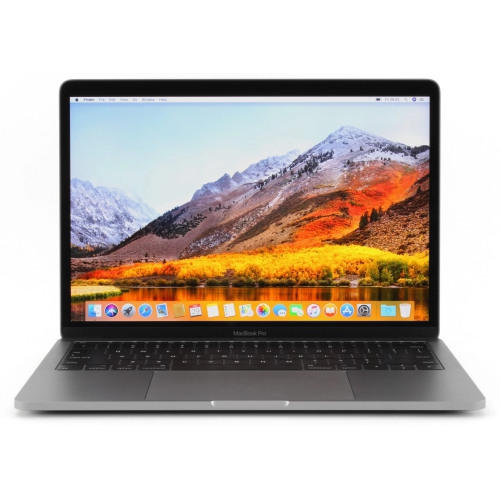
    A refurbished platinum tablet featuring an 8th Gen Intel Core i5, 128GB storage, and Windows 10.

    What customers like

    • Versatile 2-in-1 functionality
    • Lightweight and highly portable
    • Strong performance and speed
    • High-quality display and touch response
    • Excellent battery life
    (1,268)
    $699.00 Your price for this item is $699
  2. 2

    About this product

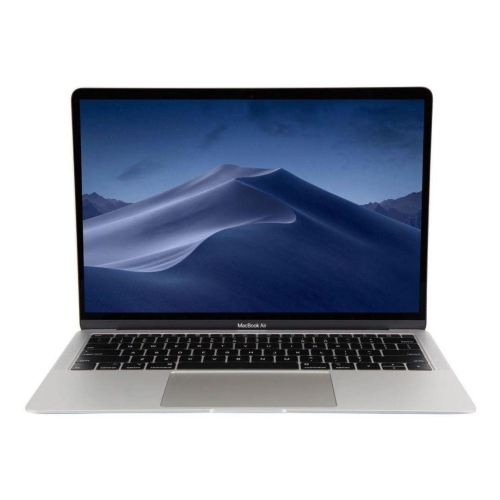
    A refurbished grey laptop featuring a Touch Bar, Intel Core i5 processor, 128GB SSD, and 8GB RAM.

    What customers like

    • High-quality Retina display
    • Seamless integration with Apple ecosystem
    • Excellent battery life
    • Fast performance and quick boot-up
    • Lightweight and portable design
    (2,492)
    $699.77
    SAVE $300
    Your price for this item is $699.77
  3. 3

    About this product

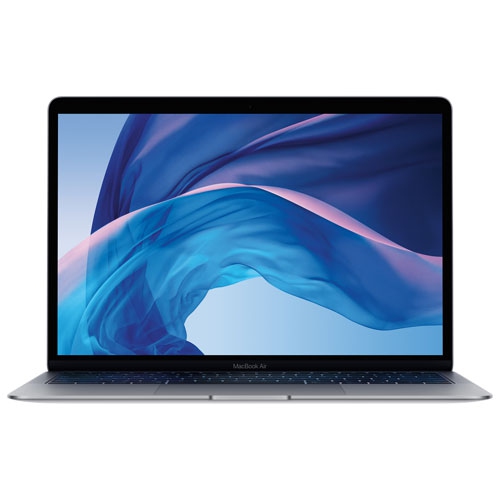
    A refurbished grey laptop featuring a 6-core i7 processor, 16GB RAM, 512GB storage, and Touch Bar.

    What customers like

    • Seamless integration with Apple ecosystem
    • Long battery life and durability
    • High-quality screen and graphics
    • Lightweight and sleek design
    • Fast performance and processing speeds
    (890)
    $597.77
    SAVE $901
    Your price for this item is $597.77
  4. 4

    About this product

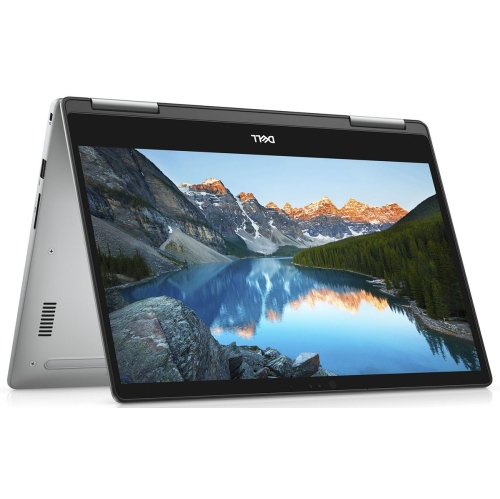
    A refurbished grey laptop featuring an Intel Core i5 processor, 256GB storage, 8GB RAM, and Touch Bar.

    What customers like

    • High-quality display and audio
    • User-friendly features like Touch Bar and Touch ID
    • Sleek and lightweight design
    • Fast and efficient performance
    • Reliable build and battery life
    (880)
    $699.77
    SAVE $1000
    Your price for this item is $699.77
  5. 5

    About this product

    A refurbished grey laptop featuring a quad-core Intel i5, 512GB SSD, 8GB RAM, and Touch Bar.

    What customers like

    • Fast performance
    • Long battery life
    • High-quality display
    • Touch Bar functionality
    • Lightweight and portable
    (442)
    $588.00
    SAVE $111
    Your price for this item is $588
  6. 6

    About this product

    A thin and lightweight MacBook Air with Retina display, Touch ID, and all-day battery life.

    What customers like

    • High-quality Retina display
    • Fast and reliable performance
    • Excellent battery life
    • Seamless integration with other Apple products
    • Lightweight and portable
    (861)
    $499.00
    SAVE $400
    Your price for this item is $499
  7. 7

    About this product

    A refurbished grey laptop featuring an Intel Core i5 processor, 128GB SSD, and 8GB RAM.

    What customers like

    • Long battery life
    • High-quality display and retina screen
    • Comfortable and redesigned keyboard
    • Fast performance and quick startup
    • Lightweight and portable
    (2,093)
    $699.77
    SAVE $800
    Your price for this item is $699.77
  8. 8

    About this product

    A refurbished grey laptop featuring an Intel Core i5 processor, 256GB SSD, and 8GB RAM.

    What customers like

    • Comfortable keyboard and responsive trackpad
    • High-quality display and vivid colors
    • Fast performance and SSD speed
    • Excellent battery life
    • Lightweight and portable design
    (2,467)
    $549.77
    SAVE $650
    Your price for this item is $549.77
  9. 9

    About this product

    A refurbished grey laptop featuring an Intel Core i5 processor, 256GB SSD, and 8GB RAM.

    What customers like

    • Long battery life
    • High build quality and durability
    • Strong performance and speed
    • Lightweight and portable
    • Easy to use and set up
    (659)
    $699.77
    SAVE $600
    Your price for this item is $699.77
  10. 10

    About this product

    A refurbished grey laptop featuring a 13.3" display, Intel Core i5, 256GB SSD, and 8GB RAM.

    What customers like

    • High-quality screen and display
    • Long battery life
    • Compact and lightweight design
    • Excellent performance and speed
    • Seamless integration with other Apple products
    (1,475)
    $699.77
    SAVE $999
    Your price for this item is $699.77

The Best Laptops for College Students

The best laptops for college students balance dependable performance, comfortable everyday use, and portability, with enough battery life to support classes and study sessions away from an outlet. For many students, that means a lightweight laptop with a responsive keyboard, a clear display, and the ability to keep lecture slides, research tabs, and a video call running together. The right balance depends on the program: a student writing essays has different computing needs from someone rendering architectural models or editing documentary footage. General coursework typically centres on web research, documents, presentations, spreadsheets, and online learning platforms, while technical and creative courses may require particular software, additional memory, or dedicated graphics. Checking a program’s published computer requirements helps establish which operating systems and hardware configurations are suitable before comparing other features. For mixed coursework and regular multitasking, 16GB of memory is a useful starting point, although lighter browser-based work may need less and demanding projects may benefit from 32GB or more. A solid-state drive supports quick startup and responsive file access; 512GB provides practical room for applications, assignments, and a growing collection of course files, depending on their size. Students working with large video clips, design assets, or virtual machines may need more internal storage or a compatible external drive. Processor requirements also vary, and a newer processor name alone does not establish suitability for every course application. Software compatibility matters just as much as processing speed, particularly where specialist programs, plug-ins, or exam tools are required. Browser-focused laptops can suit some writing and research tasks, but they are not a substitute for a full desktop operating system when a course depends on locally installed software. For another relevant collection, Best Budget Laptops for College Students brings together laptops for student use. Across college laptop options, the most useful features are those that support actual assignments and daily routines rather than specifications that go unused.

Portability becomes more noticeable when a laptop travels from a morning lecture to a library desk and then home on public transit. A 13-inch or 14-inch display often suits students who work at small classroom desks or carry their computer throughout the day, while a 15-inch or 16-inch screen offers more space for comparing documents, viewing spreadsheets, or arranging creative tools. Screen size is only part of the fit: overall dimensions, weight, and the size of the charger all affect how comfortably a laptop slips into a backpack. A well-fitted padded compartment helps keep the computer separate from textbooks, keys, and other objects that could scratch its finish or press against the lid. Aluminium chassis can offer a rigid feel, while well-built plastic housings may keep weight manageable; hinge stability and resistance to flex matter alongside the material itself. A keyboard with clear feedback and a sensible layout makes a difference during long writing sessions, and backlighting can help when taking notes in a dim lecture theatre. A responsive touchpad is especially useful when there is no room for a mouse. Display brightness, readable text, and glare control contribute to comfort under overhead lighting or beside a library window. Touchscreens and convertible hinges can be useful for annotating readings or sketching diagrams, although pen compatibility and whether a pen is included vary by laptop. Battery claims deserve context, since screen brightness, video meetings, demanding software, and power settings all influence time between charges. Independent battery testing under comparable workloads can be more informative than comparing advertised maximums alone. Charging through USB-C can simplify a study setup where supported, but the laptop, cable, and charger must meet the necessary power requirements. Ports also shape everyday convenience: connecting a classroom projector, an external monitor, a storage drive, or wired headphones may require particular connections or an adapter. Reliable Wi-Fi, a clear webcam, and effective microphones help students participate in remote seminars and group meetings without turning every call into a troubleshooting session.

Different fields of study place different demands on student laptops, and those differences often become clearer as coursework progresses. A humanities student may spend hours moving between digitized readings and a draft essay, making screen readability and keyboard comfort especially valuable. Business students may work with large spreadsheets, presentation software, and data analysis tools, where adequate memory and a capable processor help keep tasks moving. Computer science students may need to run development tools, local databases, containers, or virtual machines; memory capacity, storage, and compatibility with required tools can matter more than a particularly thin profile. Engineering and design students should match graphics capabilities to their course applications rather than assume every technical program needs the same hardware. Dedicated graphics can be important for certain 3D modelling, rendering, and video workloads, but they can also add weight, heat, and power demands. Photography and media students may place greater importance on display colour accuracy, storage capacity, and connections for transferring files. Students living in residence may also use the same laptop for films, personal projects, and staying in touch with family, making clear speakers and quiet operation welcome extras. For parents or relatives choosing a laptop as a graduation or back-to-school gift, knowing the recipient’s program requirements and carrying preferences helps make the choice more personal and practical. Everyday care supports durability throughout busy terms: carry the laptop in a protective sleeve, keep drinks away from the keyboard, and leave vents unobstructed rather than resting the computer on bedding during demanding tasks. Follow the manufacturer’s cleaning directions, using appropriate materials for the screen and casing, and avoid spraying liquid directly onto the device. During the cooler months, allow a laptop brought in from the cold to reach room temperature before use if condensation is present. Regular software updates, secure sign-in, and a separate backup of important assignments help protect both the device and the work stored on it. A college laptop earns its place through these ordinary moments: opening notes promptly before class, handling a shared project smoothly, and staying comfortable to use through the final revisions of an assignment.
Read More

FAQ

Some products may be subject to Environmental Handling Fees (EHF) depending on your province. Learn more about EHFs.