D-Link AX1800
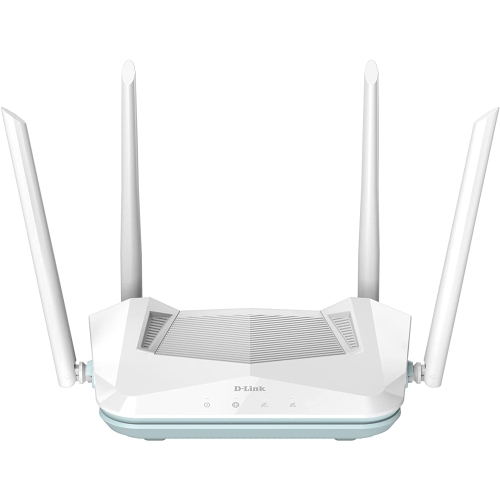
Shop D-Link AX1800 Wi-Fi 6 routers for your home network. Compare available models by coverage, Ethernet connections, and setup features to find an option that suits your space and the devices you use for streaming, gaming, and everyday browsing.


FAQ
D-Link AX1800 routers use Wi-Fi 6, also known as 802.11ax. AX1800 identifies a wireless connection class rather than a single model, so features can differ between routers with this designation.
A dual-band AX1800 router provides both 2.4 GHz and 5 GHz Wi-Fi networks. Depending on its settings, the router may display separate network names for each band or use one shared name for both.
A modem connects your home to your internet service provider, while a router manages your home network and connects devices through Wi-Fi or Ethernet. Some internet providers supply a gateway that combines both functions. A standalone AX1800 router generally connects to a separate modem, fibre terminal or compatible gateway.
The WAN or Internet port typically connects the router to your modem or other internet connection equipment. LAN ports connect wired devices such as computers, gaming consoles and network switches. Port counts and specifications vary by model.
Settings are typically managed through a browser-based administration page or a supported mobile app, depending on the model. Common options include changing the Wi-Fi network name and password, viewing connected devices and configuring a guest network. Check the router’s documentation for its supported management methods.
Top selling and popular products
Discover more categories related to D-Link AX1800
Some products may be subject to Environmental Handling Fees (EHF) depending on your province. Learn more about EHFs.