Capture Cards
Capture Cards make it easy to record, stream, and share your favorite gaming moments, live events, or creative projects with impressive clarity. Whether you're a gamer looking to showcase your gameplay or a content creator wanting to produce high-quality videos, you'll find a variety of options designed to suit different needs and setups. Explore the selection of Capture Cards to enhance your recording and streaming experience with seamless integration into your workflow.
How gameplay and camera feeds become shareable video
A capture card is a hardware device that brings video and audio from a game console, camera, or second computer into a computer for recording or live streaming. It makes an external video source accessible to compatible software, whether the goal is sharing gameplay, recording a presentation, or using a dedicated camera for a live broadcast. Many video capture cards accept an HDMI signal and connect to the recording computer through USB or an internal PCIe slot. Their capabilities depend on several separate specifications: the input signal they accept, the signal they pass through to a display, and the resolution and frame rate they can capture. Those figures are not necessarily identical. A card may pass a 4K signal at 60 frames per second to a television while recording at 1080p and 60 frames per second, for example. HDMI pass-through lets a player use a connected display without relying on the capture software’s preview, which may introduce noticeable delay. That distinction matters during a close racing finish or a fast-paced multiplayer match, where responsive controls remain important even while the action is being recorded. For detailed footage, larger-screen playback, and editing workflows that benefit from additional image detail, 4K Capture Cards offer a higher-resolution capture category to consider. Support for high dynamic range, variable refresh rate, and high-refresh-rate pass-through varies, so a 4K label alone does not establish compatibility with every display setting. The source device, capture hardware, cables, computer, and software all contribute to the final result. Higher capture resolutions and frame rates can also increase processing demands and recording file sizes. A creator sharing short gameplay clips may have different requirements from someone preserving fine detail for a full-screen tutorial, making the intended recording format just as relevant as the resolution of the television or monitor.
External and internal capture cards suit different spaces and working habits. An external USB capture device fits naturally into a laptop-based setup or a workspace that moves between a desk, a recording area, and an event venue. An internal PCIe capture card sits inside a compatible desktop computer, keeping the capture hardware off the work surface while requiring an appropriate expansion slot and enough clearance within the case. Neither connection type guarantees better image quality on its own; supported signal formats, connection bandwidth, and software compatibility are more useful points of comparison. USB-C describes a connector shape rather than a guaranteed transfer speed, and the cable and computer port must support the data rate the capture device requires. A shared USB hub can introduce bandwidth or power limitations, particularly when cameras, storage drives, and other peripherals are connected at the same time. Operating system support, driver requirements, and compatibility with recording or broadcasting software also affect how comfortably a card fits into an existing setup. In a two-computer streaming arrangement, the capture card transfers the gaming computer’s output to a second computer that handles broadcasting, helping separate those workloads. It does not remove the need for sufficient processing capability on the streaming computer. Camera-based setups have their own considerations: a clean HDMI output can provide an image without menus or focus indicators, while the camera’s supported output settings and operating limits still apply. Audio deserves similar attention. HDMI can carry sound alongside video, but microphone audio, headset chat, and console party chat may follow separate routes that need compatible connections or software mixing. Monitoring through a suitable direct audio path can help avoid distracting delays. Protected HDMI content may prevent capture altogether, so these devices are intended for supported, authorized video sources rather than bypassing copy protection. Together, these details distinguish a straightforward gameplay recording setup from a more involved production with multiple audio sources and camera feeds.
Capture cards also have practical uses beyond gaming. A presenter can bring a camera feed into a webinar, an instructor can record a close-up demonstration, and a musician can combine a camera view with separately managed sound for an online performance. Someone documenting a craft technique or a tabletop project may value clear detail and dependable recording more than high-refresh-rate pass-through. Archiving older footage is another possible use, although analogue sources require compatible analogue capture hardware or suitable conversion equipment; an HDMI-only device cannot accept every older video connection directly. Physical construction and fit matter across these applications. External housings may use plastic, metal, or a combination of materials, but casing material alone does not establish durability or thermal performance. A stable position, suitable ventilation, and cables that reach without pulling against the ports help protect a desktop setup from accidental movement. Compact devices are convenient to transport, while a larger housing may need more room beside a laptop or behind a monitor. For internal cards, full-height or low-profile brackets, slot requirements, and nearby components determine whether the hardware fits properly. Routine care is generally simple: keeping connections free of dust, protecting exposed ports during transport, and using a soft, dry cloth on the exterior help keep the device tidy without introducing moisture. Heat can build up during extended recording sessions, so vents and heat-dissipating surfaces should remain unobstructed. Capture cards can make a thoughtful gift for a gamer, aspiring broadcaster, educator, or family member who enjoys making videos, provided the connection type and supported formats match the recipient’s equipment. The most suitable match is shaped by the whole workflow: where the source footage comes from, how it will be monitored, which computer will record it, and how the finished video will be shared. A well-matched capture card becomes a practical link between those pieces, supporting anything from a saved highlight to a carefully produced live presentation.
Top selling and popular products
-
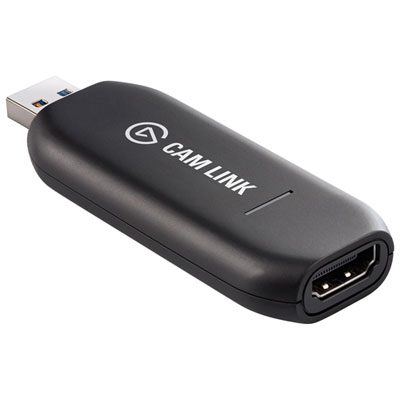 Your price for this item is $139.99
-
 Your price for this item is $319.99
-
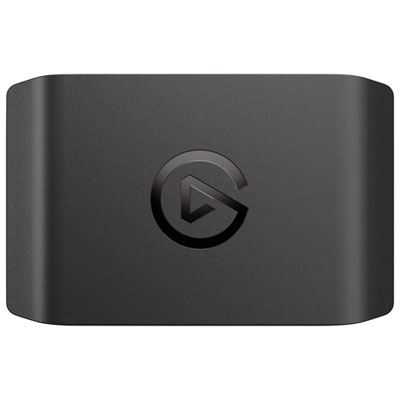 Your price for this item is $219.99
-
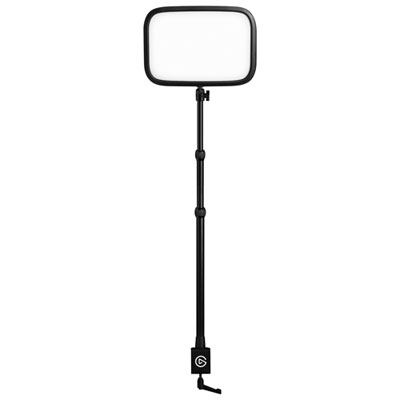 Your price for this item is $229.99
-
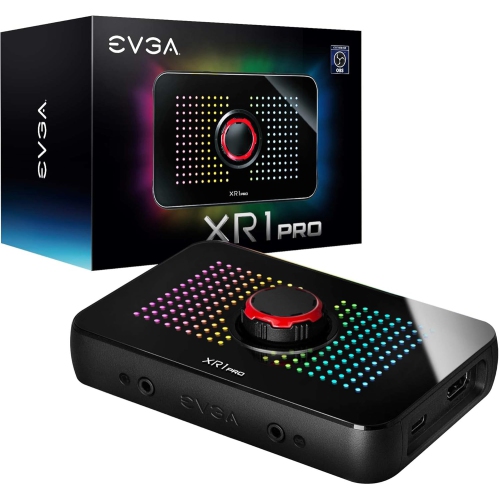 Your price for this item is $324.68
-
 Your price for this item is $186.68
-
 Your price for this item is $473.68
-
 Your price for this item is $324.68
Discover more categories related to Capture Cards
Top Collections:
Best Black Friday Deals This Year, Best Black Friday Deals On Electronics, Kindle Devices, Best Black Friday Deals On Apple Products, Best Budget Office Chairs, Best Cameras for Sports Photography, Dyson Airwrap, Canon G7X Cameras, Best Laptops for Writers, Samsung Galaxy Phones
Some products may be subject to Environmental Handling Fees
(EHF) depending on your province.
Learn more about EHFs.