I5 12th 12600K
Unlock powerful performance for your computing needs with the I5 12th 12600K. Whether you're upgrading your desktop, building a new PC, or seeking enhanced multitasking capabilities, the I5 12th 12600K offers a reliable foundation for a wide range of applications. Explore options designed to deliver smooth operation for work, entertainment, and everyday tasks. Find the right fit for your setup and take your productivity to the next level with the I5 12th 12600K.
Sort
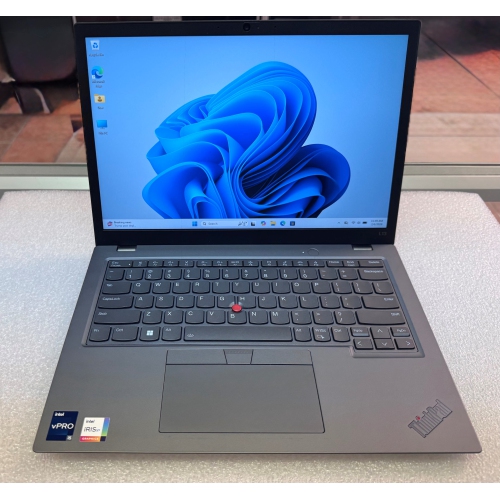
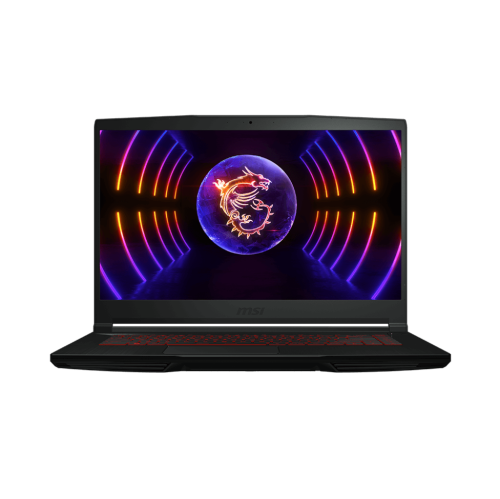

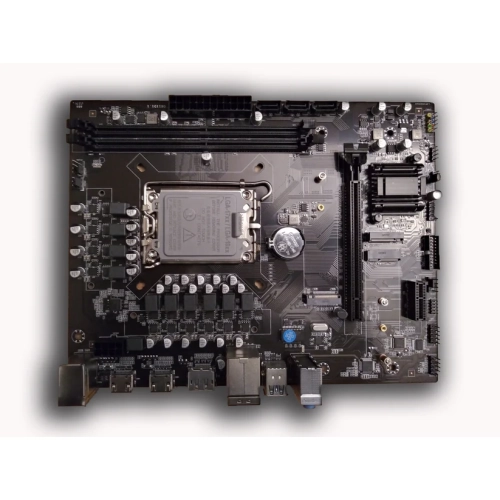

How hybrid cores share gaming and background workloads
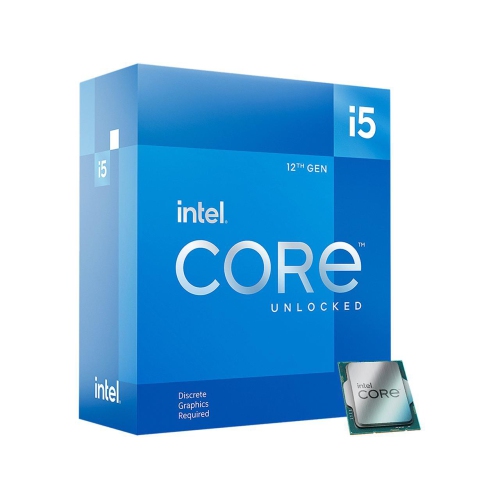
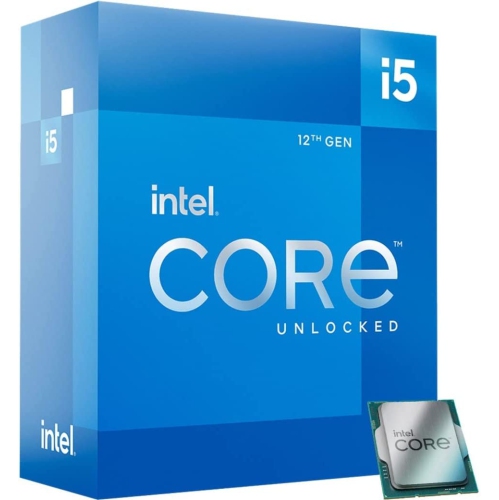
Unlocked 12th-generation desktop processors suit computers built for gaming, everyday productivity, creative projects, and a mix of demanding tasks. Their appeal lies in handling both the work directly in front of the user and the smaller jobs running alongside it. A hybrid design combines performance cores, which prioritize responsive foreground tasks, with efficient cores that add capacity for parallel work and background activity. In a 10-core, 16-thread configuration with six performance cores and four efficient cores, that arrangement can support scenarios such as playing a game while voice chat, a browser, and recording software remain open. Results still depend on the application, operating system, memory, graphics hardware, and cooling, so core count alone does not tell the whole story. Clock speeds also need context: a base frequency describes one operating specification, while a maximum turbo frequency represents a speed reached under suitable power and thermal conditions, not a constant speed across every core. For configurations offering performance-core speeds of up to 4.9 GHz, responsive lightly threaded work is part of the appeal, alongside the ability to share heavier workloads across multiple cores. On-chip cache helps keep frequently needed data close to the processor, although its effect varies with the task. Shoppers comparing I5 12th Gen options can consider how these characteristics match the way a desktop will actually be used. A student alternating between research tabs, spreadsheets, and occasional video editing has different priorities from a player seeking consistently smooth frame delivery or a hobbyist exporting a large photo collection. These processors belong in desktop systems rather than serving as ordinary drop-in laptop upgrades. For a new build or an update to a compatible tower, the most useful comparison is the complete setup: processor, motherboard, memory, cooling, graphics, and storage working together rather than an isolated headline specification.
Physical and electrical compatibility are central to choosing a desktop processor in this category. The LGA1700 socket is the relevant starting point, but a matching socket does not, by itself, guarantee that every motherboard will work without preparation. Compatible 600- and 700-series boards can differ in firmware support, power delivery, expansion connections, and tuning features. A motherboard’s processor support list and required firmware version provide a more dependable check than appearance or socket naming alone. Memory choice needs the same attention. This platform can support DDR4 or DDR5, but the motherboard determines which type fits; the two memory generations are not interchangeable in the same slots. Specifications such as DDR4 at 3200 MT/s or DDR5 at 4800 MT/s describe supported transfer rates for relevant configurations, while higher memory settings depend on the board, memory kit, and processor’s memory controller. Capacity matters just as much as speed when a desktop needs to keep large projects or many applications open. Cooling introduces another set of fit considerations. An unlocked desktop processor may be supplied without a cooler, and an existing cooler needs compatible mounting hardware, sufficient cooling capacity, and clearance inside the case. A tall air cooler can sit close to memory modules or the side panel, while a liquid-cooling radiator needs suitable mounting space without obstructing other components. Metal heat spreaders, copper or aluminium cooling surfaces, and correctly applied thermal compound help transfer heat away from the processor; secure mounting and even contact are more important than decorative finishes. Power specifications also deserve careful reading. A 125 W base-power rating and a 150 W maximum turbo-power rating describe different operating conditions, not the power consumption of the entire computer. The power supply must accommodate the graphics card, drives, fans, and other hardware as well. For someone refreshing an older desktop, these details can determine whether the change is a straightforward processor replacement or a broader rebuild involving the board, memory, and cooling system.
Intended use helps put performance features into perspective once compatibility is established. In gaming, the processor handles tasks such as game logic, simulation, and preparing work for the graphics card, but a faster processor cannot remove every graphics-related limit. High frame-rate play at lower resolutions can place particular importance on processor performance, while more demanding visual settings often shift more of the workload to the graphics card. Integrated graphics, where included, can handle everyday display duties, support some media functions, and provide a useful display option during troubleshooting, but they are not a substitute for a capable dedicated graphics card in demanding games or graphics-heavy professional work. Motherboard display outputs and software support must also match the intended setup. For creative users, extra processing capacity can help with video exports, batch photo adjustments, code compilation, and other workloads that make effective use of multiple threads. Someone recording a tutorial while demonstrating software may value steady multitasking more than the highest possible gaming result. An unlocked multiplier adds tuning flexibility, although processor overclocking requires a motherboard chipset that supports it, suitable cooling, and careful stability testing. Running at standard settings remains a practical choice for users who prioritize predictable behaviour and straightforward maintenance. Long-term care is mostly about the surrounding system: keeping vents clear, removing accumulated dust safely, maintaining working fans, and avoiding unnecessary handling of delicate socket contacts. During installation, correct alignment and gentle placement help protect the motherboard’s pins; forcing the processor into position can cause damage. Once assembled, a desktop should have room for unobstructed airflow rather than being pressed into a tightly enclosed cabinet. A processor can also make a thoughtful gift for an experienced PC builder, provided the recipient’s motherboard, memory, and cooling requirements are known in advance. For a shared family desktop, a home workstation, or a gaming tower, the strongest match is a configuration that delivers the needed responsiveness without overlooking practical details such as fan noise, peripheral connections, and room for future storage or graphics upgrades.
Physical and electrical compatibility are central to choosing a desktop processor in this category. The LGA1700 socket is the relevant starting point, but a matching socket does not, by itself, guarantee that every motherboard will work without preparation. Compatible 600- and 700-series boards can differ in firmware support, power delivery, expansion connections, and tuning features. A motherboard’s processor support list and required firmware version provide a more dependable check than appearance or socket naming alone. Memory choice needs the same attention. This platform can support DDR4 or DDR5, but the motherboard determines which type fits; the two memory generations are not interchangeable in the same slots. Specifications such as DDR4 at 3200 MT/s or DDR5 at 4800 MT/s describe supported transfer rates for relevant configurations, while higher memory settings depend on the board, memory kit, and processor’s memory controller. Capacity matters just as much as speed when a desktop needs to keep large projects or many applications open. Cooling introduces another set of fit considerations. An unlocked desktop processor may be supplied without a cooler, and an existing cooler needs compatible mounting hardware, sufficient cooling capacity, and clearance inside the case. A tall air cooler can sit close to memory modules or the side panel, while a liquid-cooling radiator needs suitable mounting space without obstructing other components. Metal heat spreaders, copper or aluminium cooling surfaces, and correctly applied thermal compound help transfer heat away from the processor; secure mounting and even contact are more important than decorative finishes. Power specifications also deserve careful reading. A 125 W base-power rating and a 150 W maximum turbo-power rating describe different operating conditions, not the power consumption of the entire computer. The power supply must accommodate the graphics card, drives, fans, and other hardware as well. For someone refreshing an older desktop, these details can determine whether the change is a straightforward processor replacement or a broader rebuild involving the board, memory, and cooling system.
Intended use helps put performance features into perspective once compatibility is established. In gaming, the processor handles tasks such as game logic, simulation, and preparing work for the graphics card, but a faster processor cannot remove every graphics-related limit. High frame-rate play at lower resolutions can place particular importance on processor performance, while more demanding visual settings often shift more of the workload to the graphics card. Integrated graphics, where included, can handle everyday display duties, support some media functions, and provide a useful display option during troubleshooting, but they are not a substitute for a capable dedicated graphics card in demanding games or graphics-heavy professional work. Motherboard display outputs and software support must also match the intended setup. For creative users, extra processing capacity can help with video exports, batch photo adjustments, code compilation, and other workloads that make effective use of multiple threads. Someone recording a tutorial while demonstrating software may value steady multitasking more than the highest possible gaming result. An unlocked multiplier adds tuning flexibility, although processor overclocking requires a motherboard chipset that supports it, suitable cooling, and careful stability testing. Running at standard settings remains a practical choice for users who prioritize predictable behaviour and straightforward maintenance. Long-term care is mostly about the surrounding system: keeping vents clear, removing accumulated dust safely, maintaining working fans, and avoiding unnecessary handling of delicate socket contacts. During installation, correct alignment and gentle placement help protect the motherboard’s pins; forcing the processor into position can cause damage. Once assembled, a desktop should have room for unobstructed airflow rather than being pressed into a tightly enclosed cabinet. A processor can also make a thoughtful gift for an experienced PC builder, provided the recipient’s motherboard, memory, and cooling requirements are known in advance. For a shared family desktop, a home workstation, or a gaming tower, the strongest match is a configuration that delivers the needed responsiveness without overlooking practical details such as fan noise, peripheral connections, and room for future storage or graphics upgrades.
Top selling and popular products
-
 Your price for this item is $449
 -
 Your price for this item is $3099
 -
 Your price for this item is $664.05
 -
 Your price for this item is $599.68
 -
 Your price for this item is $418.98
 -
 Your price for this item is $999.95
 -
 Your price for this item is $749.99
 -
 Your price for this item is $399.99
Discover more categories related to I5 12th 12600K
Top Collections:
Pokemon Centers, Budget 4K TVs, Kindle Devices, Canon G7X Cameras, Apple iPhones 16, iPhone 15 Apple, Laptops for Business Work, Flip Phones, Xiaomi Phones, Refurbished Apple Laptops
Some products may be subject to Environmental Handling Fees
(EHF) depending on your province.
Learn more about EHFs.