Best Mechanical Keyboards
Find your ideal typing and gaming companion with the best mechanical keyboards, ranked by customer review ratings. From tactile feedback and satisfying key presses to customizable lighting, explore features that suit your setup and compare top-rated options to find the right fit for work, play, or both.
What to look for in mechanical keyboards
1. Switch Type
2. Size and Layout
3. Connectivity and Compatibility
4. Build Quality and Customization
-
1
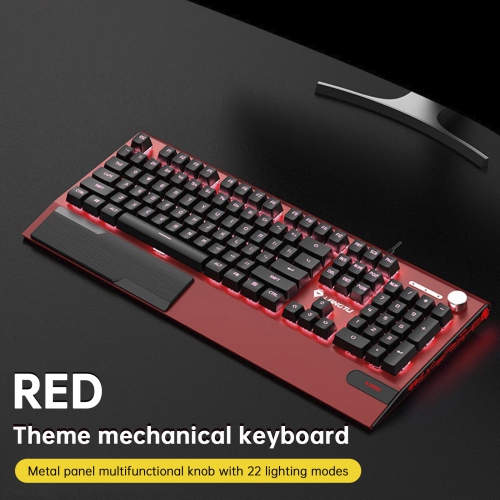
TOPTENG K1000 Hot-Swappable Mechanical Keyboard - 104 Key Switch, RGB Backlit, Pbt Keycaps, Knob Control for Gaming - In Red
About this product
A red mechanical keyboard featuring hot-swappable linear switches, RGB backlighting, PBT keycaps, and a control knob.
(1)$89.99Your price for this item is $89.99SAVE $50 -
2
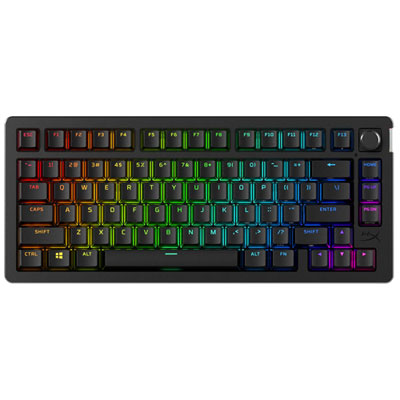
HyperX Alloy Rise 75 Bluetooth Backlit Mechanical Ergonomic Gaming Keyboard
About this product
A Bluetooth mechanical keyboard featuring pre-lubed linear switches, magnetic top plates, and dynamic ambient lighting.
(4)$279.99 Your price for this item is $279.99 -
3
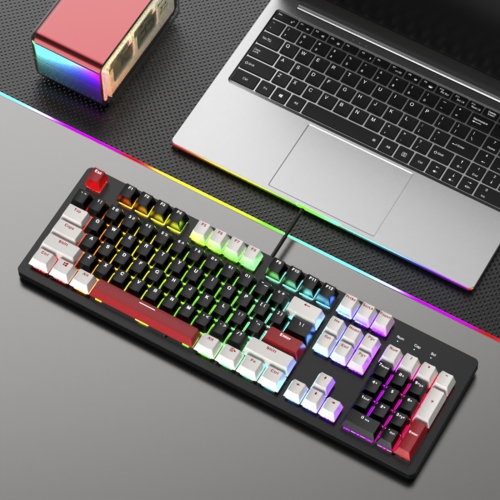
TOPTENG 104-Key Hot-Swappable Mechanical Keyboard-Linear Switches, Customizable RGB Backlit, Pbt Keycaps for Gaming/office-Black
About this product
A black mechanical keyboard featuring hot-swappable linear switches, customizable RGB backlighting, and durable PBT keycaps.
(1)$79.99Your price for this item is $79.99SAVE $40 -
4
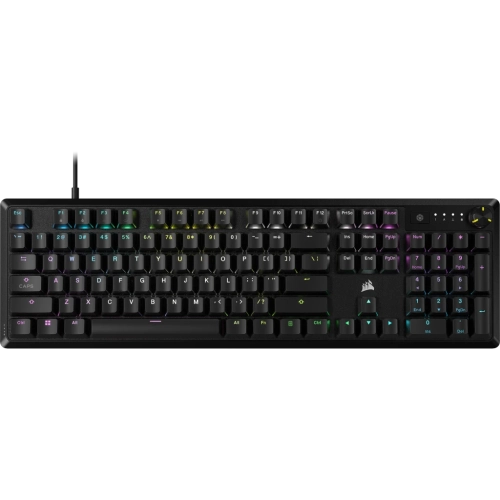
CORSAIR K70 Core RGB Mechanical Gaming Keyboard — In Black
About this product
A black mechanical gaming keyboard featuring RGB lighting, linear switches, and effortless media controls.
$191.68Your price for this item is $191.68SAVE $10 -
5
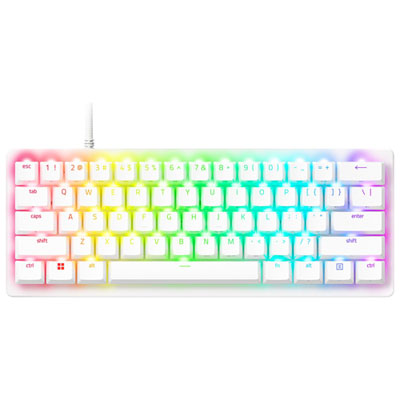
Razer Huntsman V3 Pro Mini Backlit Mechanical Gaming Keyboard - White - English
About this product
A white mechanical gaming keyboard featuring ultra-fast analog optical switches and customizable actuation for precise control.
(30)$189.99 Your price for this item is $189.99 -
6
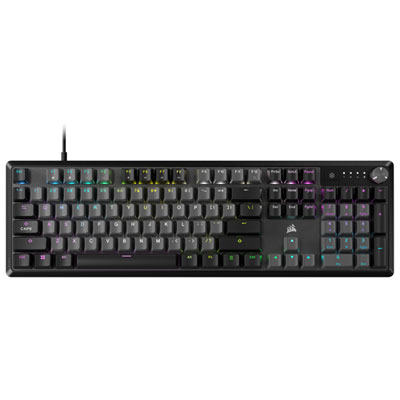
Corsair K70 CORE Backlit Mechanical Red Linear Switch Gaming Keyboard - Grey - Only at Best Buy
About this product
A grey mechanical gaming keyboard featuring red linear switches, sound dampening foam, and customizable media controls.
What customers like
(624)$99.99Your price for this item is $99.99SAVE $15 -
7
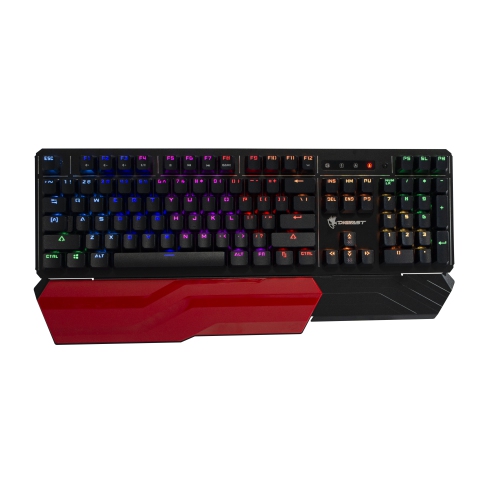
DIGIFAST Lk42 Mechanical RGB Gaming Keyboard, Optical Clicky Switches 100 Million Durability, Customizable Color, Water-Resistant Design, Ergonomic
About this product
An ergonomic mechanical keyboard with customizable RGB lighting, optical clicky switches, and a water-resistant metal design.
$174.99 Your price for this item is $174.99 -
8
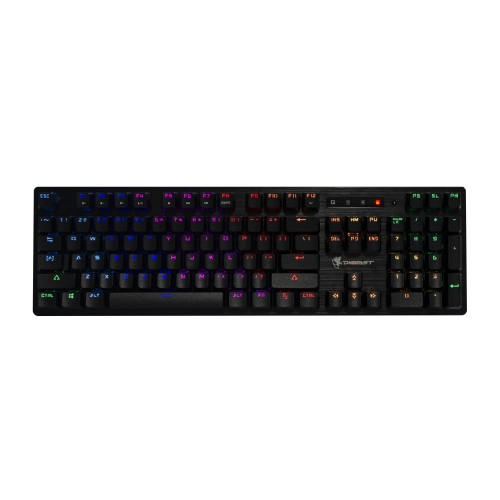
DIGIFAST Lk32 Mechanical RGB Gaming Keyboard, Optical Linear Switches 100 Million Durability, Customizable Color, Textured Surface, Water-Resistant
About this product
A water-resistant mechanical gaming keyboard with customizable RGB lighting, optical linear switches, and a textured metal surface.
$149.99 Your price for this item is $149.99 -
9
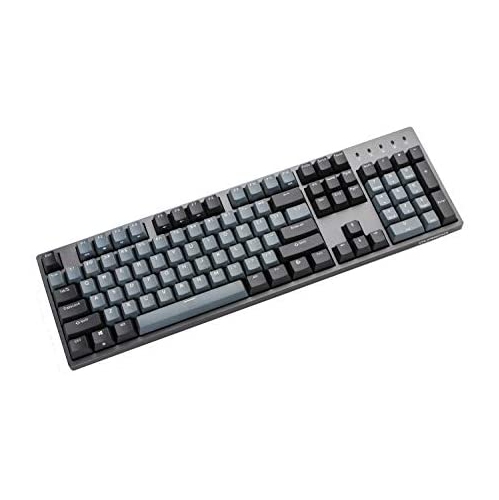
DURGOD Taurus K310 Mechanical Gaming Keyboard - 104 Keys - Double Shot Pbt - Nkro - USB Type C (Cherry Black, Grey)
About this product
A mechanical gaming keyboard with 104 keys, double shot PBT keycaps, and USB Type-C in black and grey.
$129.00 Your price for this item is $129 -
10
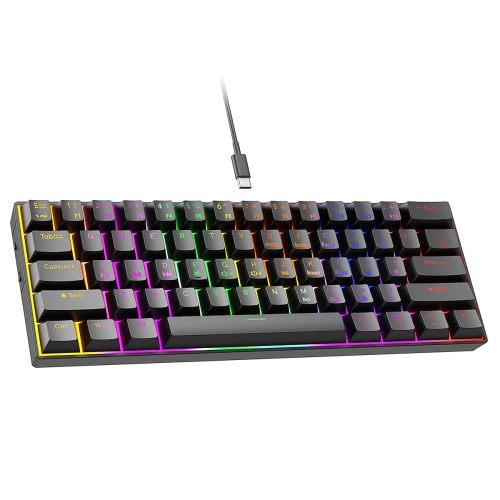
GREENSCENIC 61-Key Wired RGB Mechanical Keyboard, Tactile Switches, 24 Rainbow Backlight Effects, Compact Portable Design for Fast Typing, Precision
About this product
A blue wired mechanical keyboard with tactile switches, RGB backlighting, and a compact plug-and-play 60% layout.
$53.99 Your price for this item is $53.99
FAQ
Mechanical keyboards commonly use linear, tactile or clicky switches. Linear switches have a smooth keystroke, tactile switches have a noticeable bump, and clicky switches combine a tactile bump with an audible click. The choice comes down to your preferred typing feel and sound.
A hot-swappable mechanical keyboard lets you remove and replace compatible switches without soldering. This allows you to try different switch feels or sounds. Switch compatibility varies, so check which switch formats the keyboard supports.
ABS and PBT are common keycap plastics. ABS keycaps often feel smoother and can develop a glossy finish with use, while PBT keycaps typically have a more textured surface and resist shine. Keycap material, construction and thickness can also influence typing sound.
Mechanical keyboards may connect through a USB cable, Bluetooth or a dedicated wireless USB receiver. Some models offer multiple connection modes or let you switch between paired devices. Check compatibility with your computer’s operating system and available ports.
Mechanical keyboards may have no backlighting, single-colour lighting or RGB lighting. RGB options can include preset effects, lighting zones or individually adjustable keys. Depending on the keyboard, lighting controls are available through keyboard shortcuts, software or both.
Top selling and popular products
Discover more categories related to Best Mechanical Keyboards
Some products may be subject to Environmental Handling Fees (EHF) depending on your province. Learn more about EHFs.