Affordable Laptops for Students
Navigating the world of higher education requires tools that are both efficient and budget-friendly, making affordable laptops for students an essential consideration. With a diverse range of options designed to meet academic demands without breaking the bank, students can find the perfect balance between functionality and cost. Whether you're tackling assignments, streaming lectures, or engaging in collaborative projects, these laptops offer reliable performance tailored to student needs. Explore a selection of devices that combine affordability with the versatility required to support your educational journey. Check out our Back to School deals to find student-fri endly laptops that fit your budget and study style.
Sort
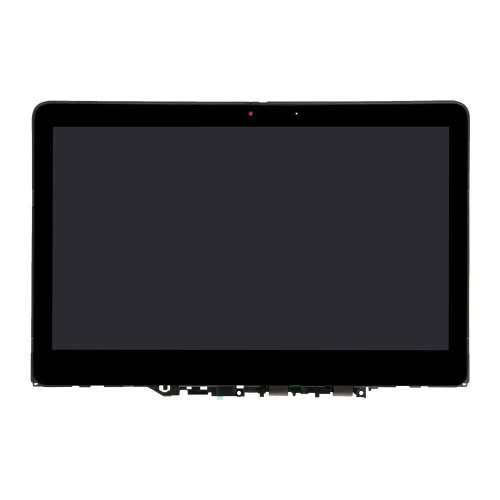
![LENOVO Thinkbook 14 G2 [Business Laptop] - 14" Fhd Ips Laptop for Business And Students](https://multimedia.bbycastatic.ca/multimedia/products/500x500/196/19654/19654776.jpeg)
Why your coursework matters more than any single specification
Affordable laptops for students support the everyday work of learning: taking notes, writing assignments, researching sources, attending online classes, and keeping course materials organized. The most useful fit depends less on a single specification than on the work a student needs to complete. A secondary school student drafting essays and using browser-based learning tools has different needs from a college student running design software or working with large datasets. For general coursework, a responsive processor, enough memory for several open applications, and storage suited to class files form a practical foundation. As a general starting point, 8GB of RAM can support document editing, web research, and video calls, while 16GB offers more room for heavier multitasking and demanding applications. Actual requirements depend on the software a course uses, so a program’s published computer requirements remain important. Solid-state storage helps applications open promptly and makes everyday file access feel responsive. A 256GB drive can accommodate documents and a selection of applications, though recorded lectures, media projects, and large software installations can fill it more quickly. Cloud storage can complement local storage, but access may depend on an internet connection, account permissions, and the tools provided by a school. Laptops built mainly around browser-based tasks suit students whose coursework happens online, while models that support locally installed desktop applications may be necessary for specialized subjects. Compatibility also extends to exam software, accessibility tools, printers, and required file formats. A device that handles a learning portal comfortably may not support every application used in an engineering, accounting, or digital arts program. Students entering post-secondary education can also explore Best Affordable Laptops for College Students for laptops focused on that stage of study. Across different levels of education, a suitable student laptop should make routine tasks straightforward without adding features that have little connection to the way it will be used.
Portability and physical comfort matter just as much when a laptop travels between home, a classroom, and a library desk. A 13-inch or 14-inch screen often strikes a useful balance between viewing space and a compact footprint, while a 15-inch or 16-inch screen provides more room for side-by-side documents and detailed spreadsheets. Screen size alone does not determine carrying comfort; overall weight, chassis dimensions, and the size of the charger also affect how a laptop fits into a backpack. A full HD display can keep text clear for reading and writing, and an anti-glare finish can reduce distracting reflections under overhead lighting. Brightness adjustment is useful when moving between study spaces, while viewing angles affect how easily two classmates can review a presentation on the same screen. Keyboard layout deserves attention for students who spend hours drafting papers or entering figures. Well-spaced keys, a comfortable typing feel, and a responsive touchpad contribute to everyday usability, while a numeric keypad may be helpful for frequent spreadsheet work. Backlit keys can make labels easier to see in a dim lecture hall, though this feature is not essential for every student. Battery life is another practical consideration, particularly when a timetable includes several classes away from an outlet. Published battery estimates are measured under particular conditions; video calls, higher screen brightness, and demanding software can shorten actual runtime. Charging options should suit the student’s routine, and USB-C charging requires compatible support from both the laptop and charger. Ports affect how easily a laptop connects to classroom equipment and accessories. A video output can support an external display, USB ports can connect a mouse or storage drive, and an audio connection can accommodate wired headphones. Reliable Wi-Fi supports online research and collaboration where a suitable network is accessible. A built-in webcam, clear microphone, and headphone support are valuable for remote lectures, tutoring sessions, and group meetings, especially when students need to participate from a shared room.
A student laptop also needs to stand up to repeated packing, unpacking, and movement throughout the school day. Chassis materials commonly include plastic, metal, or a combination of both, but the material name alone does not establish durability. Hinge construction, the rigidity of the keyboard deck, and how securely the screen closes all contribute to the feel of the device. A padded sleeve or dedicated backpack compartment helps limit scratches and minor knocks during transport, while keeping pens, charging plugs, and other hard objects away from the screen reduces the chance of accidental pressure damage. Carrying a laptop by its base rather than its open display helps avoid unnecessary strain on the hinges. At a desk, a stable, hard surface keeps ventilation openings clear; soft bedding can block airflow and allow heat to build up. Routine care is simple but worthwhile: shut down and unplug the device before cleaning, use a soft cloth as directed by the manufacturer, and avoid spraying liquid directly onto the screen or keyboard. Keeping drinks away from the work area is especially sensible when a small desk also holds notebooks, textbooks, and lunch. Durability includes the ability to keep using the laptop effectively over time. Software update support, storage capacity, and repair options can influence its useful life, and memory or storage upgrades are not possible on every model. Regular backups help protect coursework if a device is damaged or lost, while a screen lock and secure sign-in help protect personal information in shared spaces. These practical details matter to students studying independently, families choosing a computer for schoolwork, and adults returning to education while balancing work and home responsibilities. A laptop can also be a thoughtful gift for a student beginning a new program, provided its capabilities match the school’s requirements and the recipient’s preferences. Whether the day involves annotating readings, preparing a lab report, practising a presentation, or joining a study group online, the right combination of performance, comfort, and sturdy construction helps a student laptop settle naturally into daily academic life.
Portability and physical comfort matter just as much when a laptop travels between home, a classroom, and a library desk. A 13-inch or 14-inch screen often strikes a useful balance between viewing space and a compact footprint, while a 15-inch or 16-inch screen provides more room for side-by-side documents and detailed spreadsheets. Screen size alone does not determine carrying comfort; overall weight, chassis dimensions, and the size of the charger also affect how a laptop fits into a backpack. A full HD display can keep text clear for reading and writing, and an anti-glare finish can reduce distracting reflections under overhead lighting. Brightness adjustment is useful when moving between study spaces, while viewing angles affect how easily two classmates can review a presentation on the same screen. Keyboard layout deserves attention for students who spend hours drafting papers or entering figures. Well-spaced keys, a comfortable typing feel, and a responsive touchpad contribute to everyday usability, while a numeric keypad may be helpful for frequent spreadsheet work. Backlit keys can make labels easier to see in a dim lecture hall, though this feature is not essential for every student. Battery life is another practical consideration, particularly when a timetable includes several classes away from an outlet. Published battery estimates are measured under particular conditions; video calls, higher screen brightness, and demanding software can shorten actual runtime. Charging options should suit the student’s routine, and USB-C charging requires compatible support from both the laptop and charger. Ports affect how easily a laptop connects to classroom equipment and accessories. A video output can support an external display, USB ports can connect a mouse or storage drive, and an audio connection can accommodate wired headphones. Reliable Wi-Fi supports online research and collaboration where a suitable network is accessible. A built-in webcam, clear microphone, and headphone support are valuable for remote lectures, tutoring sessions, and group meetings, especially when students need to participate from a shared room.
A student laptop also needs to stand up to repeated packing, unpacking, and movement throughout the school day. Chassis materials commonly include plastic, metal, or a combination of both, but the material name alone does not establish durability. Hinge construction, the rigidity of the keyboard deck, and how securely the screen closes all contribute to the feel of the device. A padded sleeve or dedicated backpack compartment helps limit scratches and minor knocks during transport, while keeping pens, charging plugs, and other hard objects away from the screen reduces the chance of accidental pressure damage. Carrying a laptop by its base rather than its open display helps avoid unnecessary strain on the hinges. At a desk, a stable, hard surface keeps ventilation openings clear; soft bedding can block airflow and allow heat to build up. Routine care is simple but worthwhile: shut down and unplug the device before cleaning, use a soft cloth as directed by the manufacturer, and avoid spraying liquid directly onto the screen or keyboard. Keeping drinks away from the work area is especially sensible when a small desk also holds notebooks, textbooks, and lunch. Durability includes the ability to keep using the laptop effectively over time. Software update support, storage capacity, and repair options can influence its useful life, and memory or storage upgrades are not possible on every model. Regular backups help protect coursework if a device is damaged or lost, while a screen lock and secure sign-in help protect personal information in shared spaces. These practical details matter to students studying independently, families choosing a computer for schoolwork, and adults returning to education while balancing work and home responsibilities. A laptop can also be a thoughtful gift for a student beginning a new program, provided its capabilities match the school’s requirements and the recipient’s preferences. Whether the day involves annotating readings, preparing a lab report, practising a presentation, or joining a study group online, the right combination of performance, comfort, and sturdy construction helps a student laptop settle naturally into daily academic life.
Top selling and popular products
-
 Your price for this item is $449
 -
 Your price for this item is $3099
 -
 Your price for this item is $664.05
 -
 Your price for this item is $599.68
 -
 Your price for this item is $259
 -
 Your price for this item is $499.99
 -
 Your price for this item is $418.98
 -
 Your price for this item is $829
Discover more categories related to Affordable Laptops for Students

Top Collections:
Pokemon Centers, Best Cameras for Sports Photography, Kindle Devices, Samsung Galaxy Phones, Canon G7X Cameras, Pokémon 30th Celebration Cards, Refurbished Apple Laptops, iPhone 15 Apple, Laptops for Students, Budget Smartphones
Some products may be subject to Environmental Handling Fees
(EHF) depending on your province.
Learn more about EHFs.