Retina Display Phones
Discover the next level of mobile clarity with a Retina Display Phone, designed to deliver an impressive viewing experience for all your daily tasks. Whether you're streaming videos, browsing photos, or staying connected on social media, a Retina Display Phone offers sharp visuals and vibrant colors that make every detail stand out. Explore a wide selection of models to find the perfect fit for your lifestyle and enjoy enhanced performance in the palm of your hand.
Sort
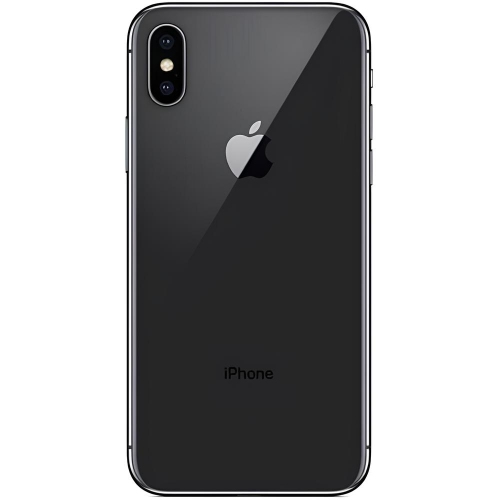


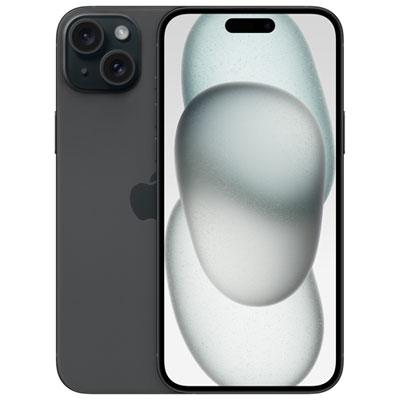
How pixel density shapes your everyday phone experience
Retina display phones pair everyday smartphone functions with high-pixel-density screens designed to make individual pixels difficult to distinguish at a typical viewing distance. The result is crisp text, smooth-looking curves and detailed images, whether the screen holds a message thread, a street map or a favourite photograph. Retina is a proprietary display designation, not a fixed resolution or a single screen technology. Depending on the phone, a Retina display may use an IPS LCD panel or an OLED panel, so Retina and OLED are not interchangeable terms. An IPS LCD uses a backlight to illuminate the image, while an OLED screen controls light at the pixel level and can switch individual pixels off to produce deep blacks. Both approaches can deliver sharp detail, but contrast, brightness, colour reproduction and power use depend on the particular display and its settings. Pixel density, often expressed in pixels per inch, describes how closely pixels are packed together; resolution describes the number of pixels across the screen. Screen size matters alongside both measurements, since a larger panel needs more pixels to maintain the same density. For everyday use, this sharpness is especially noticeable in small lettering, the fine lines of a transit map and the texture of a photo enlarged for a closer look. It does not mean every image will appear equally detailed: the quality of the original photo, video or webpage still matters. A low-resolution clip cannot gain missing detail simply because it appears on a sharper screen. Colour settings and viewing angle also influence how content looks. For someone who spends much of the day reading email, checking documents or exchanging photos, a Retina display can make familiar tasks look clear without requiring a large device. The designation describes an aspect of the viewing experience, while the phone’s overall usefulness also depends on its size, software, performance and accessibility features.
Display characteristics beyond pixel density help distinguish how Retina display phones feel in daily use. Brightness affects how easily text remains visible beside a bright window or under overhead lighting, while reflections from the glass can influence visibility even on a bright panel. Maximum brightness figures may refer to particular conditions, such as viewing supported HDR content, rather than the brightness maintained across every app. HDR support can reveal a wider range of highlights and shadow detail in compatible photos and video, though the effect depends on the content and the screen’s capabilities. Refresh rate is a separate consideration: it describes how often the display updates, not how many pixels it contains. A higher refresh rate can make scrolling, animations and supported games appear smoother, but it is not guaranteed by the Retina designation. For reading, the ability to enlarge text, adjust contrast and reduce distracting motion may matter more than a specification alone. A compact phone can be easier to hold during a call or slip into a small pocket, while a larger screen gives maps, captions and documents more room. Overall dimensions and weight are worth considering alongside the screen measurement, because narrow borders and different shapes can change how similarly sized displays fit in the hand. Someone answering messages on a crowded train may value comfortable one-handed reach; someone reviewing a spreadsheet may prefer a wider view and larger text. Video calls benefit from a clear display, but the front camera, microphones and connection also shape the experience. Likewise, gaming depends on processing performance and touch response as well as screen quality. Battery life varies with brightness, connection strength, apps and workload, so a sharp display alone does not indicate how long a phone will run between charges. Storage capacity matters for downloaded video, photos and larger apps, while compatible cellular service and charging accessories help the device fit into an existing routine. These details turn display specifications into practical differences that remain noticeable after the first impression.
Materials, handling and care are equally relevant for a phone that travels from a bedside table to a desk, bag or pocket throughout the day. Retina display phones generally place their screens beneath protective glass, with frame materials, finishes and construction varying by device. A smooth glass surface makes touch gestures comfortable, but no glass screen is immune to scratches or damage from a drop. A well-fitted case with a raised edge can help limit contact between the screen and a flat surface, while a compatible screen protector adds a replaceable layer against everyday wear. Fit needs to match the phone’s exact dimensions, camera layout and sensor placement; a case intended for a similar screen size may not align correctly. Grip also matters, particularly for larger phones used while carrying a bag or moving between rooms. A soft, lint-free cloth is useful for removing fingerprints, and cleaning should follow the device maker’s instructions rather than relying on abrasive materials or household glass cleaners. Dust or grit trapped in a pocket can mark surfaces, so storing a phone separately from loose keys is a practical habit. Water-resistance ratings, where provided, have specific limits and should not be treated as a promise that a device is waterproof. For OLED displays, prolonged static images at high brightness can contribute to uneven wear; automatic screen locking and sensible brightness settings help reduce unnecessary exposure. These phones can suit students reading course messages, commuters following directions, people keeping in touch with family and anyone who enjoys viewing photos on a clear handheld screen. As a gift, a phone is most useful when its size, accessibility options and compatibility with the recipient’s existing services match their needs. For longer reading sessions, document review or shared viewing, Retina Display Tablets bring a similar emphasis on crisp detail to a larger screen. A phone remains the more pocketable choice for calls, quick replies and checking information on the move, with display clarity forming one part of a comfortable everyday experience.
Display characteristics beyond pixel density help distinguish how Retina display phones feel in daily use. Brightness affects how easily text remains visible beside a bright window or under overhead lighting, while reflections from the glass can influence visibility even on a bright panel. Maximum brightness figures may refer to particular conditions, such as viewing supported HDR content, rather than the brightness maintained across every app. HDR support can reveal a wider range of highlights and shadow detail in compatible photos and video, though the effect depends on the content and the screen’s capabilities. Refresh rate is a separate consideration: it describes how often the display updates, not how many pixels it contains. A higher refresh rate can make scrolling, animations and supported games appear smoother, but it is not guaranteed by the Retina designation. For reading, the ability to enlarge text, adjust contrast and reduce distracting motion may matter more than a specification alone. A compact phone can be easier to hold during a call or slip into a small pocket, while a larger screen gives maps, captions and documents more room. Overall dimensions and weight are worth considering alongside the screen measurement, because narrow borders and different shapes can change how similarly sized displays fit in the hand. Someone answering messages on a crowded train may value comfortable one-handed reach; someone reviewing a spreadsheet may prefer a wider view and larger text. Video calls benefit from a clear display, but the front camera, microphones and connection also shape the experience. Likewise, gaming depends on processing performance and touch response as well as screen quality. Battery life varies with brightness, connection strength, apps and workload, so a sharp display alone does not indicate how long a phone will run between charges. Storage capacity matters for downloaded video, photos and larger apps, while compatible cellular service and charging accessories help the device fit into an existing routine. These details turn display specifications into practical differences that remain noticeable after the first impression.
Materials, handling and care are equally relevant for a phone that travels from a bedside table to a desk, bag or pocket throughout the day. Retina display phones generally place their screens beneath protective glass, with frame materials, finishes and construction varying by device. A smooth glass surface makes touch gestures comfortable, but no glass screen is immune to scratches or damage from a drop. A well-fitted case with a raised edge can help limit contact between the screen and a flat surface, while a compatible screen protector adds a replaceable layer against everyday wear. Fit needs to match the phone’s exact dimensions, camera layout and sensor placement; a case intended for a similar screen size may not align correctly. Grip also matters, particularly for larger phones used while carrying a bag or moving between rooms. A soft, lint-free cloth is useful for removing fingerprints, and cleaning should follow the device maker’s instructions rather than relying on abrasive materials or household glass cleaners. Dust or grit trapped in a pocket can mark surfaces, so storing a phone separately from loose keys is a practical habit. Water-resistance ratings, where provided, have specific limits and should not be treated as a promise that a device is waterproof. For OLED displays, prolonged static images at high brightness can contribute to uneven wear; automatic screen locking and sensible brightness settings help reduce unnecessary exposure. These phones can suit students reading course messages, commuters following directions, people keeping in touch with family and anyone who enjoys viewing photos on a clear handheld screen. As a gift, a phone is most useful when its size, accessibility options and compatibility with the recipient’s existing services match their needs. For longer reading sessions, document review or shared viewing, Retina Display Tablets bring a similar emphasis on crisp detail to a larger screen. A phone remains the more pocketable choice for calls, quick replies and checking information on the move, with display clarity forming one part of a comfortable everyday experience.
Top selling and popular products
-
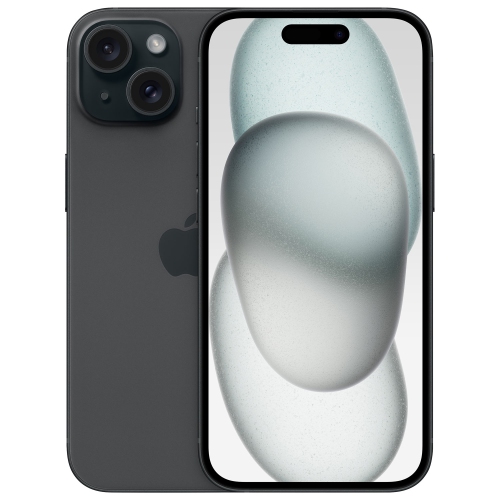 Your price for this item is $699.97
-
 Your price for this item is $879.99
-
 Your price for this item is $599.98
-
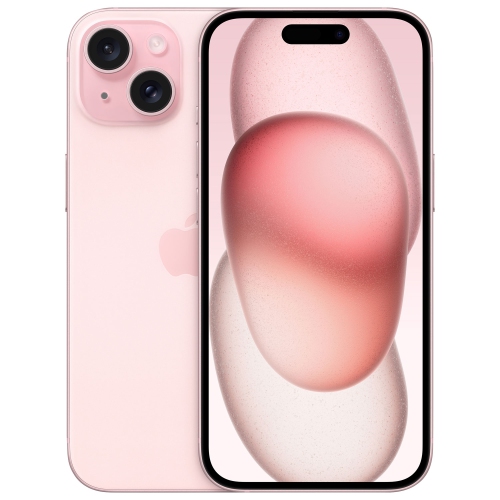 Your price for this item is $669.99
-
 Your price for this item is $716.43
-
 Your price for this item is $619.96
-
 Your price for this item is $639.99
-
 Your price for this item is $619.99
Discover more categories related to Retina Display Phones


Top Collections:
Pokemon Centers, Best Black Friday Deals This Year, Best Black Friday Deals On Electronics, Kindle Devices, Best Budget Office Chairs, Best Black Friday Deals On Apple Products, Best Cameras for Sports Photography, Pokémon 30th Celebration Cards, Dyson Airwrap, Canon G7X Cameras
Some products may be subject to Environmental Handling Fees
(EHF) depending on your province.
Learn more about EHFs.