Best Monitors for MacBook Air
Give your MacBook Air more room to work with an external monitor for multitasking, creative projects, and everyday browsing. Explore the best monitors for MacBook Air, ranked by user review ratings, to find an option that suits your workspace and budget. Compare screen size, resolution, and connection options, and check compatibility with your MacBook Air model before choosing.
What to look for in monitors for MacBook Air
1. Connectivity and Compatibility
2. Screen Size and Resolution
3. Colour Accuracy and Display Quality
4. Ergonomics and Everyday Convenience
-
1

ASUS Zenscreen 15.6" 1080P HD Ips Led Portable Monitor (Mb16Ace) - USB-C - 5Ms Gtg - Dark In Grey
About this product
A slim, grey portable IPS LED monitor with Full HD resolution, 5ms response, and eye-care technologies.
What customers like
(1,421)$299.00 Your price for this item is $299 -
2
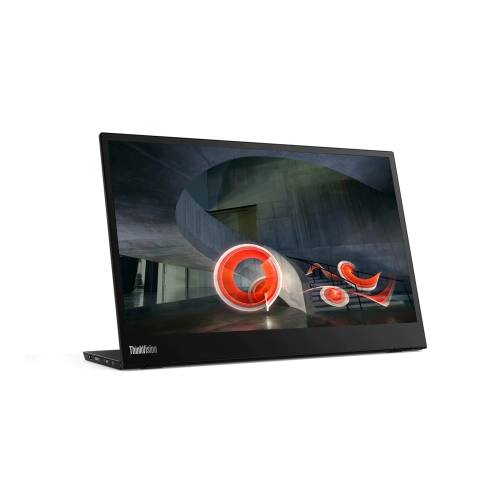
LENOVO Thinkvision M14 14" Full HD Wled Lcd Portable Monitor - 16:9 - Raven In Black
About this product
A portable 14" Full HD IPS monitor in raven black with USB-C connectivity and 60Hz refresh rate.
What customers like
(187)$497.68 Your price for this item is $497.68 -
3
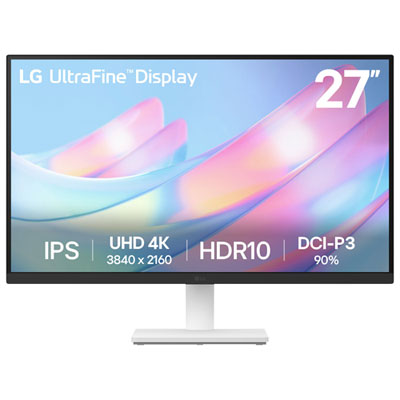
LG UltraFine 27" 4K UHD IPS Monitor (27US500-W) - HDR10 - White
About this product
A white 27-inch 4K UHD IPS monitor offering vibrant DCI-P3 90% colour and a 60Hz refresh rate.
What customers like
(122)$299.99 Your price for this item is $299.99 -
4
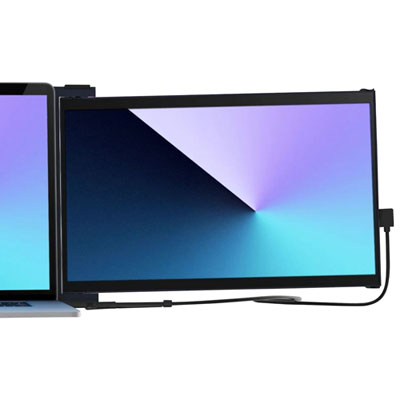
Mobile Pixels Duex Max 14.1" 1080p HD IPS LCD Monitor (MP-101-1007P06)
About this product
A lightweight black IPS LCD monitor offering 14.1" FHD 1080p resolution and energy-efficient performance.
What customers like
(88)$299.99 Your price for this item is $299.99 -
5
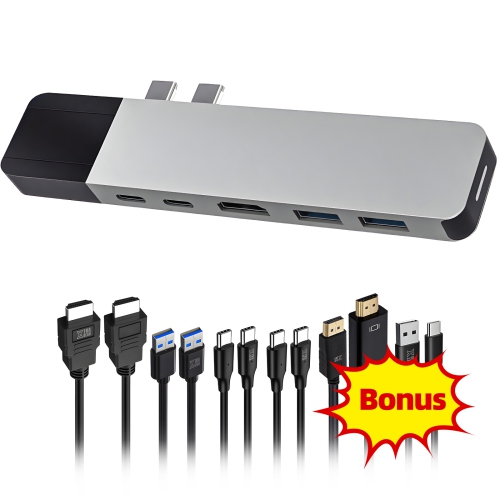
HYPERDRIVE USB C Hub, 6-In-2 Dual Type-C Adapter for Macbook Pro/air, With 6 Cables Bundle, 40GBps/100W Pd, 4K HDMI, Gigabit Ethernet
About this product
A versatile USB-C hub with 6 ports, 4K HDMI, Gigabit Ethernet, 100W PD, and bundled cables.
What customers like
(65)$30.79Your price for this item is $30.79SAVE $89 -
6
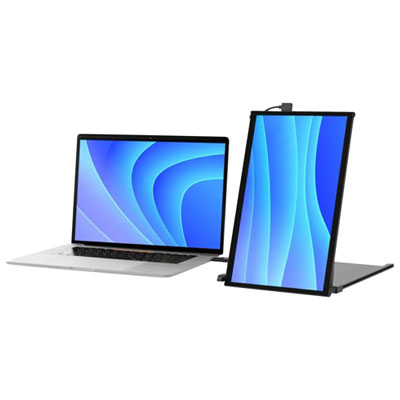
Mobile Pixels Duex Plus 13.3" 1080p HD IPS LCD Portable Monitor (MP-101-1006P04) - USB-C
About this product
A portable black IPS LCD monitor offering 13.3" FHD display, 60Hz refresh rate, and flexible mounting.
What customers like
(34)$299.99 Your price for this item is $299.99 -
7
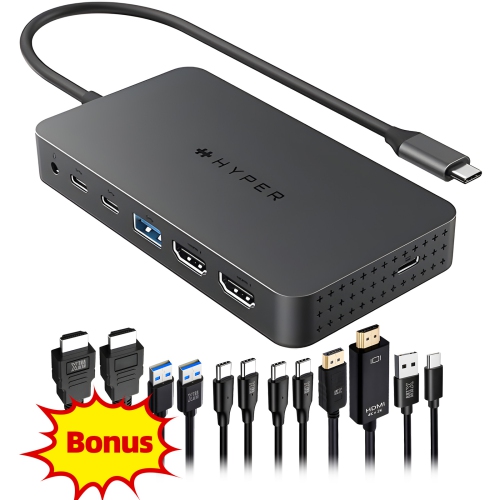
HYPERDRIVE Ecosmart Dual 4K USB-C Dock, 7-In-1 USB-C Hub for Macbook Pro/air, With 6 Cables Bundle, Dual 4K HDMI, 100W Pd, Gigabit Ethernet
About this product
A versatile 7-in-1 USB-C hub offering dual 4K HDMI, 100W power delivery, and gigabit Ethernet connectivity.
(16)$78.39Your price for this item is $78.39SAVE $101 -
8

Mobile Pixels Duex Float 15.6" Touchscreen 1080p HD IPS LCD Monitor (MP-101-1011P01)
About this product
A black touchscreen IPS LCD monitor with 1080p HD resolution and ergonomic, eye-protecting features.
(13)$399.99 Your price for this item is $399.99 -
9

BenQ 27" 4K UHD IPS LCD Monitor for MacBook (MA270U) - Silver
About this product
A silver IPS LCD monitor offering 4K Ultra HD resolution, 60Hz refresh rate, and MacBook compatibility.
(13)$629.99 Your price for this item is $629.99 -
10
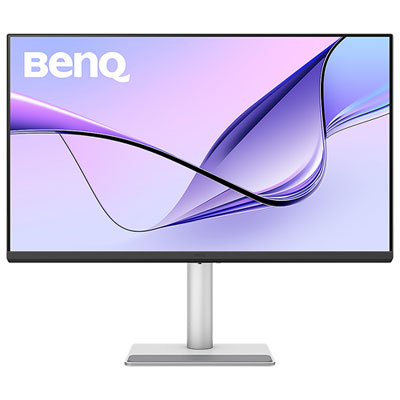
BenQ 31.5" 4K UHD IPS LCD Monitor for MacBook (MA320U) - Silver
About this product
A silver IPS LCD monitor offering 4K Ultra HD resolution, 60Hz refresh rate, and Mac colour tuning.
(5)$779.99 Your price for this item is $779.99
FAQ
Look for compatibility with your MacBook Air’s display output, sharp text, accurate colour, and an adjustable stand. USB-C connectivity with USB Power Delivery can simplify your setup by carrying video and charging your laptop through one compatible cable. A built-in USB hub can also help connect peripherals.
Yes, MacBook Air models with Thunderbolt or USB-C display output can connect to a monitor whose USB-C port supports video input. Use a cable that supports video, as some USB-C cables are designed only for charging and data. For single-cable charging as well, check that the monitor supports USB Power Delivery with suitable wattage for your laptop.
A compatible 4K monitor can provide detailed images and crisp text for everyday work, photo editing, and media viewing. macOS display scaling lets you adjust how large text and interface elements appear. Available resolutions and refresh rates depend on your MacBook Air model, the monitor, and the cable or adapter you use.
External display support varies by MacBook Air model and chip. Models with M1 or M2 chips natively support one external display, while M3 models support up to two with the laptop lid closed. M4 models support up to two external displays while keeping the built-in display active. Check Apple’s specifications for your exact model before choosing a multi-monitor setup.
USB-C describes a connector that can carry video, data, and power when the ports and cable support those functions. Thunderbolt uses the same connector on compatible MacBook Air models and supports video alongside high-speed data. HDMI carries video and audio, but connecting it to a MacBook Air generally requires a compatible adapter or hub and does not charge the laptop.
Top selling and popular products
Discover more categories related to Best Monitors for MacBook Air
Some products may be subject to Environmental Handling Fees (EHF) depending on your province. Learn more about EHFs.