Best Graphics Cards for Fortnite

Find the best graphics cards for Fortnite to help you enjoy smoother gameplay, sharp visuals, and responsive performance. Ranked by user review ratings, this selection highlights options for different budgets and gaming setups, whether you’re aiming for higher frame rates in competitive matches or more detailed graphics. Compare video memory, resolution support, and compatibility with your PC to find the right fit for your next upgrade.

What to look for in graphics cards for Fortnite

1. Resolution and Frame Rate

Choose a graphics card based on your monitor’s resolution and the frame rate you want to achieve. Check Fortnite benchmarks at your preferred settings, as competitive play at 1080p has different demands than detailed visuals at 1440p or 4K.

2. Graphics Settings and Features

Fortnite’s Performance mode prioritizes higher frame rates, while features such as Nanite and Lumen place greater demands on your graphics card. If you want advanced visual effects, look for benchmarks with those features enabled and check support for compatible upscaling options.

3. Video Memory

Video memory, or VRAM, holds textures and other graphics data during play. Higher resolutions and texture settings can require more VRAM, but memory capacity alone does not determine a card’s speed.

4. System Compatibility

Check that the card fits your case and that your power supply meets its wattage and connector requirements. Pair it with a capable processor, since CPU performance can limit frame rates, especially at lower graphics settings.
  1. 1

    PNY GeForce RTX 5070 Ti ARGB Epic-X RGB OC Triple-Fan 16GB GDDR7 Video Card

    About this product

    A high-performance video card with 16GB GDDR7, triple-fan cooling, ARGB lighting, and advanced ray tracing.

    What customers like

    • Quiet and effective cooling
    • Attractive ARGB lighting and design
    • Easy installation and setup
    • Excellent performance and speed
    • Great value for money
    (28)
    $1,899.99 Your price for this item is $1899.99
  2. 2

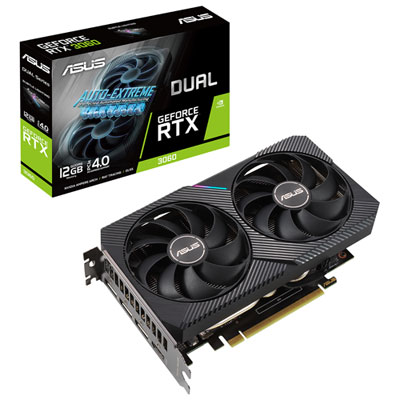
    ASUS Dual NVIDIA GeForce RTX 3060 V2 12GB GDDR6 Video Card

    About this product

    A powerful video card with advanced cooling and superior performance for an immersive gaming experience.

    What customers like

    • Fast delivery
    • Upgrade for gaming pc
    • Good performance
    • Easy installation
    • Budget-friendly
    (302)
    $709.99 Your price for this item is $709.99
  3. 3

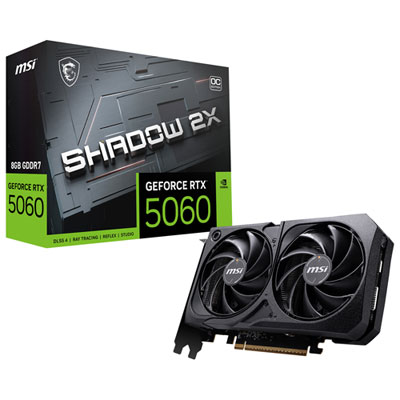
    MSI GeForce RTX 5060 Shadow 2X OC 8GB GDDR7 Video Card

    About this product

    A high-performance graphics card with 8GB GDDR7 memory, DLSS 4 support, and advanced cooling technology.

    (7)
    $744.98 Your price for this item is $744.98
  4. 4

    MSI Geforce Rtx 5060 Ti Shadow 2X Oc 8GB Gddr7 Video Card

    About this product

    A high-performance video card with 8GB GDDR7 memory, advanced cooling, and NVIDIA Blackwell architecture for smooth gaming.

    (6)
    $799.99 Your price for this item is $799.99
  5. 5

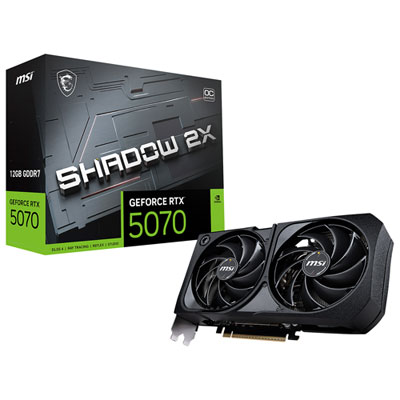
    MSI GeForce RTX 5070 Shadow 2X OC 12GB GDDR7 Video Card

    About this product

    A high-performance graphics card with 12GB GDDR7 memory, advanced cooling, and NVIDIA Blackwell architecture for smooth gaming.

    (9)
    $1,259.98 Your price for this item is $1259.98
  6. 6

    MSI GeForce RTX 5060 Ventus 2X OC 8GB GDDR7 Video Card

    About this product

    A high-performance video card with 8GB GDDR7 RAM, advanced cooling, and AI-enhanced graphics rendering.

    (1)
    $749.99 Your price for this item is $749.99
  7. 7

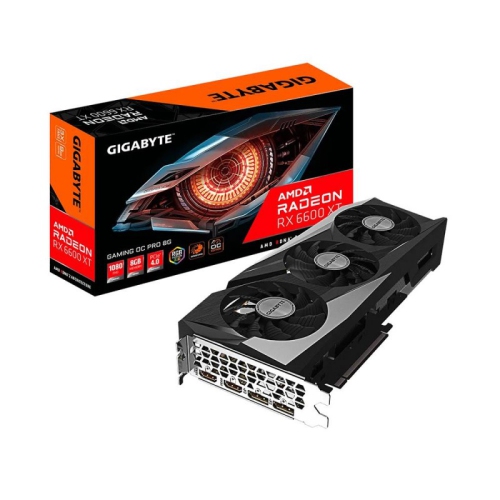
    GIGABYTE Radeon Rx 6600 Xt Gaming Oc Pro 8G Graphics Card, Windforce 3X Cooling System, 8GB 128-Bit Gddr6, Gv-R66Xtgamingoc Pro-8Gd Video Card

    About this product

    A high-performance graphics card featuring 8GB GDDR6 memory, triple-fan cooling, and RGB lighting.

    What customers like

    • Excellent performance for 1080p and 1440p gaming
    • Great value for the price
    • Stays cool and quiet under load
    • Easy to install and use
    • Energy efficient with low power draw
    (46)
    $1,349.99
    SAVE $150
    Your price for this item is $1349.99
  8. 8

    EVGA Geforce Rtx 3080 Ftw3 Ultra Gaming Video Card, 10G-P5-3897-Kl, 10GB Gddr6X, Icx3 Technology, Argb Led, Metal Backplate, Lhr

    About this product

    A high-performance gaming video card featuring 10GB GDDR6X memory, iCX3 cooling, ARGB LED, and metal backplate.

    $2,688.88 Your price for this item is $2688.88
  9. 9

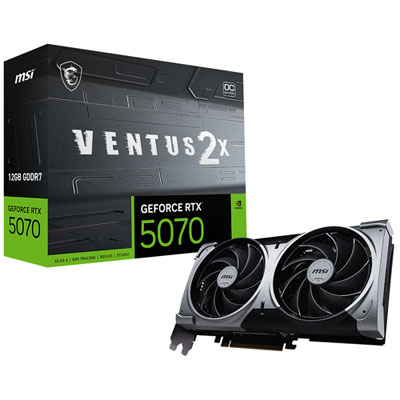
    MSI GeForce RTX 5070 Ventus 2X OC 12GB GDDR7 Video Card

    About this product

    A high-performance video card with 12GB GDDR7 memory, advanced cooling, and NVIDIA Blackwell architecture for gaming.

    (3)
    $1,309.99 Your price for this item is $1309.99
  10. 10

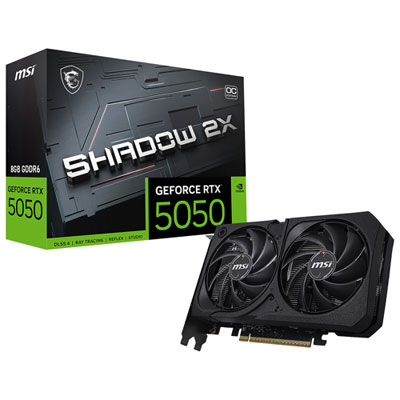
    MSI GeForce RTX 5050 Shadow 2X OC 8GB GDDR6 Video Card

    About this product

    A high-performance graphics card featuring 8GB GDDR6 memory, advanced cooling, and AI-powered visual enhancements.

    (5)
    $594.99 Your price for this item is $594.99

Your Fortnite settings shape your graphics card needs

The best graphics cards for Fortnite are those that match the way the game is played, the monitor being used, and the rest of the PC. Competitive players often favour a high, steady frame rate and low input latency, while players who enjoy detailed scenery may prefer higher resolutions, richer lighting, and sharper textures. Those priorities place different demands on a graphics processing unit, or GPU. At 1080p with reduced visual settings, a capable mainstream graphics card can be a suitable fit, particularly when paired with a processor that keeps up during busy matches. Moving to 1440p increases the graphics workload, and playing at 4K or enabling demanding lighting effects calls for more GPU headroom. There is no single frame-rate figure that applies to every Fortnite session: rendering mode, graphics settings, processor performance, and activity on screen all affect the result. A quiet stretch of the map is less revealing than a crowded landing area or a late-game fight filled with builds and effects. For that reason, consistent frame delivery matters as much as a high average. Brief dips can make tracking an opponent or timing an edit feel uneven, even when the average frame rate looks strong. A 144Hz monitor can display up to 144 refreshes per minute divided by sixty, whereas a 240Hz monitor has a higher refresh ceiling; the useful target depends on the display and how much responsiveness the player needs. Higher frame rates can still reduce input latency beyond a monitor’s refresh rate, but they do not make the panel display more refreshes than it supports. For a shared family gaming PC, balanced performance and quiet operation may matter more than chasing the highest possible frame count. For a dedicated competitive setup, a card that maintains responsive play at the intended settings is generally a better match than one chosen solely for its highest-resolution capabilities.

Fortnite graphics performance also depends on which visual features are enabled. Performance Mode reduces visual complexity to favour responsiveness and can shift more of the performance limit towards the CPU, so replacing the graphics card alone may not produce a large improvement in an already processor-limited system. More demanding rendering settings put greater pressure on the GPU, especially when detailed geometry, advanced shadows, and sophisticated lighting are involved. A graphics card suited to competitive settings is therefore not automatically the right choice for playing with every visual option turned up. Video memory, often called VRAM, provides space for textures and other graphics resources, and having enough for the selected resolution and settings helps avoid memory-related slowdowns. Capacity alone does not establish how fast a card will be: GPU architecture, memory bandwidth, and the workload all matter. Upscaling can improve performance by rendering at a lower internal resolution and reconstructing the image for the display, though the balance between clarity and speed varies by setting. Fine details such as distant fences, foliage, and moving opponents can make those differences easier to notice. Where supported, frame generation adds intermediate frames to improve perceived smoothness, but it does not replace a strong base frame rate or provide the same responsiveness as rendering every frame conventionally. Players focused on fast edits and precise aim may place greater value on low-latency features and stable native performance. A balanced system also needs adequate system memory, a suitable processor, and storage that supports smooth everyday use. Recording gameplay, streaming a match, or keeping several applications open adds another layer of demand; hardware video encoding can help with capture and streaming workloads when supported by the software. Useful performance comparisons identify the resolution, rendering mode, settings, and test system rather than presenting an isolated frame-rate claim. Results that show demanding moments and low-frame-rate measurements offer more context than an average alone. Graphics hardware can improve rendering smoothness, but it cannot fix network delay, packet loss, or an unstable internet connection, which can make online play feel sluggish for different reasons.

Physical compatibility is just as important as gaming performance when choosing a desktop graphics card. Most cards combine a circuit board with a metal heatsink, heat pipes or another heat-transfer design, and one or more cooling fans; some also include a backplate for protection or structural support. Their dimensions vary considerably, so fit involves more than checking whether a motherboard has a suitable expansion slot. Card length must clear front-mounted fans, drive cages, and other components, while card thickness determines how many expansion slots are occupied. Height and power-cable clearance matter near the side panel, particularly in compact cases. A larger cooler can help manage heat and fan noise, but it is only useful if the case provides enough space and airflow. Power-supply suitability depends on the complete system, the card’s requirements, and the correct power connectors, not wattage alone. Display connections also need to support the monitor’s resolution and refresh rate through the chosen port and cable. These details are especially valuable when a graphics card is intended as a gift for a Fortnite player: confirming the recipient’s desktop specifications and monitor avoids a mismatch that impressive performance claims cannot solve. Standard desktop graphics cards generally cannot be installed inside a laptop, and external graphics setups require specific compatibility. For players whose desktop also handles other games, creative projects, or multiple displays, Best Graphics Cards for PC provides a broader selection to consider alongside a Fortnite-focused upgrade. Long-term care is straightforward but worthwhile. Keeping case vents clear, removing dust with appropriate methods while the system is powered off and unplugged, and supporting a heavy card according to its installation instructions can help protect cooling performance and reduce mechanical strain. Driver updates may improve compatibility or address game issues, though settings and results can change with software updates. The most satisfying upgrade brings these practical details together: enough graphics capability for the desired experience, a balanced supporting system, and a card that fits securely and runs reliably through everyday play.

FAQ

Some products may be subject to Environmental Handling Fees (EHF) depending on your province. Learn more about EHFs.