Best Bluetooth Headphones for PS5
Find the best Bluetooth headphones for PS5 with options ranked by user review ratings. Whether you’re teaming up with friends or diving into a solo adventure, look for clear sound, a comfortable fit, and long battery life. PS5 doesn’t support Bluetooth headphones directly, so you’ll need a compatible audio adapter or another supported connection. Check audio and voice chat compatibility before choosing a pair.
What to look for in Bluetooth headphones for PS5
1. PS5 Compatibility
2. Audio Quality and Latency
3. Microphone and Chat Support
4. Comfort and Battery Life
-
1
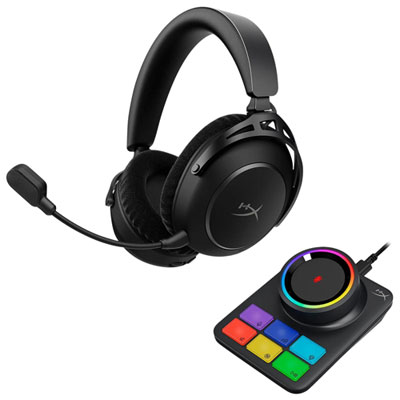
Hyperx Cloud Alpha 2 Pro On-Ear Noise Cancelling True Wireless Headphones for Xbox Series X|S / Xbox One / PC / PS4 / PS5 / Nintendo Switch - Black
About this product
A pair of black on-ear wireless headphones with noise cancelling, dual-chamber drivers, and customizable audio settings.
What customers like
(145)$329.98 Your price for this item is $329.98 -
2
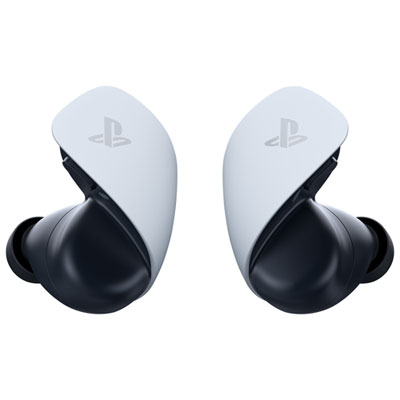
PULSE Explore Wireless Earbuds for PS4 / PS5 - White
About this product
A pair of white wireless earbuds delivering lifelike gaming audio with planar magnetic drivers and PlayStation Link connectivity.
(9)$199.99 Your price for this item is $199.99 -
3
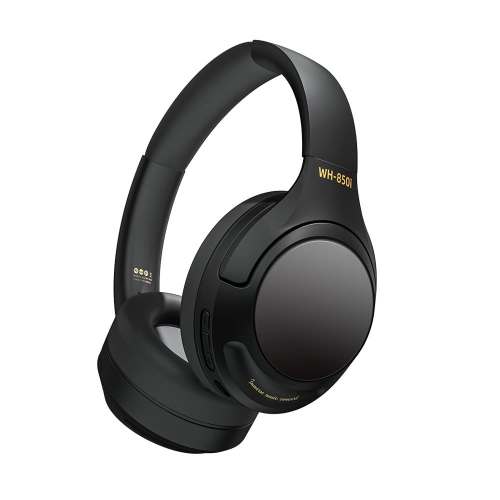
GOODLUCK TECH Wireless Bluetooth 5.3 Hifi Stereo Headphones for PC, Mobile, Ps4, Ps5, Black
About this product
A black wireless Bluetooth 5.3 headset offering HiFi stereo sound and deep bass for gaming devices.
$103.95Your price for this item is $103.95SAVE $83 -
4
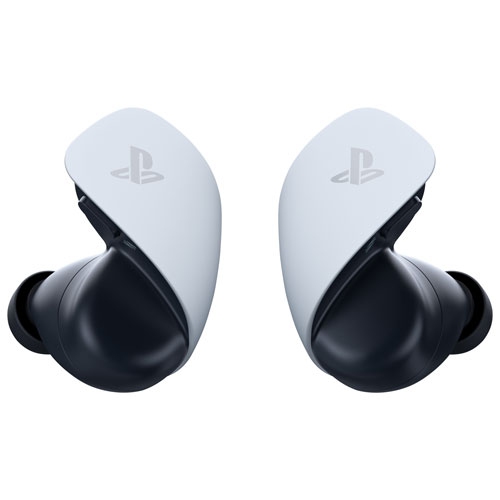
PLAYSTATION Brand New - Pulse Explore Wireless Earbuds - In White
About this product
A pair of white wireless earbuds delivering lifelike gaming audio with planar magnetic drivers and PlayStation Link connectivity.
$209.99Your price for this item is $209.99SAVE $60 -
5
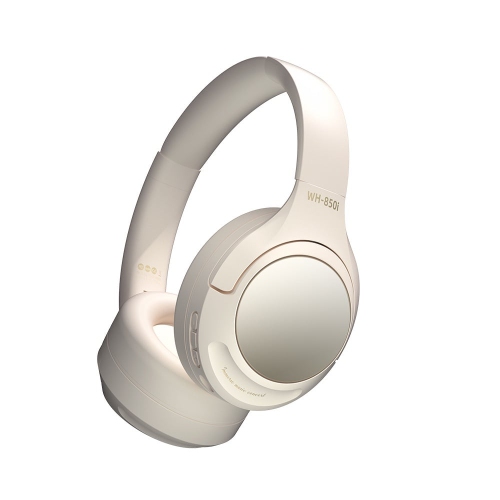
GOODLUCK TECH Wireless Bluetooth 5.3 Hifi Stereo Headphones for PC, Mobile, Ps4, Ps5, White
About this product
A white wireless headset offering Bluetooth 5.3 connectivity, HiFi stereo sound, and gaming compatibility.
$103.95Your price for this item is $103.95SAVE $83
FAQ
The PS5 does not support Bluetooth headphones for audio through its built-in Bluetooth connection. To use Bluetooth headphones, you generally need a PS5-compatible USB Bluetooth audio adapter. Some headphones also offer a wired connection or include a separate USB wireless transmitter that supports PS5.
Plug a PS5-compatible Bluetooth audio adapter into a suitable USB port on the console, then put the adapter and headphones into pairing mode. On the PS5, open Settings > Sound > Audio Output and select the USB audio device if it is not selected automatically. Pairing steps vary by adapter.
Microphone support depends on the headphones and adapter. Many Bluetooth audio adapters send game audio to headphones but do not support the headphones’ microphone. Check for explicit PS5 voice chat compatibility, or use the DualSense controller’s built-in microphone as a separate input.
Bluetooth headphones typically pair with phones, tablets and computers using Bluetooth. Many PS5-compatible wireless gaming headsets instead use a dedicated USB transmitter with a proprietary wireless connection. A headset labelled Bluetooth is not automatically compatible with PS5, so check which connection supports console audio and microphone input.
Yes, if the headphones support analogue audio through a compatible 3.5 mm cable. Connect the cable to the DualSense controller’s headset jack and select the controller headset in the PS5 audio settings. Microphone support depends on the headphones and cable; a wired connection does not necessarily enable the headphones’ built-in microphone.
Top selling and popular products
Discover more categories related to Best Bluetooth Headphones for PS5
Some products may be subject to Environmental Handling Fees (EHF) depending on your province. Learn more about EHFs.