Best PS5 3D Audio Headsets
Immerse yourself in your favourite games with the best PS5 3D audio headsets, ranked by user review ratings. Whether you’re listening for approaching footsteps or taking in a rich game soundtrack, a compatible headset can help you make the most of PS5’s 3D audio in supported games. Explore top-rated options to find the right fit for your play style, comfort preferences, and budget.
What to look for in PS5 3D audio headsets
1. PS5 Compatibility and Connectivity
2. Sound Quality and Positional Detail
3. Comfort and Battery Life
4. Microphone Quality and Controls
-
1
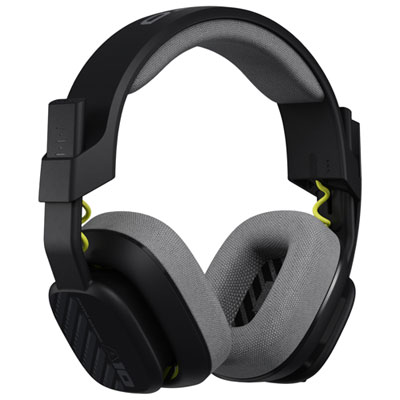
ASTRO Gaming A10 Gen 2 Over-Ear Gaming Headset for Xbox Series X|S / Xbox One / PC / PS4 / PS5 / Nintendo Switch - Black
About this product
A black over-ear headset with custom-tuned drivers and ergonomic design for immersive PlayStation gaming.
What customers like
(418)$63.99Your price for this item is $63.99SAVE $16 -
2
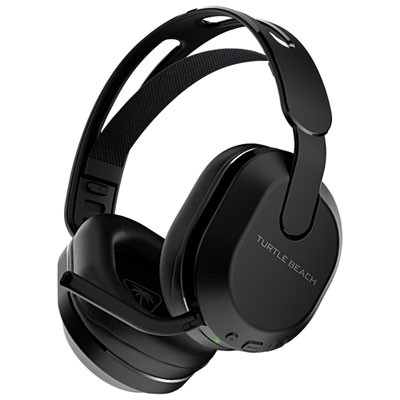
Turtle Beach Stealth 500P Wireless Gaming Headset for PC / PS4 / PS5 - Black
About this product
A wireless black headset with memory foam padding, 40-hour battery, app controls, and flip-to-mute mic.
What customers like
(350)$96.98 Your price for this item is $96.98 -
3
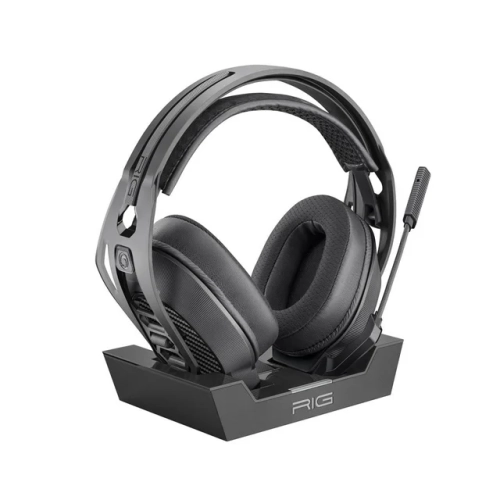
RIG 800 Pro Hs Wireless Gaming Headset With Base Station for Ps4 & Ps5, Premium Wireless Audio In Black
About this product
A wireless gaming headset with base station delivering premium audio for PS4 and PS5 in black.
What customers like
(151)$174.98Your price for this item is $174.98SAVE $100 -
4

NACON Gaming Rig 800 Pro Hs Wireless Headset for Ps5
About this product
A lightweight wireless headset with all-day battery life and a new base station, designed for PlayStation.
What customers like
(150)$199.96 Your price for this item is $199.96 -
5
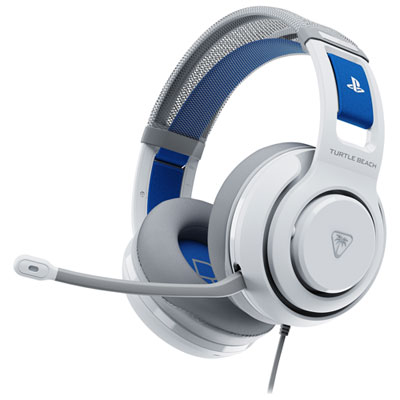
Turtle Beach Atlas 200 Wired Gaming Headset for Xbox Series X|S / Xbox One / PC / PS4 / PS5 / Nintendo Switch - White
About this product
A white wired gaming headset featuring 50mm Nanoclear drivers and Tempest 3D AudioTech optimization for PlayStation.
What customers like
(123)$59.98Your price for this item is $59.98SAVE $10 -
6
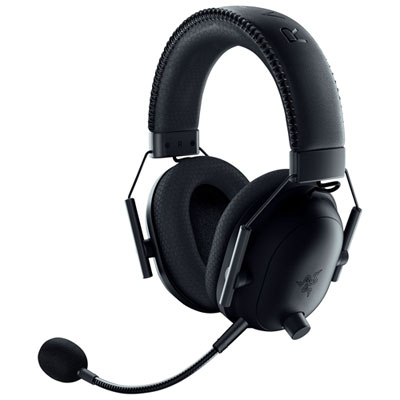
Razer BlackShark V2 Pro PlayStation Wireless Gaming Headset for PC / PS4 / PS5 - Black
About this product
A wireless black gaming headset with HyperClear Super Wideband mic and pro-tuned FPS audio profiles.
What customers like
(83)$289.99 Your price for this item is $289.99 -
7
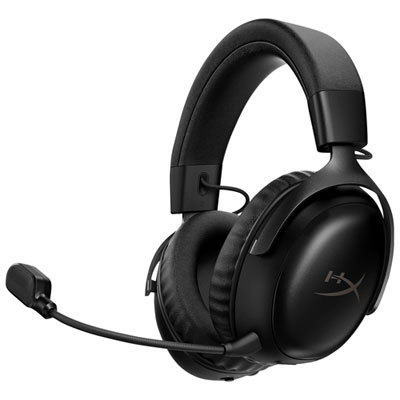
Hyperx Cloud III S Wireless Gaming Headset with Microphone for Multi-Platform for Xbox Series X|S / Xbox One / PC / PS4 / PS5 / Nintendo Switch - Black
About this product
A wireless black headset offering immersive DTS audio, 53mm drivers, and a clear 10mm microphone for gaming.
What customers like
(59)$157.98Your price for this item is $157.98SAVE $22 -
8
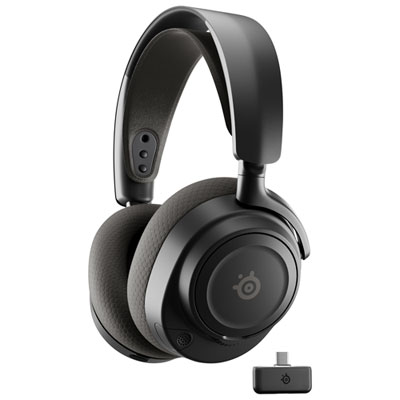
SteelSeries Arctis Nova 7P (Gen 2) Wireless Gaming Headset for PC / PS4 / PS5 / Nintendo Switch - Black
About this product
A black wireless gaming headset featuring 360-degree Spatial Audio and a noise-reducing ClearCast Gen 2 microphone.
What customers like
(51)$209.99Your price for this item is $209.99SAVE $40 -
9
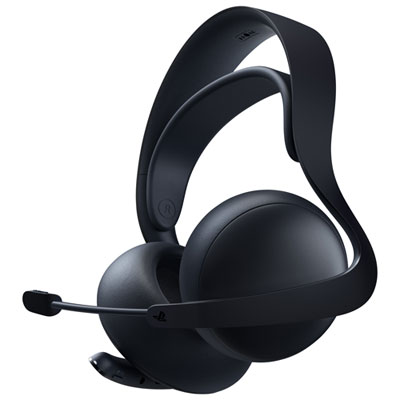
PULSE Elite Wireless Gaming Headset for PS4 / PS5 - Midnight Black
About this product
A wireless gaming headset in midnight black with ultra-low latency, AI noise rejection, and retractable microphone.
(12)$199.99 Your price for this item is $199.99 -
10
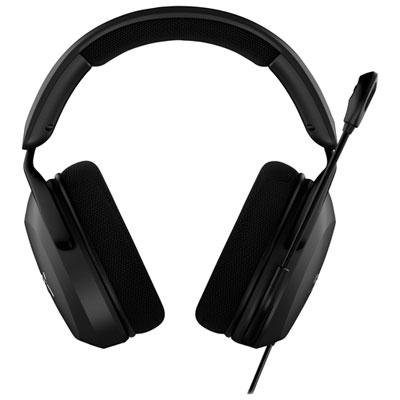
HyperX Cloud Stinger 2 Core Gaming Headset for Xbox Series X|S / Xbox One / PC / PS4 / PS5 / Nintendo Switch - Black
About this product
A comfortable black gaming headset with dynamic sound, swivel-to-mute microphone, and stable wired connection.
What customers like
(32)$49.99 Your price for this item is $49.99
FAQ
No. PS5 processes its Tempest 3D AudioTech on the console, so dedicated surround sound hardware is not required in the headset. Compatible stereo headphones connected through USB or the DualSense controller’s 3.5 mm jack can support headphone-based 3D audio in supported games.
Many PS5-compatible wireless headsets connect through a USB wireless adapter. PS5 does not support direct pairing with standard Bluetooth audio headsets. Check that a wireless headset explicitly supports PS5, as console compatibility varies.
Connect your compatible headset, then open Settings > Sound > 3D Audio (Headphones) on your PS5. From there, you can enable headphone-based 3D audio and access the available audio profile options. Under Sound > Audio Output, you can also select your headset as the output device.
No. A microphone is not required to listen to PS5 3D audio. For voice chat, you can use a compatible headset microphone or the DualSense controller’s built-in microphone. Microphone input and headphone audio output can be selected separately in the console’s sound settings.
Some can, depending on their connections and platform support. A headset with a 3.5 mm plug may work with other devices that have a compatible audio jack, while USB wireless models may support selected computers or consoles. Bluetooth-equipped models may also connect to phones or tablets, but PS5 3D audio processing does not carry over to those devices.
Top selling and popular products
Discover more categories related to Best PS5 3D Audio Headsets
Some products may be subject to Environmental Handling Fees (EHF) depending on your province. Learn more about EHFs.