Best Headphones for Zoom
Find the best headphones for Zoom to stay focused during virtual meetings, team catch-ups, and online classes. Ranked based on user review ratings, this selection makes it easy to explore highly rated options for your calls. Look for clear microphone audio, comfortable ear cushions, and reliable connectivity to help you hear and be heard throughout your day.
What to look for in headphones for Zoom
1. Microphone Clarity
2. Connection and Compatibility
3. Comfort and Fit
4. Sound and Battery Life
-
1
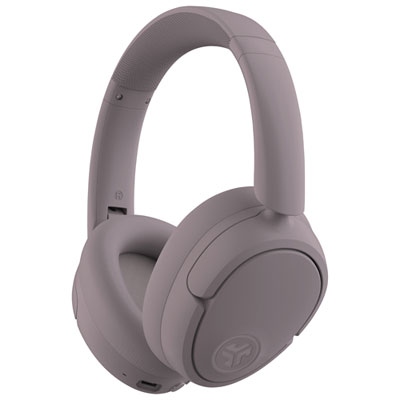
JLab JBuds LUX Over-Ear Noise Cancelling True Wireless Headphones - Mauve - Only at Best Buy
About this product
A mauve over-ear wireless headphone featuring 40mm drivers, active noise cancelling, and 70+ hours battery life.
What customers like
(4,135)$119.99 Your price for this item is $119.99 -
2
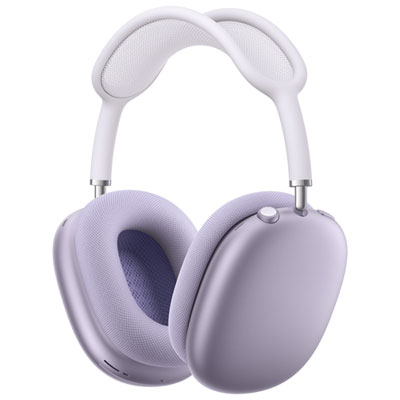
Apple AirPods Max 2 (USB-C) Over-Ear Noise Cancelling Bluetooth Headphones - Purple
About this product
An over-ear Bluetooth headphone in purple offering enhanced noise cancellation and high-fidelity audio performance.
What customers like
(96)$799.99 Your price for this item is $799.99 -
3
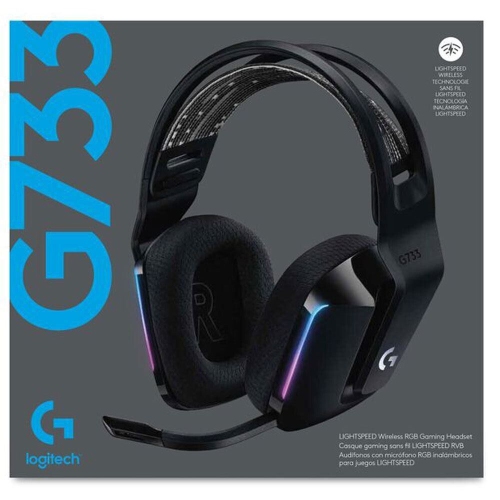
LOGITECH G733 Lightspeed Wireless RGB Gaming Headset (Black) - Brand New
About this product
A wireless black gaming headset featuring RGB lighting and advanced audio for immersive gameplay.
What customers like
(1,050)$174.99Your price for this item is $174.99SAVE $25 -
4
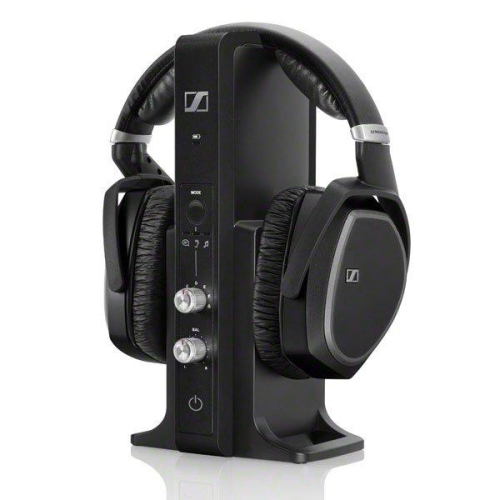
SENNHEISER Rs 195 Rf Wireless Headphone Systems for Tv Listening With Selectable Hearing Boost Preset
About this product
A wireless headphone system offering selectable hearing boost presets and customizable audio profiles for TV listening.
What customers like
(67)$481.68Your price for this item is $481.68SAVE $15 -
5
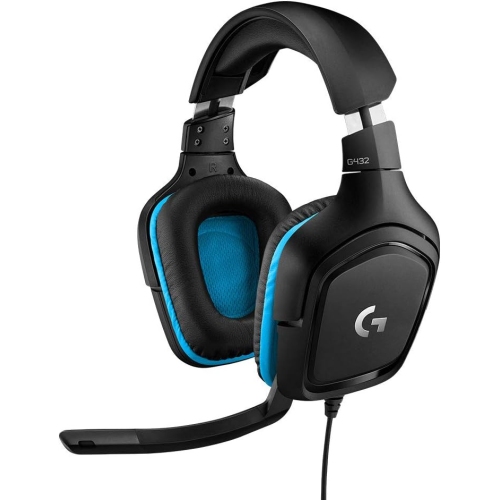
LOGITECH G432 7.1 Surround Sound Gaming Headset
About this product
A wired gaming headset delivering immersive 7.1 surround sound and clear audio for an enhanced experience.
What customers like
(1,414)$111.98Your price for this item is $111.98SAVE $11 -
6
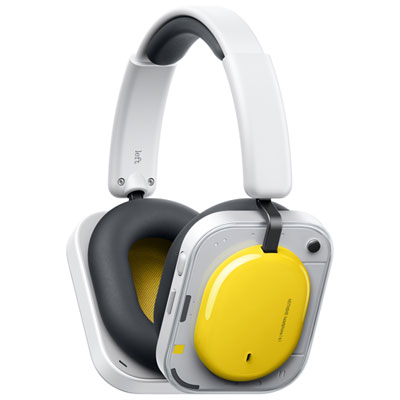
Nothing Headphone (a) Over-Ear Noise Cancelling Bluetooth Headphones - Yellow
About this product
A vibrant yellow over-ear Bluetooth headphone featuring adaptive noise cancelling and LDAC certified Hi-Res audio.
(5)$149.99Your price for this item is $149.99SAVE $100 -
7

LOGITECH Zone Over-Ear Noise Cancelling Sound Isolating Headphones With Mic - - (981-000876) In Black
About this product
A black over-ear USB headset with premium audio drivers and advanced noise-cancelling microphone technology.
(9)$146.99 Your price for this item is $146.99 -
8
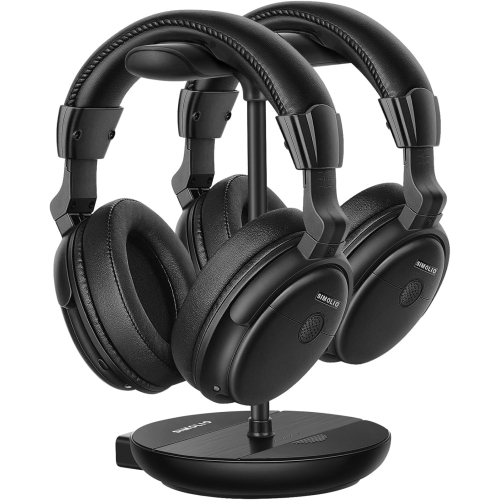
SIMOLIO Sm-829D2 Dual Wireless Tv Headphones With Charging Stand, Clear Dialogue & 164-Ft Range - In Black
About this product
A black dual-wireless TV headphone system with clear dialogue, volume boost, tone profiles, balance control, and 50-metre range.
(1)$189.99Your price for this item is $189.99SAVE $40 -
9
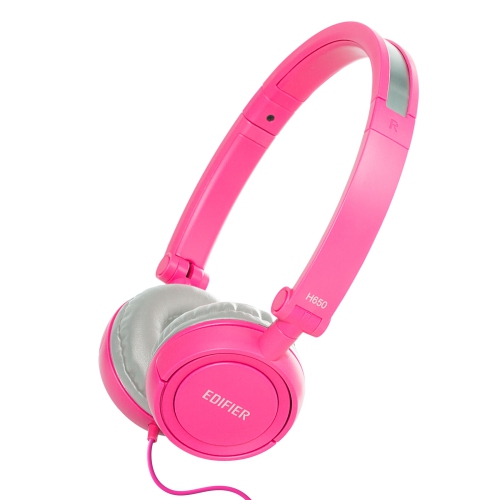
EDIFIER H650 On-Ear Headphones - Foldable And Lightweight Headphone - In Pink
About this product
A foldable, lightweight pair of pink on-ear headphones with noise isolation and comfortable leather earmuffs.
(1)$15.99Your price for this item is $15.99SAVE $20
FAQ
Look for a built-in or boom microphone, a connection type that matches your computer, and convenient mute and volume controls. For wireless headphones, consider battery life and charging options. Adjustable headbands and cushioned earcups are also worth considering for long meetings.
Wired headphones connect through USB or a compatible audio jack and generally do not need battery charging for basic call audio. Wireless headphones connect through Bluetooth or a USB receiver and offer freedom from an audio cable. Check that your computer supports the chosen connection for both sound and microphone input.
A boom microphone extends from an earcup towards your mouth and may be adjustable, detachable or retractable. Built-in microphones sit within the earcups or along the headphone cable for a more discreet design. Both styles are available on headphones with connections suitable for Zoom.
Common controls include volume adjustment, microphone mute and power. Some headphones also have call buttons or a flip-to-mute boom microphone. Integration with Zoom varies, so a headset's call button may not control meetings unless the model and its software support that function.
Bluetooth multipoint lets compatible headphones stay connected to more than one device, such as a laptop and a phone. Audio switching and call priority vary by model, and multipoint does not necessarily allow audio from both devices to play at once. In Zoom, you can select your headphones as the speaker and microphone in the audio settings.
Top selling and popular products
Discover more categories related to Best Headphones for Zoom
Some products may be subject to Environmental Handling Fees (EHF) depending on your province. Learn more about EHFs.