Best Headsets for Zoom Classes and Calls
Stay focused and sound clear with the best headsets for Zoom classes and calls, ranked by user review ratings. Whether you’re joining an online lecture, taking part in a group discussion, or catching up with colleagues, explore options with features such as clear microphones, comfortable ear cushions, and easy-to-use controls to find the right fit for your daily routine.
What to look for in headsets for Zoom classes and calls
1. Microphone Clarity
2. Comfort and Fit
3. Connectivity and Compatibility
4. Listening Features and Battery Life
-
1
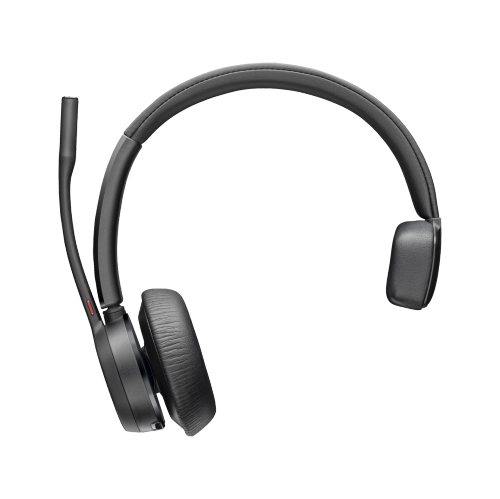
HPI POLY On-Ear Passive Noise Cancelling Truly Wireless Bluetooth 5.1 Headsets With Mic - (76U48Aa) In Black
About this product
An on-ear, black Bluetooth 5.1 headset with passive noise cancelling and built-in microphone for clear calls.
What customers like
(13)$184.99Your price for this item is $184.99SAVE $32 -
2
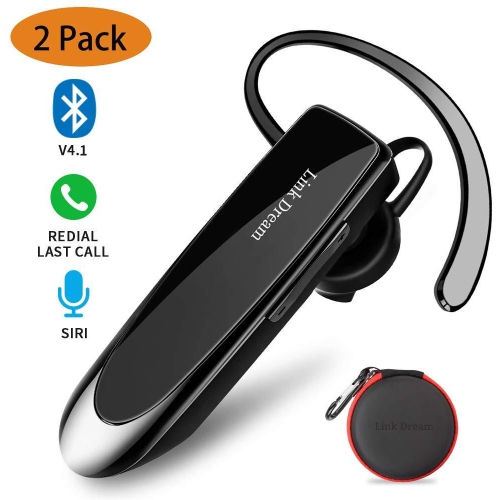
LINK DREAM Bluetooth Earpiece Wireless 4.2 Bluetooth Headset Driving Earphone With Noise Cancelling Microphone Handsfr
About this product
A wireless Bluetooth 4.2 earpiece featuring a noise-cancelling microphone for clear hands-free calls.
(1)$79.99 Your price for this item is $79.99 -
3
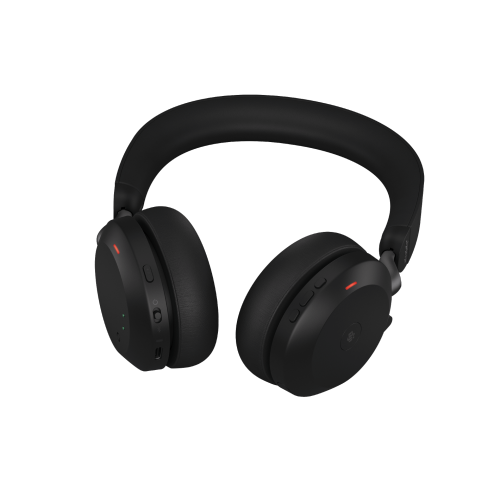
JABRA Evolve2 75 On-Ear Active Noise Cancelling Truly Wireless Bluetooth 5.2 Headsets With Mic (27599-999-999)
About this product
An on-ear wireless headset with active noise cancelling, Bluetooth 5.2, and a built-in microphone.
(1)$401.00 Your price for this item is $401 -
4
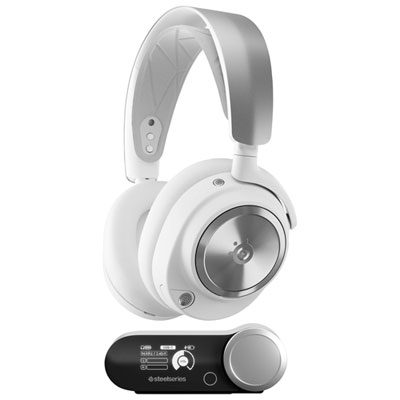
SteelSeries Arctis Nova Pro Wireless Gaming Headset for PC / PS4 / PS5 / Nintendo Switch - White
About this product
A wireless white headset with neodymium drivers, active noise cancellation, and customizable audio profiles for immersive gaming.
What customers like
(222)$499.99 Your price for this item is $499.99 -
5
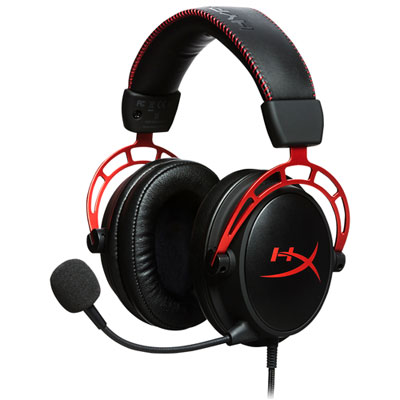
HyperX Cloud Alpha Over-Ear Gaming Headset for Xbox Series X|S / Xbox One / PC / PS4 / PS5 / Nintendo Switch - Black
About this product
A black over-ear gaming headset featuring dual chamber drivers, memory foam cushions, and supple leatherette.
What customers like
(2,496)$119.99 Your price for this item is $119.99 -
6
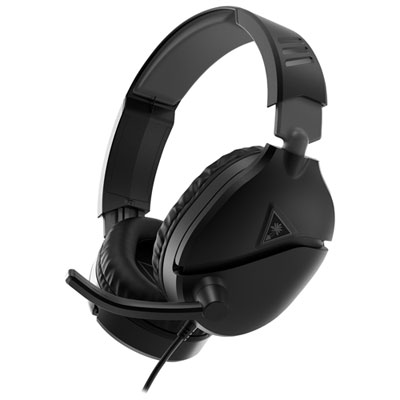
Turtle Beach Recon 70 Gaming Headset for Xbox Series X|S / Xbox One / PC / PS4 / PS5 / Nintendo Switch - Black
About this product
A black gaming headset featuring 40mm drivers, a high-sensitivity microphone, and comfortable padded ear cushions.
What customers like
(118)$49.99 Your price for this item is $49.99 -
7
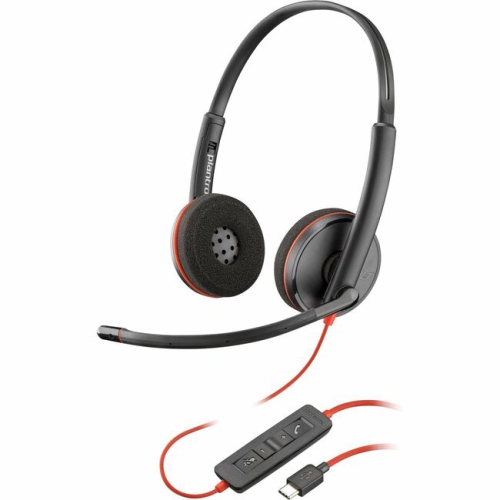
POLY 3220 Blackwire 3220 Stereo USB-C Headset + USB-C/a Adapter (Bulk) (8X228A6)
About this product
A black wired on-ear stereo headset with USB-C/A adapter, noise-canceling mic, and 3.5mm jack.
What customers like
(57)$70.37Your price for this item is $70.37SAVE $7 -
8
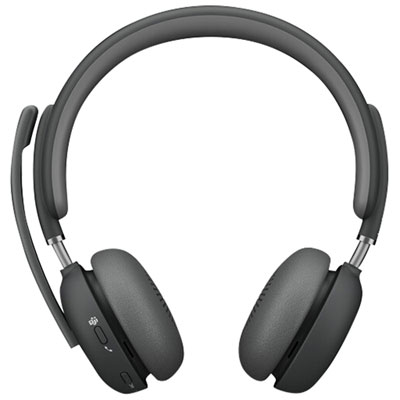
Logitech Zone 2 Bluetooth Wireless Headset with Microphone - Graphite
About this product
A graphite Bluetooth headset with four noise-cancelling microphones and hybrid ANC for clear communication.
(7)$360.99 Your price for this item is $360.99 -
9

CYBER ACOUSTICS 3.5MM Stereo Headset With Headphones And Noise Cancelling Microphone for PCs, Tablets, And Cell Phones
About this product
A stereo headset with noise-cancelling microphone and 3.5mm jack for versatile device compatibility.
(5)$27.37Your price for this item is $27.37SAVE $2 -
10
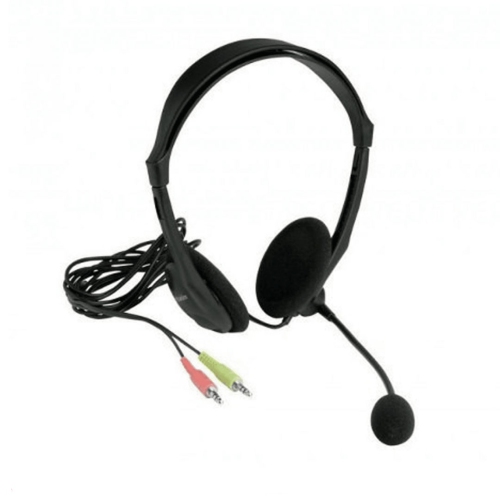
XTECH Americas Wired Headset With Microphone, 3. 5MM Plug, Adjustable Microphone Boom, On-Ear Design, Lightweight
About this product
A lightweight on-ear headset with adjustable boom microphone, 3.5mm plug, and in-line volume control.
$24.99 Your price for this item is $24.99
FAQ
Headsets can connect through USB-A, USB-C, a 3.5 mm audio jack, Bluetooth, or a dedicated wireless USB receiver. Check which connections your computer or mobile device supports. For 3.5 mm models, confirm that the audio port supports both headphones and a microphone.
Wired headsets connect through a cable and generally do not require separate charging for basic audio. Wireless headsets use Bluetooth or a USB receiver and typically have a rechargeable battery. Some wireless models also support wired audio, though this varies by headset.
Common options include boom microphones positioned beside the mouth, inline microphones built into a cable, and microphones integrated into the earcups. Boom microphones may be fixed, adjustable, retractable, or detachable, depending on the model.
Headsets may include volume buttons, a microphone mute switch, a power button, and call controls. Controls can be located on an earcup or an inline cable module. Integration with Zoom varies, so headset call buttons may not support every Zoom function.
Connect or pair your headset before opening Zoom. In the desktop app, open Settings, select Audio, and choose your headset under both Speaker and Microphone. During a meeting, you can also select audio devices from the menu beside the microphone icon. Menu names may vary by app version and device.
Top selling and popular products
Discover more categories related to Best Headsets for Zoom Classes and Calls
Some products may be subject to Environmental Handling Fees (EHF) depending on your province. Learn more about EHFs.