Best Gaming Mice

Find your next competitive edge with the best gaming mice, ranked by user review ratings. Whether you’re lining up precise shots or navigating fast-paced battles, the right mouse can help you stay comfortable and in control. Explore top-rated options and compare features such as adjustable sensitivity, programmable buttons, and ergonomic designs to find the right fit for your play style.

Read More

What to look for in gaming mice

1. Shape and Comfort

Choose a mouse that suits your hand size and preferred palm, claw or fingertip grip. Weight and shape affect how easily you can make quick movements, while left-handed or ambidextrous designs offer alternatives to right-handed models.

2. Sensor Performance

Look for consistent tracking and adjustable DPI so you can fine-tune cursor sensitivity. A higher polling rate can reduce input delay, though the benefit depends on your system and the games you play.

3. Connectivity and Battery Life

Wired gaming mice provide a connection without charging, while wireless models give you more freedom of movement. For wireless play, look for a low-latency connection, such as a compatible 2.4 GHz USB receiver, and check battery life and charging options.

4. Buttons and Customization

Extra programmable buttons can keep frequently used commands within reach, especially in MMO and strategy games. Check whether the mouse supports button remapping and onboard profiles, and confirm that its customization software works with your operating system.
  1. 1

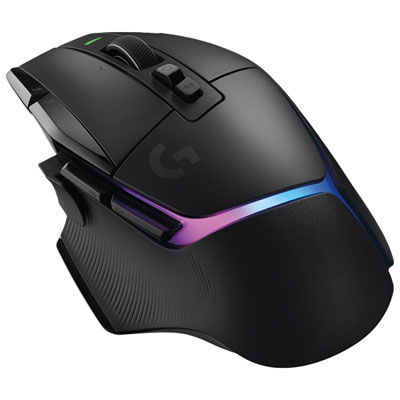
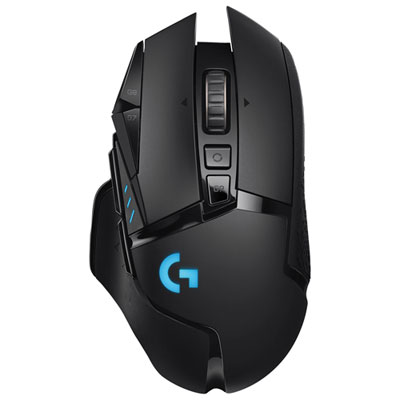
    Logitech G502 X PLUS 44000 DPI Wireless Optical Gaming Mouse - Black

    About this product

    A wireless gaming mouse in black with 25,000 DPI, hybrid Lightforce switches, and customizable RGB lighting.

    What customers like

    • Highly customizable buttons and settings
    • Precise and responsive sensor
    • Excellent wireless performance and battery life
    • Comfortable and ergonomic design
    • Attractive RGB lighting and premium build quality
    (1,194)
    $219.99 Your price for this item is $219.99
  2. 2

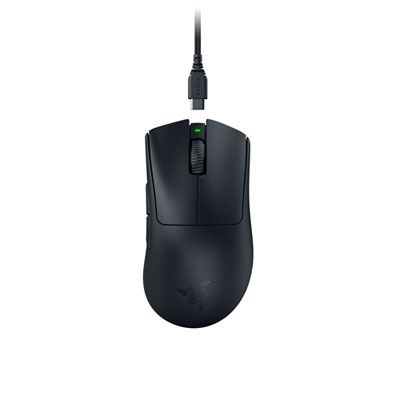
    Razer DeathAdder V3 Pro 30000 DPI Wireless Gaming Mouse - Black

    About this product

    An ultra-lightweight black wireless gaming mouse with 30000 DPI sensor and ergonomic right-handed design.

    What customers like

    • Ultra-lightweight and ergonomic design
    • Highly customizable features and software
    • Long-lasting rechargeable battery
    • Smooth gliding and responsive buttons
    • Exceptional sensor accuracy and precision
    (408)
    $109.99
    SAVE $14
    Your price for this item is $109.99
  3. 3

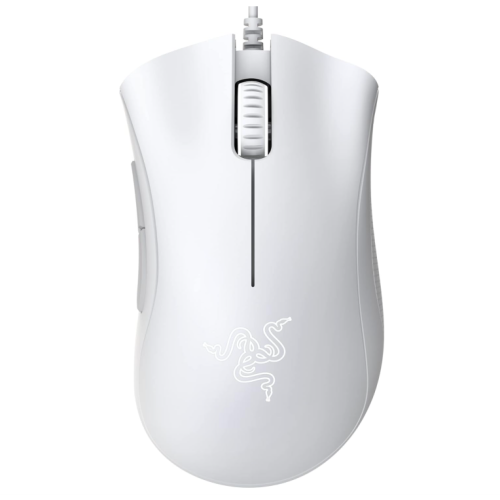
    RAZER Deathadder Essential Gaming Mouse: 6400 Dpi Optical Sensor - 5 Programmable Buttons - Mechanical Switches - Rubber Side Grips - Mercury

    About this product

    A white gaming mouse featuring a 6400 DPI optical sensor, five programmable buttons, and rubber side grips.

    What customers like

    • Long-lasting use
    • Trusted brand
    • Reliable performance
    (32)
    $42.90 Your price for this item is $42.90
  4. 4

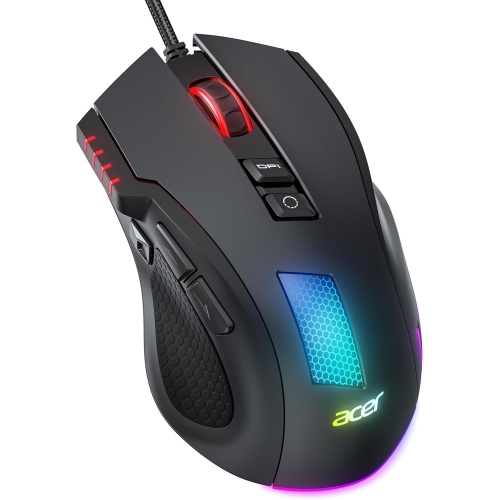
    ACER Wired Gaming Mouse, 12800 Dpi RGB Computer Mouse w High Optical Sensor, Ergonomic Mouse Customized 6 Programmable Buttons, 12 Backlights, And

    About this product

    An ergonomic wired gaming mouse with 12800 DPI, 6 programmable buttons, and customizable RGB backlighting.

    (10)
    $29.99
    SAVE $12
    Your price for this item is $29.99
  5. 5

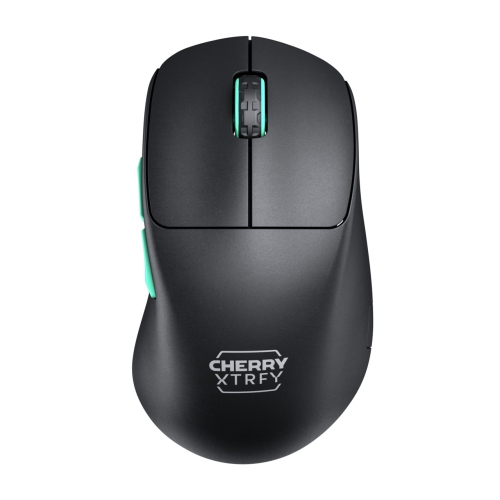
    CHERRY Xtrfy M64 Wireless Gaming Mouse In Black

    About this product

    A wireless black gaming mouse offering ergonomic design, ultra-light weight, and precise 2.4 GHz connectivity.

    (10)
    $139.99 Your price for this item is $139.99
  6. 6

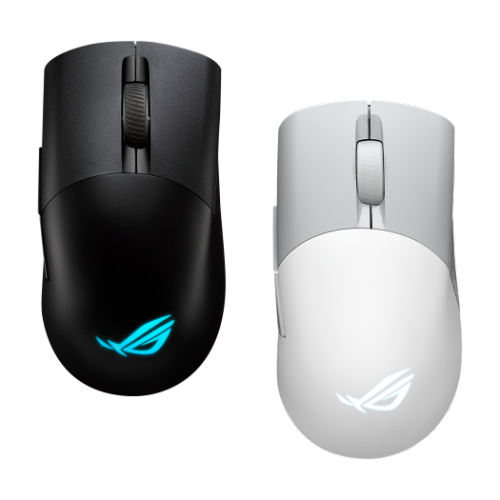
    ASUS Rog Keris Wireless Aimpoint Gaming Mouse – (P709) In Black

    About this product

    A sleek black wireless gaming mouse designed for precision and comfort during intense gaming sessions.

    (2)
    $87.00 Your price for this item is $87
  7. 7

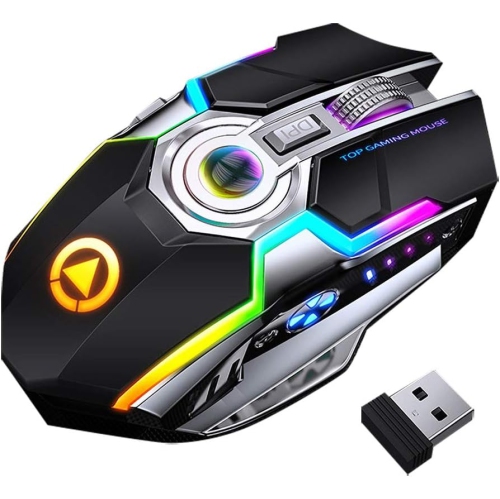
    RISOKEYS Wireless Lightweight Gaming Mouse Honeycomb w 7 Button Multi RGB Backlit Perforated Ergonomic Shell Optical Sensor Adjustable Dpi

    About this product

    A black wireless gaming mouse featuring a lightweight perforated shell, 7 buttons, RGB backlighting, and adjustable DPI.

    $48.99
    SAVE $39
    Your price for this item is $48.99
  8. 8

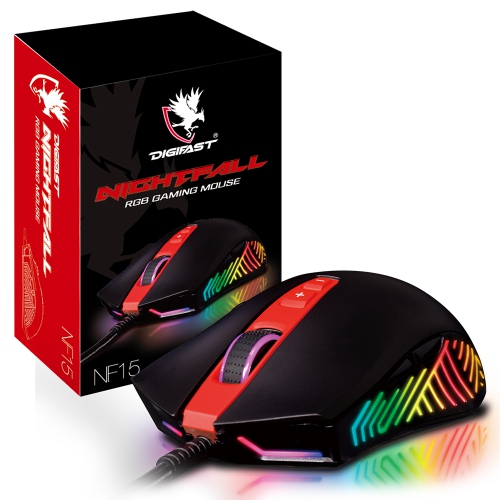
    DIGIFAST Nightfall RGB Gaming Mouse Nf15

    About this product

    A durable RGB gaming mouse featuring a 3D scroll wheel, textured grip, and 60 million click lifespan.

    $36.99 Your price for this item is $36.99
  9. 9

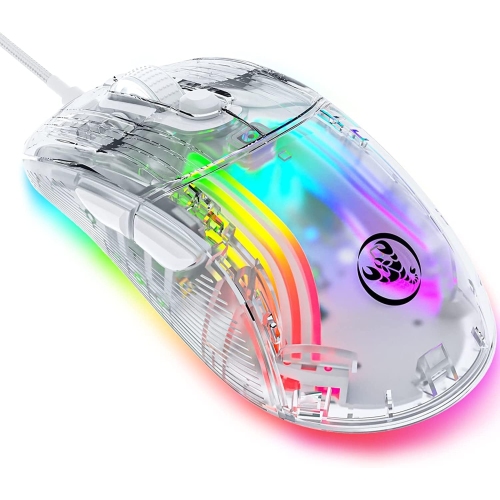
    DOLAER Ired PC Gaming Mouse w Transparent Chroma 3D RGB Lighting, 1, 2800 Max Dpi High Precision, Multi-Button Ergonomic Design, Wired Computer Mice For

    About this product

    A fully transparent wired gaming mouse featuring 3D RGB lighting, high-precision DPI, and ergonomic multi-button design.

    $16.99
    SAVE $15
    Your price for this item is $16.99
  10. 10

    ULTREND Ergobeam Wireless Rechargeable Gaming Mouse Mice Souris, RGB Backlit 7 Buttons 1600Dpi for PC Gamer Laptop Desktop Chromebook Mac

    About this product

    An ergonomic wireless gaming mouse featuring RGB backlighting, 7 buttons, and 1600DPI precision control.

    $70.00 Your price for this item is $70

Why mouse fit matters beyond the feature list

The best gaming mice combine a comfortable shape, consistent tracking, responsive clicks, and controls that suit the games being played. No single design is the best fit for every player: a lightweight mouse with a simple button layout serves a different purpose from a larger mouse with a full set of thumb controls. For first-person shooters, low weight and predictable movement can make repeated sweeps across a mouse pad feel less demanding, particularly at lower sensitivity settings. For massively multiplayer online games, extra programmable buttons can keep abilities, inventory commands, and communication shortcuts within reach. Strategy games and everyday play often benefit from a balance of precise pointer control, clearly defined scroll steps, and accessible side buttons. Fit matters just as much as the feature list. A palm grip rests much of the hand on the shell and often feels comfortable with a fuller profile, while a claw grip places more emphasis on the fingertips and the back of the palm. A fingertip grip leaves the palm largely clear of the mouse, making a compact, lighter body appealing to some players. Hand length, hand width, and the position of the side buttons all affect whether those shapes feel natural. A pronounced hump may provide welcome support for one person but restrict another person’s movements. Right-handed ergonomic shapes typically have sculpted sides and a sloping profile, whereas symmetrical designs offer a more balanced outline. Symmetry alone does not guarantee suitability for left-handed play, since side buttons may still appear only on the left side of the shell. During a long session, small details become noticeable: whether the ring finger has enough space, whether the thumb rests without pressing a button, and whether the main clicks are easy to reach without shifting grip. For gaming mice used for schoolwork or office tasks as well, those everyday comfort details can be more valuable than a long list of settings. A well-matched shape supports both controlled aiming and ordinary desktop navigation without making the hand work around the hardware.

Tracking performance depends on more than the largest sensitivity number printed in a specification list. An optical sensor reads movement across a surface, while DPI describes how much pointer movement corresponds to physical mouse movement. A broad adjustable DPI range allows different preferences, but reliable tracking at a comfortable setting is generally more useful than an exceptionally high maximum. Lower sensitivity can leave room for fine aiming adjustments through larger arm movements; higher sensitivity can suit smaller desk areas or players who prefer shorter motions. Polling rate describes how frequently the mouse reports to the computer. Higher rates can reduce the time between movement reports, although the practical benefit depends on the computer, display, game, and the player’s sensitivity to small changes. Very high polling settings may also increase processor demand and wireless battery use. Connection type is another meaningful distinction among gaming mice. Wired models provide a direct connection without a battery to recharge, with cable flexibility and desk routing affecting how freely they move. Wireless models remove cable drag and give more freedom when repositioning the mouse. A dedicated low-latency wireless receiver is generally better suited to fast-paced gaming than Bluetooth, while Bluetooth can be convenient for everyday tasks or switching between compatible devices. Battery life varies with lighting, polling settings, and usage, so charging arrangements matter alongside the stated runtime. Some wireless mice support play through a USB cable while charging; that capability depends on the design. Players interested in more detailed control options can explore Advanced Gaming Mice for features such as configurable button assignments, sensitivity profiles, and adjustable response settings. Onboard memory can retain supported settings when moving between computers, while companion software may provide broader customization. Operating system compatibility deserves attention because basic clicking and tracking may work even when certain software features do not. For shared workstations or tournament setups, the ability to keep familiar controls without repeating the setup process can be particularly useful.

Materials and construction shape how a gaming mouse feels after hours of use and how it holds up over time. Many shells use rigid plastic to keep weight manageable, with matte finishes, textured panels, or rubberized side grips adding different kinds of traction. Smooth surfaces allow easy finger repositioning, while textured sides can help maintain a steady hold during quick lifts and turns. Lightweight perforated shells reduce material in parts of the body, though their openings can collect dust more readily than closed designs. Neither a heavier build nor a lighter one automatically means greater durability; shell rigidity, button stability, scroll-wheel construction, and cable reinforcement all contribute. Mouse feet, often made from low-friction materials such as PTFE, influence glide across the pad. Their edges should move smoothly rather than catch, and accumulated debris can make an otherwise precise mouse feel uneven. A clean, consistent mouse pad surface helps support predictable movement, especially when the player frequently lifts and resets the mouse during wide aiming motions. Care is usually straightforward: disconnect or switch off the mouse before cleaning, follow the manufacturer’s directions, and use a soft cloth to remove surface marks. Avoid spraying liquid directly into buttons, seams, or the sensor opening. Keeping crumbs and dust away from the scroll wheel and underside can help preserve a smooth feel, while gentle cable storage avoids repeated strain near the connector. For travel between home, school, and gaming events, a protective pouch or case helps keep the shell and receiver from being knocked around in a bag. Gaming mice also make thoughtful gifts for PC players, provided the choice reflects the recipient’s hand size, preferred grip, connection needs, and favourite game genres. Someone who enjoys competitive shooters may appreciate a restrained layout and effortless glide, while an online role-playing fan may value several distinct thumb buttons. Adjustable lighting and colour choices can complement a desktop setup, but comfort and dependable control remain central. The most satisfying match is a mouse whose shape, movement, and button layout feel familiar enough to let attention stay on the game.
Read More

FAQ

Some products may be subject to Environmental Handling Fees (EHF) depending on your province. Learn more about EHFs.