Best ASUS Laptops

Finding the right laptop is easier with insights from other shoppers. Ranked by user review ratings, these top-rated laptops offer a starting point for comparing options for work, school, gaming, or everyday use. Explore the list to find the features and performance that suit your needs and budget.

What to look for in the best ASUS laptops

1. Performance and Everyday Use

Match the processor, memory, and graphics to your most demanding tasks, whether you’re browsing, studying, editing videos, or gaming. Consider at least 16 GB of RAM for multitasking and a dedicated graphics card for demanding games or creative software.

2. Display Quality

Compare screen size, resolution, and brightness to find a comfortable fit for work and entertainment. Select ASUS models offer OLED displays for deep contrast, while higher refresh rates can make fast-paced games look smoother.

3. Portability and Battery Life

Check the laptop’s weight and dimensions if you’ll carry it between classes, meetings, or trips. Battery life varies with the model, settings, and workload, so look for testing that reflects how you plan to use it.

4. Storage and Connectivity

Choose an SSD with enough capacity for your apps, files, and games, and check whether storage can be upgraded. Confirm that the laptop has the USB, HDMI, and audio connections you need, along with suitable Wi-Fi support; USB-C charging and external display support vary by model.
  1. 1

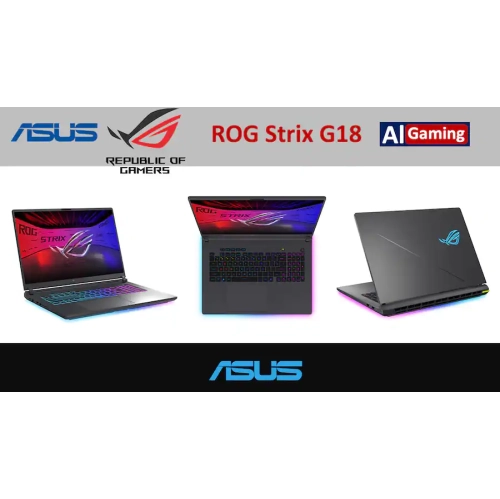
    ASUS Rog Strix G18 18" Gaming Laptop - Intel Core Ultra 9 290Hx Plus - Nvidia® Geforce Rtx 5060, 2.5K 300Hz/3Ms Rog Nebula Display - 32GB Ram, 1Tb

    About this product

    A gaming laptop with RTX 5060 graphics, 2.5K 300Hz display, 32GB RAM, and 1TB SSD.

    What customers like

    • Comfortable full-sized keyboard with responsive keys and customisable RGB lighting
    • Powerful gaming performance and fast frame rates
    • Effective, quiet cooling during demanding use
    • Bright, sharp display with smooth high-refresh-rate motion
    • Sturdy design with ample ports and easy upgrades
    (344)
    $2,899.00
    SAVE $1101
    Your price for this item is $2899
  2. 2

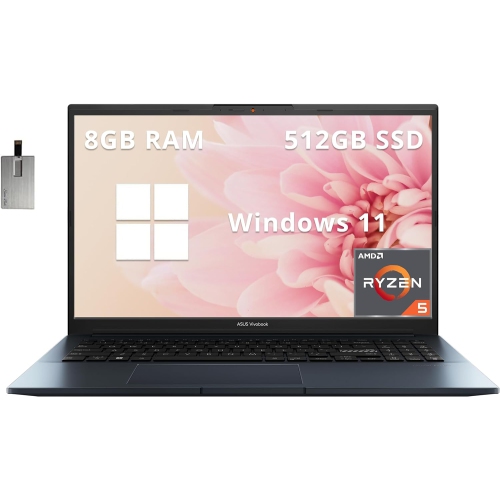
    ASUS Vivobook Pro 15 15.6" Fhd Laptop, Amd Ryzen R5 5600H, Nvidia Geforce Gtx 1650, 512GB SSD, 8GB Ram, Win 11 Home, Blue, 32GB Hotface USB Card

    About this product

    A powerful 15.6" FHD laptop with AMD Ryzen R5 5600H, Nvidia GeForce GTX 1650, and 512GB SSD.

    (6)
    $999.00
    SAVE $300
    Your price for this item is $999
  3. 3

    ASUS Vivobook Flip 14 14" HD Touchscreen 2-In-1 Laptop - Intel Celeron N4020 - 4GB Ddr4 - 128GB Emmc - Windows 10 Home S Mode

    About this product

    A versatile 2-in-1 laptop featuring a 14" HD touchscreen, Intel Celeron processor, and 128GB eMMC storage.

    (11)
    $939.55
    SAVE $49
    Your price for this item is $939.55
  4. 4

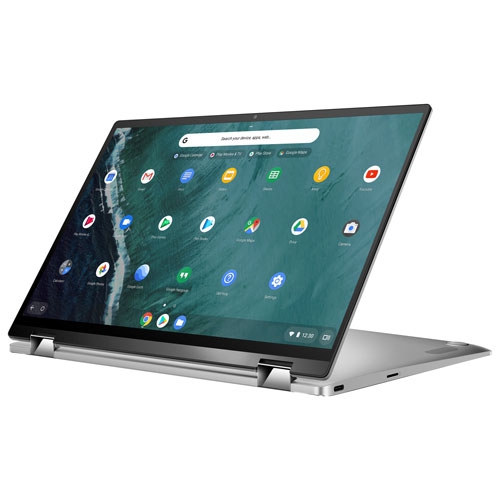
    ASUS Refurbished (Good) - Chromebook Flip 14" Touchscreen 2-In-1 - Intel Cm3-8100Y - 4GB Lpddr3 - 64GB Emmc - Chrome Os - In Silver

    About this product

    A versatile 2-in-1 laptop with a 14" touchscreen, Intel CM3-8100Y, 64GB eMMC, and 4GB RAM.

    What customers like

    • Versatile 2-in-1 functionality
    • Affordable price and good value
    • Strong performance and fast boot-up
    • Lightweight and portable design
    • Excellent touchscreen and display quality
    (60)
    $1,023.68
    SAVE $15
    Your price for this item is $1023.68
  5. 5

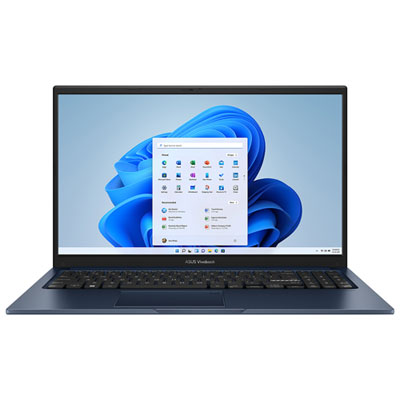
    ASUS Vivobook 15 15.6" Laptop - Intel Core 3 100U - 8GB DDR5 - 512GB SSD - Windows 11 Home - Quiet Blue

    About this product

    A sleek quiet blue laptop featuring an Intel Core 3 processor, 8GB RAM, and vivid FHD display.

    (19)
    $949.95 Your price for this item is $949.95
  6. 6

    ASUS Refurbished (Excellent) - Vivobook 15 15.6" Laptop - Quiet (Intel Core 3 100U/8GB Ram/512GB SSD/windows 11 Home) In Blue

    About this product

    A blue laptop offering smooth multitasking, FHD display, 8GB RAM, 512GB SSD, and Windows 11 Home.

    (1)
    $569.95
    SAVE $380
    Your price for this item is $569.95
  7. 7

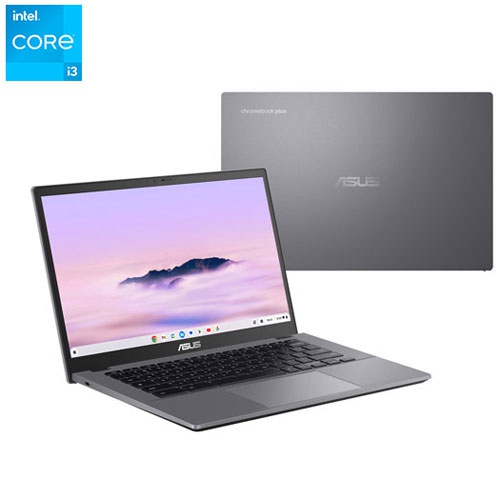
    ASUS - Cx34 14" Touchscreen Chromebook Plus - Intel Core I3-1315U - 8GB Lpddr5X - 128GB Ufs - Chromeos - Rocky In Grey

    About this product

    A portable touchscreen Chromebook with Intel Core i3 processor, 8GB RAM, and 128GB UFS storage.

    (1)
    $449.95
    SAVE $150
    Your price for this item is $449.95

Laptop performance means more when it fits your routine

The best laptops bring together performance, portability, and everyday comfort in a way that suits the person using them. For a student moving between lectures, the priorities may be a light chassis, a comfortable keyboard, and enough battery capacity to take notes without searching for a wall outlet. For someone working from home, a larger display, clear webcam, and dependable connections can matter more than shaving a few grams from a bag. Gaming and creative work place different demands on a computer: detailed graphics, complex timelines, and large project files benefit from stronger processing, capable graphics hardware, and cooling designed for sustained workloads. A processor handles everything from opening documents to running demanding applications, while memory helps keep active tasks responsive. For many everyday routines, 16 GB of memory provides useful room for browser tabs, video calls, and office applications; heavier creative projects, development tools, and demanding multitasking may benefit from 32 GB or more. A solid-state drive supports quick startup and file access, with the capacity needed depending on whether most files live online or include locally stored games, photos, and video. Integrated graphics can suit browsing, streaming, and general office work, while dedicated graphics may be valuable for gaming, 3D design, and applications that can use graphics acceleration. Hardware requirements vary by application, so compatibility matters as much as a specification on its own. Battery life also changes with screen brightness, wireless activity, performance settings, and workload; a long session of document editing is not equivalent to rendering video or playing a demanding game. Thin, light designs favour mobility, whereas larger systems may offer more space for cooling and connections. Neither approach is automatically better. The strongest match is a laptop that handles the tasks it will actually face, whether that means a quiet afternoon of research, a full schedule of meetings, or an evening spent editing footage.

Screen size and display quality shape almost every interaction with a laptop, from reading small text to arranging several windows side by side. A 13-inch or 14-inch display generally lends itself to a compact footprint, while a 15-inch or 16-inch screen offers more working space without necessarily becoming a permanent desk fixture. Larger formats can feel especially comfortable for detailed spreadsheets, immersive games, and creative applications with multiple tool panels, although the overall dimensions and weight still depend on the design. Resolution affects sharpness, but brightness, contrast, colour accuracy, and surface finish also influence how a screen looks in daily use. An OLED display can deliver deep blacks and strong contrast, while other panel types may suit shoppers who prefer different brightness characteristics or spend long hours with static content. For colour-sensitive work, stated colour coverage and calibration are more useful than a vivid appearance alone. A higher refresh rate can make motion look smoother, especially in games, although the experience also depends on graphics performance and the content being displayed. Touch input and a convertible hinge can add flexibility for handwritten notes, sketching, or presenting across a table, provided the software and any required pen are compatible. Desk use introduces another set of practical details. A laptop paired with an external display can keep a reference document visible beside a main workspace, and Best ASUS Monitors brings that larger-screen setup into focus. Connection support deserves attention because not every USB-C port carries video or accepts charging, and external display resolution and refresh rate depend on both the laptop and the connection. HDMI, USB-A, an audio jack, and a memory card reader may reduce the need for adapters, depending on the devices involved. Wi-Fi capability, a well-positioned webcam, clear microphones, and comfortable keyboard spacing round out a machine that feels practical through long calls, shared projects, and everyday browsing.

Build quality becomes particularly noticeable when a laptop travels regularly or sees hours of use each day. Metal chassis materials can provide a firm, refined feel, while well-designed plastic construction can also be durable and comfortable to carry. Material alone does not determine longevity: hinge stability, keyboard support, assembly quality, and sensible handling all contribute. A lid that opens smoothly, a palm rest without uncomfortable edges, and a touchpad that responds consistently are small details with a lasting effect on daily use. Fit extends beyond screen size to the whole routine, including whether the computer slides into a backpack sleeve, leaves room for a mouse on a compact desk, or feels manageable alongside its charger during a commute. Performance-focused laptops often require larger power adapters, so travel weight includes more than the computer itself. Cooling is another everyday consideration, particularly during the cooler months when working from a sofa or watching a film in bed can be tempting. A firm, flat surface helps keep ventilation openings clear; blankets and cushions can block airflow and trap heat. Routine care is straightforward: a soft microfibre cloth helps remove fingerprints, and cleaning should follow the manufacturer’s directions, with liquid never sprayed directly onto the laptop. A padded sleeve helps protect against scuffs in transit, while keeping drinks away from the keyboard reduces the chance of accidental damage. Regular software updates, secure sign-in settings, and file backups help protect the work stored inside. For a gift recipient, the most useful details are often familiar ones: the applications needed for school, the games played with friends, or the size that feels comfortable at a kitchen table. Someone taking up photography may value display accuracy and storage, while a frequent traveller may appreciate lower weight and convenient charging. Repair options, warranty terms, and whether memory or storage can be upgraded also affect long-term suitability. These practical differences help distinguish a laptop that merely looks impressive from one that remains comfortable and capable as daily needs change.

FAQ

Some products may be subject to Environmental Handling Fees (EHF) depending on your province. Learn more about EHFs.