Best Docking Stations for Multiple Monitors
Expand your workspace with the best docking stations for multiple monitors, ranked by user review ratings. Whether you’re comparing documents, managing spreadsheets, or switching between projects, a docking station can help connect your laptop to multiple displays and essential accessories. Explore options that suit your setup, and check compatibility with your laptop, monitor connections, and supported display resolutions before choosing.
What to look for in docking stations for multiple monitors
1. Computer Compatibility
2. Monitor Support
3. Ports and Connections
4. Power Delivery
-
1
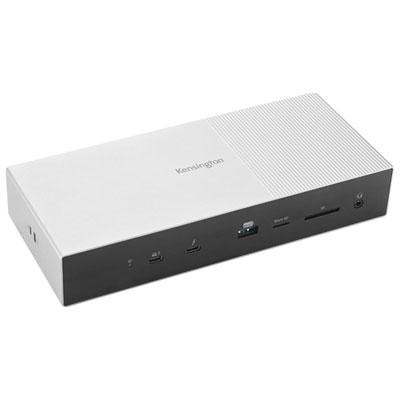
Kensington 11-Port Thunderbolt 5 Docking Station (K35201NA)
About this product
A silver docking station supporting multiple 4K monitors with 80Gbps data transfer and 140W charging.
(2)$539.95 Your price for this item is $539.95 -
2
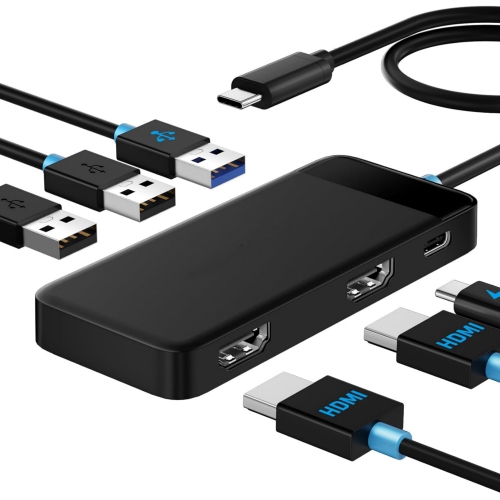
NIERBO Docking Station Dual Monitor - 6 In 1 USB C Hub W/ 4K HDMI 2, 5GBps USB 3.0 1, USB 2.0 2, USB C Pd 100W Fast Charging - Plug And Play
About this product
A versatile 6-in-1 USB-C hub offering dual 4K HDMI, fast charging, and multiple USB ports.
$41.99Your price for this item is $41.99SAVE $7 -
3
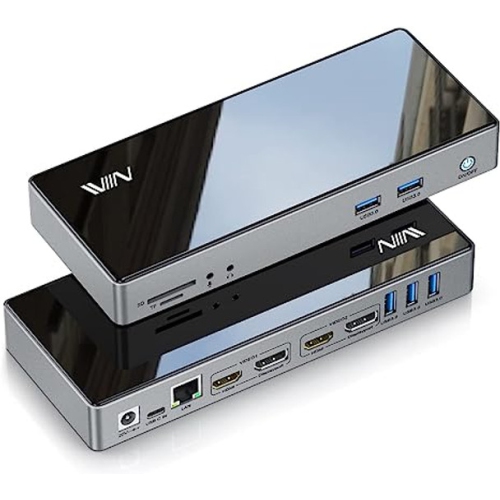
VIEWSONIC Ku334 Wired Keyboard, Plug And Play, Comfortable Design (English) In Black
About this product
A versatile docking station offering dual monitor support with 4K HDMI, 5K resolution, and fast USB 3.0 data transfer.
$199.99 Your price for this item is $199.99 -
4
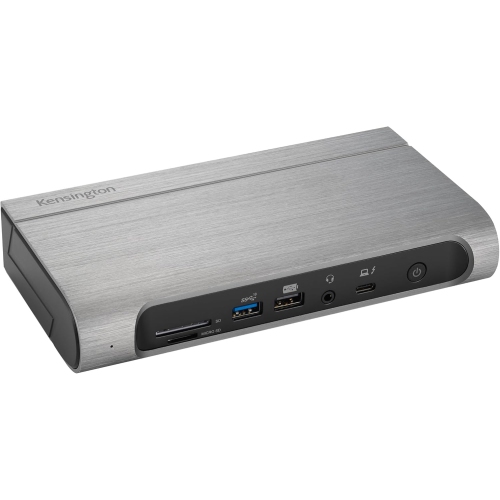
KENSINGTON Sd5800T Thunderbolt 4 And USB4® Quad Video Docking Station
About this product
A versatile docking station supporting Thunderbolt 4, USB4, and quad video output for enhanced connectivity.
$399.99 Your price for this item is $399.99 -
5
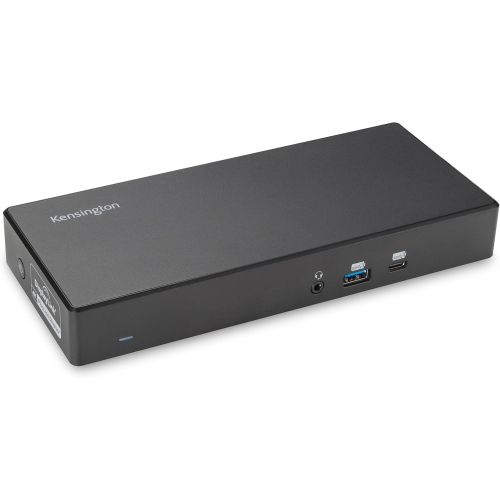
KENSINGTON Sd4782P Eq Universal Displaylink Docking Station, Dual 4K Video, 2Xhdmi, 2Xdisplayport, With 100W Power Delivery, Ethernet, Audio
About this product
A versatile docking station offering dual 4K video support, 100W power delivery, Ethernet, and audio connectivity.
$381.99 Your price for this item is $381.99 -
6
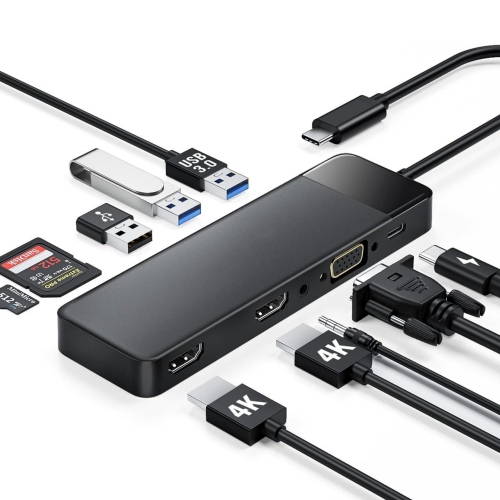
NIERBO USB C Docking Station for Laptop, 10 In 1 Triple Display Monitors Adapter W/4K Dual HDMI, 1080P VGA, 3 USB 3.0/2.0, Tf/sd 2.0, 3.5MM Audio
About this product
A versatile 10-in-1 USB-C docking station supporting triple displays, 4K HDMI, VGA, USB, and audio connections.
$89.99Your price for this item is $89.99SAVE $39 -
7
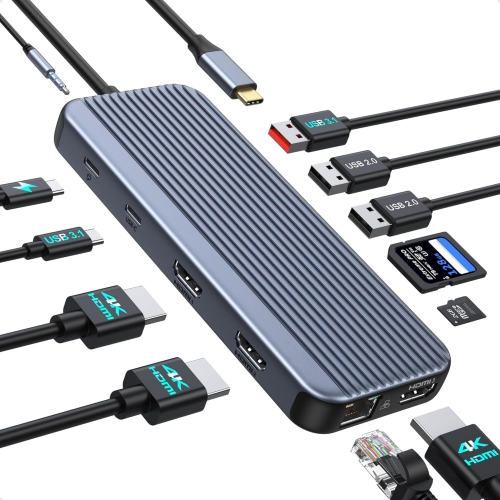
NIERBO USB C Docking Station Monitors, 12 In 1 Docking Station Dual Monitor, Laptop Docking Station 3 HDMI w 10GBps USB A/c 3.1, USB 2.0, 100W
About this product
A versatile 12-in-1 docking station with triple 4K HDMI, 10Gbps USB 3.1, Ethernet, and 100W PD charging.
$139.99Your price for this item is $139.99SAVE $60 -
8
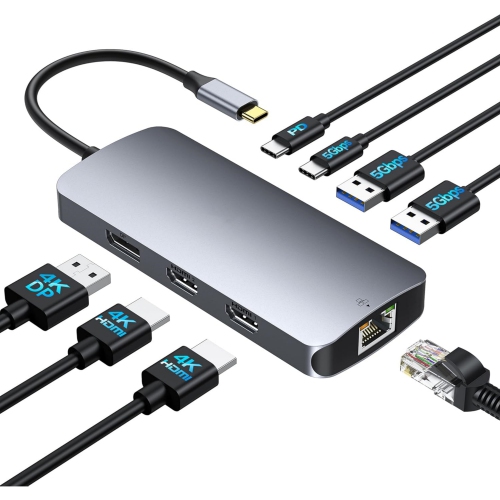
NIERBO USB C Docking Station 3 Monitors Triple 4K Display w 2 HDMI, Displayport, 1 GBps Ethernet, 100W Pd Charging, USB 3.0 Ports Adapter for Dell
About this product
A versatile USB-C docking station supporting triple 4K displays, 100W PD charging, Ethernet, and USB 3.0 ports.
$99.99Your price for this item is $99.99SAVE $43 -
9
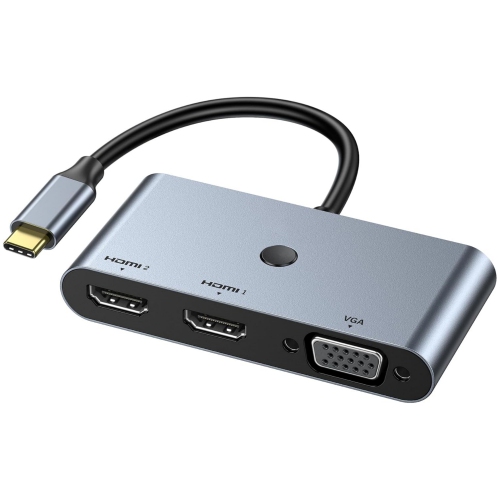
NIERBO USB C Docking Station 3 Monitors, USB C to Dual HDMI VGA Adapter w One-Touch Multi-Screen Switch And Screen On/off Button, HDMI Splitter
About this product
A versatile USB-C docking station with dual HDMI, VGA, and one-touch multi-screen switching for enhanced productivity.
$79.99Your price for this item is $79.99SAVE $35 -
10
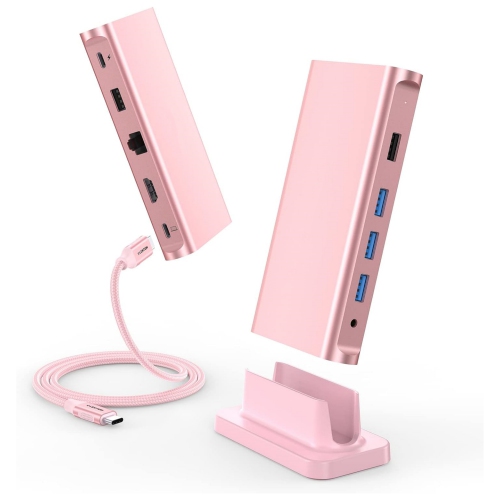
NIERBO USB C Docking Station 100W Pd, 4K HDMI, Gigabit Ethernet Dock, USB 3.0/2.0 & Aux Hub 2022-2016 Macbook Pro, Mac Air/surface, Steam
About this product
A versatile USB-C docking station offering 100W PD, 4K HDMI, Gigabit Ethernet, and multiple USB ports.
$269.99Your price for this item is $269.99SAVE $116
FAQ
Look for a docking station with enough video outputs for your monitors, such as HDMI or DisplayPort. Check the supported number of displays, resolution and refresh rate when all monitors are connected. Also confirm compatibility with your laptop’s ports and operating system, along with any USB, Ethernet, audio or laptop charging connections you need.
Yes, compatible docking stations can let you show different content on each monitor rather than mirror the same image. Support depends on your laptop, operating system and the dock’s display technology. Check that the dock supports extended displays with your particular computer, especially if you use a Mac.
USB-C describes a connector, but its video capabilities vary by laptop and dock. Many USB-C docks require a host port that supports DisplayPort Alt Mode. Thunderbolt docks use compatible Thunderbolt connections to carry video and data, while DisplayLink docks use USB graphics technology and typically require software. The number of supported monitors depends on both the dock and your computer.
Yes, but compatibility depends on the MacBook model, processor and dock. macOS does not support separate extended displays through the Multi-Stream Transport technology used by many USB-C docks. A compatible Thunderbolt dock may support multiple extended displays within the MacBook’s native display limits, while some DisplayLink docks can add displays through installed software.
Many docking stations support laptop charging through USB Power Delivery, allowing one compatible USB-C or Thunderbolt cable to carry power, video and data. Your laptop must support charging through that port, and the dock’s power output should match your laptop’s requirements. Some docks include a power adapter, while others require a separate compatible charger.
Top selling and popular products
Discover more categories related to Best Docking Stations for Multiple Monitors

Some products may be subject to Environmental Handling Fees (EHF) depending on your province. Learn more about EHFs.