Best Electronics for College Students

Get ready for campus life with the best electronics for college students, ranked by customer review ratings. Whether you’re taking notes, tackling assignments, or relaxing between classes, explore highly rated options to help you stay productive, connected, and entertained throughout the school year.

Read More

What to look for in electronics for college students

1. Course Requirements and Compatibility

Check your program’s hardware and software requirements before choosing a laptop or other devices. A laptop that runs your required applications is a practical starting point, while a tablet can complement it for reading and handwritten notes.

2. Portability and Battery Life

Look for lightweight devices that fit comfortably in your bag and offer enough battery life for classes and study sessions. Keep in mind that battery life varies with screen brightness, applications and usage.

3. Connectivity and Study Essentials

Check for Wi-Fi support and the ports you need for monitors, storage and accessories. Headphones with noise cancellation can help limit distractions, while a clear microphone and webcam are useful for online classes and group projects.

4. Budget and Long-Term Value

Prioritize the devices you need most, and include the cost of software, adapters and protective cases in your budget. Compare warranty coverage, repair options and available memory or storage upgrades to find electronics that can serve you throughout your studies.
  1. 1

    Best Buy Essentials DisplayPort to HDMI Adapter (BE-PADPHD-C) - Only at Best Buy

    About this product

    A compact black adapter that connects DisplayPort computers to HDMI displays with Full HD 1080p resolution.

    What customers like

    • Delivers clear picture quality
    • Affordable and cost-effective
    • Versatile and compatible
    • Works as advertised
    • Easy to use and set up
    (1,312)
    $19.99 Your price for this item is $19.99
  2. 2

    LENOVO 100E 2Nd Gen 11.6" Chromebook Student - Mediatek Mt8173C 2.1Ghz - 4GB Lpddr3 - 32GB SSD - Chrome Os - In Black

    About this product

    A durable black Chromebook with 11.6" display, 4GB RAM, and Chrome OS for classroom use.

    What customers like

    • Long battery life
    • Durable and rugged build
    • Affordable price
    • Fast performance and quick startup
    • Lightweight and portable
    (1,284)
    $499.99
    SAVE $200
    Your price for this item is $499.99
  3. 3

    MICROSOFT Refurbished (Good) - Surface Pro 6 12.3" 128GB Windows 10 Tablet With 8Th Gen Intel Core I5 -Platinum

    About this product

    A refurbished platinum tablet featuring an 8th Gen Intel Core i5, 128GB storage, and Windows 10.

    What customers like

    • Versatile 2-in-1 functionality
    • Lightweight and highly portable
    • Strong performance and speed
    • High-quality display and touch response
    • Excellent battery life
    (1,268)
    $699.00 Your price for this item is $699
  4. 4

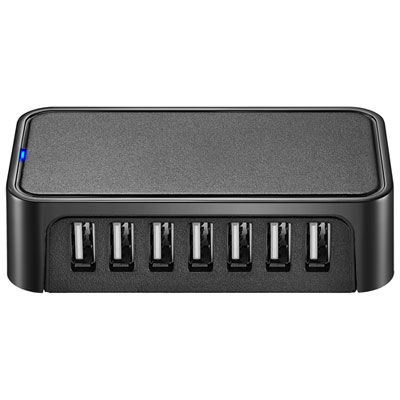
    Best Buy Essentials 7-Port USB 2.0 Hub (BE-PH2A7AP-C) - Only at Best Buy

    About this product

    A compact black hub with 7 USB 2.0 ports for easy, high-speed device connectivity and portability.

    What customers like

    • Compact and portable design
    • Provides ample USB ports
    • Affordable and great value
    • Reliable and sturdy build
    • Easy plug-and-play functionality
    (1,067)
    $29.99 Your price for this item is $29.99
  5. 5

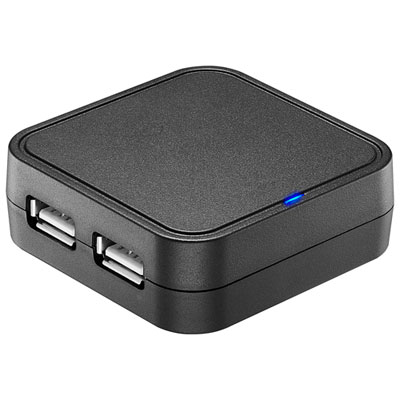
    Best Buy Essentials 4-Port USB 2.0 Travel Hub (BE-PH2A4AT-C) - Only at Best Buy

    About this product

    A black travel hub with four USB 2.0 ports for connecting and charging multiple devices.

    What customers like

    • Provides multiple convenient USB ports
    • Easy plug-and-play setup
    • Affordable price
    • Reliable functionality and stable connections
    • Compact and portable
    (979)
    $14.99 Your price for this item is $14.99
  6. 6

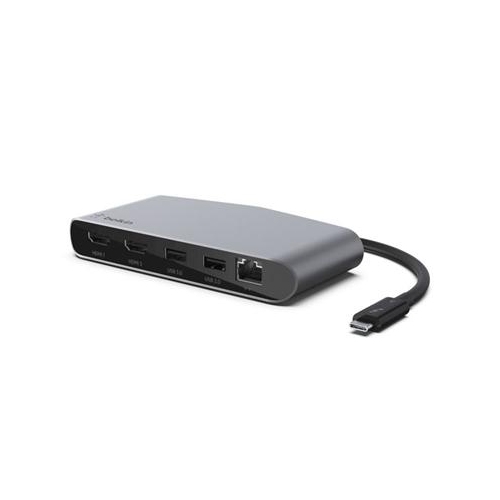
    BEST DEALS PLUS INC Thunderbolt3 Mini Dock Wdual4K

    About this product

    A compact Thunderbolt 3 mini dock offering dual 4K HDMI connectivity for enhanced workstation setups.

    What customers like

    • Multiple ports for versatile connectivity
    • Compact and portable design
    • Easy setup and installation
    • Solid build quality
    • Supports dual 4K monitors
    (424)
    $209.68 Your price for this item is $209.68
  7. 7

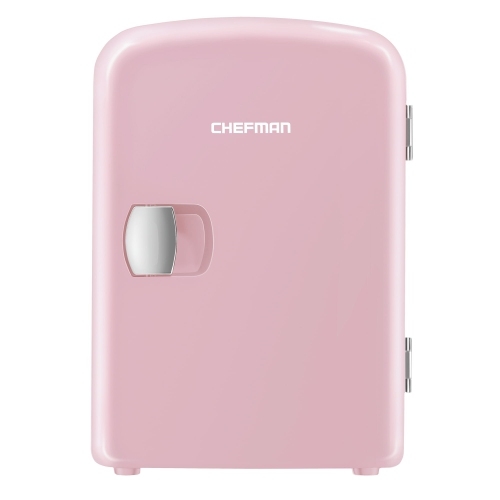
    CHEFMAN Portable 4L Mini Fridge W/ Heating And Cooling - In Pink

    About this product

    A compact pink mini fridge that both cools and heats food, drinks, or skincare products.

    What customers like

    • Convenient for car and travel use
    • Portable and lightweight
    • Compact size fits small spaces
    • Quiet operation
    • Dual cooling and warming functions
    (24)
    $59.99 Your price for this item is $59.99
  8. 8

    HP 14" Student Laptop - Intel Processor N150 - 4GB Ddr4 - 128GB Ufs - Windows 11 Home In S Mode - In Pink

    About this product

    A lightweight pink laptop with Intel N150 processor, 4GB memory, 128GB UFS, Wi-Fi 6, and Bluetooth.

    (5)
    $369.99
    SAVE $130
    Your price for this item is $369.99
  9. 9

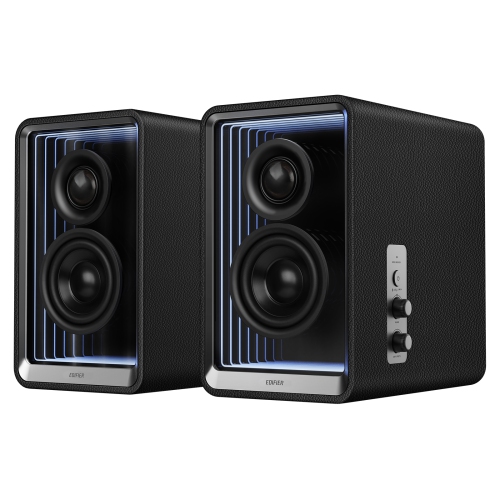
    EDIFIER Qr65 Active Monitor Speakers With Gan Charger, Wireless Audio Bluetooth Computer Speakers

    About this product

    A powerful pair of Bluetooth speakers with Hi-Res audio, customizable RGB lighting, and multiple input options.

    (3)
    $499.99 Your price for this item is $499.99
  10. 10

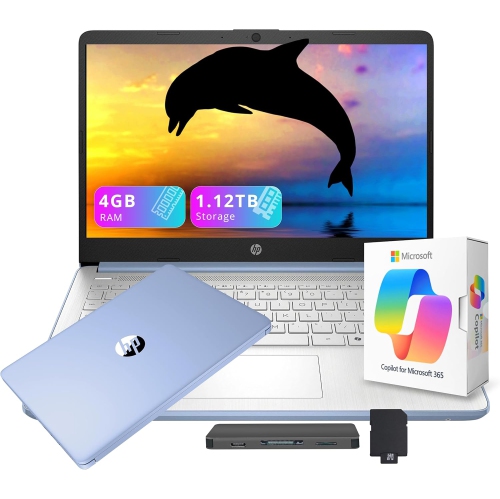
    HP 14" HD Student & Business Laptop w Ai Copilot - Intel Processor N150 - 4GB Ddr4 - 128GB Ufs + 1Tb Docking Station - Windows 11 S - - Includes 1

    About this product

    A versatile blue laptop with 13th Gen Intel processor, AI Copilot, 1.12TB storage, and Office 365.

    (2)
    $449.00
    SAVE $110
    Your price for this item is $449

A student setup that fits your coursework and commute

The best electronics for college students combine dependable performance, comfortable everyday use, and portability that suits life between classes, the library, and home. A practical student setup often centres on a laptop for coursework, with headphones, charging accessories, and storage adding support for busy days and larger projects. The right balance depends on the program: writing essays and building presentations place different demands on a computer than editing video, modelling structures, or running scientific software. For research, online lectures, and general assignments, a laptop with a 13-inch or 14-inch screen can offer a useful balance of readable workspace and manageable weight. Memory requirements vary by application, though 16GB can provide more room for multitasking than 8GB when several documents, browser tabs, and a video call are open together. Program-specific software requirements remain important, particularly when a course calls for a particular operating system, graphics capability, or processor. Solid-state storage helps applications and files open quickly, while storage capacity matters for students keeping media files, design work, or large datasets locally. Battery life deserves attention beyond an advertised maximum, since screen brightness, video meetings, and demanding applications affect how long a charge lasts. A comfortable keyboard, a responsive trackpad, and a screen with clear text can make a noticeable difference during an evening spent revising a paper. Matte displays can help reduce distracting reflections, while adjustable brightness makes it easier to move between bright classrooms and quieter study spaces. Construction also matters when a laptop travels daily: a sturdy hinge, a well-fitted chassis, and a padded sleeve help support regular use. Metal and plastic housings each vary in weight and rigidity, so build quality matters more than the material name alone. Students commuting with textbooks and lunch may appreciate a lighter machine, while those working mainly at a desk may prefer a larger display and more connection ports.

Supporting electronics can make that main computer easier to use without duplicating its role. A tablet with compatible stylus support can be useful for handwritten equations, annotated readings, and diagrams, especially when lecture notes mix text with sketches. Screen size, stylus comfort, palm rejection, and the way notes transfer to a laptop all influence its usefulness. Tablets can complement a coursework computer, but they may not run every desktop application required by a program. For reading lengthy articles or comparing sources, an external monitor adds space that a small laptop screen cannot provide. Text clarity, an adjustable stand, and suitable connection ports matter more for everyday study than a long list of display features. A separate keyboard and mouse can also make a desk setup more comfortable, particularly when the laptop is raised to a better viewing height. In shared rooms, headphones or earbuds offer a more personal way to follow lectures, practise a language, or enjoy music without filling the space with sound. Active noise cancellation can reduce steady background noise, such as ventilation or bus rumble, although it does not remove every voice or sudden sound. Over-ear designs distribute contact around the ears, while earbuds take up less bag space; fit, cushioning, and listening comfort are especially relevant during longer sessions. Replaceable ear tips and adjustable headbands can help accommodate different preferences, and keeping volume moderate supports safer listening habits. A clear microphone is useful for group presentations and remote appointments, whether built into a headset or used separately at a desk. Wireless connections keep cables out of the way, while wired connections avoid the need to charge another device. Bluetooth compatibility, Wi-Fi support, and available ports should work with the equipment already in use. A hub can connect a monitor, storage, and input devices through one compatible port, but its supported display resolution, data speeds, and charging capabilities need to match the intended setup. These details become especially useful when a small residence desk serves as both a study station and a place to unwind.

Power and file storage round out a student setup by addressing two familiar interruptions: a low battery before the last class and an assignment that exists in only one place. A portable charger can help keep a phone or other compatible device running during a long commute or a day of back-to-back lectures. Capacity, measured in milliamp-hours, gives some indication of stored charge, but actual charging results depend on the connected device and power lost during transfer. A capacity of 10,000mAh or more can be useful for mobile devices, while laptop charging also requires suitable wattage, compatible charging standards, and an appropriate cable. A USB-C connector alone does not guarantee that a charger can power every USB-C device. Compact wall chargers and durable cables are useful companions, particularly when outlets are limited or tucked behind furniture. Students carrying their setup across campus can find related options among portable electronics for college students, where manageable size and weight suit study away from a permanent desk. External solid-state drives offer compact storage for project files and can form part of a backup routine, but a file moved off a laptop onto one drive still exists in only one location. Keeping an additional copy, whether on another drive or through a suitable cloud service, helps protect work against loss or device failure. Everyday care helps electronics withstand student routines: carrying devices in separate padded compartments, keeping drinks away from keyboards, and following manufacturer cleaning directions can prevent avoidable damage. Cables last better when loosely coiled rather than tightly bent at the connector, and charging equipment should have ventilation instead of being covered by bedding. During the cooler months, allowing a cold device to reach room temperature before use can help avoid problems from condensation. Electronics can also be thoughtful gifts for students starting a program, moving into residence, or improving an established study space. Compatibility with existing devices, the recipient’s course requirements, and their preferred way of working make those gifts more useful long after the first assignment is submitted.
Read More

FAQ

Some products may be subject to Environmental Handling Fees (EHF) depending on your province. Learn more about EHFs.