Best Mice for Mac
Find the best mice for Mac to bring comfort and precision to your everyday tasks. Ranked based on user review ratings, this selection makes it easy to explore highly rated options for work, study, and creative projects. Compare features such as wireless connectivity, customizable buttons, and ergonomic designs to find the right fit for your Mac setup.
What to look for in mice for Mac
1. Mac Compatibility
2. Connectivity and Power
3. Comfort and Fit
4. Tracking and Controls
-
1
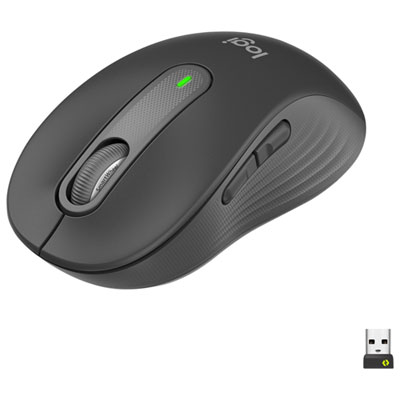
Logitech Signature M650 Wireless Optical Mouse - Graphite
About this product
A comfortable graphite wireless optical mouse with SmartWheel scrolling and customizable buttons for precise control.
What customers like
(754)$44.99Your price for this item is $44.99SAVE $15 -
2
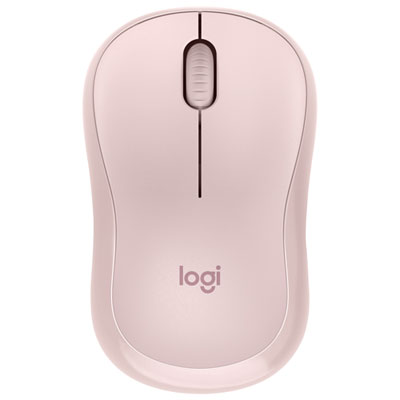
Logitech M220 Silent 1000 DPI Wireless Optical Mouse - Rose
About this product
A wireless rose mouse offering silent clicks, 1000 DPI precision, and ambidextrous comfort for any user.
What customers like
(1,081)$19.99Your price for this item is $19.99SAVE $5 -
3
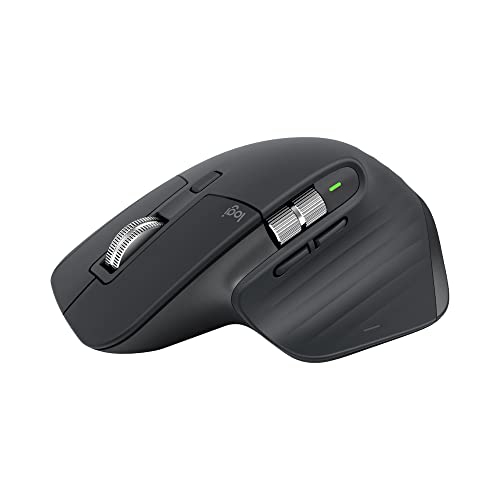
LOGITECH Mx Master 3S - Wireless Performance Mouse With Ultra-Fast Scrolling, Ergo, 8K Dpi, Track On Glass, Quiet Clicks
About this product
An ergonomic graphite wireless mouse featuring ultra-fast scrolling, 8K DPI tracking on glass, and quiet clicks.
What customers like
(986)$158.75 Your price for this item is $158.75 -
4
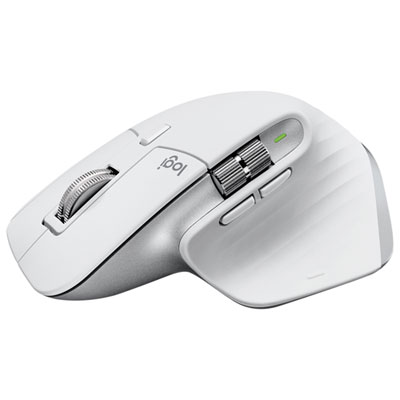
Logitech MX Master 3S Wireless Darkfield Mouse - Pale Grey
About this product
A wireless pale grey mouse offering precision tracking, fast scrolling, and multi-device Bluetooth connectivity.
What customers like
(1,110)$159.95 Your price for this item is $159.95 -
5
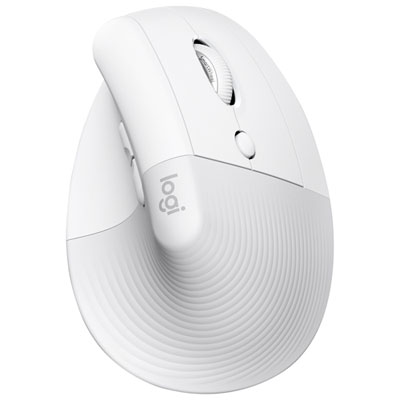
Logitech Lift Ergonomic 4000 DPI Wireless Mouse for Mac - Off-White
About this product
An ergonomic off-white wireless mouse with 4000 DPI, designed for Mac users to reduce wrist strain.
What customers like
(356)$79.99Your price for this item is $79.99SAVE $30 -
6
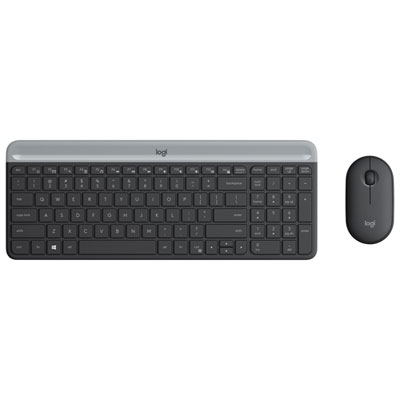
Logitech MK 470 Slim Wireless Optical Keyboard & Mouse Combo - Black
About this product
A sleek black wireless combo featuring an ultra-slim, quiet keyboard and precision optical mouse.
What customers like
(1,639)$69.99 Your price for this item is $69.99 -
7
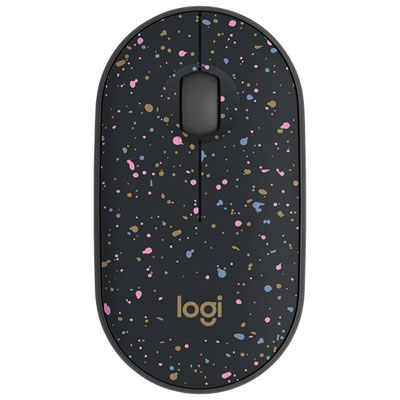
Logitech M340 1000 DPI Wireless Optical tracking Mouse - Speckles
About this product
A lightweight wireless mouse with Silent Touch Technology and a speckled finish for quiet, comfortable use.
What customers like
(102)$17.99 Your price for this item is $17.99 -
8
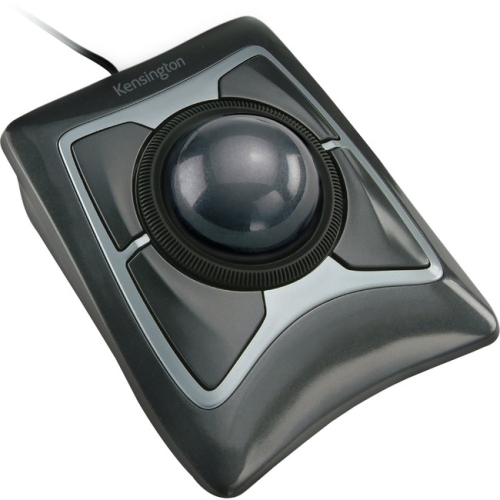
ACCO Kensington Expert Mouse Wired Trackball K64325 - Black/silver, PC/mac Compatible
About this product
A wired optical trackball offering precise cursor control and comfort, compatible with PC and Mac in black and silver.
(19)$88.99Your price for this item is $88.99SAVE $15 -
9
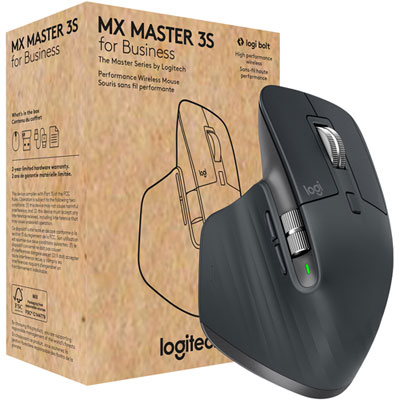
Logitech MX Master 3S Business Wireless Mouse - Graphite
About this product
A graphite wireless mouse with an 8,000dpi sensor for precise tracking on any surface.
(12)$161.99 Your price for this item is $161.99 -
10
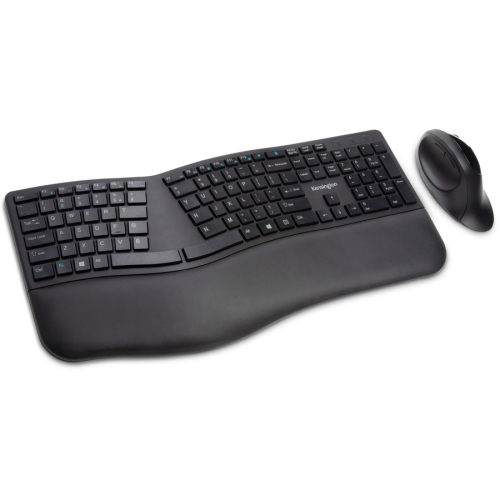
KENSINGTON Pro Fit Wireless Bluetooth Ergonomic Keyboard And Mouse - - (K75406Us) In Black
About this product
A wireless ergonomic keyboard and mouse set in black, compatible with PC and Mac via Bluetooth or RF.
(5)$80.99Your price for this item is $80.99SAVE $14
FAQ
Check that the mouse supports your version of macOS and has a connection type your Mac accepts, such as Bluetooth or USB. Basic pointing and clicking often work without extra software, while custom buttons, scrolling options and other advanced features may require Mac-compatible software.
Turn on the mouse and put it in pairing mode, then open System Settings on your Mac and select Bluetooth. Choose the mouse from the list of nearby devices and follow any prompts. The exact pairing steps can vary by mouse.
Some mice have touch-sensitive surfaces that support gestures such as swiping between pages or scrolling. Others use buttons or scroll wheels for navigation. Available gestures depend on the mouse, your macOS version and any companion software.
macOS includes settings for tracking speed, scrolling direction and secondary clicking, depending on the connected mouse. Mice with additional programmable buttons may need Mac-compatible software to assign shortcuts or app-specific commands. Check whether the software supports the features you want to customize.
Bluetooth mice connect wirelessly without occupying a USB port. USB receiver mice use a small receiver plugged into your Mac, while wired mice connect through a cable and draw power from the USB connection. For receiver-based or wired options, check whether the connector is USB-A or USB-C and whether your Mac needs an adapter.
Top selling and popular products
Discover more categories related to Best Mice for Mac

Some products may be subject to Environmental Handling Fees (EHF) depending on your province. Learn more about EHFs.