Best RGB Gaming Mice

Add a splash of colour to your setup with the best RGB gaming mice, ranked by user review ratings. Whether you’re aiming for precision in fast-paced matches or comfort during longer sessions, explore options with customizable lighting, responsive tracking, and programmable buttons to find the right fit for your play style.

Read More

What to look for in RGB gaming mice

1. Sensor Performance

Look for accurate tracking, adjustable DPI settings and a polling rate suited to your games. A high maximum DPI alone does not guarantee better performance; consistent tracking and sensitivity control matter more.

2. Shape and Weight

Choose a mouse that suits your hand size and preferred palm, claw or fingertip grip. Lightweight designs can make quick movements easier, while well-placed programmable buttons provide convenient access to in-game commands.

3. Connectivity and Battery Life

Wired mice offer a straightforward connection without charging, while wireless models give you more freedom of movement. For wireless gaming, look for a low-latency connection and check battery-life estimates with RGB lighting enabled.

4. RGB Lighting and Software

Compare lighting zones, effects and compatibility with your existing RGB accessories. Check whether the customization software supports your operating system and whether onboard memory can save your preferred settings.
  1. 1

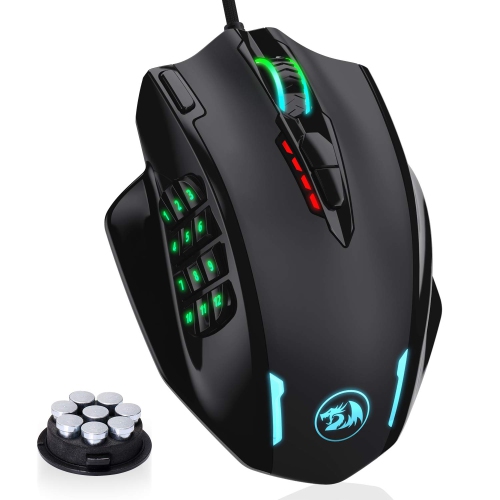
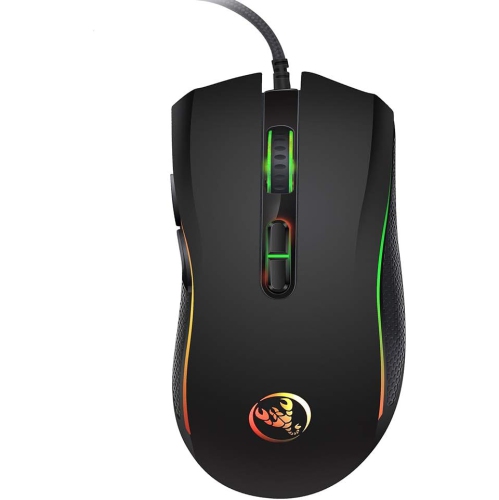
    HLD RGB Gaming Mouse, 12400 Dpi Wired Laser Mmo Mouse With High Precision Actuation, 12 Macro Side Buttons

    About this product

    A high-precision wired laser mouse with 12400 DPI, RGB lighting, and 12 programmable macro side buttons.

    (1)
    $76.96
    SAVE $21
    Your price for this item is $76.96
  2. 2

    Logitech G203 LIGHTSYNC 8000 DPI Optical Gaming Mouse - Black

    About this product

    A black optical gaming mouse featuring 8,000 DPI sensitivity, customizable RGB lighting, and six programmable buttons.

    What customers like

    • Comfortable design
    • Programmable buttons and settings
    • Customizable RGB lighting
    • Great value for the price
    • Accurate and responsive performance
    (1,869)
    $39.99 Your price for this item is $39.99
  3. 3

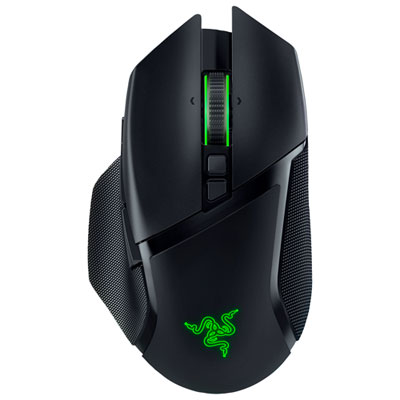
    Razer Basilisk V3 Pro 30000 DPI Optical Wireless Gaming Mouse - Black

    About this product

    A high-performance black wireless gaming mouse with 30,000 DPI, 10+1 programmable buttons, and customizable Chroma lighting.

    What customers like

    • Reliable wireless connectivity and long battery life
    • Attractive and versatile RGB lighting
    • Smooth and precise sensor performance
    • Comfortable ergonomic design
    • Highly customizable features and buttons
    (843)
    $134.99 Your price for this item is $134.99
  4. 4

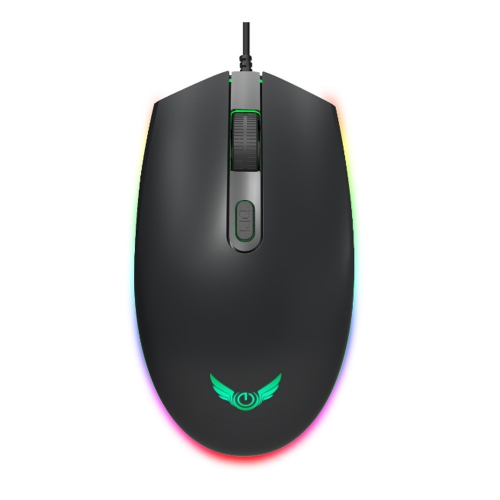
    LENOVO M210 RGB Gaming Mouse, for Gaming

    About this product

    An RGB gaming mouse featuring customizable lighting, designed for responsive and precise gameplay.

    (11)
    $27.99
    SAVE $8
    Your price for this item is $27.99
  5. 5

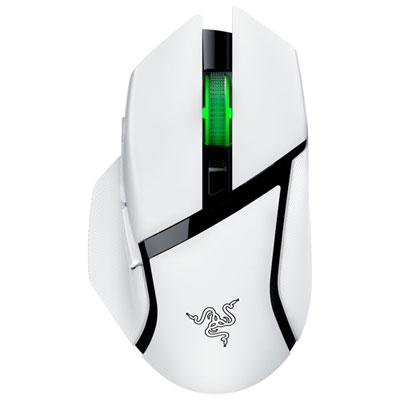
    Razer Basilisk V3 X HyperSpeed Gaming Mouse - White - Only at Best Buy

    About this product

    A white wireless gaming mouse featuring low-latency performance and durable mechanical switches for precise control.

    What customers like

    • Responsive and precise performance
    • Customizable buttons and features
    • Excellent battery life
    • Comfortable ergonomic design
    • Seamless wireless connectivity
    (38)
    $68.99
    SAVE $31
    Your price for this item is $68.99
  6. 6

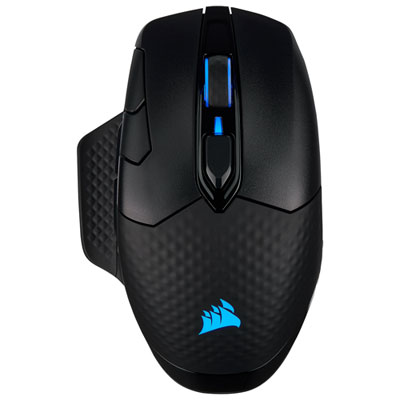
    Corsair Dark Core RGB Pro 18000 dpi Wireless Optical Gaming Mouse - Black

    About this product

    A wireless black gaming mouse featuring an 18,000 DPI optical sensor and ultra-fast 2000Hz polling rate.

    What customers like

    • Excellent wireless performance and connectivity options
    • Accurate and responsive sensor with adjustable DPI
    • Comfortable ergonomic design suitable for large hands
    • Long-lasting rechargeable battery life
    • Highly customizable with RGB lighting and programmable buttons
    (804)
    $119.98 Your price for this item is $119.98
  7. 7

    HLD Bluetooth Mouse, Rechargeable Wireless Gaming Mouse Multi Device(Bt5.0+Bt3.0+2.4G) With Side Buttons, RGB Led Backlit, Ergon

    About this product

    A rechargeable wireless gaming mouse featuring multi-device connectivity, side buttons, and customizable RGB LED backlighting.

    $61.96
    SAVE $15
    Your price for this item is $61.96
  8. 8

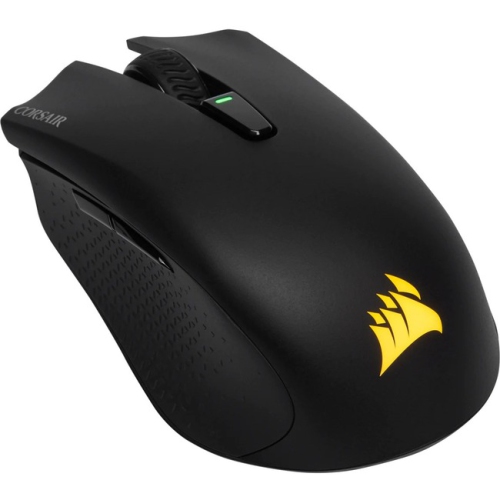
    CORSAIR Harpoon RGB Wireless Gaming Mouse Ch-9311011-Na

    About this product

    A wireless gaming mouse with RGB lighting, perfect for gamers looking for precision and style.

    $74.89
    SAVE $10
    Your price for this item is $74.89
  9. 9

    AXGEAR Computer Gaming Mouse 1600Dpi 3 Buttons RGB Led Backlight Optical Ergonomic Mice -

    About this product

    An ergonomic optical mouse with 1600DPI sensitivity, RGB LED backlight, and non-slip, anti-sweat design.

    $15.99
    SAVE $28
    Your price for this item is $15.99
  10. 10

    GREEN SCENIC Professional Gaming Mouse - 3200Dpi Optical Resolution, 7-Color RGB, 7 Programmable Buttons, Ergonomic Design, for PC/mac

    About this product

    An ergonomic black and white gaming mouse with 3200DPI optical sensor, 7 programmable buttons, and RGB lighting.

    $32.99 Your price for this item is $32.99

Colourful lighting is only part of a great mouse

The best RGB gaming mice balance expressive lighting with accurate tracking, comfortable shapes, and controls that suit the way someone plays. RGB refers to red, green, and blue lighting elements that combine to create a wide range of colours, from a subtle glow beneath a scroll wheel to flowing effects across several independently controlled zones. That lighting can give a gaming desk a distinct personality, whether the look is cool blue against a dark mouse pad or a warm amber accent beside a keyboard. Depending on the mouse and its software, lighting may also identify saved profiles or signal a change in sensitivity. The number and placement of lighting zones influence how much of the effect remains visible while the mouse is in use: an illuminated palm logo may disappear beneath the hand, while edge lighting can remain visible around it. Adjustable brightness and the option to switch lighting off are useful when a shared room shifts from gaming to homework or quiet evening browsing. For a coordinated desk setup, Best RGB Lighting for Gaming offers complementary ways to bring colour beyond the mouse itself. Matching colours across accessories is often straightforward, but synchronized effects depend on compatible hardware and software rather than RGB lighting alone. Underneath those visual details, a capable optical sensor and predictable button response matter more to play than an elaborate light show. Consistent tracking helps with everything from holding a steady aim in a first-person shooter to selecting small units in a strategy game. Adjustable sensitivity, commonly expressed as DPI, lets the pointer travel farther or shorter distances for the same physical movement. A very high maximum DPI is not automatically better; usable settings, reliable tracking, and enough desk space for natural movements are more meaningful in everyday play. For many players, the strongest combination is lighting they enjoy looking at and a mouse that feels easy to control after the novelty of the effects has worn off.

Shape, weight, and button placement make RGB gaming mice feel surprisingly different in the hand, even when their specifications look similar. A palm grip usually benefits from a body that supports more of the hand, while claw and fingertip grips may feel more natural with a shorter shape or an arch positioned farther back. Hand length and width both matter: a broad mouse can leave smaller hands stretching for side buttons, while a narrow body may give larger hands too little support. A contoured right-handed shape can provide a comfortable thumb rest, but left-handed players need to check the actual button layout rather than assume a symmetrical shell offers equally accessible controls on both sides. Lightweight designs can make repeated low-sensitivity swipes feel less demanding, especially when the mouse is lifted and repositioned frequently. A heavier design may feel more planted to someone who prefers smaller, deliberate movements. Neither approach is universally better, and the mouse pad surface also affects how freely the mouse glides. Smooth plastic shells are easy to wipe clean, textured finishes add tactile grip, and rubberized side panels can help fingers stay in place during tense moments. Perforated shells reduce material and can contribute to a lighter feel, although their openings may collect dust more readily than closed bodies. Durability depends on the whole construction, including secure panels, dependable switches, a sturdy scroll wheel, and well-fitted glide feet. Optical and mechanical switches use different methods to register clicks, but click feel, resistance, and sound still vary between designs. Extra buttons can be particularly useful in role-playing games with several abilities, while a simpler layout leaves fewer controls to press accidentally during a fast match. Programmable buttons can also support everyday tasks, such as navigating between browser pages, where supported. For a desk used for both work and play, a comfortable grip and accessible controls can be just as valuable during a long document session as during an evening with friends.

Wired and wireless RGB gaming mice suit different desk layouts and habits. A wired connection provides continuous power without a charging routine, making it a practical fit for a stationary setup and lengthy gaming sessions. Cable flexibility matters when making broad movements: a stiff cable dragging against the edge of a desk can interrupt an otherwise smooth swipe. Wireless designs remove that cable from the playing surface, leaving more freedom to reposition the mouse or keep a compact desk tidy. Gaming-focused wireless connections commonly use a dedicated USB receiver, while some mice also support Bluetooth for convenient switching to another compatible device. Those connection modes can differ in responsiveness and supported features, so they are not always interchangeable for fast-paced games. Battery runtime also varies with lighting brightness, lighting effects, and polling rate. A higher polling rate sends movement updates more frequently, but the benefit depends on the wider system and may come with additional power use. A rechargeable mouse that supports play while connected can make a low-battery interruption easier to manage. Software compatibility deserves attention as well, particularly for players using more than one operating system or a computer that restricts software installation. Onboard memory, when supported, can retain certain settings between computers, although some lighting effects or advanced commands may still need software running. These practical differences also help shape a thoughtful gift for a PC gamer: familiar grip preferences, the recipient’s dominant hand, and a preference for wired or wireless use are better starting points than colour alone. Care is generally straightforward. With the mouse disconnected or powered off, a soft, lightly dampened cloth can remove surface marks, following the manufacturer’s cleaning directions and keeping moisture away from openings. A clean mouse pad helps prevent grit from collecting around the glide feet, and gentle cable routing reduces strain near the connector. Over time, keeping the sensor area clear and avoiding harsh cleaners can help preserve tracking and finishes. Whether used for competitive matches, relaxed exploration, or a mix of gaming and everyday computing during the cooler months, an RGB gaming mouse should bring together personal style, dependable control, and a fit that remains comfortable through repeated use.
Read More

FAQ

Some products may be subject to Environmental Handling Fees (EHF) depending on your province. Learn more about EHFs.