Best Wi-Fi Modems
Find the best Wi-Fi modems for your home with options ranked by customer review ratings. Whether you’re streaming, gaming, or working from home, compare customer feedback to help narrow your choices. Before you buy, check compatibility with your internet provider and plan, and confirm whether you need a modem with built-in Wi-Fi or a separate router.
What to look for in Wi-Fi modems
1. Internet Provider Compatibility
2. Built-in Wi-Fi
3. Speed and Coverage
4. Ports and Security
-
1
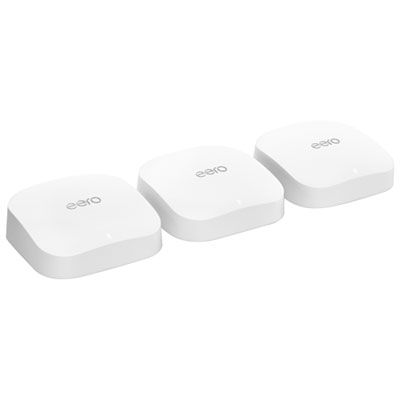
eero Pro 6E Tri-Band Whole Home Mesh Wi-Fi 6E System (S010312) - 3 Pack
About this product
A tri-band mesh Wi-Fi 6E system in white that delivers fast, reliable coverage and reduced network congestion.
What customers like
(1,371)$449.99Your price for this item is $449.99SAVE $180 -
2

NETGEAR Nighthawk C7000 Ieee 802.11Ac Cable Modem/wireless Router
About this product
A high-speed cable modem and wireless router offering dual-band Wi-Fi and four Gigabit Ethernet ports.
What customers like
(25,775)$189.99Your price for this item is $189.99SAVE $40 -
3

NETGEAR Nighthawk A7000 Ieee 802.11Ac - Wi-Fi Adapter for Desktop Computer/notebook
About this product
A high-speed USB 3.0 Wi-Fi adapter offering dual-band connectivity up to 1.86 Gbit/s for desktops and notebooks.
What customers like
(2,965)$138.68Your price for this item is $138.68SAVE $10 -
4

Google Nest WiFi Pro Wi-Fi 6E Router - Snow
About this product
A sleek snow-colored router delivering fast, stable Wi-Fi 6E connectivity with dual 1Gbps Ethernet ports.
What customers like
(1,986)$269.99 Your price for this item is $269.99 -
5
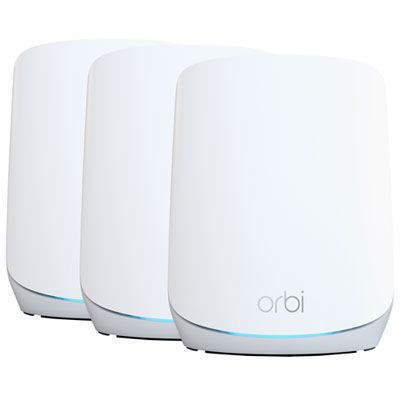
NETGEAR Tri-Band AX5400 Whole Home Mesh Wi-Fi 6 System (RBK763S)
About this product
A tri-band mesh Wi-Fi 6 system delivering fast, reliable coverage and seamless connectivity for multiple devices.
What customers like
(554)$749.97 Your price for this item is $749.97 -
6
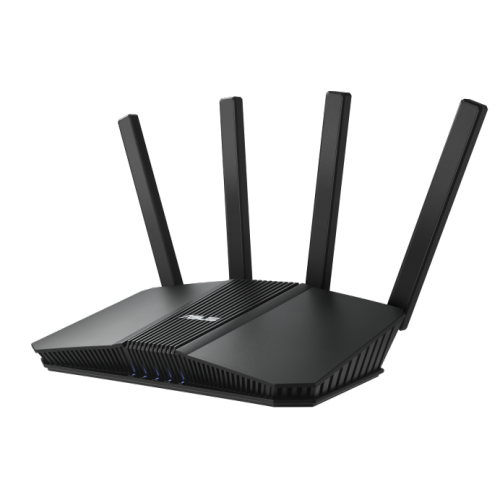
ASUS Rt-Be82U
About this product
A dual band Wi-Fi 7 router with 4K-QAM, MLO, five 2.5GbE ports, and advanced security features.
What customers like
(224)$199.99Your price for this item is $199.99SAVE $15 -
7
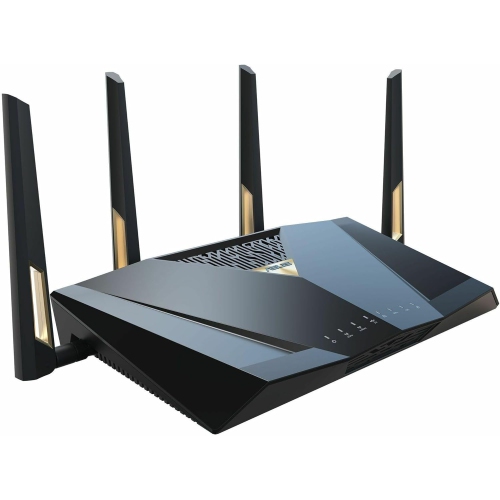
GENERIC Asus Rt-Be88U Dual-Band Wifi 7 Aimesh Extendable Performance Router, 4K-Qam, Mlo, Dual 10G Ports, Sfp+, 4X 2.5G Ports, 4X 1G Ports, 34G
About this product
A high-performance dual-band WiFi 7 router with AiMesh, 4K-QAM, and multiple high-speed Ethernet ports.
What customers like
(66)$567.17Your price for this item is $567.17SAVE $56 -
8
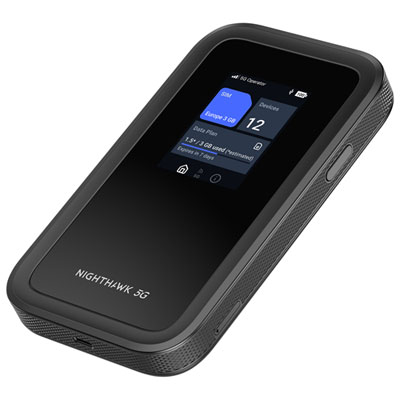
NETGEAR Nighthawk 5G M7 Mobile WiFi Hotspot Router with eSIM (MH7150-100PAS)
About this product
A portable 5G hotspot router offering up to 3.6Gbps speeds, eSIM support, and secure connectivity.
(12)$699.99 Your price for this item is $699.99 -
9
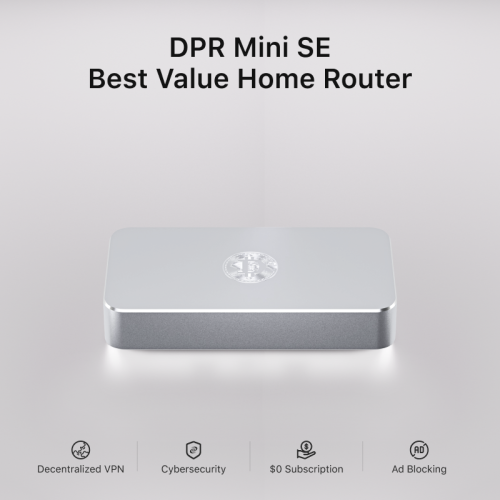
DEEPER NETWORK Dpr Mini Se - Best Value Smart Router With Powerful Decentralized Vpn (Dpn), 500Mbps Max Bandwidth
About this product
A smart router with decentralized VPN, 500Mbps bandwidth, ad blocker, parental controls, and 7-layer firewall.
(7)$409.00 Your price for this item is $409
FAQ
A Wi-Fi modem typically combines a modem and a wireless router in one device, often called a gateway. The modem connects to your internet service provider, while the router creates your home network and lets devices connect through Wi-Fi or Ethernet. A standalone modem generally needs a separate router to provide Wi-Fi.
Check your internet provider’s approved modem list and requirements for your service plan. Compatibility depends on the connection type, supported modem standards and whether the provider allows customer-owned equipment. Some providers require their own gateway or must activate a modem before it can be used.
Cable internet uses a modem connected to a coaxial outlet, while DSL uses a modem connected to a telephone line. Fibre internet typically uses an optical network terminal, or ONT, rather than a cable or DSL modem. Depending on the provider’s setup, the ONT may connect to a separate Wi-Fi router or be integrated into a gateway.
Bridge mode turns off the routing functions of a compatible modem-router gateway so a separate router can manage your home network. It commonly also disables the gateway’s Wi-Fi. Availability and setup steps vary by device and internet provider.
Common connections include a coaxial or DSL input for internet service and Ethernet ports for wired devices. Some gateways also have telephone ports for provider-supported home phone service or USB ports with model-dependent functions. Fibre gateways may use an optical input or an Ethernet connection from a separate ONT.
Top selling and popular products
Discover more categories related to Best Wi-Fi Modems
Some products may be subject to Environmental Handling Fees (EHF) depending on your province. Learn more about EHFs.