Best Wired Gaming Mice

Find the best wired gaming mice for precise tracking, responsive clicks, and a reliable connection without the need to recharge. Ranked by user review ratings, this selection highlights options for different grip styles, gaming preferences, and budgets. Compare features such as adjustable sensitivity, programmable buttons, and ergonomic designs to find the right fit for your setup.

Read More

What to look for in wired gaming mice

1. Sensor Performance

Look for accurate tracking, adjustable DPI settings and a polling rate that suits your games and computer. A higher maximum DPI does not necessarily mean better accuracy, so prioritize consistent tracking at your preferred sensitivity.

2. Shape and Weight

Choose a mouse that fits your hand size and preferred palm, claw or fingertip grip. Lightweight designs can make quick movements easier, while heavier models may feel more controlled for some players.

3. Buttons and Customization

Consider how many programmable buttons you need for shortcuts and in-game actions. Check whether customization requires compatible software and whether onboard memory can save your settings when you switch computers.

4. Cable and Build Quality

A flexible cable and smooth mouse feet can help reduce drag during fast movements. Check the cable length, USB connection type and warranty coverage to find a mouse that suits your setup.
Citrus catapult arrow
  1. 1

    Logitech G203 LIGHTSYNC 8000 DPI Optical Gaming Mouse - Black

    About this product

    A black optical gaming mouse featuring 8,000 DPI sensitivity, customizable RGB lighting, and six programmable buttons.

    What customers like

    • Comfortable design
    • Programmable buttons and settings
    • Customizable RGB lighting
    • Great value for the price
    • Accurate and responsive performance
    (1,867)
    $39.99 Your price for this item is $39.99
  2. 2

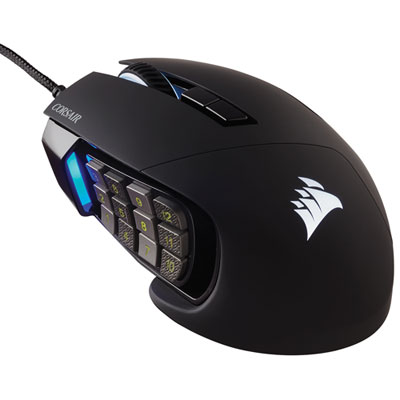
    Corsair Scimitar RGB Elite 18000 DPI Optical Gaming Mouse - Black

    About this product

    A black optical gaming mouse featuring 18,000 DPI precision and 17 programmable buttons for advanced control.

    What customers like

    • Precise high-DPI sensor and responsive performance
    • Versatile RGB lighting and effects
    • Durable build quality and sturdy materials
    • Comfortable ergonomic design with good grip
    • Highly customizable buttons and profiles
    (1,241)
    $99.99 Your price for this item is $99.99
  3. 3

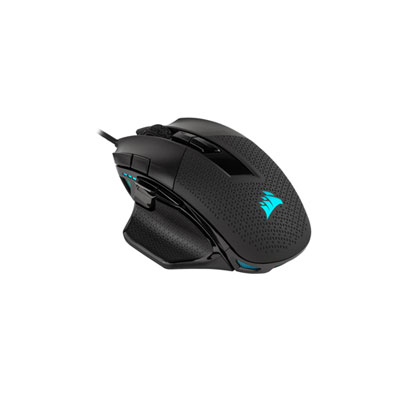
    Corsair Nightsword RGB 18000 DPI Optical Gaming Mouse - Black

    About this product

    A high-precision black gaming mouse featuring an 18,000 DPI optical sensor and customizable weight system.

    What customers like

    • Attractive and customizable RGB lighting
    • Highly customizable weights and buttons
    • Precise and responsive sensor
    • Well-placed extra buttons for macros
    • Comfortable ergonomic design
    (1,061)
    $134.99 Your price for this item is $134.99
  4. 4

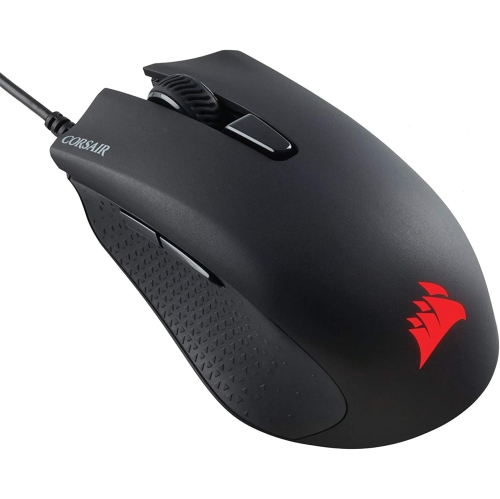
    CORSAIR Memory Harpoon RGB Pro 12000 Dpi Wired Optical Gaming Mouse - (Ch-9301111-Na) In Black

    About this product

    A lightweight black wired optical gaming mouse featuring a 12,000 DPI sensor and customizable RGB lighting.

    What customers like

    • Customizable DPI and RGB lighting
    • Affordable price and good value
    • Comfortable ergonomic design
    • Lightweight and easy to use
    • Smooth and precise tracking
    (126)
    $97.68 Your price for this item is $97.68
  5. 5

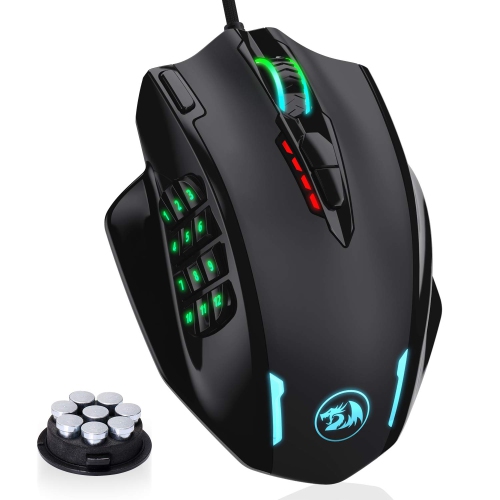
    HLD RGB Gaming Mouse, 12400 Dpi Wired Laser Mmo Mouse With High Precision Actuation, 12 Macro Side Buttons

    About this product

    A high-precision wired laser mouse with 12400 DPI, RGB lighting, and 12 programmable macro side buttons.

    (1)
    $76.96
    SAVE $21
    Your price for this item is $76.96
  6. 6

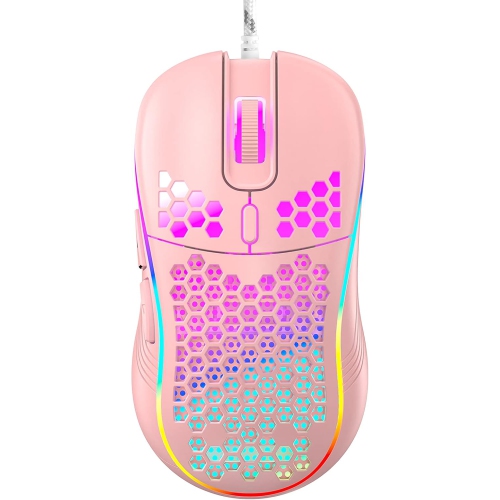
    RISOKEYS Risophy Honeycomb Wired Gaming Mouse, RGB Backlight And 7200 Adjustable Dpi, Ergonomic And Lightweight USB Computer Mouse w High Precision

    About this product

    An ergonomic, lightweight wired gaming mouse with RGB backlight, 7200 adjustable DPI, and high-precision sensor.

    $42.99
    SAVE $34
    Your price for this item is $42.99
  7. 7

    FOREV Fv-St3 Wired Led Backlit Gaming Mouse

    About this product

    A black wired gaming mouse featuring LED backlighting, 1600DPI sensitivity, and an ambidextrous design.

    $19.99 Your price for this item is $19.99
  8. 8

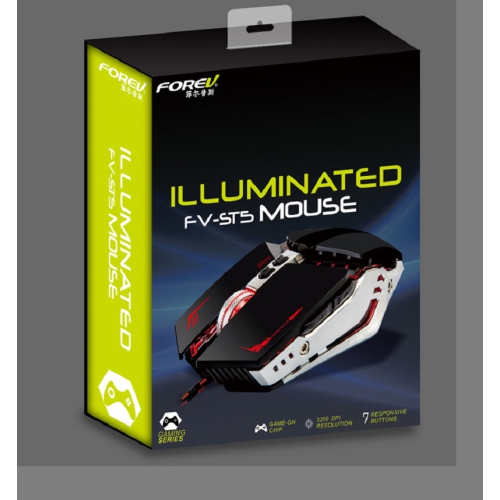
    FOREV Fv-St5 Illuminated Wired Gaming Mouse

    About this product

    A wired gaming mouse with 3200DPI, seven programmable keys, and vibrant LED backlighting.

    $29.99 Your price for this item is $29.99
  9. 9

    GLORIOUS Gaming Mouse Model O - Glossy In Black

    About this product

    A glossy black, ultra-lightweight ambidextrous gaming mouse designed for speed, control, and comfort.

    (1)
    $92.68 Your price for this item is $92.68
  10. 10

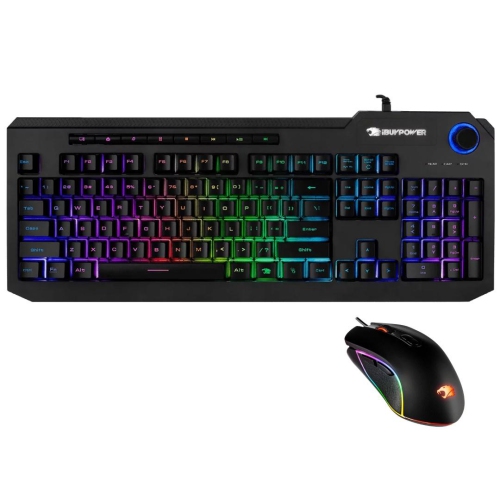
    IBUYPOWER Refurbished (Good) Ares M2 Wired RGB Gaming Keyboard & Mouse Combo

    About this product

    A refurbished wired RGB keyboard and mouse combo designed for responsive gaming performance.

    $41.99
    SAVE $18
    Your price for this item is $41.99

Why mouse fit matters more than maximum DPI

The best wired gaming mice combine a comfortable shape, dependable sensor tracking, responsive buttons, and a cable that moves easily across a desk. The right balance depends on the games being played and how the mouse feels in the hand, rather than any single specification. A lightweight wired mouse can suit first-person shooters, where broad arm movements and quick changes of direction are common. A design with more programmable buttons may be a better match for multiplayer online role-playing games, putting abilities and inventory shortcuts within thumb reach. For strategy games and everyday desktop use, a clearly notched scroll wheel and well-spaced side buttons can make frequent inputs easier to control. A wired USB connection carries power and input through the cable, so there is no battery to recharge between sessions. That straightforward connection appeals to competitive players, casual gamers, and anyone who uses the same setup for gaming, studying, and work. Sensor quality matters most when it translates into predictable movement: small adjustments should feel precise, and faster sweeps should track without unexpected jumps. DPI describes sensitivity, not overall quality, and a very high maximum DPI is less useful than settings that suit the available mouse pad space and in-game controls. Adjustable sensitivity lets players find a familiar balance, whether they aim with wide, low-sensitivity movements or navigate with smaller wrist motions. Polling rate describes how often the mouse reports information to the computer. Higher rates can reduce the time between reports, although the practical benefit depends on the game, display, computer performance, and implementation. Click latency is a separate consideration, covering how quickly a button press is registered. Mechanical and optical switches can both feel responsive; switch type alone does not establish comfort, sound level, or overall performance. For many players, consistent tracking, distinct clicks, and easy-to-reach controls matter more than the largest numbers on a specification list. Those qualities make a mouse feel predictable when following a moving target, placing units precisely, or switching tools without looking away from the screen.

Shape and fit are central to choosing a wired gaming mouse because the same shell can feel supportive in one hand and awkward in another. Palm-grip players generally rest more of the hand on the body, so mouse length, height, and the position of the rear hump influence comfort. Claw-grip players arch their fingers while keeping some palm contact, often benefiting from a shape that supports the back of the hand without limiting fingertip movement. Fingertip users control the mouse with little palm contact and may prefer a smaller, lighter body that is easy to reposition. These are useful starting points rather than fixed rules: hand size, finger length, and personal habits all affect the fit. A contoured right-handed shell may provide a thumb rest and a defined place for the fingers, while a symmetrical shape can offer more freedom to adjust grip. Symmetrical does not automatically mean suitable for left-handed use, since side buttons may still appear only on the left side. Button placement deserves attention beyond the total count. A thumb button should be reachable without shifting the whole hand, and the main buttons should support a natural finger position without encouraging accidental presses. Mouse weight also interacts with fit. Lower weight can make repeated lifts and sweeping movements easier, while some players prefer a more substantial feel for controlled desktop movement. Smooth feet, often made from PTFE, help the mouse glide, but the mouse pad surface affects resistance too. A soft cloth pad usually feels different from a firm, smooth surface, even with the same mouse. Cable construction adds another layer to that experience. Flexible braided or soft-jacketed cables can reduce the feeling of drag, provided there is enough slack for a full sweep without catching on the desk edge. A mouse bungee can keep part of the cable raised and away from nearby objects. On a compact desk, checking cable routing and usable pad space can be just as valuable as comparing mouse dimensions, especially when a keyboard and monitor stand leave little room for wide movements.

Materials, build quality, and care help determine how a wired gaming mouse holds up to repeated use. Solid plastic shells offer a continuous surface that is straightforward to wipe clean, while perforated shells may reduce weight but leave more openings where dust can gather. Matte finishes, textured sides, and rubberized grips each have a different feel; the most suitable option provides a secure hold without requiring a tight squeeze. A well-assembled body should feel stable during ordinary handling, with buttons that return consistently and a scroll wheel that offers clear feedback. Published switch-life ratings describe testing targets rather than a guarantee of how long an entire mouse will last. Cable strain relief, wheel construction, and the condition of the glide feet also contribute to durability. Keeping the mouse pad free of crumbs and grit helps protect the feet and supports smooth tracking. For routine cleaning, unplug the mouse and follow the manufacturer's care instructions, using a soft cloth and avoiding liquid around buttons, openings, and the sensor. Pulling the connector rather than the cable when unplugging, and loosely coiling the cord for transport, helps limit unnecessary strain. Software and compatibility are worth checking alongside the physical design. Basic pointer functions may work immediately, while button remapping, lighting adjustments, and advanced settings can require supported software. Onboard memory, where included, can retain certain settings when moving between compatible computers, although the features saved vary by mouse. Console use depends on support from both the system and the individual game. For a gift recipient, knowing their preferred hand, favourite game genres, and existing mouse shape provides a more useful starting point than choosing by appearance alone. Adjustable lighting and colour choices can help a mouse fit a desktop setup, but they do not replace comfortable proportions and dependable controls. Players completing a corded setup can also explore Best Wired Gaming Headsets for game audio and voice chat. A well-matched wired gaming mouse brings together fit, movement, and accessible controls, making everyday tasks and demanding matches feel equally familiar.
Read More

FAQ

Some products may be subject to Environmental Handling Fees (EHF) depending on your province. Learn more about EHFs.