Best Wireless Keyboards

Find the best wireless keyboards for a tidy desk setup and comfortable everyday typing. Ranked by user review ratings, this list highlights top-rated options to help you compare keyboards for work, study, or gaming. Explore features such as layouts, connectivity, and battery life to find the right fit for your setup.

Read More

What to look for in wireless keyboards

1. Connectivity and Compatibility

Check whether the keyboard connects through Bluetooth, a USB wireless receiver or both, and confirm compatibility with your device and operating system. Multi-device pairing lets you switch between compatible computers, tablets and phones.

2. Typing Comfort and Layout

Choose a full-size layout with a number pad for frequent data entry, or a compact keyboard to save desk space. Key spacing, switch feel, noise levels and ergonomic features can all affect typing comfort.

3. Battery Life and Charging

Compare the stated battery life and check whether the keyboard uses replaceable batteries or a built-in rechargeable battery. Backlighting and usage can affect how often you need to charge or replace batteries.

4. Features for Work and Gaming

Backlit keys, media controls and programmable shortcuts can make everyday tasks easier. For gaming, look for low-latency wireless performance and support for registering multiple key presses at once.
  1. 1

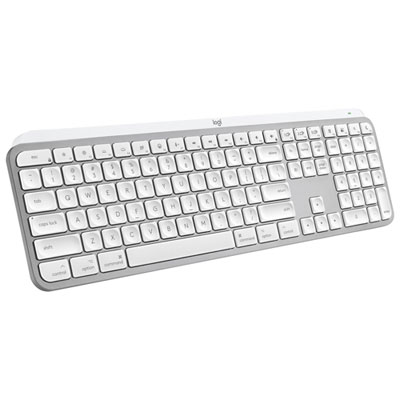
    Logitech MX Keys S Wireless Backlit Keyboard for Mac/Ipad - Pale Grey - Only at Best Buy

    About this product

    A wireless backlit keyboard in pale grey, designed for Mac and iPad with customizable smart actions.

    What customers like

    • Long battery life and useful customisation features
    • Comfortable, smooth and quiet typing
    • Easy switching between multiple devices
    • Solid, durable build with a stylish design
    • Effective backlighting for low-light use
    (21)
    $159.99
    SAVE $10
    Your price for this item is $159.99
  2. 2

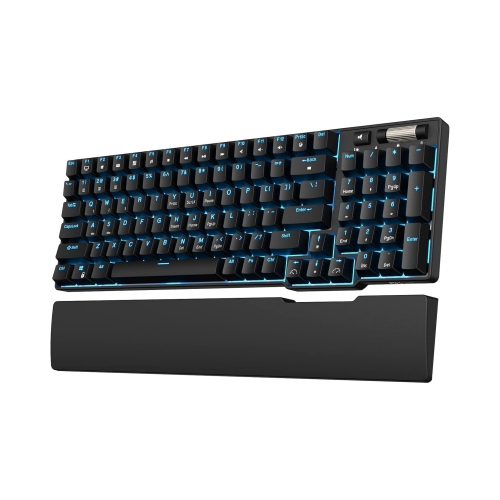
    NIERBO 90% Triple Mode Bt5.0/2.4G/USB-C Hot Swappable Mechanical Keyboard w Magnetic Hand Rest, 96 Keys Wireless Bluetooth Gaming Keyboard w

    About this product

    A red wireless mechanical keyboard featuring hot-swappable keys, magnetic hand rest, and triple connectivity modes.

    (1)
    $199.99
    SAVE $86
    Your price for this item is $199.99
  3. 3

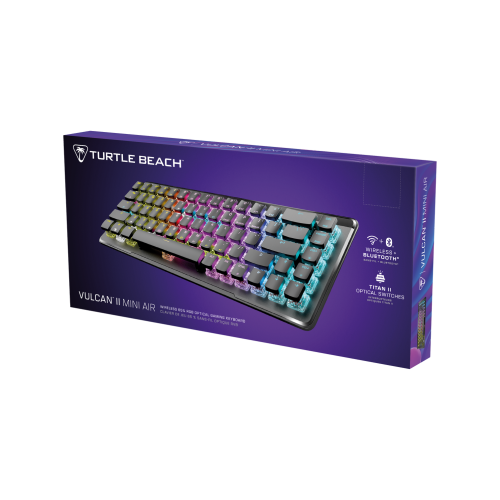
    TURTLE BEACH Vulcan Ii Mini Air Linear Wireless Keyboard (Black) PC

    About this product

    A compact wireless keyboard in sleek black featuring linear switches for smooth, responsive typing.

    (5)
    $239.99 Your price for this item is $239.99
  4. 4

    LOGITECH Desktop Mk270 Wireless Mouse Keyboard Combo

    About this product

    A wireless keyboard and mouse combo featuring eight hot keys, spill resistance, and extended battery life.

    What customers like

    • Comfortable typing and mouse experience
    • Easy plug-and-play setup
    • Affordable price
    • Excellent battery life
    • Reliable wireless connectivity
    (9,879)
    $43.99
    SAVE $5
    Your price for this item is $43.99
  5. 5

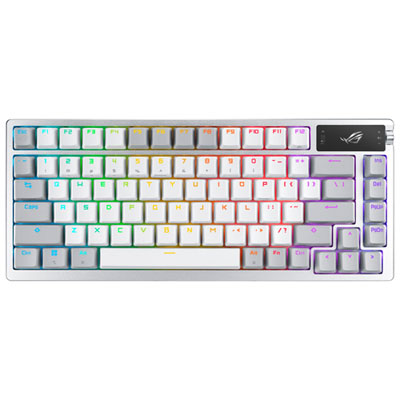
    ASUS ROG Azoth Wireless NX Snow Mechanical with OLED Display Custom Gaming Keyboard - Moonlight White - Only at Best Buy

    About this product

    A wireless mechanical gaming keyboard in moonlight white with OLED display and customizable, ergonomic controls.

    What customers like

    • Impressive OLED display
    • Long battery life
    • Excellent typing and key feel
    • Premium build quality
    • Versatile wireless connectivity
    (56)
    $369.99 Your price for this item is $369.99
  6. 6

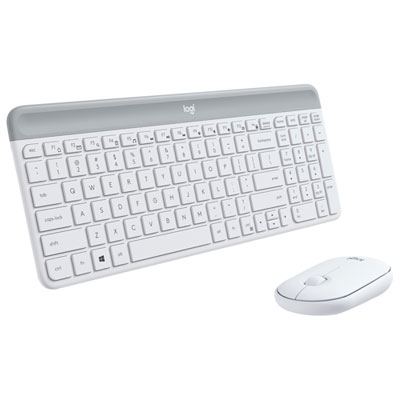
    Logitech MK470 Slim Wireless Optical Keyboard & Mouse Combo - Off-White

    About this product

    A sleek off-white wireless keyboard and mouse combo offering quiet operation, plug-and-play setup, and long battery life.

    What customers like

    • Compact and stylish design
    • Quiet keys and mouse clicks
    • Smooth and comfortable typing experience
    • Great value for the price
    • Easy wireless setup and reliable connection
    (1,207)
    $59.99 Your price for this item is $59.99
  7. 7

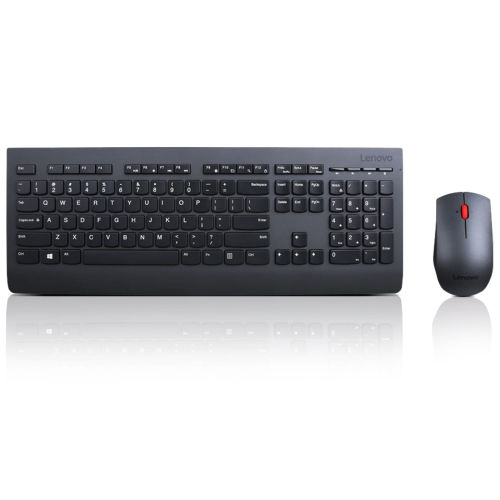
    LENOVO Professional Wireless Keyboard & Mouse Combo- Canadian French

    About this product

    A wireless keyboard and mouse combo featuring a Canadian French layout for efficient, cable-free productivity.

    What customers like

    • Quiet and soft keys
    • Comfortable and ergonomic design
    • Canadian French layout ideal for work
    • Easy wireless setup and connection
    • Precise and responsive mouse
    (20)
    $49.99
    SAVE $40
    Your price for this item is $49.99
  8. 8

    Logitech MK850 Bluetooth Optical Ergonomic Keyboard & Mouse Combo

    About this product

    An ergonomic keyboard and mouse combo with cushioned palm rest and ultra-fast scroll, ideal for multitasking.

    What customers like

    • Convenient keyboard and mouse combo
    • Long battery life
    • Responsive and quiet keys
    • Comfortable ergonomic design
    • Easy multi-device connectivity and switching
    (3,644)
    $129.99 Your price for this item is $129.99
  9. 9

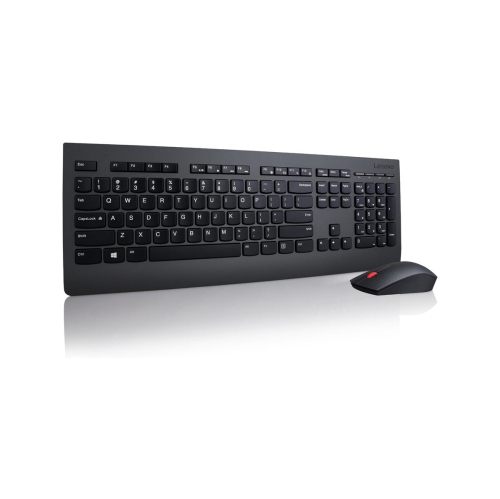
    LENOVO Professional Wireless Keyboard And Mouse Combo (4X30H56796) - English - In Black

    About this product

    A wireless black keyboard and mouse combo featuring multimedia keys, number pad, and ergonomic 1600 DPI mouse.

    What customers like

    • Solid build quality and sleek design
    • Precise and ergonomic mouse performance
    • Reliable wireless functionality and easy setup
    • Comfortable and quiet typing experience
    • Long battery life and energy efficiency
    (630)
    $142.68 Your price for this item is $142.68
  10. 10

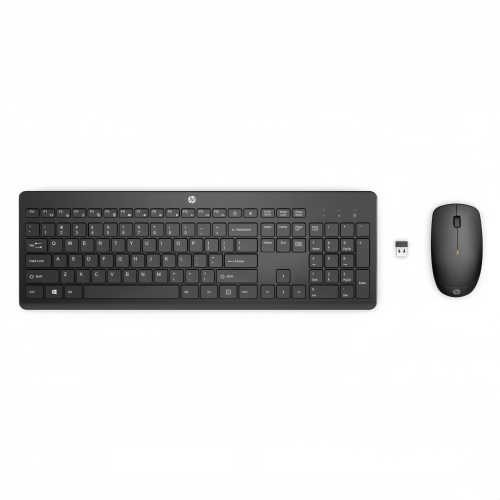
    HP 230 Wireless Keyboard Mouse Combo Ergonomic Quiet Keys Long Battery In Black

    About this product

    A black wireless keyboard and mouse combo with quiet chiclet keys and long battery life for Windows.

    (5)
    $44.99 Your price for this item is $44.99

Comfortable typing starts with the right keyboard layout

The Best Wireless Keyboards selection offers ways to make everyday typing more comfortable, whether you’re putting together a home office, working through assignments or clearing space on a busy family desk. The right fit starts with how you use your keyboard throughout the day. A full-size layout with a number pad is handy for spreadsheets, household budgets and frequent data entry, while a compact layout leaves more room for your mouse and fits neatly beside a laptop. If your desk doubles as a dining table, a slim, lightweight keyboard is easier to tuck away when the workday ends. Pay attention to key spacing and the placement of arrow keys, navigation keys and shortcuts, especially if you spend hours writing or regularly move between different computers. A smaller footprint can be appealing, but keeping the keys you rely on within easy reach often matters more than saving a little desk space. For bilingual households and anyone who types in French and English, checking the physical keyboard layout and supported language settings is also worthwhile.

Wireless connectivity can make a noticeable difference to how smoothly your setup works. Bluetooth models can pair with compatible devices without taking up a USB port, which is useful when your laptop has limited connections. Keyboards that use a dedicated USB receiver offer another option, but it’s worth checking whether the receiver needs a USB-A or USB-C port and whether an adapter is required. Some models support both connection types or let you switch between several paired devices, making it easier to move from a work computer to a personal laptop or compatible tablet. Compatibility deserves a closer look than the connection type alone: shortcut keys, media controls and customization software may work differently across operating systems. Battery arrangements matter, too. A rechargeable keyboard can suit a desk where a charging cable is always nearby, while a model with replaceable batteries may appeal if you prefer swapping batteries rather than plugging in. Compare stated battery life alongside the conditions behind it, since backlighting and usage patterns can affect how often a keyboard needs power. If you want to keep typing while charging, confirm that the model supports it.

Typing feel is personal, and small details tend to stand out once the house is quiet or a long afternoon of work stretches ahead. Low-profile keys offer a shallow press that may feel familiar to laptop users, while some mechanical designs provide more noticeable feedback with each keystroke. Mechanical keyboards aren’t all equally loud, so check the switch description rather than assuming they’ll suit a shared office or late-night study session. Adjustable typing angles, a stable base and a layout that lets you keep your mouse close can help you arrange a more comfortable workspace; a separate palm rest may also be useful during pauses between tasks. Backlit keys can be easier to see in dim light, though clear lettering and readable contrast are worth considering even without illumination. For gaming, look for details on wireless latency and simultaneous keypress support rather than choosing on appearance alone. As a gift, a wireless keyboard can be a thoughtful addition for a student settling into residence, someone starting a new job or a family member who prefers typing longer messages on a compatible tablet. Matching their devices, available desk space and familiar key layout helps make it something they’ll reach for every day.

Read More

FAQ

Some products may be subject to Environmental Handling Fees (EHF) depending on your province. Learn more about EHFs.