Best 27 Inch 4k Monitors

Find the best 27-inch 4K monitors for crisp text, detailed visuals, and a comfortable fit on your desk. Whether you’re working, gaming, or streaming, this list ranks monitors based on user review ratings to help you compare top-rated options and choose the right display for your needs.

Read More

What to look for in 27-inch 4K monitors

1. Display Quality

A 4K resolution of 3840 × 2160 delivers sharp text and detailed images on a 27-inch screen. Compare panel type, brightness, and colour accuracy, especially for photo or video editing. For more impactful HDR, look for strong contrast and effective local dimming or an OLED panel rather than HDR compatibility alone.

2. Refresh Rate and Response Time

A 60 Hz refresh rate suits everyday work and video streaming, while 120 Hz or higher can make scrolling and gaming feel smoother. For gaming, consider adaptive sync support and response time, and check whether your computer or console can deliver your target frame rate at 4K.

3. Connectivity and Compatibility

Check that the monitor’s HDMI, DisplayPort, or USB-C inputs support your device’s required resolution and refresh rate. USB-C with video support and sufficient power delivery can simplify a compatible laptop setup, while a built-in USB hub offers convenient accessory connections.

4. Ergonomics and Desk Fit

Look for height, tilt, swivel, and pivot adjustments to help position the screen comfortably. Check the stand’s footprint and VESA mounting compatibility if you plan to use a monitor arm. Text can appear small at 4K on a 27-inch screen, so display scaling can help keep it readable.
Citrus catapult arrow
  1. 1

    Samsung 27" 4K UHD IPS LCD Monitor (LS27D702EANXGO) - Flicker-Free/Blue Light - HDR10

    About this product

    A 27" 4K Ultra HD monitor with fast refresh rate, reduced motion blur, and stunning color accuracy.

    What customers like

    • Stunning color accuracy
    • Excellent image quality
    • Ideal for Photoshop
    • Improved visibility
    • Works great
    (209)
    $279.97
    SAVE $50
    Your price for this item is $279.97
  2. 2

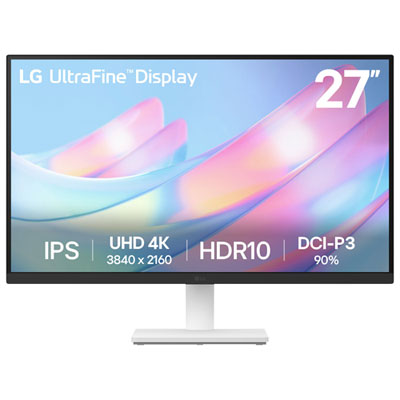
    LG UltraFine 27" 4K UHD IPS Monitor (27US500-W) - HDR10 - White

    About this product

    A white 27-inch 4K UHD IPS monitor offering vibrant DCI-P3 90% colour and a 60Hz refresh rate.

    What customers like

    • Crisp 4K resolution and excellent colour quality
    • Lightweight design with attractive appearance
    • Versatile connectivity and compatibility with MacBook Pro and PS5
    • Reliable performance and LG build quality
    • Good value for money and affordability
    (122)
    $299.99 Your price for this item is $299.99
  3. 3

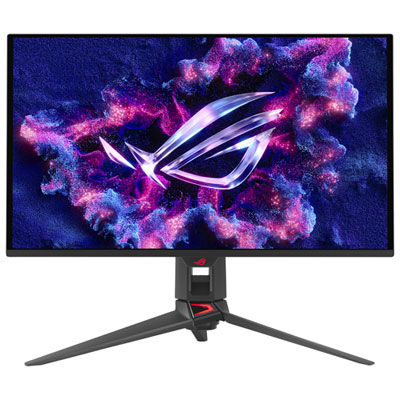
    ASUS ROG Swift 27" 4K UHD QD-OLED Gaming Monitor (PG27UCDM) - G-SYNC - 0.03ms GTG - 240Hz Only at Best Buy

    About this product

    A 27-inch black QD-OLED monitor with 4K resolution, 240Hz refresh rate, and 0.03ms response time.

    What customers like

    • Stunning 4K resolution
    • Ultra-fast 240Hz refresh rate and response time
    • Excellent text clarity and display quality
    • Future-proof features and gaming performance
    • Exceptional color and inky blacks
    (121)
    $1,599.99 Your price for this item is $1599.99
  4. 4

    BenQ 27" 4K UHD IPS LCD Monitor for MacBook (MA270U) - Silver

    About this product

    A silver IPS LCD monitor offering 4K Ultra HD resolution, 60Hz refresh rate, and MacBook compatibility.

    (13)
    $629.99 Your price for this item is $629.99
  5. 5

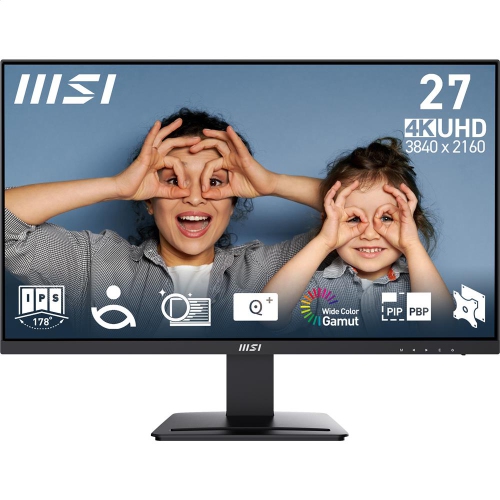
    MSI Pro 27" 4K Uhd Ips Led Monitor (Mp273U) - Flicker-Free - HDr Ready - Adaptive-Sync

    About this product

    A 27-inch UHD IPS monitor with 4ms response time, 60Hz refresh rate, and tilt adjustment.

    (13)
    $279.99 Your price for this item is $279.99
  6. 6

    ASUS Rog Strix 27" 4K Uhd Fast Ips Gaming Monitor (Xg27Ucg-W) - G-Sync Compatible - 1Ms Gtg - 160Hz - In White

    About this product

    A fast IPS gaming monitor with 4K 160Hz or FHD 320Hz modes, HDR, and G-Sync compatibility.

    (4)
    $699.00 Your price for this item is $699
  7. 7

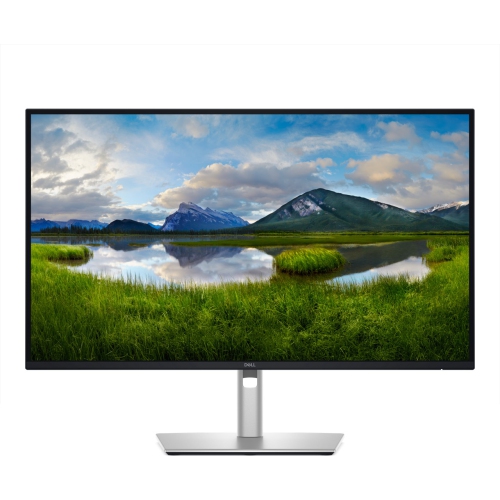
    DELL Pro 27 Plus 27" 4K Uhd Ips Led USB-C Hub Monitor (P2725Qe) - Light - 100Hz In Blue

    About this product

    A 27-inch 4K UHD monitor delivering crisp visuals, ideal for professional computing and entertainment needs.

    (1)
    $674.99
    SAVE $45
    Your price for this item is $674.99
  8. 8

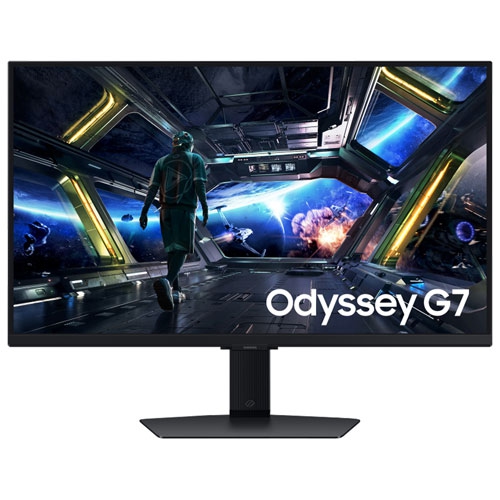
    SAMSUNG - Odyssey 27" 4K Uhd Ips Led Gaming Monitor (Ls27Dg702Enxza) - G-Sync/freesync Premium - 1Ms Gtg - 144Hz

    About this product

    A 27-inch 4K UHD IPS gaming monitor with 144Hz refresh rate, 1ms response, G-Sync, and FreeSync support.

    (1)
    $519.97
    SAVE $130
    Your price for this item is $519.97
  9. 9

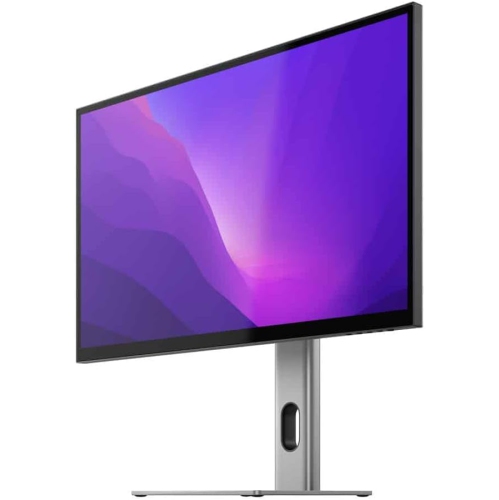
    ALOGIC Clarity 27" 4K Uhd Ips Monitor

    About this product

    A UHD 4K monitor delivering stunning clarity and vibrant visuals for immersive computing experiences.

    $1,281.55
    SAVE $67
    Your price for this item is $1281.55
  10. 10

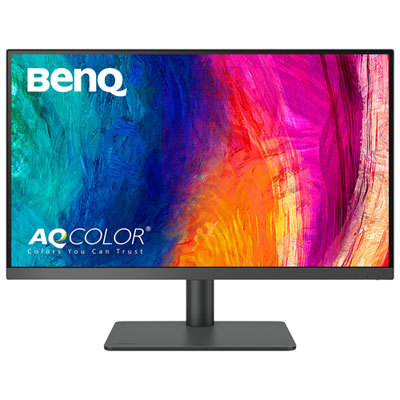
    BenQ PD 27" 4K UHD IPS LCD Gaming Monitor (PD2706U) - FreeSync - 5ms - Metallic Grey

    About this product

    A metallic grey IPS LCD monitor offering 4K UHD resolution, FreeSync, and exceptional colour accuracy for designers.

    (13)
    $549.99 Your price for this item is $549.99

Sharper text and finer detail without crowding your desk

The best 27-inch 4K monitors bring sharp text, detailed images and a comfortable amount of screen space to desks that also need room for a keyboard, notebook and everyday essentials. At this size, 4K UHD resolution means 3840 × 2160 pixels and a pixel density of approximately 163 pixels per inch. That density makes small lettering, fine lines and image textures look noticeably more defined than on a 27-inch display with a lower resolution, although the difference also depends on viewing distance and content quality. For office work, the appeal is easy to picture: a spreadsheet beside a report, a crisp document open during a video call, or a coding window with clearly defined characters. Operating system scaling helps keep text and icons comfortably sized while retaining the benefit of those extra pixels; without it, interface elements can feel quite small. A 27-inch screen also fits many home office and study setups without requiring the viewing distance of a much larger display. The best choice within this size depends on the main task. Colour-accurate IPS panels are well suited to productivity and creative work, while high-refresh-rate displays offer smoother motion for gaming and everyday scrolling. OLED panels can deliver deep blacks and very fast pixel response, making them appealing for games and films, though text rendering and care requirements deserve attention when documents dominate the day. For a student, remote worker or household sharing one desk, a versatile monitor can handle coursework, presentations and evening entertainment without demanding separate screens for each activity. Photographers and designers may place greater importance on colour controls and consistency across the panel. Anyone comparing this compact format with larger screen sizes can also explore Best 4K Computer Monitors for a broader view of how 4K displays suit different desk layouts and uses. Resolution sets the level of detail, but panel quality, comfortable positioning and compatible connections determine how useful that detail feels in daily use.

Panel technology has a strong influence on how a 27-inch 4K monitor looks in practice. IPS displays generally maintain consistent colour and brightness across wide viewing angles, which helps when sharing a presentation or moving between an upright working position and a more relaxed seat. Some IPS designs offer higher native contrast than conventional IPS panels, giving dark areas more depth, although they do not produce the same black levels as OLED. OLED pixels emit their own light, allowing dark portions of an image to remain black beside bright details. That can add striking depth to a night scene or a game with dramatic lighting. OLED subpixel layouts may also create visible colour fringing around text for some viewers, and prolonged static content carries a risk of image retention or burn-in. Built-in panel care features help manage that risk but do not eliminate it. For photo editing, accurate colour matters more than simply vivid colour. Strong sRGB coverage is useful for web images and general work, while wider colour gamuts can support workflows that use them. Factory calibration, adjustable colour modes and a colour-managed workflow help keep results consistent; a wide gamut alone does not guarantee accuracy. HDR performance also varies substantially. The ability to accept an HDR signal does not necessarily mean a screen can show bright highlights and shadow detail with convincing contrast. Peak brightness, black levels and, on LCD displays, the quality of local dimming all contribute. For gaming, refresh rate and response time describe different things: refresh rate is how often the image updates, while response time concerns how quickly pixels change. A 60Hz display suits many office and creative tasks, while 120Hz and higher refresh rates make movement and scrolling look smoother. Some 27-inch 4K gaming displays reach 240Hz, but demanding games need substantial graphics performance to approach that frame rate at native resolution. Adaptive sync can reduce tearing when the monitor and graphics hardware are compatible. Advertised response-time figures alone do not describe motion quality, since aggressive settings can introduce visible trails or overshoot.

Connections, physical fit and everyday care deserve as much attention as picture specifications. A USB-C connection can simplify a laptop setup by carrying video, data and charging through one cable, but these capabilities vary by monitor, computer and cable. The laptop must support video output through the chosen port, and the monitor’s power delivery should meet the laptop’s needs for the intended workload. A built-in USB hub keeps accessories close at hand, while a KVM switch, where included, lets a keyboard and mouse serve more than one connected computer. HDMI and DisplayPort support also need to match the desired resolution and refresh rate. For console play at 4K and 120Hz, confirm support across the console, monitor input and cable rather than relying on the connector’s appearance alone. Physical dimensions matter just as much: the advertised 27-inch measurement describes the screen diagonal, not its overall width or the space occupied by its stand. A deep stand can crowd a shallow desk, whereas a compatible monitor arm can free up the surface, provided its mounting pattern and weight limits match the display. Height, tilt and swivel adjustments make it easier to place the screen roughly an arm’s length away, with the top at or slightly below eye level, then refine the position for comfort. Pivot adjustment can be useful for long documents and portrait-oriented layouts. Matte screen finishes help diffuse reflections, while glossier finishes can look crisp but make nearby windows and lamps more noticeable. Plastic housings and metal stand components are common; a stable base, secure adjustment mechanisms and accessible ports are more useful durability considerations than appearance alone. For cleaning, turn the display off and use a clean, soft microfibre cloth, following the manufacturer’s directions for any moisture or cleaning solution. Avoid spraying liquid directly onto the panel or pressing hard against its surface. As a practical gift for someone setting up a study space or replacing an older work display, a 27-inch 4K monitor is most useful when its connections, stand and performance suit the recipient’s existing equipment and daily routine.
Read More

FAQ

Some products may be subject to Environmental Handling Fees (EHF) depending on your province. Learn more about EHFs.