Best Computer Keyboards for Typing

Find the best computer keyboards for typing, ranked by user review ratings to help you compare top-rated options. Whether you’re writing reports, working on assignments, or tackling everyday tasks, explore keyboards with comfortable layouts, responsive keys, and features that suit your typing style.

Read More

What to look for in computer keyboards for typing

1. Key Feel and Noise

Mechanical keyboards offer a range of switch types, from smooth linear switches to tactile options with a noticeable bump when pressed. Membrane and scissor-switch keyboards often have a softer or lower-profile feel, while quieter keys can be a better fit for shared workspaces.

2. Layout and Size

Full-size keyboards include a number pad for frequent data entry, while tenkeyless and compact models leave more room for your mouse. Check the placement of navigation keys and choose an English, French Canadian, or bilingual layout that suits your typing needs.

3. Comfort and Ergonomics

Look for a keyboard height and shape that let you type with relaxed shoulders and straight wrists. Split designs, adjustable angles, and palm rests may improve comfort during longer typing sessions.

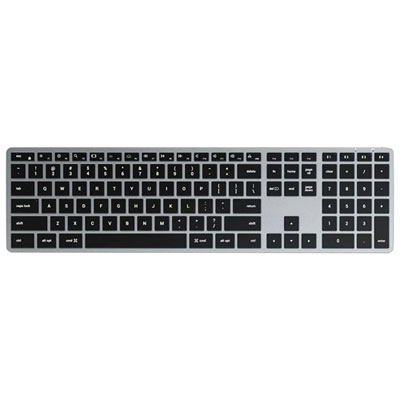
4. Connectivity and Compatibility

Wired USB keyboards provide a connection without batteries, while Bluetooth and USB receiver models reduce cable clutter. Confirm compatibility with your computer’s operating system and available ports, and consider multi-device switching if you work across several devices.
Citrus catapult arrow
  1. 1

    About this product

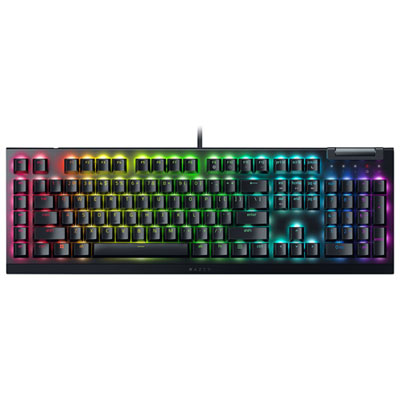
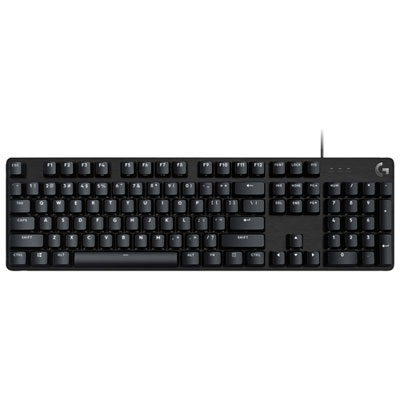
    A black, full-size mechanical keyboard featuring low-profile optical switches and customizable RGB backlighting for gaming.

    (13)
    $199.98
    SAVE $90
    Your price for this item is $199.98
  2. 2

    About this product

    A black mechanical gaming keyboard featuring clicky switches and customizable Chroma RGB lighting for immersive gameplay.

    What customers like

    • Excellent typing and gaming performance
    • Durable and high-quality build
    • Tactile and responsive mechanical keys
    • Customizable RGB lighting and effects
    • Versatile customization and macro options
    (116)
    $136.99
    SAVE $34
    Your price for this item is $136.99
  3. 3

    About this product

    A sleek wireless keyboard featuring a built-in rechargeable battery and enhanced scissor mechanism for precise typing.

    What customers like

    • Sleek and compact design
    • High build quality and durability
    • Easy wireless connectivity and setup
    • Comfortable and precise typing experience
    • Excellent battery life
    (3,087)
    $219.99 Your price for this item is $219.99
  4. 4

    About this product

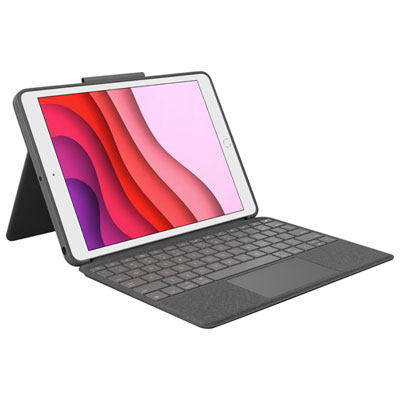
    A versatile keyboard case with backlit keys, multi-gesture trackpad, and adjustable kickstand for iPad.

    What customers like

    • Versatile design with adjustable kickstand and multiple viewing angles
    • Backlit full-size keyboard with smooth, tactile keys and function row
    • Responsive and accurate trackpad with multi-gesture support
    • Convenient smart connector for power with no batteries or charging required
    • Sturdy, protective case with premium fabric texture and tight fit
    (1,846)
    $139.97
    SAVE $60
    Your price for this item is $139.97
  5. 5

    About this product

    A slim and durable wireless gaming keyboard with low-profile mechanical switches for enhanced gaming performance.

    What customers like

    • Good battery life
    • Customizable lighting effects
    • Wireless performance
    • Solid build quality
    • Compact design
    (1,508)
    $319.99 Your price for this item is $319.99
  6. 6

    About this product

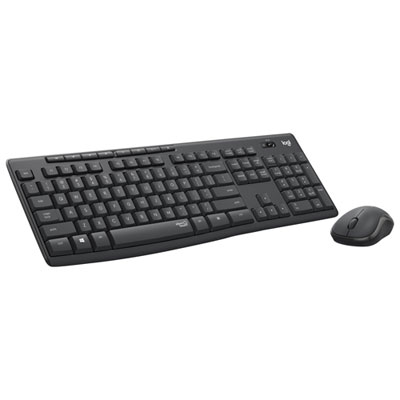
    A wireless keyboard and mouse combo featuring eight hot keys, spill resistance, and extended battery life.

    What customers like

    • Comfortable typing and mouse experience
    • Easy plug-and-play setup
    • Affordable price
    • Excellent battery life
    • Reliable wireless connectivity
    (9,865)
    $56.37
    SAVE $5
    Your price for this item is $56.37
  7. 7

    About this product

    A portable, full-size keyboard that doubles as a slim cover and connects via Smart Connector.

    What customers like

    • Seamless magnetic connection to iPad
    • Comfortable and responsive typing experience
    • No charging required due to Smart Connector
    • Lightweight and portable
    • Doubles as a protective cover and stand
    (2,483)
    $149.00
    SAVE $50
    Your price for this item is $149
  8. 8

    About this product

    A wireless keyboard and mouse combo in graphite featuring SilentTouch technology for quiet, reliable performance.

    What customers like

    • Easy and reliable wireless setup
    • Convenient shortcut and function keys
    • Great value for the price
    • Exceptionally quiet operation
    • Comfortable and ergonomic design
    (435)
    $44.99 Your price for this item is $44.99
  9. 9

    About this product

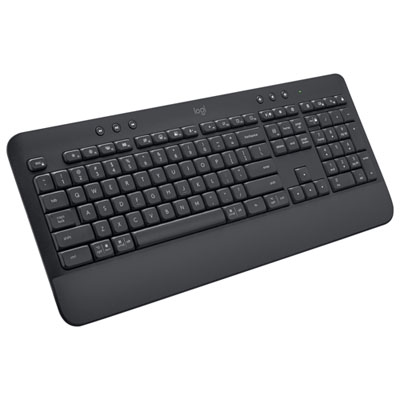
    A full-size graphite keyboard featuring Bluetooth connectivity and a soft-touch palm rest for comfortable typing.

    What customers like

    • Easy Bluetooth connectivity and setup
    • Comfortable typing experience
    • Compatible with multiple devices and operating systems
    • Solid build quality and durability
    • Quiet and soft keystrokes
    (78)
    $69.99
    SAVE $10
    Your price for this item is $69.99
  10. 10

    About this product

    A backlit, multi-device Bluetooth keyboard with numeric keypad for comfortable typing on Mac/iOS devices.

    What customers like

    • Comfortable and quiet typing experience
    • Adjustable and effective backlighting
    • Long-lasting battery life
    • Excellent compatibility with Mac and iOS devices
    • Convenient multi-device Bluetooth pairing
    (45)
    $119.99 Your price for this item is $119.99

Why key feel matters more than extra features

The best computer keyboards for typing offer a key feel, layout, and level of comfort that suit the way someone works. For writing reports, answering emails, coding, or taking lecture notes, a predictable response matters more than a long list of extra features. Mechanical keyboards use individual switches beneath the keys and appeal to typists who want a distinct, consistent feel with each press. Tactile switches provide a small bump during the keystroke, helping signal that a press has registered without necessarily producing a sharp click. Linear switches move smoothly without that bump, while clicky switches add an audible cue that may be satisfying at a private desk but distracting in a shared office. Scissor-switch keyboards typically have a slimmer profile and shorter key travel, making them a familiar choice for people who enjoy typing on a laptop. Membrane keyboards often offer a softer, cushioned feel and can suit everyday documents, browsing, and household computing. None of these designs is automatically the best for every typist: switch weight, key spacing, and the shape of the keycaps all influence how a keyboard feels through a full afternoon of work. Someone with a light touch may prefer keys that register with less pressure, while a heavier typist may appreciate more resistance to help limit unintended presses. Sound also depends on the keyboard’s case, internal construction, desk surface, and typing style, not just its switch category. A quiet keyboard for typing is particularly useful beside a colleague, during video calls, or in a study space shared with family. Low-profile keys can make the transition between a laptop and a desktop setup feel more familiar, whereas taller, sculpted keycaps may help fingers settle into position. For long passages of text, the most useful features are often straightforward: clear lettering, a dependable space bar, accessible punctuation, and a layout that does not require constant adjustments to familiar typing habits.

Keyboard size shapes both typing comfort and the amount of usable space on a desk. Full-size computer keyboards include a dedicated number pad, which is helpful for spreadsheets, bookkeeping, data entry, and any task involving repeated numerical input. Tenkeyless layouts remove that number pad while usually retaining the function row, arrow keys, and navigation cluster. This shorter footprint leaves more room for a mouse and may make it easier to keep the pointing hand closer to the body. More compact keyboards save additional space, but some place frequently used commands behind key combinations. That trade-off can matter when editing a document with Home and End, navigating a spreadsheet with arrow keys, or using function-key shortcuts throughout the day. Layout details deserve attention beyond the overall dimensions: the size of Enter and Shift, the position of Delete, and the spacing between key groups can affect accuracy until muscle memory adjusts. Typists working in English and French may also want key legends and an operating-system layout that suit their language needs; printed characters alone do not determine what appears on screen. Ergonomic keyboards introduce another set of options, including split sections, curved key rows, and adjustable positioning. These designs can help some users find a more comfortable posture, although they often involve a learning period and do not guarantee relief from discomfort. A suitable setup allows relaxed shoulders and wrists that stay relatively straight rather than bending sharply upward. Raising a keyboard’s rear feet is not always more comfortable, particularly if it increases that upward bend. A palm rest can offer support between bursts of typing, but it should not press into the wrists while the fingers are moving. Desk height, chair position, and regular breaks remain important alongside the keyboard itself. For students drafting essays, writers revising chapters, or office workers moving between messages and worksheets, a layout that keeps everyday commands within easy reach can be more valuable than the smallest possible footprint. Keyboard fit is ultimately about the relationship between the hands, the work surface, and the tasks repeated most often.

Connection options, materials, and maintenance help distinguish a keyboard that merely feels good at first from one that fits into a daily routine. A wired keyboard provides a direct connection without a separate battery to charge, making it a practical choice for a fixed workstation. Wireless keyboards reduce cable clutter, with Bluetooth connections often useful for compatible laptops and other devices, while receiver-based connections require a suitable USB port. Multi-device pairing can simplify switching between a work computer and a personal computer, though compatibility, switching controls, and supported device counts vary by design. Operating-system support also matters because shortcut labels, media controls, and customization software may work differently across platforms. For frequent typing, dependable everyday controls are more important than decorative extras. Backlit lettering can improve visibility in a dim workspace, but lighting may shorten battery life on wireless designs. Keycap materials affect texture and wear: ABS plastic is common and can develop a smoother shine with use, while PBT plastic generally resists that polished appearance better. Lettering durability depends on how the legends are made, with moulded or dye-sublimated characters often resisting wear better than surface printing. A rigid case and stable feet help keep the keyboard from shifting during fast typing, and well-supported larger keys can reduce wobble on the space bar, Enter, and Shift. Care should follow the manufacturer’s directions, with the keyboard unplugged or powered off before cleaning. A soft brush can clear loose debris, and a lightly dampened cloth can lift marks without allowing liquid to run between the keys. Keycaps should only be removed when the design supports it; laptop-style mechanisms can be delicate. For a desk that also serves as a place to play, best keyboards for gaming and typing bring together considerations for written work and interactive use. A keyboard can also make a thoughtful gift for a student, writer, or home-office user when their preferred layout, connection type, and tolerance for typing noise are known. Familiarity and everyday usefulness make the difference between an appealing accessory and a tool that earns its place on the desk.
Read More

FAQ

Some products may be subject to Environmental Handling Fees (EHF) depending on your province. Learn more about EHFs.