Best Computers for Online Classes
Find the best computers for online classes, ranked by customer review ratings to help you compare options with confidence. Whether you’re attending virtual lectures, completing assignments, or collaborating with classmates, explore computers that suit your study needs and budget. Consider performance, webcam quality, and connectivity to find the right fit for your coursework.
What to look for in computers for online classes
1. Performance and Storage
2. Display and Video Call Features
3. Portability and Study Space
4. Software Compatibility and Connections
-
1
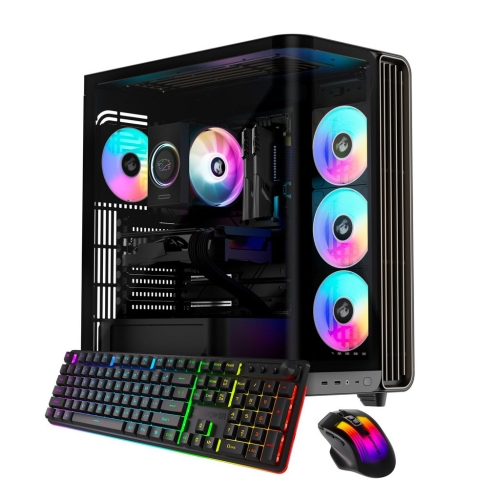
IBUYPOWER Trace Gaming PC Desktop - Intel Core Ultra 7 265F, Nvidia Geforce Rtx 5070 12GB, 32GB Ddr5 Ram, 2Tb Nvme SSD
About this product
A high-performance desktop featuring Intel Core Ultra 7, RTX 5070 12GB, 32GB DDR5 RAM, and 2TB NVMe SSD.
What customers like
(58)$3,199.99 Your price for this item is $3199.99 -
2
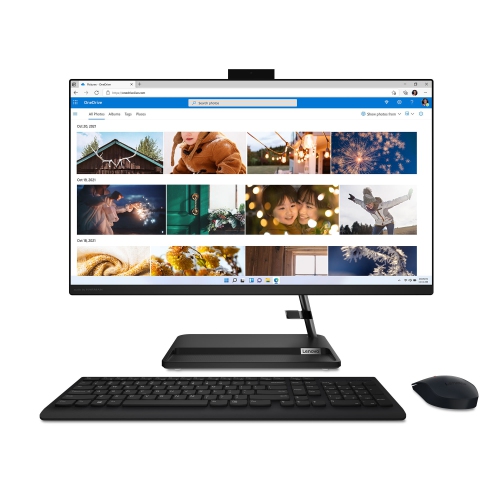
LENOVO Ideacentre Aio 3I All-In-One Desktop 27" Fhd - Intel Core I7-13620H, 16GB Memory, 1Tb, Win 11
About this product
A powerful all-in-one desktop featuring a 27" FHD IPS display, i7-13620H processor, and 16GB RAM.
What customers like
(38)$1,899.00Your price for this item is $1899SAVE $100 -
3
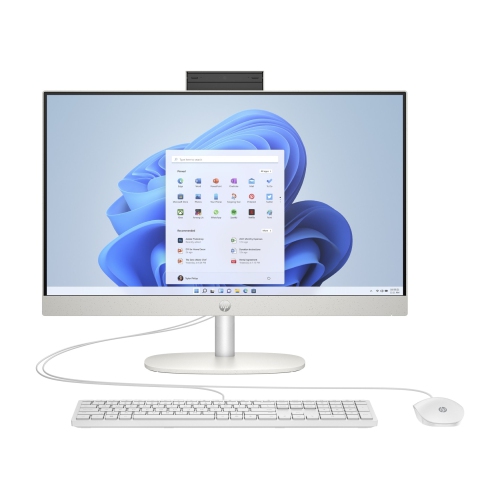
HP All-In-One Desktop 24" Fhd - Shell - Intel Core I3-N300, 8GB Memory, 512GB SSD, Win 11 In White
About this product
A sleek white all-in-one desktop featuring Intel Core i3, 512GB SSD, 8GB RAM, and Windows 11.
What customers like
(284)$1,458.99 Your price for this item is $1458.99 -
4
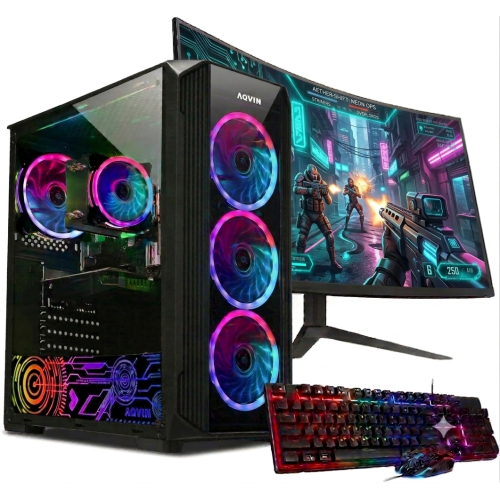
AQVIN Refurbished (Excellent) - Gaming PC - Rtx 3050, Intel Core I7, 16GB Memory, 512GB SSD, Win 11 Pro + 27" Monitor
About this product
A high-performance gaming desktop featuring an Intel i7 processor, GTX 1650 graphics, 32GB RAM, and 1TB SSD.
(2)$1,299.99Your price for this item is $1299.99SAVE $700 -
5
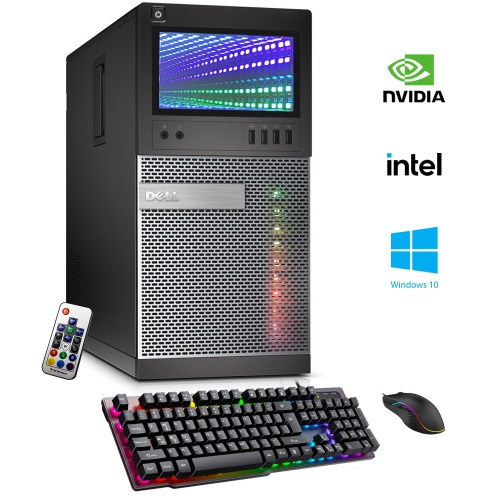
DELL Refurbished (Good) - Optiplex Gaming PC - Gt 1030 2GB, Intel Core I5-4570, 16GB Memory, 512GB SSD, Win 10 Pro, RGB + Keyboard & Mouse
About this product
A refurbished desktop with remote-controlled RGB lighting, i5 processor, 16GB RAM, GT 1030 graphics, and SSD.
(2)$899.99Your price for this item is $899.99SAVE $250 -
6

DELL 27 All-In-One Desktop PC - Ec27250 (27", Touch, Fhd, Intel® Core 7 150U/1Tb SSD/32GB Ram/nvidia® Geforce® Mx570A/win11)
About this product
An all-in-one desktop featuring a 27" display, Intel Core 7-150U, 32GB DDR5, and 1TB SSD.
(1)$2,150.00Your price for this item is $2150SAVE $449
FAQ
Look for built-in Wi-Fi, a webcam, a microphone and speakers or a headset connection. A physical keyboard, an SSD and multiple USB ports are also useful for coursework. Check your school’s requirements for the operating system, memory and any course-specific software before choosing a computer.
A laptop combines a display, keyboard and battery in one portable device, making it convenient for studying in different locations. A desktop suits a dedicated study space and offers flexibility when choosing a monitor, keyboard and webcam. Your choice depends on where you study and which equipment you already have.
Windows, macOS and ChromeOS support many browser-based learning platforms and video conferencing tools. However, specialized course software and exam applications may require a particular operating system. Confirm compatibility with your school, especially for courses involving engineering, design or programming.
Local storage keeps files on your computer, so you can access downloaded documents without an internet connection. Cloud storage keeps files online and can let you access them from multiple devices. Some cloud services also let you mark files for offline access. Many students use both for assignments, notes and presentations.
Many laptops and desktops support external monitors through HDMI, DisplayPort or a USB-C port with video output. Keyboards, mice and headsets can connect through compatible USB ports or Bluetooth. Check the computer’s connections and accessory requirements, as some setups need an adapter or docking station.
Top selling and popular products
Discover more categories related to Best Computers for Online Classes

Some products may be subject to Environmental Handling Fees (EHF) depending on your province. Learn more about EHFs.