Best Home Printers for Students
Find the best home printers for students, ranked by customer review ratings to help you compare your options. From essays and lecture notes to colourful class projects, the right printer can help you stay on top of schoolwork. Explore features such as Wi-Fi connectivity, automatic two-sided printing, and compact designs, and consider ink or toner costs to find a fit for your study space and budget.
What to look for in home printers for students
1. Printer Type and Print Quality
2. Ink and Toner Costs
3. Connectivity and Compatibility
4. Size and Study Features
-
1

Epson Expression Premium XP-7100 Wireless All-In-One Inkjet Printer
About this product
An all-in-one wireless inkjet printer with 5-colour inks, 30-page ADF, and duplex printing.
What customers like
(4,343)$249.99 Your price for this item is $249.99 -
2

CANON Pixma Mg3620 0515C023 In White
About this product
A white wireless inkjet printer delivering vivid colour prints, sharp text, and automatic two-sided printing.
What customers like
(4,258)$137.68Your price for this item is $137.68SAVE $15 -
3

Canon PIXMA TR4720 Wireless All-In-One Inkjet Printer
About this product
A compact black all-in-one inkjet printer with wireless connectivity and a 2-cartridge hybrid ink system.
What customers like
(3,381)$59.99Your price for this item is $59.99SAVE $20 -
4

Epson WorkForce Pro WF-3820 Wireless All-In-One Inkjet Printer
About this product
An all-in-one wireless inkjet printer with PrecisionCore technology and a 35-page automatic document feeder.
What customers like
(2,729)$199.99 Your price for this item is $199.99 -
5

Canon PIXMA TR4720 Wireless All-In-One Inkjet Printer - White
About this product
A versatile white wireless inkjet printer offering fast, high-quality printing and easy operation for any task.
What customers like
(127)$59.99Your price for this item is $59.99SAVE $20 -
6
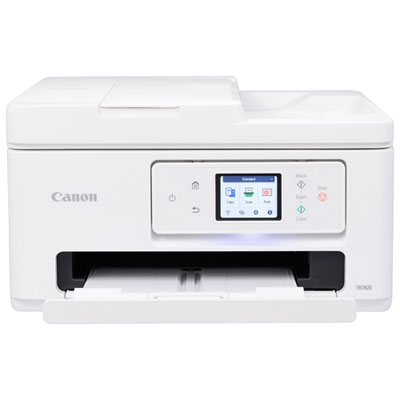
Canon PIXMA TR7820 Wireless All-In-One Inkjet Printer
About this product
An all-in-one wireless inkjet printer with a 2.7" touch LCD and easy two-cartridge system.
What customers like
(115)$259.99 Your price for this item is $259.99 -
7
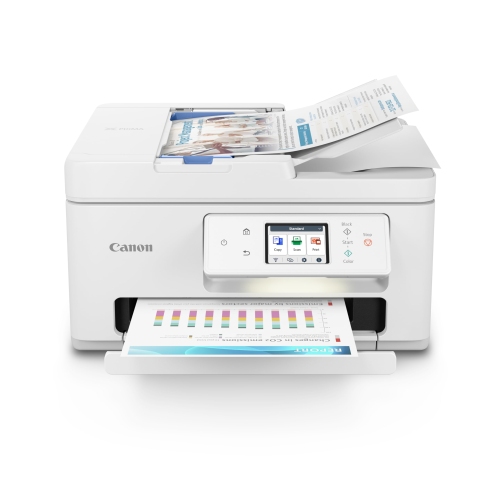
CANON Pixma Tr7820 - Wireless Home All-In-One Printer
About this product
A wireless all-in-one printer offering convenient printing, scanning, and copying for home use.
What customers like
(94)$169.99Your price for this item is $169.99SAVE $120 -
8
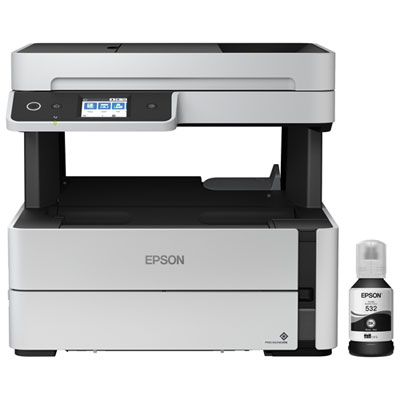
Epson EcoTank ET-M3170 Wireless All-In-One Supertank Inkjet Printer
About this product
An all-in-one wireless inkjet printer with PrecisionCore technology and a 2.4" touchscreen for easy navigation.
What customers like
(85)$549.99 Your price for this item is $549.99 -
9
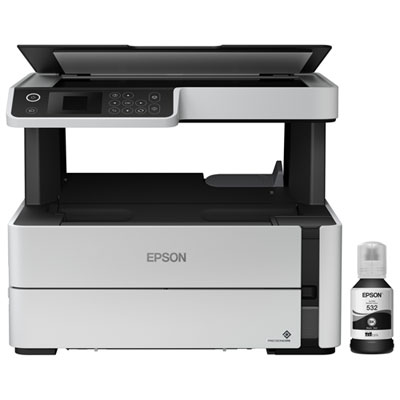
Epson EcoTank ET-M2170 Wireless All-In-One Supertank Inkjet Printer
About this product
An efficient wireless all-in-one inkjet printer with rapid 20ppm print speeds and convenient mobile printing.
What customers like
(81)$449.99 Your price for this item is $449.99 -
10
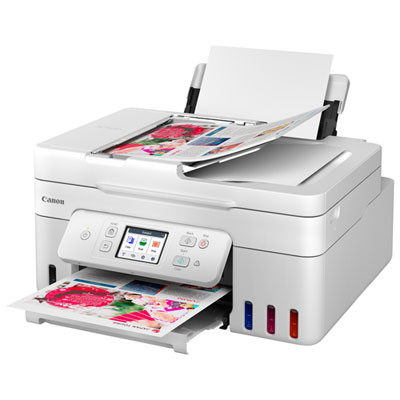
Canon PIXMA MegaTank G4280 All-In-One Inkjet Printer
About this product
An all-in-one white inkjet printer with wireless printing, touch LCD, and integrated ink tanks for efficiency.
What customers like
(39)$299.99Your price for this item is $299.99SAVE $80
FAQ
Inkjet printers use liquid ink to print text, graphics and photos, while laser printers use toner powder. Inkjet models commonly offer colour printing, while laser models are available in monochrome and colour versions. Consider whether your coursework involves mainly text documents or a mix of text and colour images.
All-in-one printers combine printing, scanning and copying, and some also include faxing. Students can use these functions to digitize handwritten notes, copy course handouts and print assignments. An automatic document feeder lets you scan or copy multiple pages without placing each sheet on the scanner glass.
Depending on the model, home printers can connect through USB, Wi-Fi or Ethernet. Compatible printers may also support Apple AirPrint, Android printing services or a manufacturer's mobile app. Check that the printer supports your laptop, tablet or phone and its operating system.
Automatic duplex printing lets a printer print on both sides of a sheet without requiring you to turn it over manually. Manual duplex printing requires you to reload the pages when prompted. You can usually choose single-sided or double-sided printing in the print settings to match your assignment's formatting requirements.
Cartridge printers use replaceable ink cartridges, while refillable ink tank printers store ink in built-in reservoirs filled from compatible bottles. Some cartridge models use separate cartridges for each colour, while others combine several colours in one cartridge. Each system requires the ink specified for that printer.
Top selling and popular products
Discover more categories related to Best Home Printers for Students
Some products may be subject to Environmental Handling Fees (EHF) depending on your province. Learn more about EHFs.