Best Inkjet Printers With Duplex Printing

Print on both sides with ease using the best inkjet printers with duplex printing, ranked by customer review ratings. Whether you’re preparing school assignments, work reports, or everyday documents, these printers help you create polished pages while using less paper. Explore the top-rated options to find the right fit for your home or office.

Read More

What to look for in inkjet printers with duplex printing

1. Automatic Duplex Printing

Choose automatic duplex printing if you want to print on both sides without manually flipping pages. Check which paper sizes and types support this feature, and note that two-sided scanning or copying requires separate capabilities.

2. Print Quality and Speed

Look for crisp text for documents and strong colour accuracy for photos or graphics. Compare black-and-white and colour print speeds, keeping in mind that duplex printing can be slower than single-sided printing.

3. Ink Costs and Capacity

Compare cartridge or refillable ink tank options based on how often you print. Check replacement ink prices and estimated page yields to assess ongoing costs, and consider individual colour cartridges if you want to replace only the colour that runs out.

4. Connectivity and Paper Handling

Look for Wi-Fi, USB, or Ethernet connections that suit your setup, along with support for printing from your phone or tablet. Check paper tray capacity and supported paper sizes to make sure the printer can handle your usual documents.
  1. 1

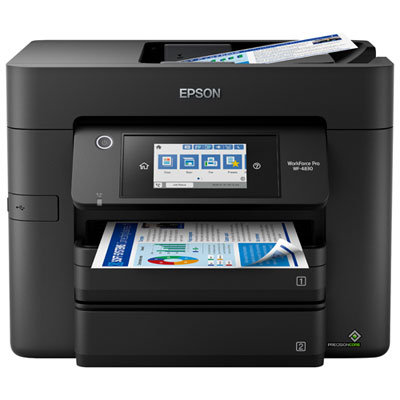
    Epson WorkForce Pro WF-4830 Wireless All-In-One Inkjet Printer

    About this product

    An all-in-one wireless inkjet printer with auto duplex, 50-sheet ADF, and fast PrecisionCore Heat-Free printing.

    What customers like

    • Fast and reliable printing speeds
    • Large paper capacity with multiple trays
    • Easy and intuitive setup
    • High-quality print, scan, and copy results
    • Versatile duplex and wireless features
    (376)
    $179.99
    SAVE $100
    Your price for this item is $179.99
  2. 2

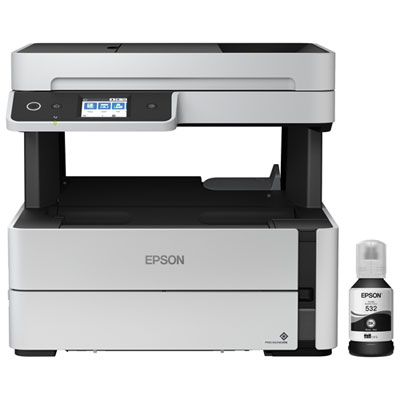
    Epson EcoTank ET-M3170 Wireless All-In-One Supertank Inkjet Printer

    About this product

    An all-in-one wireless inkjet printer with PrecisionCore technology and a 2.4" touchscreen for easy navigation.

    What customers like

    • Easy and quick setup
    • Cost-effective and efficient ink system
    • Compact and modern design
    • Exceptional print quality and speed
    • Versatile all-in-one functionality
    (85)
    $549.99 Your price for this item is $549.99
  3. 3

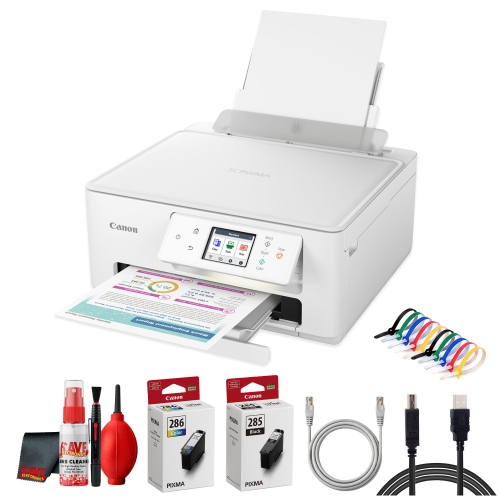
    CANON Pixma Ts7720 Wireless All In One Inkjet Printer, Duplex Printing + More

    About this product

    An all-in-one wireless inkjet printer offering duplex printing for versatile home or office use.

    $240.00
    SAVE $50
    Your price for this item is $240
  4. 4

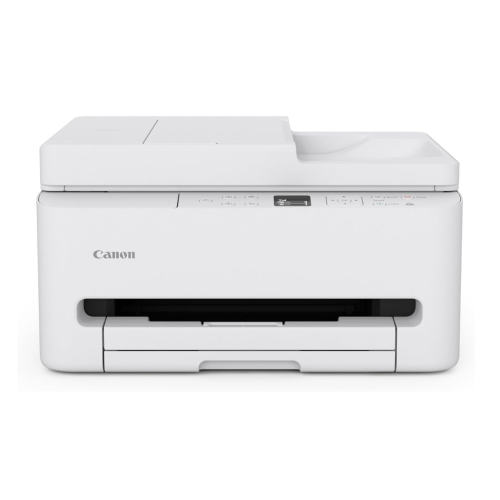
    CANON Pixma Tr7120 Wireless All-In-One Inkjet Printer, Print Scan Copy, Auto Duplex Printing, 35-Sheet Adf, 1.42-Inch Oled Display, Home And Small

    About this product

    A wireless all-in-one inkjet printer with auto duplex printing, 35-sheet ADF, and OLED display.

    (12)
    $139.99
    SAVE $90
    Your price for this item is $139.99
  5. 5

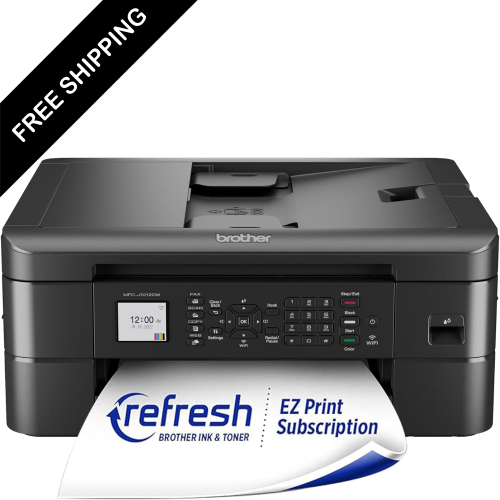
    LDAS ELECTRONICS Brother Wireless Inkjet Printer – Colour Printer – Duplex Printing – Say Goodbye to Last-Minute Ink & Toner Runs w A Brother

    About this product

    A wireless inkjet printer and scanner offering fast colour duplex printing and mobile device compatibility.

    $199.99
    SAVE $100
    Your price for this item is $199.99
  6. 6

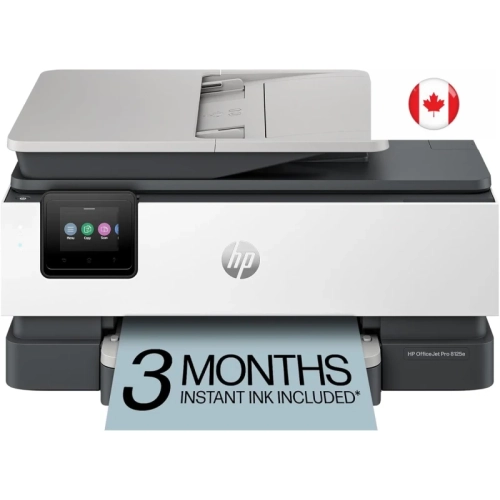
    HP Officejet Pro 8125E Wireless All-In-One Colour Inkjet Printer With 3 Months Instant Ink, Adf And Auto 2-Sided Printing

    About this product

    An all-in-one wireless inkjet printer offering fast colour printing, 35-sheet ADF, and auto 2-sided printing.

    $249.98
    SAVE $40
    Your price for this item is $249.98
  7. 7

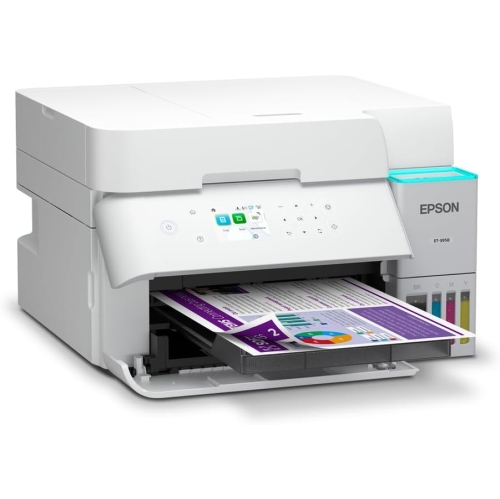
    EPSON - Ecotank Et-3958 Wireless All-In-One Supertank Colour Inkjet Printer

    About this product

    An all-in-one wireless inkjet printer with refillable ink tanks, duplex printing, and automatic document feeder.

    What customers like

    • Excellent print quality
    • Easy ink tank refilling with long-lasting, low-cost ink
    • Convenient double-sided printing and automatic document feeder
    • Quiet, smooth operation
    • Easy wireless setup and networking
    (82)
    $649.99
    SAVE $50
    Your price for this item is $649.99
  8. 8

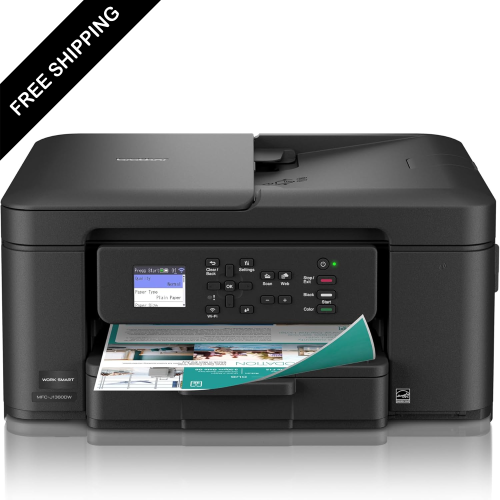
    LDAS ELECTRONICS Brother Wireless Inkjet Printer w Scanner – Color Printer – Duplex Printing – Say Goodbye to Last-Minute Ink & Toner Runs w

    About this product

    An all-in-one colour inkjet printer offering wireless printing, scanning, copying, and automatic duplex printing.

    $259.99
    SAVE $40
    Your price for this item is $259.99
  9. 9

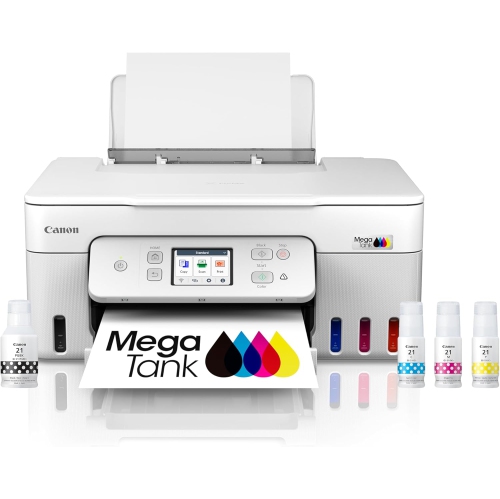
    CANON Megatank G3290 All-In-One Wireless Supertank Printer, Mobile Printing, 2.7" Lcd Color Touchscreen, Auto Duplex

    About this product

    An all-in-one wireless inkjet printer with mobile printing, auto duplex, and a 2.7" LCD colour touchscreen.

    What customers like

    • Reliable performance with no jams or misfeeds
    • Fast scanning and printing
    • Versatile scanning options including duplex and multiple formats
    • Easy setup and user-friendly interface
    • Compact size and small footprint
    (32)
    $569.05
    SAVE $29
    Your price for this item is $569.05
  10. 10

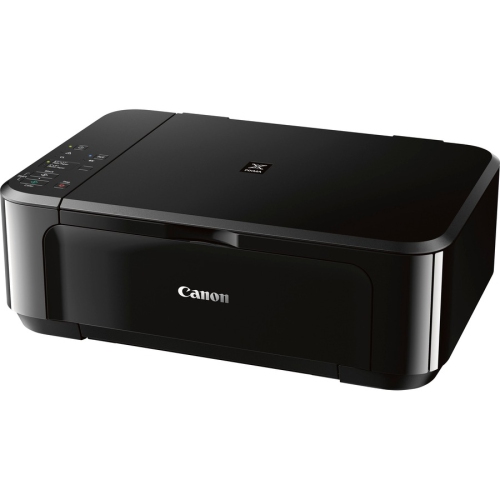
    CANON Mg3620 Pixma Mg3620 Wireless Inkjet All-In-One Printer (0515C003)

    About this product

    A wireless all-in-one inkjet printer offering color printing, scanning, copying, and automatic duplex functionality.

    (1)
    $129.92 Your price for this item is $129.92

Two-sided documents without the manual paper flip

The best inkjet printers with duplex printing combine clear text, dependable two-sided output, and connections that suit the way a household or office works. Automatic duplex printing means the printer prints on both sides of a compatible sheet without someone having to turn the paper over and reload it. That makes a noticeable difference when printing a lengthy assignment, a client proposal, or several copies of a meeting agenda: pages emerge ready to arrange, staple, or file, rather than requiring a separate pass through the tray. Manual duplex printing also produces double-sided documents, but it relies on the user to flip and reinsert the sheets correctly. The distinction matters for anyone who regularly handles longer documents or sends print jobs from another room. Inkjet technology uses tiny droplets of ink to form text and images, making these printers useful for a mix of everyday paperwork, colour charts, illustrated school projects, and occasional photos. For duplex work, however, the most useful strengths are legible text, consistent paper handling, and settings that make double-sided output straightforward. A student printing research notes may value a compact design and simple laptop connection, while a home-based professional preparing reports may need a larger paper tray and faster multipage performance. Families sharing one printer often benefit from an all-in-one design that adds scanning and copying without requiring separate machines. Across these uses, “best” depends on the documents being printed and how frequently the printer will be used, rather than on a single specification. Automatic duplex support is also tied to particular paper sizes and types, so it should not be assumed to work with every sheet that fits in the tray. Letter-size office documents are a common application; legal-size sheets, smaller formats, and specialty media require closer attention to the supported duplex settings. The broader category of printers with automatic duplex printing provides additional context for comparing two-sided printing capabilities across printer types.

Print quality and day-to-day performance become easier to judge when connected to actual tasks. A report with dense paragraphs needs sharp black text and good alignment, while a presentation handout benefits from distinct chart colours and readable labels. Resolution figures describe part of a printer’s capability, but paper choice, ink formulation, and the selected quality setting also affect the finished page. For two-sided text documents, paper with suitable opacity helps prevent text on the reverse from showing through. Very thin paper can make a neatly printed report harder to read, particularly when both sides contain dark graphics. Heavier paper is not automatically better, either: the sheet weight must fall within the printer’s supported range for its automatic duplex path. Coated photo paper, envelopes, labels, and cardstock may need a different feed route or single-sided printing, even when the printer handles ordinary documents on both sides. Borderless photo printing and automatic duplex printing are separate capabilities, so one does not imply the other. Speed specifications deserve similar care. A quoted pages-per-minute figure may describe single-sided output under particular test conditions, while automatic duplex printing can take longer as the sheet reverses direction and ink has time to settle. For someone printing a few forms, that pause may barely register; for a shared workspace producing repeated long documents, duplex speed and tray capacity have more practical weight. An enclosed tray keeps everyday paper neatly contained, and a separate feed can make occasional specialty jobs less disruptive where supported. Scanning requirements should be considered independently from printing. An automatic document feeder can move a stack of originals through the scanner, but it does not necessarily scan both sides of each sheet. Automatic two-sided scanning requires its own supported feature, and automatic two-sided copying depends on the machine’s scanning and copying functions as well. A flatbed remains useful for a page from a book or a delicate original that should not pass through a feeder. These distinctions help separate a convenient document printer from a genuinely suitable all-in-one for handling multipage paperwork.

The physical fit and upkeep of an inkjet printer matter just as much as its feature list once it becomes part of a desk, study nook, or shared office. Measurements should account for more than the closed casing: an extended output tray, an open scanner lid, and access to ink compartments can all require extra room. A stable, level surface and clear access to paper trays make routine loading and occasional jam removal less awkward. Build quality is especially noticeable in frequently handled parts such as tray guides, hinges, and control panels; gently adjusting these components and staying within the stated paper capacity helps keep them working properly. Connectivity shapes how naturally the printer fits into everyday routines. Wi-Fi can let several compatible devices share a printer without a direct cable, while Ethernet, where supported, provides a wired network connection for a fixed workspace. USB remains useful for a direct computer connection. Mobile printing support varies by operating system and application, and Wi-Fi band compatibility should match the intended network setup. For duplex jobs sent from a phone or tablet, the printing application also needs to expose the appropriate two-sided setting. Long-edge binding normally suits portrait documents that turn like a book, whereas short-edge binding is useful for pages intended to flip from the top; the correct choice prevents alternating pages from appearing upside down. Ink systems bring another practical distinction, with cartridge-based and refillable-tank designs requiring their own compatible supplies and handling procedures. Page-yield figures are estimates rather than promises for every document, since full-colour graphics and dense coverage use ink differently from lightly printed text. Regular use, correctly seated supplies, and manufacturer-approved maintenance help support consistent output. If streaks or missing lines appear, a nozzle check can establish whether cleaning is needed before running repeated cleaning cycles. Keeping unused paper flat and following the specified media settings also supports reliable feeding. For students, families, remote workers, and small teams, a well-matched duplex inkjet printer brings these details together: readable double-sided documents, manageable maintenance, and a workflow that feels straightforward from the first page to the last.
Read More

FAQ

Some products may be subject to Environmental Handling Fees (EHF) depending on your province. Learn more about EHFs.