Best Laptop Computers for School

Find the best laptop computers for school, ranked by customer review ratings to help you compare options with confidence. Whether you’re taking notes in class, researching assignments or joining online study groups, explore laptops with the performance, battery life and portability to support your school day.

Read More

What to look for in laptop computers for school

1. Performance and Storage

Choose a processor and memory capacity that can handle your schoolwork, from writing essays to running specialized software. An SSD helps apps load quickly, while sufficient storage gives you room for assignments, applications and class materials.

2. Portability and Durability

A lightweight laptop is easier to carry between classes, while sturdy construction is useful for daily travel. Consider how its screen size and weight fit your backpack and workspace.

3. Battery Life

Look for battery life that suits your class schedule, especially if power outlets are hard to find. Actual runtime varies with screen brightness, applications and usage, so compare battery estimates based on similar tasks.

4. Software Compatibility and Connectivity

Check your school or program’s operating system and software requirements before choosing a laptop. Reliable Wi-Fi, a webcam and the right ports for accessories or an external display can help with online classes and group projects.
Citrus catapult arrow
  1. 1

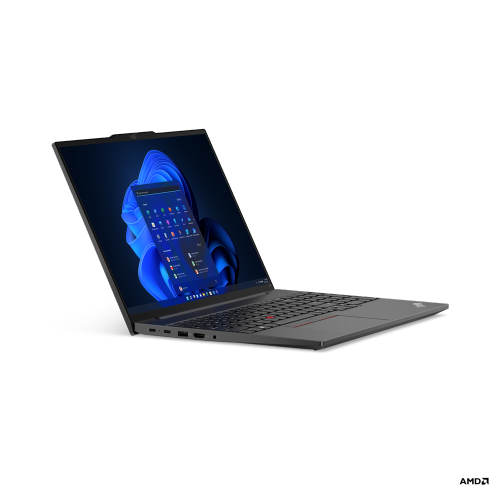
    LENOVO Thinkpad E16 Gen 1 16" Laptop - Amd Ryzen 5 7530U - 8GB Ram - 256GB SSD - Windows 11 Pro - Graphite In Black

    About this product

    A powerful black laptop featuring AMD Ryzen 5, 256GB SSD, 8GB RAM, and immersive Dolby audio.

    (9)
    $1,300.00 Your price for this item is $1300
  2. 2

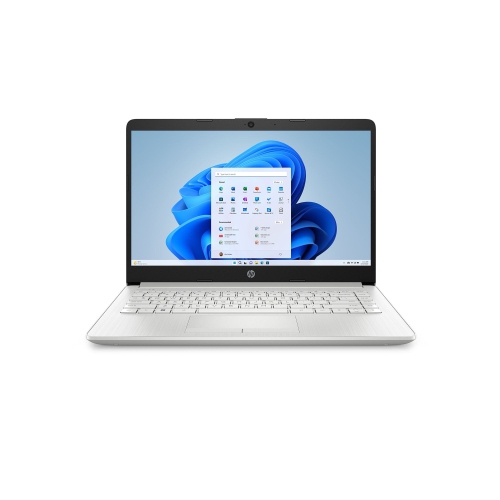
    HP Stream 14" Laptop - Intel Celeron N4120 - 4GB Ram - 64GB Emmc - Windows 11 - - Includes 1 Year Microsoft 365 In Silver

    About this product

    A lightweight silver laptop featuring an Intel N4120 processor, 4GB RAM, 64GB storage, and Windows 11.

    What customers like

    • Good value for the price
    • Fast performance for basic tasks
    • Suitable for school, work, and online classes
    • Includes Microsoft Office and useful software
    • Lightweight and portable
    (5)
    $300.00 Your price for this item is $300
  3. 3

    LENOVO Refurbished Good - Thinkpad T490 14" Business & School Laptop - Intel Core I5-8365U - 24GB Ddr4 - 1Tb SSD - Windows 11 Pro - In Black

    About this product

    A refurbished laptop with a 14" display, i5 processor, 24GB RAM, 1TB SSD, and Windows 11 Pro.

    (4)
    $412.98
    SAVE $86
    Your price for this item is $412.98
  4. 4

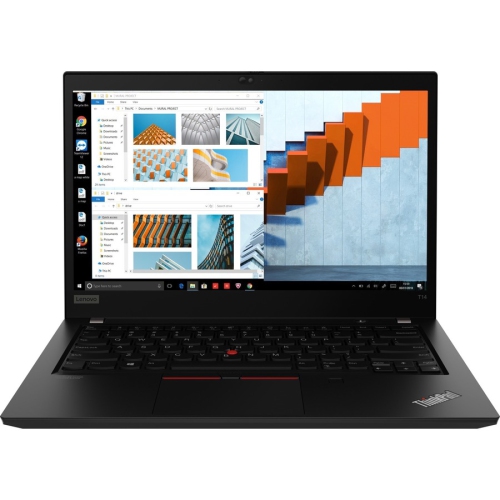
    LENOVO Thinkpad T14 Gen 1 14", I5-10210U, 24GB Ram, 256GB SSD, Windows 11 Pro, Business & School Laptop (Refurbished Excellent)

    About this product

    A refurbished business laptop with Intel Core i5, 24GB RAM, 256GB SSD, and Windows 11 Pro.

    (4)
    $488.00
    SAVE $11
    Your price for this item is $488
  5. 5

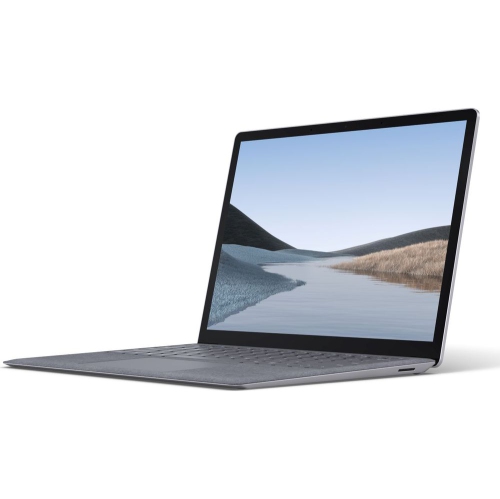
    MICROSOFT Refurbished (Good) - Surface Laptop 3 13.5" - Intel Core I5-1035G7 - 8GB Ram - 256GB SSD - Windows 11 - In Platinum

    About this product

    A refurbished Microsoft Surface Laptop 3 15" with Intel Core i5, 256GB SSD, and 8GB RAM.

    (2)
    $348.00
    SAVE $550
    Your price for this item is $348
  6. 6

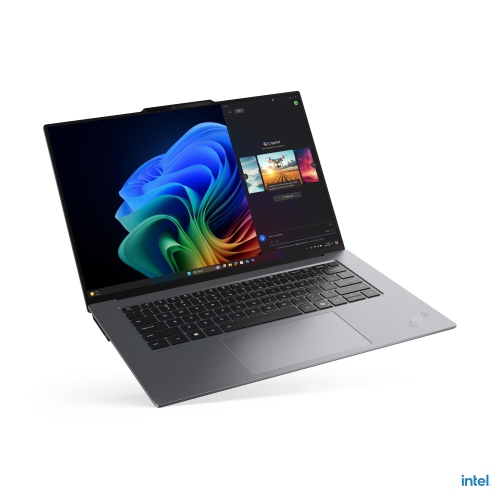
    LENOVO Thinkpad X9 15 Aura Edition 15.3" Laptop - Intel Core Ultra 5 226V - 16GB Ram - 512GB SSD - Windows 11 Pro - In Grey

    About this product

    An ultrathin grey laptop featuring an Intel Core Ultra 5 processor, 16GB RAM, and 512GB SSD.

    (2)
    $2,582.99
    SAVE $508
    Your price for this item is $2582.99
  7. 7

    LENOVO Refurbished (Excellent) - Thinkpad T14 Gen 2 14" Laptop - Intel Core I7-1165G7 - 16GB - 512GB SSD - Windows 11 Pro

    About this product

    A refurbished laptop featuring an Intel i7 processor, 16GB RAM, 512GB SSD, and Windows 11 Pro.

    (2)
    $649.00
    SAVE $349
    Your price for this item is $649
  8. 8

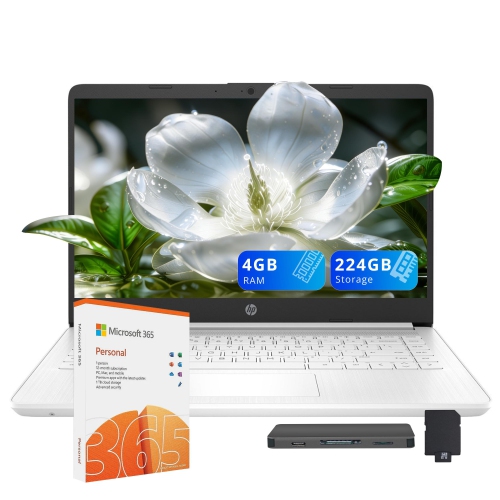
    HP Stream 14" HD Student & Business Laptop - Intel Celeron N4120 - 4GB Ram - 224GB (64GB Emmc+160GB Dock) - Windows 11 - - 1 Year Office 365

    About this product

    A white laptop featuring Intel Celeron N4120, 4GB RAM, 224GB storage, and Intel UHD Graphics.

    (1)
    $449.00
    SAVE $69
    Your price for this item is $449
  9. 9

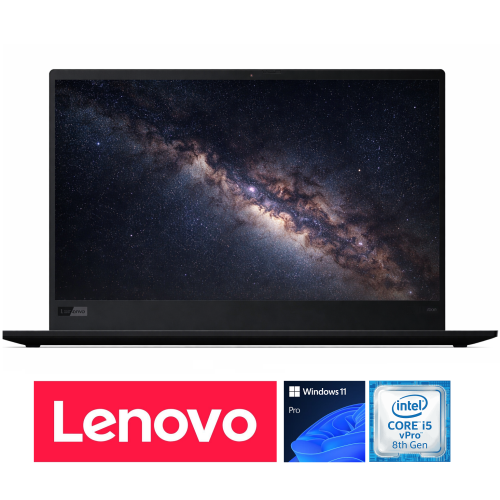
    LENOVO Refurbished Good - Thinkpad X1 Carbon Gen 7 14" Business Laptop - Intel Core I5-8265U - 16GB Ram - 256GB Nvme SSD - Windows 11 Pro - In Black

    About this product

    A lightweight business laptop with Intel Core i5, 16GB RAM, 256GB NVMe SSD, and Windows 11 Pro.

    (1)
    $359.96
    SAVE $239
    Your price for this item is $359.96
  10. 10

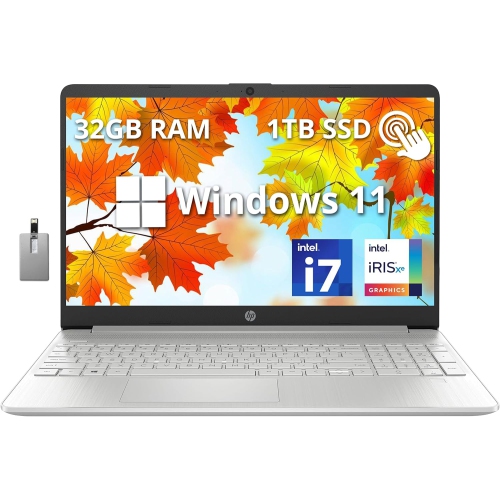
    HP 15.6" Fhd Touchscreen Laptop - Intel Core I7-1255U - 32GB Ddr4 - 1Tb SSD - Intel Iris Xe - Windows 11 - - 32GB Hotface USB Card In Silver

    About this product

    A powerful natural silver touchscreen laptop featuring Intel Core i7, 32GB RAM, 1TB SSD, and Windows 11.

    What customers like

    • Powerful performance for gaming and multitasking
    • Ample RAM and storage for handling large files
    • Solid build quality and sleek design
    • Large, bright touchscreen display with vivid colours
    • Long battery life and fast charging
    (0)
    $1,849.00
    SAVE $800
    Your price for this item is $1849

What your coursework demands from an everyday laptop

The best laptop computers for school combine dependable performance, comfortable everyday use, and enough portability to move between home, classrooms, and the library. For most students, that means a responsive laptop for writing assignments, researching topics, joining video calls, and keeping several browser tabs open without constant pauses. The right balance depends on the coursework: a high school student working mainly in online learning platforms has different needs from a college student running design software or a university student compiling code. A modern processor, solid-state storage, and sufficient memory help everyday tasks feel smooth. For many general-purpose school laptops, 8 GB of memory can support lighter workloads, while 16 GB provides more room for multitasking and demanding applications. Requirements vary, so a school or program’s published specifications remain an important reference, especially for engineering, architecture, media production, and other software-intensive subjects. Storage matters beyond the number of documents saved. Downloaded lectures, presentation files, applications, and creative projects can fill a drive over time; a 256 GB solid-state drive may suit lighter use, while 512 GB or more offers additional space for local files. Students who work mainly through a browser may be well served by a laptop built around online applications, provided its operating system supports their school’s tools and any required offline tasks. Reliable Wi-Fi helps with submitting assignments and accessing shared resources, although connection quality also depends on the network. Battery life is equally practical when a day includes several classes and a study session away from an outlet. Published battery estimates are useful starting points rather than promises: screen brightness, video meetings, wireless activity, and heavier software can change how long a charge lasts. A school laptop earns its place through that combination of capability and convenience, whether it is used for a short reading response at the kitchen table or a full afternoon of research and revision.

Screen size, keyboard feel, and construction shape how comfortable a laptop is throughout the school day. A 13-inch or 14-inch display often strikes a useful balance between workspace and portability, particularly for students carrying textbooks, lunch, and a charger in the same backpack. A 15-inch or 16-inch display provides more room for side-by-side documents, detailed spreadsheets, and creative work, though the larger footprint can be less convenient on a small classroom desk. Weight varies with construction and components, so screen size alone does not tell the whole story. A sharp display makes small text easier to read, while an anti-glare finish can reduce distracting reflections under overhead lighting. Brightness and viewing angles matter when a student moves from a dim lecture room to a bright library table or shares a presentation with a classmate. For long essays and detailed notes, comfortably spaced keys, clear lettering, and a responsive touchpad can make a noticeable difference. A backlit keyboard helps with locating keys in lower light, and a built-in webcam and microphone support group discussions and remote lessons. A physical camera shutter adds a straightforward privacy feature where included. Materials also affect the daily experience: aluminium housings can feel rigid and sturdy, while well-built plastic designs may offer a lighter feel. Neither material alone guarantees durability; hinge stability, chassis construction, and careful handling all contribute. A padded sleeve that fits the laptop’s actual dimensions helps protect it from scratches inside a bag, without leaving excessive room for it to slide around. Carrying the computer with its lid closed and keeping heavy books from pressing directly against it can help prevent damage. Ports deserve attention too. A compatible display connection is useful for presentations, USB connections accommodate accessories, and a headphone jack can simplify listening during quiet study periods. Some USB-C ports support charging and external displays, but capabilities differ between laptops. The weight and size of the power adapter also count when the computer travels every day.

Different subjects place different demands on school laptops, and the strongest fit is not always the machine with the most powerful hardware. Students focused on essays, readings, online exercises, and presentations often benefit most from quiet operation, comfortable controls, and dependable battery life. Introductory programming may run well on a general-purpose laptop, while larger projects, virtual machines, and data-heavy assignments can require more memory and processing power. Dedicated graphics may be useful or required for certain 3D modelling, animation, and video-editing applications, but they are not essential for most writing and research tasks. More powerful components can also add weight, heat, and fan noise, particularly under sustained workloads. For visual arts and photography coursework, display colour accuracy and application compatibility may matter as much as raw speed. A convertible laptop with a touchscreen and compatible pen can suit handwritten equations, annotated readings, or quick sketches while retaining a built-in keyboard for longer assignments. Touch and pen support vary, and a touchscreen is not necessary for every student. Families exploring laptops for a child, a graduating student, or someone returning to education can find related options among Best Laptop Computers for Students, with course requirements and carrying comfort providing useful context. As a gift, a laptop is most practical when its operating system, accessibility features, and software support match the recipient’s studies. Everyday care helps maintain that usefulness through repeated travel and long study sessions. A soft, lint-free cloth and manufacturer-approved cleaning methods help keep the screen and keyboard clean; liquids should not be sprayed directly onto the computer. Clear air vents and a firm work surface allow cooling systems to function properly, unlike bedding that can obstruct airflow. Regular software updates, secure sign-in settings, and backups of assignments help protect both the device and the work stored on it. A laptop that fits the student’s routine can support everything from shared classroom projects to independent study, without adding unnecessary bulk or complexity to an already busy school day.
Read More

FAQ

Some products may be subject to Environmental Handling Fees (EHF) depending on your province. Learn more about EHFs.