Best Mechanical Keyboards for Programming
The best mechanical keyboards for programming combine responsive typing, lasting comfort, and features that support your workflow. Whether you prefer tactile feedback, quieter switches, or a compact layout that frees up desk space, finding the right fit can make long coding sessions more comfortable. Explore mechanical keyboards ranked by user review ratings and compare options for your programming setup.
What to look for in mechanical keyboards for programming
1. Switch Type and Typing Feel
2. Layout and Key Access
3. Key Remapping and Compatibility
4. Comfort and Build Quality
-
1

HyperX Alloy Origins 60 Backlit Mechanical Red-Linear Gaming Keyboard
About this product
A compact black and red mechanical keyboard with RGB backlighting, aluminum frame, and responsive linear switches.
What customers like
(313)$88.98Your price for this item is $88.98SAVE $11 -
2

SteelSeries Apex 5 Backlit Hybrid Mechanical Gaming Keyboard
About this product
A black hybrid mechanical keyboard featuring dynamic RGB backlighting, OLED display, and durable aluminum alloy frame.
What customers like
(669)$129.98 Your price for this item is $129.98 -
3

Razer Huntsman Mini Mechanical Clicky Optical Gaming Keyboard
About this product
A compact black keyboard featuring Clicky Optical switches for ultra-fast, tactile feedback during intense gaming.
What customers like
(2,058)$94.99Your price for this item is $94.99SAVE $42 -
4

Logitech G Pro Backlit Mechanical GX Blue Clicky Gaming Keyboard
About this product
A compact tenkeyless keyboard featuring GX Blue clicky switches, customizable LIGHTSYNC RGB, and onboard memory.
What customers like
(966)$119.99Your price for this item is $119.99SAVE $30 -
5
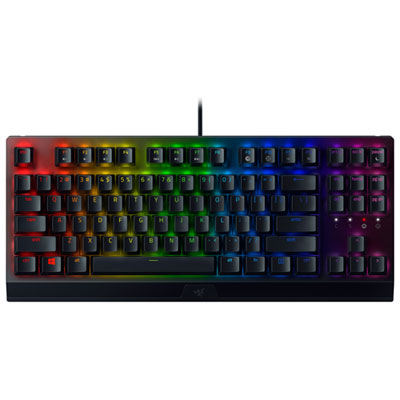
Razer BlackWidow V3 Tenkeyless Backlit Mechanical Green Switch Gaming Keyboard
About this product
A compact black and green mechanical keyboard with green switches and backlighting for responsive, lag-free gaming.
What customers like
(96)$119.98Your price for this item is $119.98SAVE $10 -
6
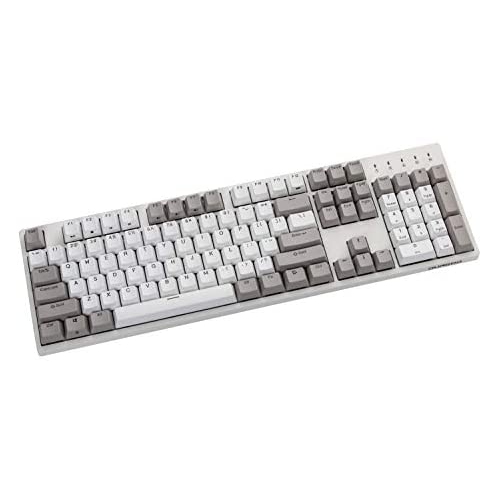
DURGOD Taurus K310 Mechanical Gaming Keyboard - 104 Keys - Double Shot Pbt - Nkro - USB Type C ( , Cherry Mx In White
About this product
A white mechanical gaming keyboard featuring 104 keys, double shot PBT keycaps, and Cherry MX switches.
$129.00 Your price for this item is $129 -
7
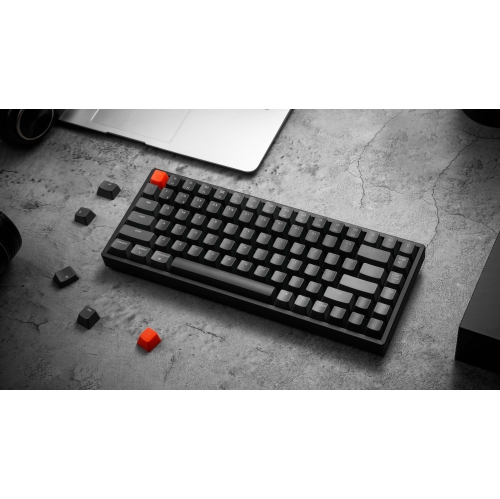
KEYCHRON K2 V2 RGB Wireless Mechanical Gaming Keyboard – 75% Layout, Gateron Switches – Compatible w Windows, Macos, Linux & Android, Black (K2-B1)
About this product
A compact wireless mechanical keyboard with RGB lighting, Gateron switches, and multi-OS compatibility in black and red.
$108.68Your price for this item is $108.68SAVE $10 -
8
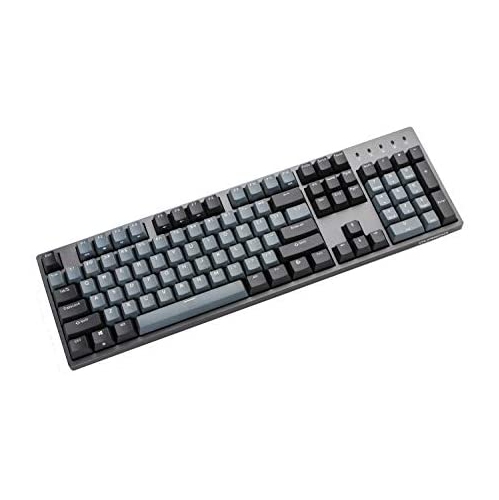
DURGOD Taurus K310 Mechanical Gaming Keyboard - 104 Keys - Double Shot Pbt - Nkro - USB Type C (Cherry Black, Grey)
About this product
A mechanical gaming keyboard with 104 keys, double shot PBT keycaps, and USB Type-C in black and grey.
$129.00 Your price for this item is $129 -
9
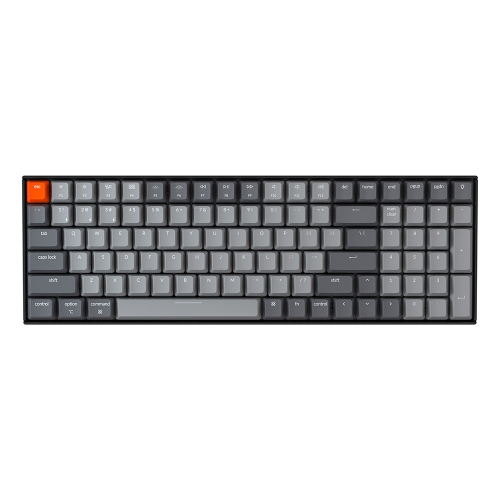
KEYCHRON K4 V2 Wireless Mechanical Keyboard - Black - RGB - Gateron Pro - 96% Layout - Windows Mac Os Linux Android (K4-B3) In Brown
About this product
A wireless mechanical keyboard with RGB lighting, Gateron Pro brown switches, and multi-OS compatibility.
$117.68Your price for this item is $117.68SAVE $10 -
10
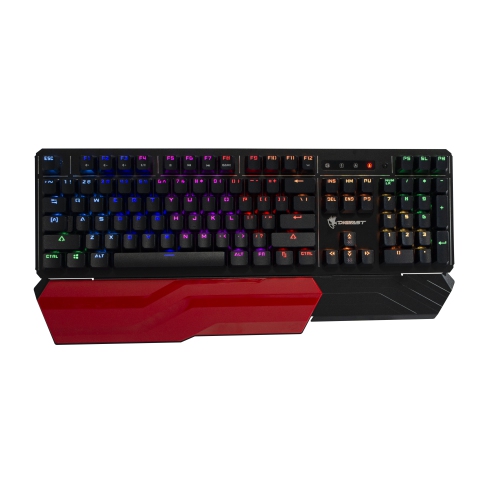
DIGIFAST Lk42 Mechanical RGB Gaming Keyboard, Optical Clicky Switches 100 Million Durability, Customizable Color, Water-Resistant Design, Ergonomic
About this product
An ergonomic mechanical keyboard with customizable RGB lighting, optical clicky switches, and a water-resistant metal design.
$174.99 Your price for this item is $174.99
FAQ
Look for programmable keys, a clearly labelled keycap set, and convenient access to symbols, arrow keys, and function keys. Other options include adjustable backlighting, onboard profile storage, and software that supports your operating system.
Linear switches have a smooth keystroke without a tactile bump. Tactile switches have a noticeable bump during the keypress, while clicky switches add an audible click. The choice comes down to your preferred typing feel and sound.
Programmable keys let you assign different functions to individual keys, while macros let you trigger a sequence of inputs with one shortcut. For programming, assignments might include editor commands, terminal shortcuts, or frequently used text. Support varies by keyboard software and firmware.
Many mechanical keyboards support basic typing across Windows, macOS, and Linux, but customization software may support only certain operating systems. Check compatibility for key remapping, lighting controls, and firmware updates. Some keyboards also include operating system modes and alternate modifier keycaps.
Mechanical keyboards can use wired USB, Bluetooth, or a wireless USB receiver. Some offer multiple connection modes and let you switch between paired devices. Check which ports or wireless connections your computer supports and whether the keyboard supports typing while charging.
Top selling and popular products
Discover more categories related to Best Mechanical Keyboards for Programming


Some products may be subject to Environmental Handling Fees (EHF) depending on your province. Learn more about EHFs.