Best Tablets for the Money

The best tablets for the money balance useful features with a price that fits your budget. Whether you’re streaming, studying, browsing, or staying connected, this selection is ranked by customer review ratings to help you compare options backed by real user feedback. Explore screen sizes, storage capacities, and battery life to find a tablet that suits your everyday needs.

Read More

What to look for in tablets for the money

1. Performance and Storage

Choose a tablet with enough processing power and memory for your main activities, whether that’s streaming, studying, or multitasking. Compare storage capacity and expandable storage options so you have room for apps, photos, and downloads without paying for space you won’t use.

2. Display and Battery Life

Look for a screen size, resolution, and brightness that suit how and where you’ll use your tablet. Compare battery estimates carefully, as actual battery life varies with screen brightness, apps, and usage.

3. Software and Compatibility

Check that the tablet supports your essential apps and works well with your other devices. Consider the manufacturer’s software and security update commitments, since ongoing support can help extend its useful life.

4. Features and Total Cost

Compare what’s included in the price, especially if you need a keyboard, stylus, or charger. A Wi-Fi model may offer better value for home use, while cellular connectivity typically adds hardware and data plan costs.
  1. 1

    Samsung Galaxy Tab S10 FE+ (Plus) 13.1-inch 128GB, Exynos 1580 with S Pen - Blue

    About this product

    A sleek blue tablet featuring a 13.1" display, Exynos 1580 processor, S Pen, and Galaxy AI.

    What customers like

    • Good battery life
    • Smooth and fast performance
    • Ample storage and memory
    • Large and vibrant display
    • High audio quality
    (369)
    $979.99 Your price for this item is $979.99
  2. 2

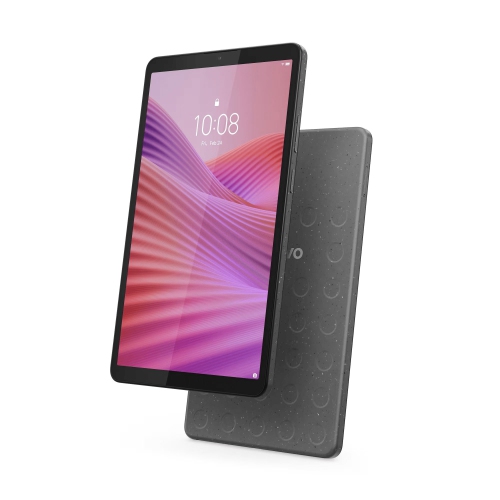
    LENOVO Tab One 8.7-Inch 64GB, 4GB Ram, Helio G85

    About this product

    An 8.7" IPS tablet with 480 nits brightness, 4GB RAM, and 64GB eMMC storage.

    What customers like

    • Beautiful screen and graphics
    • Affordable and great value
    • Lightweight and easy to hold
    • Good performance and speed
    • Perfect size for reading and media
    (39)
    $169.99
    SAVE $110
    Your price for this item is $169.99
  3. 3

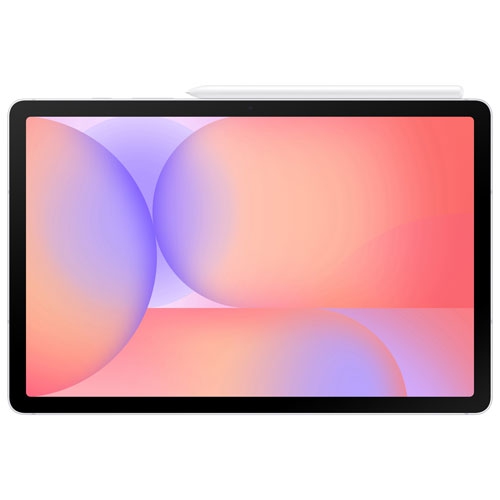
    SAMSUNG - Galaxy Tab S10 Lite 10.9-Inch 128GB, 6GB Ram, Exynos 1380 With S Pen - In Silver

    About this product

    A slim silver tablet featuring a 10.9" display, Exynos 1380 processor, and included S Pen.

    (1)
    $484.99
    SAVE $95
    Your price for this item is $484.99
  4. 4

    SAMSUNG - Galaxy Tab A7 Lite 8.7-Inch 32GB, Wi-Fi, 3GB Ram, Mediatek Mt8768T - In Grey

    About this product

    A compact and sturdy Samsung Android tablet with an 8-core processor for smooth streaming on-the-go.

    (3)
    $289.99 Your price for this item is $289.99
  5. 5

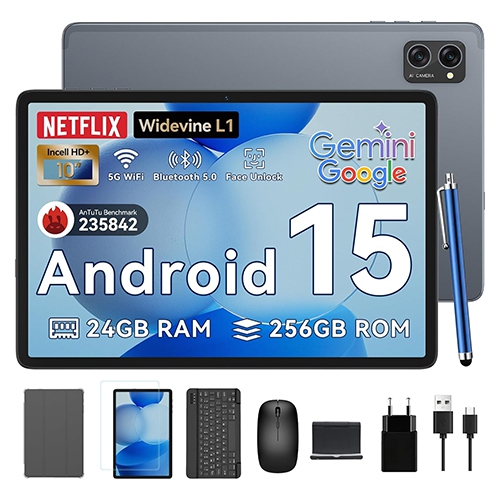
    BLACKVIEW Tablet 2025 Android 15 Tablets w 10.1" Incell Display, 24GB Ram 256GB Rom /2Tb Tf, Gemini Ai, T606 Octa-Core, Widevine L1, 2 In 1 Tablets

    About this product

    An advanced tablet featuring a 10.1-inch Incell display, 24GB RAM, 256GB storage, and Gemini AI.

    (6)
    $172.99
    SAVE $37
    Your price for this item is $172.99
  6. 6

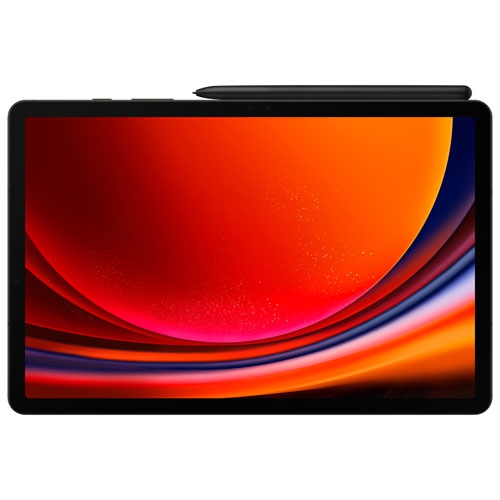
    SAMSUNG Refurbished (Fair) - Galaxy Tab S9 11-Inch 128GB, Wi-Fi, 8GB Ram, Snapdragon Gen 2 With S Pen - Graphite

    About this product

    A refurbished Android tablet in graphite featuring a Snapdragon Gen 2 processor and 120Hz 11" display.

    (2)
    $764.97
    SAVE $335
    Your price for this item is $764.97
  7. 7

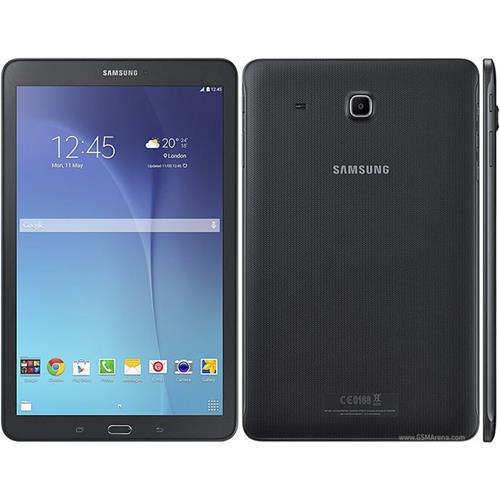
    SAMSUNG Refurbished (Good) - Galaxy Tab E Sm-T560 9.6-Inch Tablet

    About this product

    A versatile refurbished tablet with multi-user support, multitasking features, and expandable storage for family use.

    (2)
    $120.00 Your price for this item is $120
  8. 8

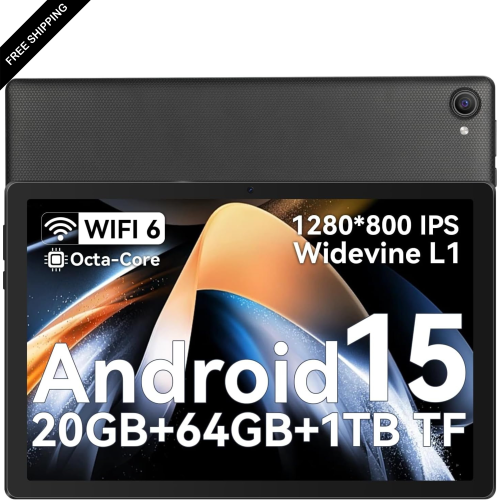
    LDAS ELECTRONICS Gleeso C10 10.1-Inch 64GB Tablet, Octa-Core for Gaming

    About this product

    An Android tablet with 20GB RAM, octa-core processor, HD IPS touchscreen, and dual cameras for multitasking.

    (1)
    $189.99
    SAVE $19
    Your price for this item is $189.99
  9. 9

    ONN - 10.1-Inch Lcd Touchscreen Android Tablet Pro 100003562

    About this product

    An Android 11 tablet with a 10.1" LCD touchscreen, 32GB storage, and 10-hour battery life.

    $124.00 Your price for this item is $124
  10. 10

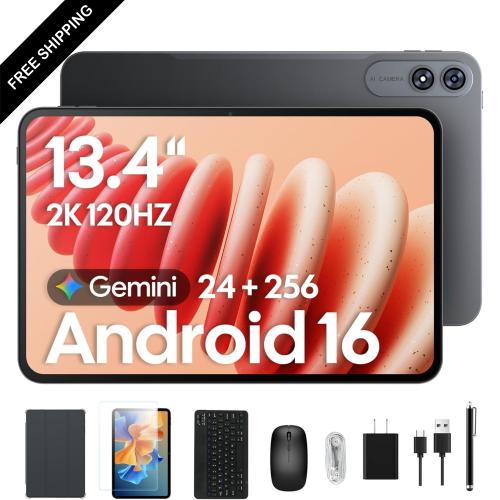
    LDAS ELECTRONICS 13.4-Inch 256GB Tablet, Octa-Core With Keyboard, Mouse, Stylus & Case for 120Hz Streaming

    About this product

    A powerful tablet bundle featuring a 2K 120Hz IPS display, 24GB RAM, and 256GB storage.

    $499.99
    SAVE $50
    Your price for this item is $499.99

Tablet value starts with how you actually use it

The best tablets for the money bring together dependable performance, a comfortable screen and useful features that suit everyday life. Lasting value comes from how well a tablet handles the things it will actually be used for, whether that means reading on the sofa, following a recipe on the kitchen counter or keeping school notes together in a backpack. For browsing, email, video calls and streaming, responsive navigation and reliable app support often matter more than processing power intended for demanding creative work. A tablet used for detailed illustration, large documents or graphics-heavy games benefits from stronger processing capabilities and enough memory to keep tasks running smoothly. Screen size also shapes the experience. A compact tablet is easier to hold while reading and slips neatly into a small bag, while a larger display gives documents, handwriting and side-by-side apps more breathing room. Weight deserves equal attention: a screen that feels spacious on a desk may be less comfortable to hold through several chapters of a book. Display resolution affects how crisp text appears, brightness helps with visibility near a window, and reflections can make even a sharp screen difficult to see. A smooth refresh rate can make scrolling and handwriting feel more fluid, although its usefulness depends on the apps and activities involved. Clear speakers are helpful for films and spoken-word content, while compatible headphones offer a quieter option in shared spaces. For someone who moves between reading, entertainment and light work, a balanced tablet can be more useful than one with a standout feature that rarely gets used. The wider selection represented by Best Computer Tablets to Buy also reflects how varied the category can be, from portable screens for everyday browsing to larger formats suited to typing and creative tasks. The strongest match is the one whose size, capabilities and comfort fit naturally into a regular routine.

Software and connectivity have just as much influence on a tablet’s usefulness as the screen. Access to the right apps is particularly important for students, remote workers and anyone who wants a familiar way to manage photos, messages or documents. Not every tablet supports the same app library, and a mobile version of a program may work differently from its desktop counterpart. For school assignments or work files, support for the required document formats, video-call platforms and sign-in tools can make the difference between a convenient companion and an awkward workaround. Split-screen features are handy for taking notes beside a reading assignment, but their flexibility varies by device and app. Storage needs depend on what stays on the tablet: downloaded films for a long journey, illustration files and larger games take up more room than occasional browsing. Usable storage is less than the stated capacity because system software occupies part of it, and memory-card expansion is only an option on compatible devices. Wi-Fi connectivity suits use at home, school and other places with a suitable network, while cellular-capable tablets can connect away from Wi-Fi with compatible service and a separate plan. Battery life varies with screen brightness, wireless activity and workload, so a light reading session and an afternoon of gaming will draw power differently. Charging connections and accessory compatibility matter, too. A keyboard can make longer emails easier to write, while a supported active stylus can help with handwritten notes, diagrams and drawing. Stylus features such as pressure sensitivity and palm rejection depend on the tablet, pen and app working together; a basic touchscreen stylus does not offer the same experience. Accessories may be supplied separately, and cases, keyboards and pens are not universally interchangeable. A clear understanding of those connections helps a tablet remain useful beyond its first few tasks, especially when everyday habits expand from watching videos to writing, studying or making something original.

Materials, construction and care contribute to the value a tablet delivers over time. Metal housings can feel solid and rigid, while plastic housings may offer a lighter feel; neither material alone establishes how well a device will handle a drop. The glass screen remains vulnerable to knocks, particularly at the corners, making a properly fitted protective case useful for commuting, family use and travel. Case fit should match the exact tablet generation and dimensions so that buttons, cameras, speakers and charging ports remain accessible. A folding cover or stable stand can hold the screen at a comfortable angle for a video call or keep a recipe visible without leaning the tablet against a mug. For children, an easy-to-grip case, age-appropriate profiles and parental controls can support supervised use, although the available controls vary by operating system and app. Separate profiles, where supported, can also help keep household members’ settings and files apart. A tablet can be a thoughtful gift for a student who annotates reading material, a relative who enjoys video calls or a reader who prefers adjustable text sizes. Compatibility with the recipient’s existing devices and accessibility needs is often more meaningful than an impressive specification. Features such as screen magnification, voice input, captions and adjustable display settings can make everyday interactions more comfortable. Routine care is straightforward: follow the manufacturer’s cleaning directions, use a soft lint-free cloth, and keep moisture away from openings. Unless a device has a stated water-resistance rating, it should not be treated as protected against splashes, and even rated devices have limits. A padded compartment helps prevent scratches in a bag, while avoiding extreme temperatures protects against unnecessary strain on the battery. Software and security updates also matter to continued use, with support periods varying by manufacturer and device. Combined with comfortable handling, suitable apps and dependable performance, these practical details are what make a tablet a useful everyday companion rather than a screen that spends most of its time in a drawer.
Read More

FAQ

Some products may be subject to Environmental Handling Fees (EHF) depending on your province. Learn more about EHFs.