Best Tablets for Artists and Creatives

Bring your ideas to life with the best tablets for artists and creatives, ranked based on user review ratings. Whether you’re sketching, illustrating, editing photos, or designing on the go, explore options to help you find the right fit for your creative workflow. Compare features such as stylus support, display quality, and processing power to choose a tablet that suits your artistic needs.

Read More

What to look for in tablets for artists and creatives

1. Stylus Performance

Look for a compatible stylus with pressure sensitivity, tilt support, and low latency for responsive sketching and brushwork. Palm rejection helps you draw comfortably with your hand resting on the screen, while programmable shortcuts can speed up common tasks. Check whether the stylus is included or sold separately.

2. Display Quality and Size

A sharp display with accurate colours helps you assess fine details in illustrations, designs, and photo edits. Larger screens offer more room for canvases and toolbars, while smaller tablets are easier to carry. A laminated display can make drawing feel more direct by reducing the visible gap between the stylus tip and your artwork.

3. Performance and Storage

Choose a processor and memory capacity suited to your projects, especially if you work with large canvases, many layers, or video. Allow enough storage for creative apps and project files, and check support for external drives or expandable storage if needed.

4. Creative Apps and Connectivity

Confirm that your preferred creative apps run on the tablet’s operating system and offer the features and file formats you need. Standalone tablets let you create without a computer, while many drawing tablets and pen displays require a connected computer. Check ports, wireless connectivity, and computer compatibility to ensure the tablet fits your setup.
Citrus catapult arrow
  1. 1

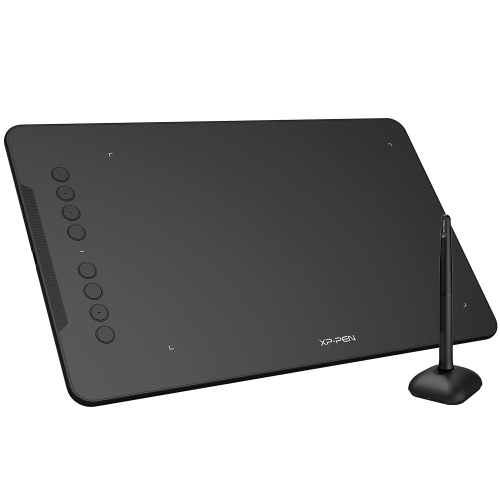
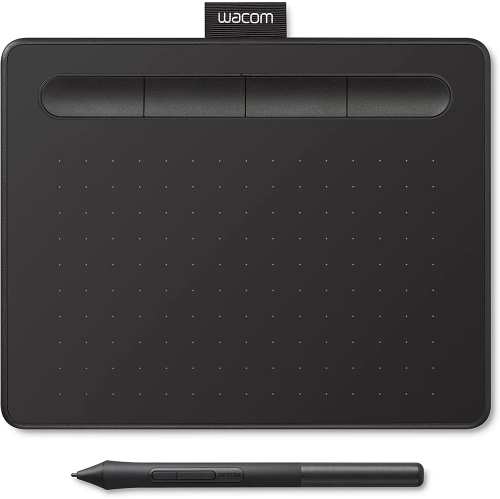
    XPPEN Updated Deco 01 V3 Graphics Tablet 10X6.25 Inch Drawing Pen Tablet 16384 Levels Pressure Battery-Free Pen w 60° Tilt Function Android

    About this product

    A versatile drawing tablet featuring 16,384 pressure levels, 60° tilt support, and Android compatibility.

    (2)
    $69.99
    SAVE $20
    Your price for this item is $69.99
  2. 2

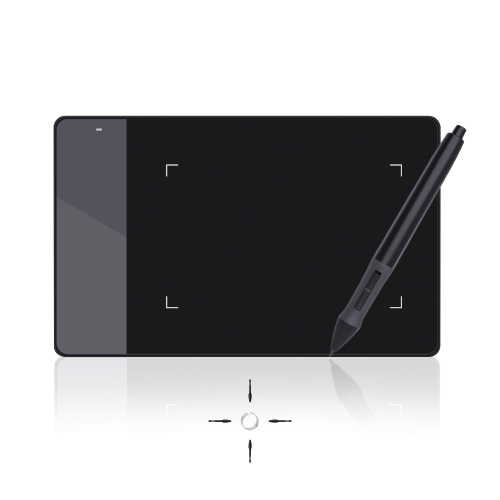
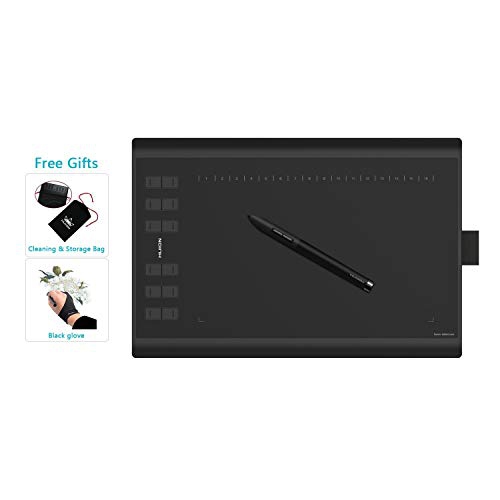
    HLD Huion 4 X 2.23 Inches Osu Tablet Graphics Drawing Pen Tablet - 420 (420)

    About this product

    A compact graphics drawing pen tablet designed for precise digital art and OSU gaming applications.

    $53.96
    SAVE $12
    Your price for this item is $53.96
  3. 3

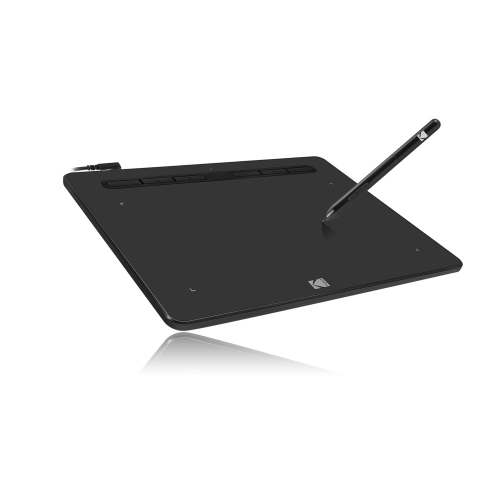
    ADESSO 8″ X 5″ Graphic Tablet

    About this product

    A versatile graphic tablet with 8192 pressure levels and programmable hot keys for precise digital art and design.

    $100.00 Your price for this item is $100
  4. 4

    HLD 2022 Graphics Drawing Tablet w Rechargeable Stylus And 8 Quick-Keys 8190 Levels Pressure W/tilt Function, Compatible w Chromebook, Android

    About this product

    A 2022 graphics drawing tablet with rechargeable stylus, 8 quick-keys, and 8190 levels of pressure sensitivity.

    $106.96
    SAVE $33
    Your price for this item is $106.96
  5. 5

    HLD New 1060Plus Graphics Drawing Tablet With 8192 Pressure Sensitivity And Built-In Card Reader 8 Microsd Card 5080 Lpi

    About this product

    A versatile graphics drawing tablet featuring 8192 pressure sensitivity, built-in card reader, and 5080 LPI resolution.

    $119.96
    SAVE $39
    Your price for this item is $119.96
  6. 6

    HLD Graphics Tablet for Arts And Drawing With Bonus Software, Dimensions: 7.9" X 6.3" In Black

    About this product

    A black graphics tablet designed for digital art and drawing, featuring bonus creative software.

    $132.96
    SAVE $44
    Your price for this item is $132.96
  7. 7

    HUION New 1060Plus Graphics Drawing Tablet With 8192 Pressure Sensitivity And Built-In Card Reader 8 Microsd Card 5080

    About this product

    A versatile graphics drawing tablet featuring 8192 pressure sensitivity levels and a built-in card reader.

    $39.98
    SAVE $30
    Your price for this item is $39.98
  8. 8

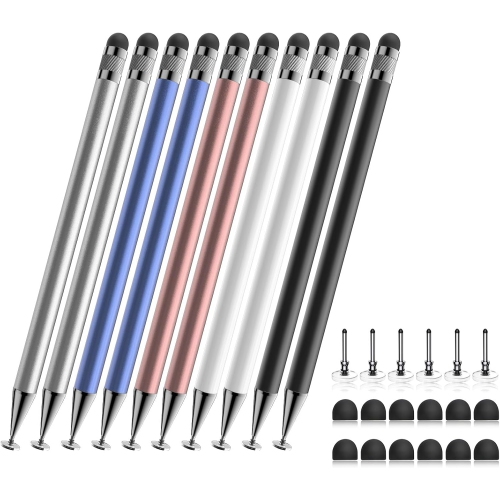
    VECELOLIBILIS 10 PCs Stylus Pen for Touch Screen, High Precision And Sensitivity for Iphone/ipad/android Tablets, Compatible With All Touch Screens

    About this product

    A set of high-precision stylus pens compatible with all major touch screen devices and operating systems.

    $27.99 Your price for this item is $27.99
  9. 9

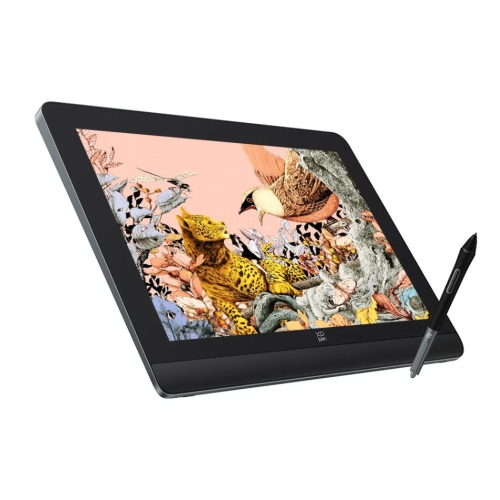
    XPPEN - Artist Pro 16 (Gen 2) Graphic Display 16" With Advanced X3 Pro Smart Chip Stylus

    About this product

    A high-resolution 16-inch graphic display with an advanced smart chip stylus for precise digital art creation.

    $734.25 Your price for this item is $734.25
  10. 10

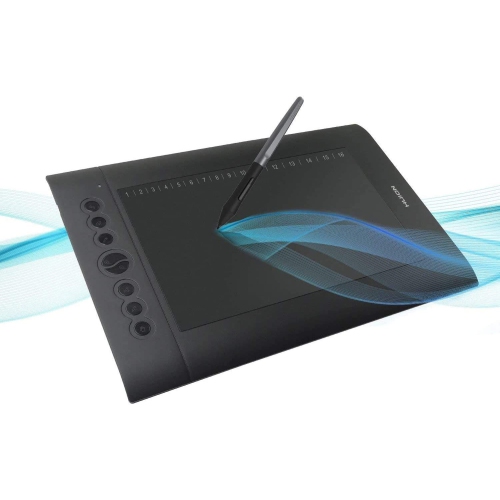
    HLD Graphics Drawing Tablet Hs610, 10X6 Pen Tablet w Battery-Free Stylus, 12 Express Keys, Touch Ring, Tilt Support, 8192 Pressure Levels –

    About this product

    A versatile graphics drawing tablet with a battery-free stylus, compatible with Android, Windows, and macOS.

    $126.96
    SAVE $53
    Your price for this item is $126.96

The drawing experience goes beyond pen pressure

The best tablets for artists and creatives bring together accurate pen input, a clear display, and software that suits the work, whether that means sketching characters, retouching photographs, lettering a poster, or building an illustrated portfolio. Three broad formats serve different creative routines. Standalone tablets have their own operating system, storage, and battery, making them useful for drawing away from a desk, carrying between classes, or capturing an idea during a commute. Pen displays let artists draw directly on a screen but generally need a compatible computer to run creative software. Screenless graphics tablets also connect to a computer; the pen moves across an active drawing surface while the artwork appears on a separate monitor. That separation takes practice, but it can suit artists who prefer looking straight ahead at a larger screen. For direct-on-screen drawing, the relationship between the pen tip and the visible mark matters as much as display size. Low input delay helps quick strokes feel immediate, while good tracking near the edges supports careful tracing and line work. Pressure sensitivity lets a compatible brush respond to a lighter or firmer touch, and tilt support can make broad shading feel more like working with the side of a pencil. These functions depend on the combination of tablet, stylus, and app, rather than the tablet alone. A pen that registers gentle contact reliably may be more useful for delicate ink lines than an impressive pressure-level specification by itself. Palm rejection is another practical consideration for anyone who rests a hand on the canvas while drawing, though its behaviour varies by device and software. Students, hobby illustrators, designers, photographers, and working artists may all use these formats differently. A compact tablet can be a portable sketchbook, while a larger drawing surface gives detailed portraits, architectural sketches, and layered compositions more room to develop. The most suitable format is the one that fits both the creative task and the place where it happens.

Display quality shapes the experience of choosing colours, judging contrast, and refining small details. A sharp screen makes thin lines and small interface controls easier to see, but resolution is only part of the picture. Colour accuracy, brightness consistency, and reflections also affect how artwork looks during a long session. Artists preparing work for print benefit from a colour-managed workflow and a display that can be adjusted appropriately; a vivid screen alone does not guarantee a close match to the finished print. A laminated display can reduce the apparent gap between the pen tip and the image, helping strokes feel more closely connected to the hand. Glossy glass often gives artwork a crisp appearance, while a matte finish or compatible textured protector can add resistance and soften reflections. That extra texture may also affect image clarity and increase pen-tip wear, so the surface feel involves a trade-off. Size is similarly personal. A larger canvas leaves more space around toolbars and reference images, but it also takes up more room in a bag or on a desk. Smaller tablets are easier to carry and hold, although detailed work may involve more zooming and panning. Weight, edge shape, and the fit of a case become noticeable when sketching on a lap or holding a device during a presentation. For desk-based work, a stable adjustable stand can bring the screen to a comfortable angle and reduce the need to bend over it. The stylus deserves the same attention: barrel thickness, grip texture, balance, and button placement all influence comfort during repeated strokes. Left-handed artists may also benefit from movable tool panels and shortcut controls positioned away from the drawing hand. Anyone exploring Tablets for Digital Artists can think of these details as part of the drawing experience, not simply a list of specifications. A comfortable pen, a steady surface, and enough space for reference material can make the difference between a quick doodle and an afternoon spent confidently refining a piece.

Software compatibility is often the deciding factor for creative tablets. A favourite desktop application may have a different feature set on a mobile operating system, and some drawing apps are limited to particular platforms. Support for layers, custom brushes, animation timelines, vector tools, and common file formats should match the intended work. An illustrator handing files to a client may need to preserve editable layers, while a student moving between a tablet and a school computer may depend on straightforward exports. Memory and processing performance become especially important with large canvases, many layers, high-resolution photographs, or several apps open together. Storage needs grow with source images, brush libraries, and saved project versions, and expansion options vary by device. Wi-Fi can help with transferring files and backing up work, but access to locally saved projects and offline app functions matters when drawing away from a reliable connection. For computer-connected pen displays and graphics tablets, operating-system support, drivers, ports, and cable requirements deserve attention; a connector that physically fits does not necessarily carry the required video signal or power. Standalone tablets bring battery life into the equation, with bright screens and demanding creative tasks drawing more power than light browsing. Everyday durability also matters for equipment carried between home, a studio, and a classroom. Metal or plastic housings, glass screens, and textured drawing surfaces each need appropriate protection from knocks, grit, and pressure inside a bag. A fitted sleeve or case helps protect the tablet during travel, while a secure pen holder keeps the stylus from disappearing among notebooks. Gentle cleaning with a soft cloth, following the manufacturer's care directions, helps keep the drawing surface clear; worn pen tips should be replaced as directed to maintain a consistent feel. As gifts, creative tablets can suit an aspiring animator, a photography student, or someone returning to drawing as a hobby. Matching the format to the recipient's existing computer, preferred apps, and drawing habits makes the gift more useful, whether it becomes a daily work tool or a welcoming place to practise after a busy day.
Read More

FAQ

Some products may be subject to Environmental Handling Fees (EHF) depending on your province. Learn more about EHFs.