Document Software
Discover the perfect document software to streamline your workflow and enhance productivity. Whether you're managing personal projects or handling business tasks, our selection of document software offers versatile solutions to meet your needs. From drafting and editing to organizing and sharing, these tools are designed to simplify your document management processes. Explore options that cater to various operating systems and user preferences, ensuring a seamless integration into your daily routine. With a focus on efficiency and ease of use, find the document software that aligns perfectly with your requirements at Best Buy Canada.
Sort

What happens after a document is written
Document software helps people create, edit, convert, organize, store, and share digital documents, from a single letter to a searchable collection of business files. The category includes word processing software, PDF editors, scanning and optical character recognition tools, and document management software, often called DMS. Each serves a different purpose: word processors support writing and page layout, PDF tools handle fixed-layout files, and document management systems add structure to storage, retrieval, permissions, and review processes. Some applications combine several of these functions, while others focus on a particular task. For a student preparing a research paper, useful features might include footnotes, heading styles, spelling tools, and reliable export to PDF. A home user may need to complete forms, combine receipts into one file, or keep appliance manuals together. In a small business, the same category can support proposals, invoices, staff policies, and client correspondence. The practical difference often comes down to what happens after a document is written. A letter that only needs printing has different requirements from a contract that several people must review, sign, and retrieve later. Formatting tools such as templates, tables, page numbering, and headers help keep longer documents consistent without manually adjusting every page. Support for Canadian English spelling and proofing in the languages used by the household or business can also matter. File compatibility is equally important when documents move between people using different applications. Opening an editable file should preserve its structure as closely as possible, while exporting a PDF generally helps maintain its appearance for sharing or printing. Complex layouts, unusual fonts, and embedded images may still need checking after conversion. For everyday use, a clear interface and dependable handling of familiar file types can be more valuable than an extensive feature set that adds unnecessary steps to simple tasks.
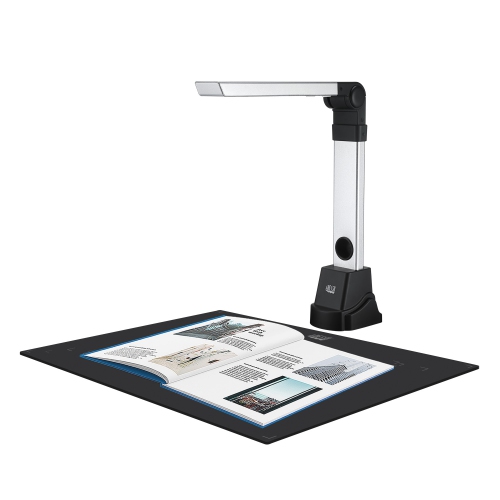
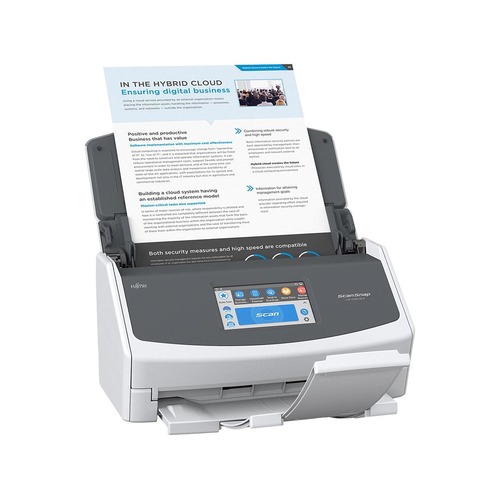
PDF editing and scanning tools are particularly useful when information arrives in several forms: an emailed attachment, a photographed receipt, a printed application, or a multi-page scan. Depending on the application, document software may let users rearrange pages, merge files, split a large document, add annotations, fill in fields, and export content to editable formats. Optical character recognition, or OCR, identifies text in scanned pages and images so it can become searchable or editable. That can turn a folder of generically named scans into something more useful, such as files whose contents can be searched for an invoice number or supplier name. Accuracy depends on the source material, including image sharpness, page alignment, typography, and language support. Handwriting, faded print, and complicated tables may require more correction than a clean, typed page. The ability to review converted text is especially important for names, totals, and account details. For people handling sensitive paperwork, redaction deserves separate attention from ordinary markup. A properly applied redaction removes selected information from the shared file; placing a dark shape over text may only conceal it visually. Commenting tools, highlighting, and side-by-side comparisons serve a different purpose, helping reviewers explain changes without rewriting the original content immediately. Accessible document features, where supported, can include heading structure, tagged PDFs, and options for adding alternative text to images. These details help make files easier to navigate with assistive technology, although exported documents may still need accessibility checks. Printing remains part of many document routines, particularly when an original signature or a paper submission is required. For paperwork that needs a physical handoff, Document Envelopes can help keep related pages together during delivery or filing. Software that handles both digital sharing and print output gives households, students, and office teams flexibility without requiring every recipient to follow the same process.
Document management software extends beyond editing by helping people find the correct file, understand its status, and control who can use it. Search tools may work with file names, document contents, tags, or fields such as client name and project number, depending on the system. Version history can distinguish a working draft from an approved document and, where supported, allow an earlier version to be restored. This is useful when two colleagues revise the same proposal or a policy needs to be checked against its previous wording. Real-time collaboration, shared comments, and review notifications can reduce the confusion of passing attachments back and forth, but these capabilities vary between applications. Workflow tools may route a document to the next reviewer, request approval, or record progress through a defined process. Electronic signature features can support remote sign-off, although suitability depends on the document, the signing method, and applicable requirements. Access controls help limit who can view, edit, download, or share files, while activity logs may provide a record of actions taken. Cloud-based tools can make documents accessible across supported devices, subject to connectivity and account permissions; desktop applications may be better suited to tasks that require consistent offline access. Some software offers both approaches, with synchronization connecting local work and online storage. Synchronization is not necessarily a separate backup, so file restoration options and backup arrangements remain important. For personal, financial, or client information, relevant considerations include encryption, multifactor authentication, sharing settings, and where data is stored. Canadian organizations may also have privacy, retention, or contractual obligations that affect their choice. Long-term usefulness depends on operating system compatibility, ongoing updates, and the ability to export documents in practical formats. Licence terms, permitted users, device limits, and integration with existing office tools shape everyday use as well. A suitable document software setup supports the full life of the paperwork: creating it clearly, sharing it with the right people, and finding it again when it matters.
PDF editing and scanning tools are particularly useful when information arrives in several forms: an emailed attachment, a photographed receipt, a printed application, or a multi-page scan. Depending on the application, document software may let users rearrange pages, merge files, split a large document, add annotations, fill in fields, and export content to editable formats. Optical character recognition, or OCR, identifies text in scanned pages and images so it can become searchable or editable. That can turn a folder of generically named scans into something more useful, such as files whose contents can be searched for an invoice number or supplier name. Accuracy depends on the source material, including image sharpness, page alignment, typography, and language support. Handwriting, faded print, and complicated tables may require more correction than a clean, typed page. The ability to review converted text is especially important for names, totals, and account details. For people handling sensitive paperwork, redaction deserves separate attention from ordinary markup. A properly applied redaction removes selected information from the shared file; placing a dark shape over text may only conceal it visually. Commenting tools, highlighting, and side-by-side comparisons serve a different purpose, helping reviewers explain changes without rewriting the original content immediately. Accessible document features, where supported, can include heading structure, tagged PDFs, and options for adding alternative text to images. These details help make files easier to navigate with assistive technology, although exported documents may still need accessibility checks. Printing remains part of many document routines, particularly when an original signature or a paper submission is required. For paperwork that needs a physical handoff, Document Envelopes can help keep related pages together during delivery or filing. Software that handles both digital sharing and print output gives households, students, and office teams flexibility without requiring every recipient to follow the same process.
Document management software extends beyond editing by helping people find the correct file, understand its status, and control who can use it. Search tools may work with file names, document contents, tags, or fields such as client name and project number, depending on the system. Version history can distinguish a working draft from an approved document and, where supported, allow an earlier version to be restored. This is useful when two colleagues revise the same proposal or a policy needs to be checked against its previous wording. Real-time collaboration, shared comments, and review notifications can reduce the confusion of passing attachments back and forth, but these capabilities vary between applications. Workflow tools may route a document to the next reviewer, request approval, or record progress through a defined process. Electronic signature features can support remote sign-off, although suitability depends on the document, the signing method, and applicable requirements. Access controls help limit who can view, edit, download, or share files, while activity logs may provide a record of actions taken. Cloud-based tools can make documents accessible across supported devices, subject to connectivity and account permissions; desktop applications may be better suited to tasks that require consistent offline access. Some software offers both approaches, with synchronization connecting local work and online storage. Synchronization is not necessarily a separate backup, so file restoration options and backup arrangements remain important. For personal, financial, or client information, relevant considerations include encryption, multifactor authentication, sharing settings, and where data is stored. Canadian organizations may also have privacy, retention, or contractual obligations that affect their choice. Long-term usefulness depends on operating system compatibility, ongoing updates, and the ability to export documents in practical formats. Licence terms, permitted users, device limits, and integration with existing office tools shape everyday use as well. A suitable document software setup supports the full life of the paperwork: creating it clearly, sharing it with the right people, and finding it again when it matters.
Top selling and popular products
-
 Your price for this item is $199.99
 -
 Your price for this item is $169.99
 -
 Your price for this item is $319.99
 -
 Your price for this item is $189.99
 -
 Your price for this item is $113.98
 -
 Your price for this item is $549
 -
 Your price for this item is $49.99
 -
 Your price for this item is $49.95
Discover more categories related to Document Software


Top Collections:
Pokemon Centers, Kindle Devices, Best Budget Office Chairs, Apple iPhones 16, Best Laptops for Writers, iPhone 15 Apple, Canon G7X Cameras, Refurbished Apple Laptops, Alarm Clock, Motorola Razr Phones
Some products may be subject to Environmental Handling Fees
(EHF) depending on your province.
Learn more about EHFs.