Replacement Batteries for Sony VAIO Laptops
Replacement Batteries for Sony VAIO Laptops are essential for keeping your device powered and ready for work, study, or entertainment. Whether your current battery no longer holds a charge or you want a reliable backup for travel, finding the right replacement ensures uninterrupted performance. Explore a range of options designed to fit various Sony VAIO models, so you can stay connected and productive wherever you go.
Sort


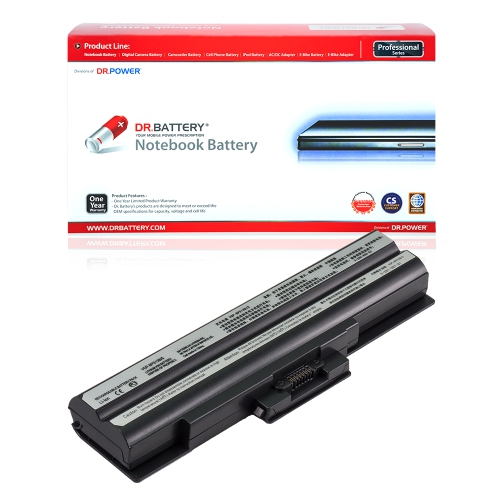
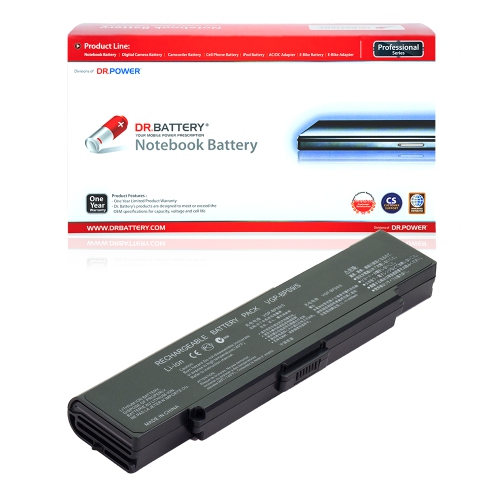


Battery compatibility goes beyond a familiar brand name
Replacement batteries for Sony VAIO laptops help restore the convenience of using a familiar computer away from a wall outlet when its original battery no longer holds enough charge for everyday tasks. A laptop that still handles documents, email, video calls, and web browsing may remain useful even after its battery has lost much of its original capacity. Replacement laptop batteries are designed around particular computer models and battery families, making compatibility more important than a similar appearance or a matching manufacturer name. The laptop’s full model designation, the part number printed on the original battery, and the replacement manufacturer’s compatibility information together provide a stronger basis for matching than the series name alone. Computers with nearly identical screens and keyboards can use different battery connectors, mounting points, or electrical specifications. The required voltage must also be supported by the laptop; capacity alone does not establish whether a pack is suitable. Some replacement batteries support several original part numbers, but that relationship needs to be explicitly documented rather than inferred from the shape of the casing. A shared manufacturer name does not make batteries interchangeable, either: batteries within the broader Sony Batteries category still need to match the equipment they are intended to power. For laptop owners, a clear compatibility match helps distinguish a suitable replacement from a battery intended for a different device or computer generation. It also matters whether the computer uses a removable pack secured by external latches or an internal battery that requires access beneath the chassis. That difference affects both the battery’s construction and the work involved in fitting it. A replacement should seat correctly, connect without force, and leave the laptop’s casing or battery compartment properly closed. These details are especially important for a computer that travels regularly between a desk, a meeting room, and a bag.
Most replacement laptop batteries use lithium-ion cells, with a protective housing or wrap, electrical contacts, and circuitry that manages communication and charging functions. Construction varies with the laptop design: an externally removable pack commonly has a rigid plastic shell and locking features, while an internal assembly may use a flatter profile, mounting tabs, and a cable connection. The condition and accuracy of these components matter alongside the cells themselves. Contacts need to align securely, mounting points need to match, and any cable must reach its connector without being stretched or trapped. Capacity describes how much charge or energy a battery can store, rather than guaranteeing a particular number of hours between charges. Milliampere-hours describe charge capacity, while watt-hours describe stored energy and are generally more useful for comparing batteries with different nominal voltages. Neither figure replaces the need for confirmed electrical and physical compatibility. A higher-capacity option can offer longer unplugged use when it is approved for the laptop, although some extended packs change the computer’s profile or add weight. That trade-off can matter when the laptop needs to sit flat on a desk or fit snugly into a sleeve. Actual runtime also depends on screen brightness, processor activity, connected accessories, wireless use, and the condition of the computer. Writing a report with a few browser tabs open usually places different demands on a battery than a long video call or a graphics-heavy application. For that reason, capacity ratings are best understood as specifications rather than promises of identical performance in every household or workplace. Clear documentation about compatible models, rated capacity, voltage, warranty coverage, and any stated testing or protection features makes a replacement easier to assess. Safety claims should be supported by the battery’s documentation, not assumed from its appearance. A well-matched battery restores stored power; it does not increase processor speed or resolve an unrelated charging-port fault.
A compatible replacement battery can make a practical difference for a student carrying a laptop between study spaces, a remote worker moving from a desk to a shared table, or a household keeping a familiar computer for bills, recipes, and personal records. It can also provide continuity during brief interruptions to mains power, provided the battery is charged and functioning properly. The most suitable capacity depends on how the computer is used: occasional movement between nearby outlets places different demands on a battery than several hours of unplugged work. Long-term durability depends partly on normal battery ageing and partly on handling and charging habits. Lithium-ion batteries gradually lose capacity through use and with age, so a new pack should be treated as a component with a limited service life rather than a permanent repair. Routine care includes keeping exposed contacts clean and dry, protecting the pack from impacts, and using a charger that meets the laptop’s requirements. Loose removable batteries need protection from keys, coins, and other metal objects that could bridge their terminals during transport. For longer periods without use, the battery manufacturer’s storage guidance is more reliable than assuming the pack should always be left fully charged or completely empty. Internal battery replacement may involve small screws, delicate connectors, and a prescribed removal sequence, making professional installation a sensible choice when access is complicated. A battery that is swollen, cracked, leaking, or visibly damaged should not be installed or kept in use, and a distorted pack should never be forced into its compartment. Charging trouble can also originate with the adapter, socket, or laptop electronics, so a replacement battery is most relevant when reduced capacity or a confirmed battery fault is the underlying issue. With the right fit and realistic expectations, replacement batteries for Sony VAIO laptops support continued everyday use of a computer whose keyboard, screen, software, and familiar setup still suit its owner.
Most replacement laptop batteries use lithium-ion cells, with a protective housing or wrap, electrical contacts, and circuitry that manages communication and charging functions. Construction varies with the laptop design: an externally removable pack commonly has a rigid plastic shell and locking features, while an internal assembly may use a flatter profile, mounting tabs, and a cable connection. The condition and accuracy of these components matter alongside the cells themselves. Contacts need to align securely, mounting points need to match, and any cable must reach its connector without being stretched or trapped. Capacity describes how much charge or energy a battery can store, rather than guaranteeing a particular number of hours between charges. Milliampere-hours describe charge capacity, while watt-hours describe stored energy and are generally more useful for comparing batteries with different nominal voltages. Neither figure replaces the need for confirmed electrical and physical compatibility. A higher-capacity option can offer longer unplugged use when it is approved for the laptop, although some extended packs change the computer’s profile or add weight. That trade-off can matter when the laptop needs to sit flat on a desk or fit snugly into a sleeve. Actual runtime also depends on screen brightness, processor activity, connected accessories, wireless use, and the condition of the computer. Writing a report with a few browser tabs open usually places different demands on a battery than a long video call or a graphics-heavy application. For that reason, capacity ratings are best understood as specifications rather than promises of identical performance in every household or workplace. Clear documentation about compatible models, rated capacity, voltage, warranty coverage, and any stated testing or protection features makes a replacement easier to assess. Safety claims should be supported by the battery’s documentation, not assumed from its appearance. A well-matched battery restores stored power; it does not increase processor speed or resolve an unrelated charging-port fault.
A compatible replacement battery can make a practical difference for a student carrying a laptop between study spaces, a remote worker moving from a desk to a shared table, or a household keeping a familiar computer for bills, recipes, and personal records. It can also provide continuity during brief interruptions to mains power, provided the battery is charged and functioning properly. The most suitable capacity depends on how the computer is used: occasional movement between nearby outlets places different demands on a battery than several hours of unplugged work. Long-term durability depends partly on normal battery ageing and partly on handling and charging habits. Lithium-ion batteries gradually lose capacity through use and with age, so a new pack should be treated as a component with a limited service life rather than a permanent repair. Routine care includes keeping exposed contacts clean and dry, protecting the pack from impacts, and using a charger that meets the laptop’s requirements. Loose removable batteries need protection from keys, coins, and other metal objects that could bridge their terminals during transport. For longer periods without use, the battery manufacturer’s storage guidance is more reliable than assuming the pack should always be left fully charged or completely empty. Internal battery replacement may involve small screws, delicate connectors, and a prescribed removal sequence, making professional installation a sensible choice when access is complicated. A battery that is swollen, cracked, leaking, or visibly damaged should not be installed or kept in use, and a distorted pack should never be forced into its compartment. Charging trouble can also originate with the adapter, socket, or laptop electronics, so a replacement battery is most relevant when reduced capacity or a confirmed battery fault is the underlying issue. With the right fit and realistic expectations, replacement batteries for Sony VAIO laptops support continued everyday use of a computer whose keyboard, screen, software, and familiar setup still suit its owner.
Top selling and popular products
-
 Your price for this item is $727.82
-
 Your price for this item is $1116.68
-
 Your price for this item is $69.99
-
 Your price for this item is $100
-
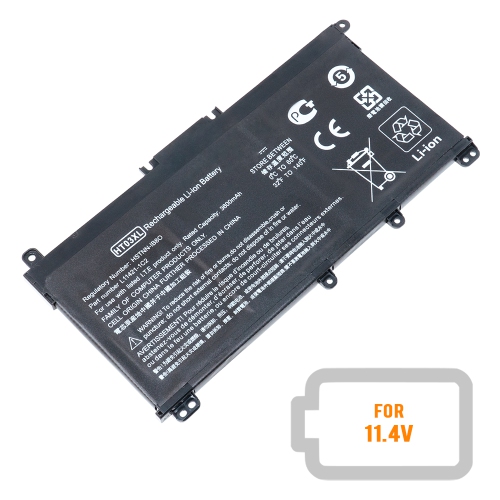 Your price for this item is $39.77
-
 Your price for this item is $87.99
-
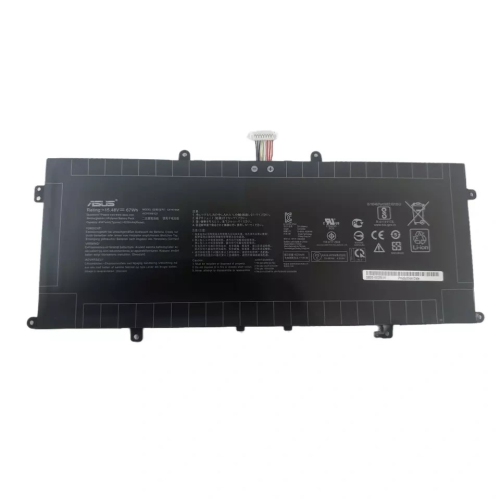 Your price for this item is $94.99
-
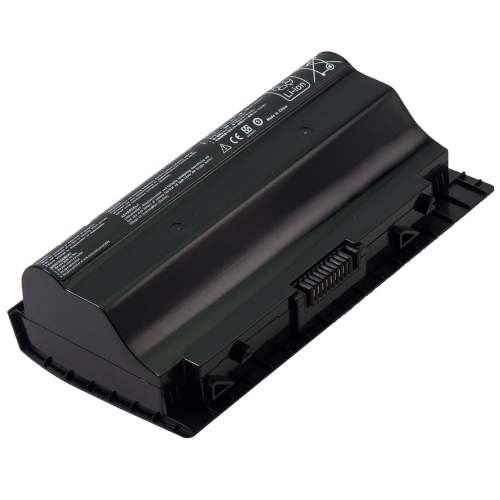 Your price for this item is $53.81
Discover more categories related to Replacement Batteries for Sony VAIO Laptops


Top Collections:
Best Black Friday Deals This Year, Best Black Friday Deals On Electronics, Kindle Devices, Pokemon Centers, Best Black Friday Deals On Apple Products, Best Cameras for Sports Photography, Dyson Airwrap, Pokémon 30th Celebration Cards, Apple iPhone 17 Pro, Canon G7X Cameras
Some products may be subject to Environmental Handling Fees
(EHF) depending on your province.
Learn more about EHFs.