Wireless Printer Routers
Wireless Printer Routers make it easy to connect your printer to your home or office network without the need for extra cables. These routers are designed to streamline your printing setup, allowing multiple devices to access your printer wirelessly. Whether you’re working from a busy office or managing tasks at home, Wireless Printer Routers offer a convenient solution for seamless connectivity and efficient workflow. Explore a wide selection of options to find the right fit for your printing needs.
Sort
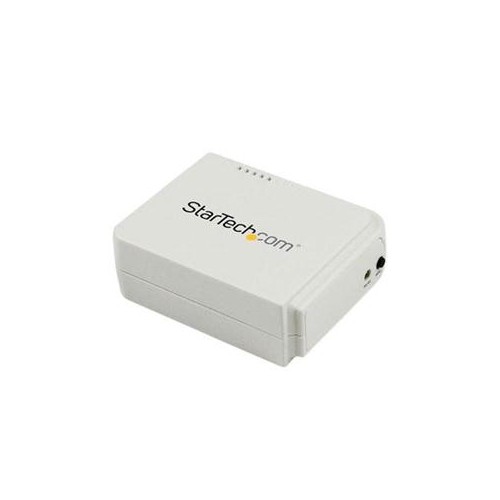
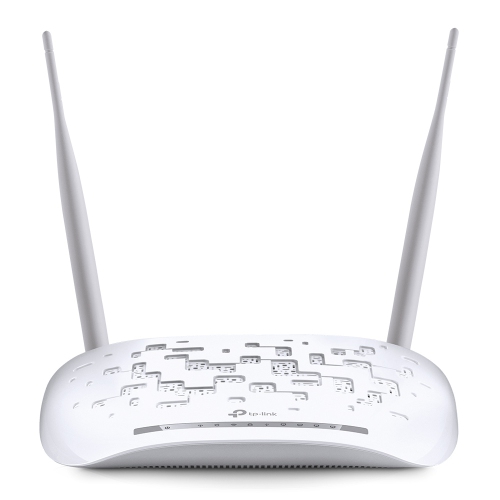
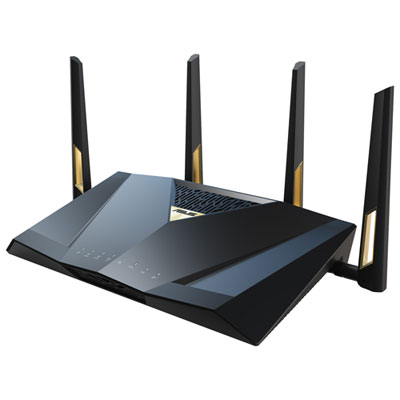
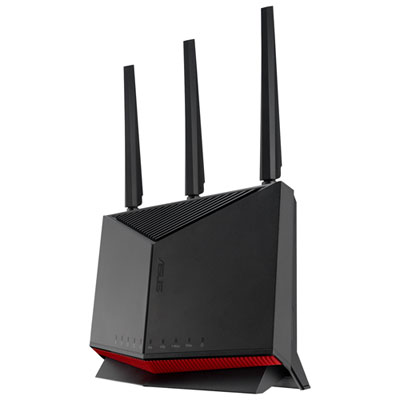
What keeps a shared printer reachable on your network
A wireless router lets a Wi-Fi printer share a home or office network with computers, tablets and smartphones, so several people can print without plugging their devices into the printer. The router doesn’t need a special printing feature for this to work. The printer and the device sending the job generally need to be on the same local network, and the device needs to support the printer through its built-in print service, a driver or a compatible app. In a household, that can mean printing a return label from a phone at the kitchen table while a student sends an assignment from a laptop upstairs. In a small office, a printer near the filing cabinet can serve both the desktop at reception and a laptop in the meeting room. Those devices don’t all have to use Wi-Fi: a desktop connected to the router by Ethernet can usually reach a wireless printer on the same network. A guest network is different. It often keeps connected devices apart from one another or blocks access to the main network, so a visitor’s phone may have internet access but still not see the printer. And because ordinary local printing happens within the network, it can often continue during an internet outage as long as the router and printer are still connected. Printing through a cloud service, by contrast, depends on an internet connection. Some printers also offer a direct wireless connection for sending jobs from a nearby device without a router. That can suit occasional use from a single device, but a shared network is more convenient when several people need regular access without switching Wi-Fi networks each time they print.
Printer compatibility matters more than the highest speed printed on a router’s box. Many wireless printers, particularly older ones, connect on the 2.4 GHz band only, so a dual-band router that supports both 2.4 GHz and 5 GHz can serve the printer alongside newer devices. A laptop using 5 GHz can usually print to a printer using 2.4 GHz when both bands are part of the same local network. Wi-Fi security settings matter, too: an older printer that supports WPA2 but not WPA3 may not join a network set to WPA3 only. For everyday printing, a steady signal where the printer sits is more useful than extra speed next to the router. A printer tucked into a back room might have a weak connection even if video calls run smoothly at a desk near the router. Walls, floors and large metal cabinets can all affect coverage. One router may suit a compact home or an open office, while a mesh system can extend coverage to a printer on another floor when its units have a strong link to one another. Ethernet ports offer another option when a printer supports a wired network connection. A printer next to the router can be plugged in and still accept print jobs from phones and laptops over Wi-Fi, without needing its own wireless signal. A USB port on the router is not the same thing: sharing a USB-only printer that way requires the router to support USB print sharing and work with the printer. When the printer itself is part of the setup, Office Wireless Printers cover the other side of the pairing, where paper capacity, double-sided printing and scanning may matter as much as how the printer connects.
Physical fit matters for a router that will sit on a shelf, a desktop or a shared work surface for years. Many routers have rigid plastic housings with ventilation openings. External antennas, if fitted, can add height or width, and rear-facing power and Ethernet connections need enough clearance that cords do not bend sharply against a wall. An open, stable spot is generally a better fit than the top of a crowded filing cabinet or a closed cupboard full of paper and supplies. Keeping vents clear and wiping dust from the housing with a soft, dry cloth are straightforward ways to care for equipment that runs day and night. How long a router remains useful also depends on software support. A sturdy housing may hold up well, but regular firmware updates matter for a device that serves everything from a printer to work computers. For someone replacing a router rather than setting up a network from scratch, the printer is easy to overlook: laptops and phones tend to get signed in first, and the missing connection may not show up until a form is due or someone needs a shipping label. If the network name, password or security setting changes, the printer may need to be joined to the new network before it appears again in the print menu. For a person setting up a first home office, a router can be a practical gift when the layout, internet setup and printer requirements are known. In a household that prints a few pages at a time, straightforward sharing and coverage in the room with the printer may be all that matters. In a busy office, a wired option or better coverage at the shared printer may make more sense. In either case, a good fit is a router that keeps the printer reachable from the places people actually work.
Top selling and popular products
-
 Your price for this item is $189.99
-
 Your price for this item is $189.99
-
 Your price for this item is $219
-
 Your price for this item is $899.99
-
 Your price for this item is $299.99
-
 Your price for this item is $139.99
-
 Your price for this item is $499.99
-
 Your price for this item is $349.99
Discover more categories related to Wireless Printer Routers
Top Collections:
Best Black Friday Deals This Year, Best Black Friday Deals On Electronics, Kindle Devices, Pokemon Centers, Best Black Friday Deals On Apple Products, Best Cameras for Sports Photography, Dyson Airwrap, Pokémon 30th Celebration Cards, Apple iPhone 17 Pro, Canon G7X Cameras
Some products may be subject to Environmental Handling Fees
(EHF) depending on your province.
Learn more about EHFs.