The Best Laptops for Graphic Design

Find the best laptops for graphic design, ranked by customer review ratings to help you compare your options. Whether you’re editing photos, creating illustrations, or building layouts, look for a laptop with a sharp display, accurate colours, and the performance to keep your creative projects moving. Explore the list to find a fit for your workflow and budget.

Read More

What to look for in laptops for graphic design

1. Display Quality and Colour Accuracy

Look for a sharp display with accurate colours and wide colour gamut coverage to help you assess layouts, illustrations, and photos. Strong sRGB coverage suits digital design, while Adobe RGB coverage may be valuable for print-focused work.

2. Processor and Graphics Performance

Choose a recent multi-core processor that meets the recommended requirements of your design software. Integrated graphics can handle many 2D tasks, while a dedicated graphics card can help with 3D rendering, motion graphics, and supported GPU-accelerated effects.

3. Memory and Storage

Aim for at least 16 GB of RAM for everyday graphic design, or 32 GB or more for large files and demanding multitasking. An SSD helps applications launch and projects load quickly; choose enough capacity for your software, working files, and asset libraries.

4. Portability and Connectivity

Balance screen size and weight with how often you work away from your desk, and check battery-life estimates against your expected workload. Confirm that the laptop has the ports and external display support you need for monitors, drawing tablets, and storage drives.
Citrus catapult arrow
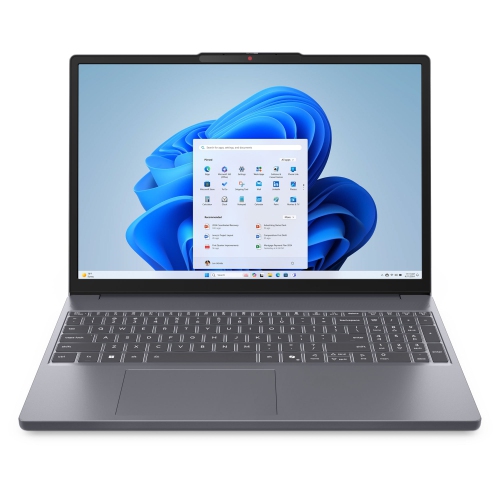
  1. 1

    About this product

    A slim laptop featuring a 15.3" IPS display, Intel Core 5 210H, 8GB RAM, and 512GB SSD.

    (7)
    $1,179.99 Your price for this item is $1179.99
  2. 2

    About this product

    A refurbished grey laptop featuring an Intel Core i7 processor, 512GB SSD, 16GB RAM, and Touch Bar.

    What customers like

    • Improved and comfortable keyboard
    • Excellent performance and processing power
    • Good value for a refurbished MacBook Pro
    • High-quality display with great color accuracy
    • Impressive sound and speaker quality
    (2,591)
    $783.85 Your price for this item is $783.85
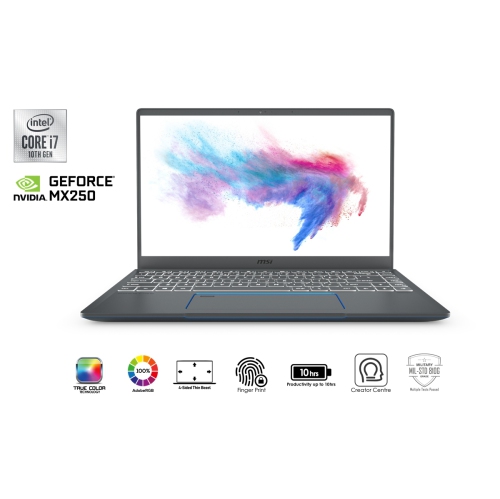
  3. 3

    About this product

    A sleek grey laptop featuring an Intel Core i7, GTX 1650 graphics, 16GB RAM, and 512GB SSD.

    $1,799.00
    SAVE $50
    Your price for this item is $1799
  4. 4

    About this product

    A powerful grey laptop featuring the M1 chip, 256GB SSD, 8GB RAM, and Touch Bar.

    What customers like

    • Comfortable and responsive keyboard
    • Sleek and durable build quality
    • High-quality vibrant display
    • Powerful and fast M1 chip performance
    • Excellent battery life
    (6,034)
    $1,500.00 Your price for this item is $1500
  5. 5

    About this product

    A refurbished grey laptop featuring an Intel Core i5 processor, 256GB SSD, and 8GB RAM.

    What customers like

    • Comfortable keyboard and responsive trackpad
    • High-quality display and vivid colors
    • Fast performance and SSD speed
    • Excellent battery life
    • Lightweight and portable design
    (2,467)
    $549.77
    SAVE $650
    Your price for this item is $549.77
  6. 6

    About this product

    A refurbished grey laptop featuring an Intel Core i5 processor, 256GB SSD, 8GB RAM, and Touch Bar.

    What customers like

    • High-quality Retina display
    • Sleek and compact design
    • Long battery life
    • Fast and reliable performance
    • Convenient Touch Bar and Touch ID
    (1,765)
    $699.77
    SAVE $299
    Your price for this item is $699.77
  7. 7

    About this product

    A refurbished grey laptop featuring a 6-core i7 processor, 16GB RAM, 512GB storage, and Touch Bar.

    What customers like

    • Seamless integration with Apple ecosystem
    • Long battery life and durability
    • High-quality screen and graphics
    • Lightweight and sleek design
    • Fast performance and processing speeds
    (890)
    $597.77
    SAVE $901
    Your price for this item is $597.77
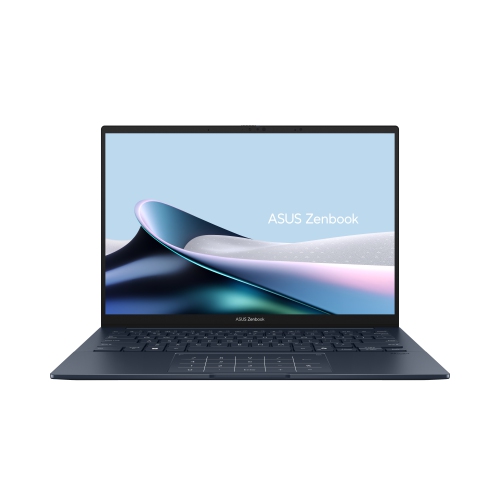
  8. 8

    About this product

    An ultraportable laptop featuring a vivid 14" OLED touchscreen, Intel Core Ultra 5, and eco-friendly design.

    (3)
    $1,599.00 Your price for this item is $1599
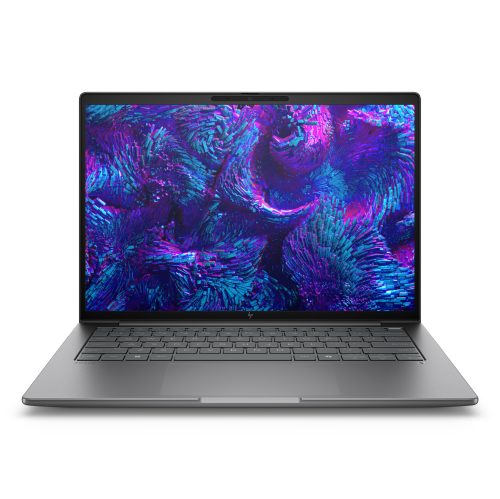
  9. 9

    About this product

    A powerful silver mobile workstation featuring Intel Core Ultra 7, 32GB RAM, 1TB SSD, and WUXGA display.

    $3,807.99
    SAVE $664
    Your price for this item is $3807.99
  10. 10

    About this product

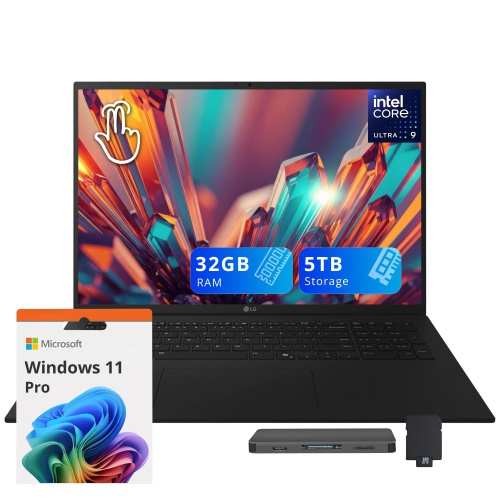
    An ultra-light black laptop with a 17" touch display, Intel Core Ultra 9, 32GB RAM, and backlit keyboard.

    $3,649.00
    SAVE $970
    Your price for this item is $3649

The Best Laptops for Graphic Design

The best laptops for graphic design bring together an accurate display, responsive performance, and a working size that suits the way creative projects take shape. For a designer building visual identities, that might mean moving comfortably between vector artwork, typography samples, and a presentation deck. For a photographer creating print layouts, it can mean keeping detailed image files open alongside page designs without interrupting the flow of work. Display quality matters because colour, contrast, and fine detail influence decisions throughout those tasks. A screen with close to 100% sRGB coverage is a useful foundation for graphics intended for websites and everyday digital viewing, while wider colour gamut coverage can support workflows that require a broader range of colours. Gamut coverage and colour accuracy are different specifications: a display can show many colours without showing them accurately. Factory calibration and a colour-managed workflow help make colour decisions more dependable, though print results also depend on printer profiles, ink, and paper. Resolution deserves attention as well. A higher-resolution panel can make small type, fine paths, and image edges easier to inspect, while comfortable interface scaling keeps menus and toolbars readable. A 14-inch laptop offers a compact workspace for travelling between home, class, and client meetings; a 16-inch model generally leaves more room for artwork beside layers and editing panels. Neither size is automatically better, especially when an external monitor is part of the setup. Matte finishes can reduce distracting reflections under overhead lighting, while glossy screens may look crisp but reflect bright windows more noticeably. Brightness, viewing angles, and consistent colour across the panel all contribute to a useful creative workspace. For someone adjusting a muted background behind a product photograph or checking the spacing in a small logo, these qualities can matter more than a display that simply looks vivid at first glance.

Performance needs vary with the kind of graphic design involved, so the most suitable laptop is one that matches the actual workload rather than the largest specification on paper. Branding, illustration, page layout, and web graphics benefit from a capable modern processor and enough memory to keep several applications responsive. For many contemporary design workflows, 16GB of RAM is a practical starting point, while 32GB or more provides additional room for large layered images, complex documents, and heavier multitasking. A typical working session may include a layout application, an image editor, a browser full of reference tabs, and a video call running together; memory helps keep those transitions comfortable. Some laptops have memory that cannot be upgraded after purchase, making the initial configuration especially important for longer-term use. Graphics requirements depend on the software and effects involved. Capable integrated graphics can handle many two-dimensional design tasks, while a dedicated graphics processor may be valuable for supported acceleration, three-dimensional rendering, motion graphics, and demanding video work. Application requirements remain the best reference for confirming the right balance of processor, graphics capability, and memory. Solid-state storage helps applications open promptly and makes handling project files more responsive. A 512GB drive can accommodate applications and a working collection of projects, but 1TB or more gives greater flexibility for high-resolution photography, linked assets, and multiple versions of a design. Free storage space also matters when editing software uses the drive for temporary working files. External storage can expand a setup, but important projects still need a separate backup rather than a single additional copy that becomes the only working file. Cooling is another practical consideration: sustained exports and rendering can place a laptop under load much longer than opening a document does. A well-designed cooling system helps maintain performance during those extended tasks, although fan noise and heat vary by model and workload. Battery-life figures also depend on use, and intensive editing, a bright display, or graphics-heavy applications can shorten unplugged working time substantially.

Everyday comfort and construction help determine how well a graphic design laptop fits into a working routine. A rigid chassis, stable hinge, and neatly fitted ports are worth attention on a computer that moves regularly between a desk, a studio, and a backpack. Metal housings can feel solid, while well-built composite housings can also be durable; material alone does not establish build quality. Weight should include the charger when considering a daily commute, particularly for students carrying sketchbooks and other supplies. A comfortable keyboard supports shortcuts and written project notes, and a precise trackpad makes small adjustments easier when a mouse or drawing tablet is not connected. Touchscreens and pen support can be useful for sketching or marking up layouts, but pressure sensitivity, compatible pens, and application support vary. For learners balancing coursework with personal projects, laptops for graphic design students can suit needs that span classroom portability and more involved work at home. Professionals may place greater emphasis on external display support, dependable peripheral connections, and compatibility with established studio software. Port specifications deserve a close look: not every USB-C connection supports the same charging, display, or data-transfer functions. Connections for external monitors, storage drives, and input devices can make a compact laptop more practical at a full desk, while reliable Wi-Fi supports sharing large files and joining remote reviews. Operating system compatibility matters for required applications, plug-ins, fonts, and school or workplace systems. For a laptop given as a graduation gift or to support a developing creative practice, those requirements are more useful than appearance alone. Basic care helps protect the device through regular use: carry it in a padded sleeve, keep liquids away from the keyboard, and clear dust from accessible vents according to the manufacturer’s instructions. Use a soft cloth and an approved cleaning method on the display, and avoid packing accessories where they could press against the lid. Keeping ventilation openings clear on a firm work surface also helps during longer editing sessions. The strongest fit combines these practical details with the display and performance needed for the work, whether that work is a first portfolio, a detailed publication, or a presentation ready for a client.
Read More

FAQ

Some products may be subject to Environmental Handling Fees (EHF) depending on your province. Learn more about EHFs.