Best Logitech Bluetooth Mice
Find the best Bluetooth mice for smooth navigation, wireless convenience, and everyday comfort. Ranked by user review ratings, this selection highlights top-rated options to help you choose a mouse for work, study, or browsing. Compare features such as customizable buttons, battery life, and multi-device pairing to find the right fit for your setup.
What to look for in Logitech Bluetooth mice
1. Bluetooth Connectivity and Compatibility
2. Size and Comfort
3. Tracking and Controls
4. Battery Life and Charging
-
1
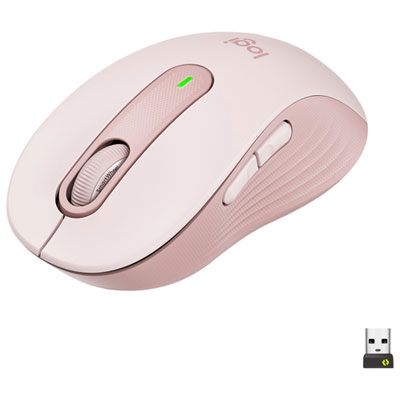
Logitech Signature M650 Wireless Optical Mouse - Rose
About this product
A wireless optical mouse in rose with SmartWheel scrolling, customizable buttons, and comfortable rubber grips.
What customers like
(113)$59.99 Your price for this item is $59.99 -
2
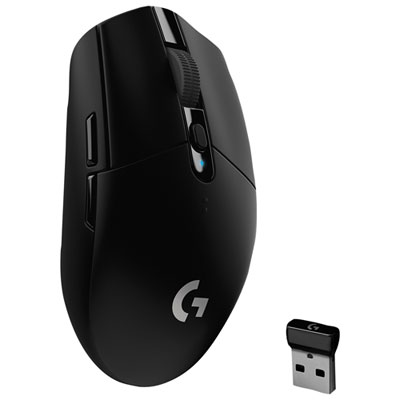
Logitech G305 12000 DPI Wireless Optical Gaming Mouse - Black
About this product
A wireless optical gaming mouse in black featuring 12,000 DPI HERO sensor and 1 ms connectivity.
What customers like
(3,438)$69.99 Your price for this item is $69.99 -
3
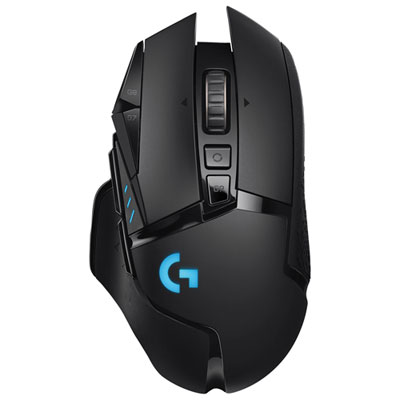
Logitech G502 LIGHTSPEED 25600 DPI Wireless Optical Gaming Mouse - Black
About this product
A wireless optical gaming mouse in black featuring 11 programmable buttons, adjustable weights, and 60-hour battery life.
What customers like
(3,330)$149.99 Your price for this item is $149.99 -
4

Logitech G203 LIGHTSYNC 8000 DPI Optical Gaming Mouse - Black
About this product
A black optical gaming mouse featuring 8,000 DPI sensitivity, customizable RGB lighting, and six programmable buttons.
What customers like
(1,859)$39.99 Your price for this item is $39.99 -
5
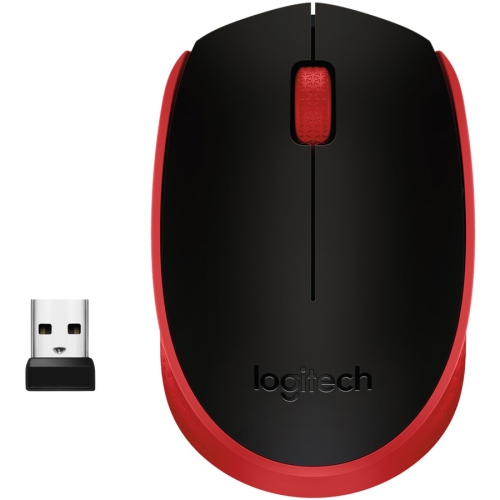
LOGITECH M170 Mouse 910-004941
About this product
A wireless red optical mouse with symmetrical design, USB connectivity, and two buttons plus scroll wheel.
What customers like
(334)$49.37Your price for this item is $49.37SAVE $4 -
6

LOGITECH Logitch Wireless M325 Mouse (910-003121)
About this product
A wireless mouse with micro-precise scrolling for easier online navigation.
What customers like
(4,859)$44.68Your price for this item is $44.68SAVE $10 -
7

Logitech G703 HERO 25600 DPI Wireless Optical Gaming Mouse - Black
About this product
A wireless optical gaming mouse in black featuring a 25,600 DPI sensor, programmable buttons, and RGB lighting.
What customers like
(1,626)$95.98Your price for this item is $95.98SAVE $24 -
8
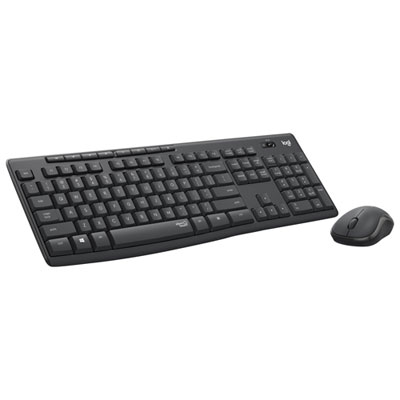
Logitech MK295 Silent Wireless Optical Keyboard & Mouse Combo - Graphite
About this product
A wireless keyboard and mouse combo in graphite featuring SilentTouch technology for quiet, reliable performance.
What customers like
(435)$44.99 Your price for this item is $44.99 -
9
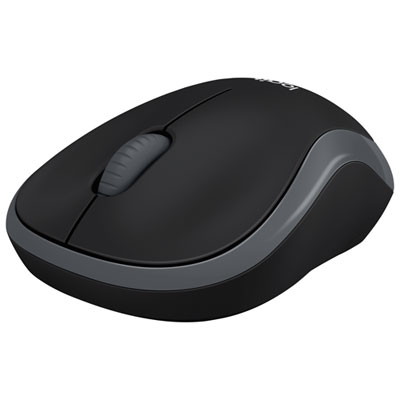
Logitech M185 Wireless Optical Mouse - Black
About this product
A black wireless optical mouse with ambidextrous design and USB nano receiver for precise navigation.
What customers like
(342)$19.99Your price for this item is $19.99SAVE $5
FAQ
Bluetooth connects a compatible mouse directly to a computer or tablet without a USB receiver. A receiver-based connection uses a compatible receiver plugged into a USB port. Some Logitech mice support both connection types, while others support only one.
Turn on the mouse and activate Bluetooth pairing mode using the pairing or channel button, following the model’s instructions. Open your device’s Bluetooth settings, search for available devices and select the mouse to complete pairing.
Some Logitech Bluetooth mice support multiple paired devices through Easy-Switch. On supported models, a button lets you select a device channel. The number of available channels and supported connection types varies by model.
Compatibility varies by model and may include Windows, macOS, ChromeOS, Linux, iPadOS and Android. Check the mouse’s listed operating system requirements and confirm that your device supports Bluetooth mouse input. Customization software may have different compatibility requirements from basic mouse functions.
Supported Logitech mice offer customization through software such as Logi Options+. Depending on the model and operating system, you may be able to assign button shortcuts, adjust pointer settings and create app-specific controls. Available scrolling settings also vary by model.
Top selling and popular products
Discover more categories related to Best Logitech Bluetooth Mice
Some products may be subject to Environmental Handling Fees (EHF) depending on your province. Learn more about EHFs.